
AI search engines exist for one sole purpose: to help users get answers to their queries in the most efficient manner. Traditional search engines like Google typically serve dozens of links for users to click through and piece together an answer. Even with AI Overviews appearing in approximately , traditional search still requires manual effort to synthesize information.
In contrast, AI search engines like Perplexity use artificial intelligence to deliver faster, more relevant, and conversational search results than traditional search engines like Google. For marketers and knowledge workers who spend hours researching, this dramatically improves efficiency. Over in a McKinsey survey are now actively preferring AI search from research to even making buying decisions.
This article will cover the top 9 AI search engines and rank them based on ease of use, pricing, and quality of results. For teams looking to rank in AI search, HubSpot’s can help.
Table of Contents
- What are AI search engines?
- How AI Search Differs from Traditional Search
- Key Benefits of AI-Powered Search Engines
- When to Use AI Search vs. Google
- AI Search Engine Use Cases
- How I Tested AI Search Engines: My Evaluation Framework
- 9 Best AI Search Engines
- How to Choose the Right AI Search Engine
- Frequently Asked Questions
What are AI search engines?
AI search engines are platforms that combine web crawlers, artificial intelligence, and user data to deliver conversational and context-aware answers. Instead of providing links, they use natural language processing (NLP), machine learning (ML), and large language models (LLMs) to respond to user queries.
Since AI-powered browsers read, understand, and summarize information, users don’t need to dig through multiple pages, as they do with traditional search engines.
Many businesses have spent years building out an SEO strategy to rank in traditional search. However, AI platforms are better served with an answer engine optimization (AEO) strategy. HubSpot’s shows where brands stand in AI visibility today and how they can improve their number of mentions in AI search.
HubSpot's AEO Grader
See how visible your brand is in AI-powered search engines.
- Analyze your brand for today’s AI search engines.
- Maximize your AI search performance.
- Assess your brand’s visibility and presence.
- Learn how you compare to competitors.
AI Search Engines vs. Traditional Search Engines
AI search engines differ from traditional search engines in how they process user queries and show results. A recent HubSpot experiment tested over 500 queries across both AI and traditional search engines and found that both of these mediums were fairly similar in answering basic questions. However, AI was able to form more compelling arguments for opinions.
|
Feature |
AI Search Engine |
Traditional Search Engine |
|
Query Understanding |
Context and semantics |
Keyword matching |
|
Results Format |
Summaries and direct answers |
List of links |
|
Learning Ability |
Continuous improvement |
Fresh result per query |
|
Personalization |
Highly customized |
Limited customization |
How AI Search Works
Traditional search engines, like Google, match keywords and rank pages based on authority signals. Users get a list of links that they must click through to find answers. AI search engines take a fundamentally different approach: They process the user query, then generate a direct answer.
To do so, AI search engines go through a multi-stage pipeline. First, content is gathered via continuous web crawling or real-time data feeds from public and private sources. Next, raw text is split into chunks and stored in a distributed database.
Then, during indexing, Natural Language Processing (NLP) models extract entities and add metadata to enhance contextual understanding. Queries are then analyzed for intent and context using transformer-based models.
Finally, retrieval-augmented generation (RAG) synthesizes the retrieved data into a coherent, cited response. This allows AI search engines to generate direct answers instead of merely listing links.
For example, if I ask Google, “What are the latest content marketing trends for SaaS companies?” I get 10 links to click through. Instead, if I ask an AI search engine the same question, I get a comprehensive summary with cited sources, saving me 15-20 minutes of reading.
In the past, marketers were focused on their ranking in search engines. AI search works differently, making AI visibility an important metric. HubSpot’s can help brands assess their AI visibility and benchmark against competitors.
Benefits of AI Search Engines
AI search engines are helpful for:
- Complex research synthesis, or pulling insights from multiple sources.
- Natural language queries, or asking questions like someone would ask a colleague.
- Follow-up clarification, which refines search without starting over.
- Time-sensitive summaries that let users get the gist without reading everything.
Limitations of AI Search Engines
Although AI search engines save time, they're not perfect for the following reasons:
- They can occasionally misinterpret sources or present outdated information as current.
- Some of them don’t extensively cite their sources, making information verification difficult.
How AI Search Differs from Traditional Search
A McKinsey shows that AI-powered search could redirect 20-50% of web traffic from traditional search. Over $750 billion in consumer spending can flow through AI search engines by 2028. AI search sets itself apart from traditional search engines in the following ways:
- Response format. AI search provides direct, conversational answers instead of a list of links.
- Query understanding. AI search engines use natural language processing (NLP) to grasp context and user intent instead of keywords.
- Context handling. Platforms maintain conversation history rather than treating each query independently.
- Information presentation. AI search systems combine data from multiple sources into a single coherent response instead of presenting separate results.
- Data freshness. AI search integrates real-time data via APIs, databases, and live indexing rather than periodic web crawling and indexing cycles.
- Personalization. AI search adapts responses based on conversation history and user behavior, and not just on search history and location.
- Speed of research. AI reduces research time (10–15 minutes vs. 30+ minutes) by summarizing key points.
Writing for AI-powered search engines is also a different ball game altogether. These fundamental differences create a "zero-click funnel. Brand mentions in AI-generated responses can directly determine customer perception and purchase decisions, without them ever clicking through to the brand website.
Tools like help analyze a brand‘s AI visibility, sentiment, and competitive positioning across leading AI platforms. Unlike traditional SEO tools that only measure website traffic, HubSpot’s AEO Grader reveals how AI search engines characterize brands when users ask questions about an industry, products, or services.
Key Benefits of AI-Powered Search Engines
AI-powered search engines offer significant advantages over traditional search through their personalized, direct answers that reduce information overload and improve user satisfaction.
|
Enhanced Query Understanding |
Interprets user intent and context rather than relying on keyword matching. |
|
Direct Answers |
Generates concise responses, reducing research time to 10-15 minutes |
|
Conversational Interaction |
Maintains context across follow-up questions for conversational replies |
|
Personalized Results |
Learns from user behavior and preferences, for dynamic results |
|
Multimodal Capabilities |
Supports text, voice, and image inputs, making discovery more intuitive |
|
Real-Time Data Integration |
Incorporates live data from APIs and databases for timely results |
When to Use AI Search vs. Google
There’s a heated debate about the waning legacy of Google and the rise of AI search engines. So, when should teams use an AI search engine vs. Google for a particular search query? Marketers should opt for AI search when they:
- Need quick, synthesized answers to complex or multi-part questions. (For example: Compare the marketing trends in 2025 and the cost of deploying them, then summarize the information in a table.)
- Want conversational, follow-up interactions.
- Want personalized, intent-based results that go beyond keywords.
- Use multimodal inputs, like uploading an image or using voice to search.
- Are short of time and need a summary of key points from multiple credible sources.
As someone who has worked in SEO content for a decade, I have mixed opinions. Yes, I agree that AI search alternatives for Google can be extremely efficient. However, I often find myself defaulting to traditional search options for fact-checking, especially if the topic isn’t a very well-known one or very specific.
HubSpot's AEO Grader
See how visible your brand is in AI-powered search engines.
- Analyze your brand for today’s AI search engines.
- Maximize your AI search performance.
- Assess your brand’s visibility and presence.
- Learn how you compare to competitors.
AI Search Engine Use Cases
AI search engines have a wide usability across different domains. Here are the top use cases for AI search:
- Conversational web search, which provides answers to users’ natural questions.
- E-commerce search to improve product discovery by combining user behavior and personal preferences.
- Content filtering to help assess highly credible, quality content by promoting trustworthy, well-structured content and demoting spam.
- Learning. AI search enhances research and learning by sourcing information from diverse sources and summarizing their content.
How I Tested AI Search Engines: My Evaluation Framework
I tested nine AI search engines over two weeks, putting each through the same rigorous evaluation process. To do so, I first had to chalk out a consistent methodology to apply to all of them.
I tested each search engine using:
- A Consistent environment. I used Chrome Incognito Mode with cleared cache.
- A standardized query: “What are the latest content marketing trends for SaaS companies in 2025?”
- Real-world follow-ups to test how well each handled clarifying questions
- Mobile testing. I checked performance on an iPhone 14 Pro, where applicable
Key Evaluation Criteria
I scored each AI search engine on five critical factors:
Accuracy & Source Quality (30% weight)
- How many reputable sources were cited?
- Could I verify the information easily?
- Did it pull from diverse source types (articles, videos, forums)?
User Experience (25% weight)
- How intuitive was the interface?
- Could I quickly scan and understand the results?
- Did it offer helpful follow-up suggestions?
Comprehensiveness (20% weight)
- Did it cover all major aspects of my query?
- Were there unique insights competitors missed?
- How deep did the analysis go?
Speed & Efficiency (15% weight)
- How fast did results appear?
- How much time did it save versus traditional search?
Special Features (10% weight)
- Mobile apps, voice search, export options
- Integration with other tools
- Customization capabilities
Why This Testing Approach Matters
Most AI search engine reviews focus on feature lists. I focused on real-world usability because that‘s what actually impacts a marketer’s daily workflow. An AI search engine might have 20 features, but if it can’t accurately answer marketing questions with credible sources, those features don't matter.
9 Best AI Search Engines
The best AI search engines in 2025 include Perplexity (best overall), Arc Search (best for mobile), and Brave Search (best for privacy). Many offer free plans, and each excels for different use cases, like research, content creation, or mobile browsing.
To choose the right AI search engine, compare features, pricing, and privacy policies in our quick comparison table. Ready to try one? Start with a free option, or use our getting started guide to find the best fit.
|
AI Search Engine |
Best For |
Starting Price |
Key Strength |
Biggest Limitation |
|
Perplexity |
Power users & researchers |
Free/$20/mo |
Diverse sources |
Overwhelming for simple queries |
|
Komo |
First-time learners |
Free/$20/mo |
Private, extensive results |
|
|
Arc Search |
Mobile users |
Free |
Seamless mobile experience |
Limited desktop features |
|
Gemini |
Google ecosystem users |
Free/$19.99/mo |
Real-time web crawling |
Highly analytical |
|
Brave Search |
Privacy advocates |
Free/$14.99/mo |
Zero tracking |
UX doesn’t show the AI search option clearly |
|
Claude |
Conversational search |
Free/$20/mo |
Friendly, conversational tone |
No summary table, limited detail |
|
ChatGPT |
AI beginners |
Free/$20/mo |
Familiar interface |
No data in first search |
|
Copilot |
Microsoft users |
Free/$9.99/mo |
Microsoft Office integration |
Minimal sources |
|
EXA Websets |
Academic researchers |
Free/$49/mo |
Scholarly journal access |
Complex UX |
1. Perplexity
Rating: 5/5
Perplexity is an AI-powered search engine that offers direct, summarized answers to user queries. It finds information from the web, synthesizes it, and presents citations-backed responses. Perplexity uses diverse language models (like GPT-5.1, Claude Sonnet 4.5, Gemini 2.5 Pro, Grok4, Sonar, and o3-pro) to answer a wide range of queries.

In my opinion, Perplexity is one of the best AI search engines in 2025, since it provides a detailed breakdown of trends, plenty of citations, and a summary table. I often use Perplexity for its easy-to-use UX, comprehensive and skimmable results, and depth of resources.
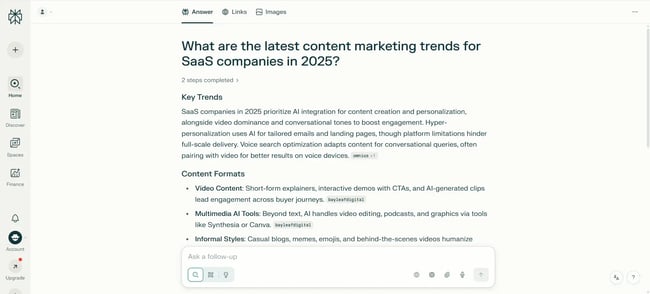
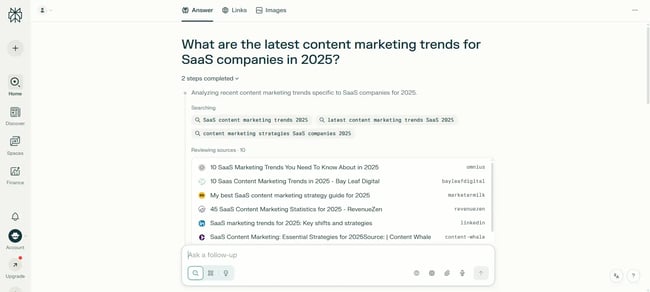
When I entered the query, Perplexity listed the “Sources” at the top, so it was easy for me to see and verify information from the citation list. It also showed me a 2-step breakdown of how it arrived at the results.
I also downloaded the Perplexity app on my iPhone 14 Pro. The app requires iOS 16.0 or later versions, and my phone supports it. The usage experience was smooth, and I could use the voice assistant to search for answers.
Pro tip: Perplexity is best for preliminary research, with follow-up responses that help users level up.
Best for: Perplexity is the best option for experienced marketers who want to conduct deeper research with verifiable sources.
Key Features
- Perplexity analyzes user queries and generates responses that summarize information gathered from recent web sources with real-time searches.
- Combines Perplexity’s own web crawler with search APIs from providers like Google and Bing to fetch timely results, ensuring answers reflect current events and data.
- Perplexity’s conversational interface supports follow-up questions and deeper exploration, making information discovery more interactive and efficient.
What I Like
- Visually well organized, with easy readability for new and experienced marketers.
- The summary table is a standout feature.
- Extensive citations and one of the best search diversities.
Pricing: Perplexity offers a for individuals and enterprises.
- Free tier with limited features
- Perplexity Pro at $20/month or $200/year
- Perplexity Max at $200/month or $2,000/year
- Enterprise Pro at $40/month or $400/year
- Enterprise Max at $325/month or $3,250/year
2. Komo
Rating: 4/5
is a privacy-focused, AI-powered search engine that combines generative AI with web search to deliver summarized, contextual, and organized answers instead of a list of links. Komo supports both open and closed-source AI models, like DeepSeek R1, Llama 4, OpenAI GPT-4.1, Claude 4.5 Sonnet, and Gemini 2.5 Pro. That powers web search, academic research, social sentiment analysis, and news trends.
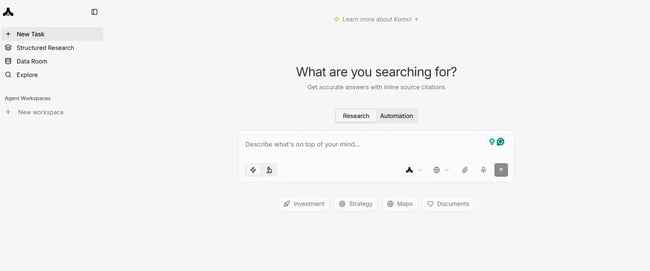
I liked how Komo combines the features of Perplexity and Brave to offer the best of both worlds: the depth of search results and privacy. Each point was supported with corresponding citations, and the summary table with statistical data was better than Perplexity.
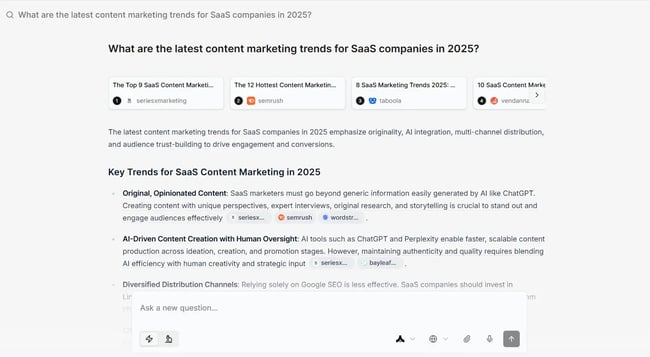
However, since Komo doesn’t store any user data, it returns vastly different results every time I search with the same query. This meant that the second time, the summary table lacked statistical data, and the differences in results are stark.
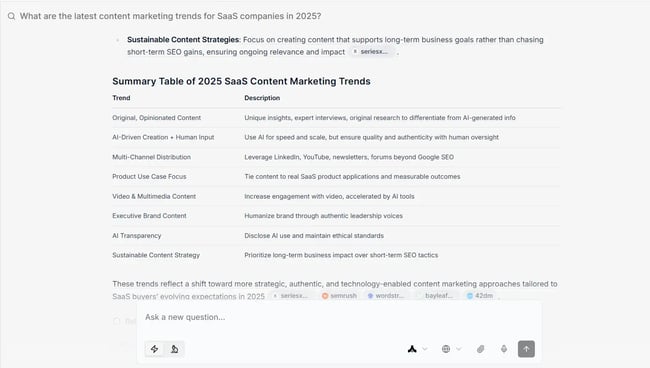
Komo doesn’t have a dedicated app for the Apple App Store, so I couldn’t run it on my iPhone 14 Pro. Although it’s accessible in my phone's browser, I wouldn’t recommend using it from the phone.
Key Features
- Provides a clear user interface while prioritizing user privacy.
- “Explore” option offers links to YouTube videos and online blogs for in-depth study.
- “Fact Check” feature helps users with easy information verification from sources.
Best for: Komo is best for users who want to balance privacy and facts during their search journey.
Pro tip: Use the same prompt in Komo multiple times to get comprehensive results and then compile them.
What I Like
- A clear list of sources is immediately available next to the relevant text.
- Decent search diversity, with over 10 sources listed.
- Summary table at the end for a quick glimpse.
Pricing: Komo’s subscription plans are categorized under four sections: Personal, Professional, Business, and Enterprise.
- Personal: Basic is free, Essential starts at $20/month, and Plus at $50/month.
- Professional: Pro starts at $100/month and Advanced at $200/month.
- Business: Premium starts at $500/month and Max at $1,000/month
- Enterprise: Custom pricing
HubSpot's AEO Grader
See how visible your brand is in AI-powered search engines.
- Analyze your brand for today’s AI search engines.
- Maximize your AI search performance.
- Assess your brand’s visibility and presence.
- Learn how you compare to competitors.
3. Arc Search
Rating: 4/5
is a popular AI-powered search engine for mobile phones with built-in ad blockers, cookie banners, and pop-up blockers. It protects user data and privacy, offers synced tabs across Mac, Windows, iOS, and Android devices, and auto-archives old tabs.
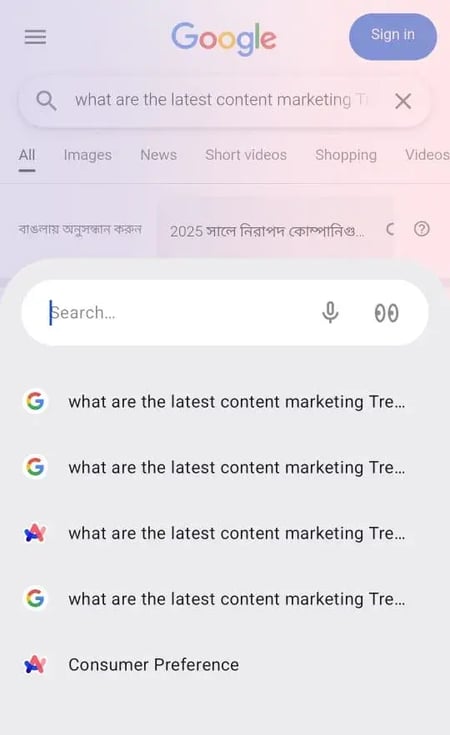
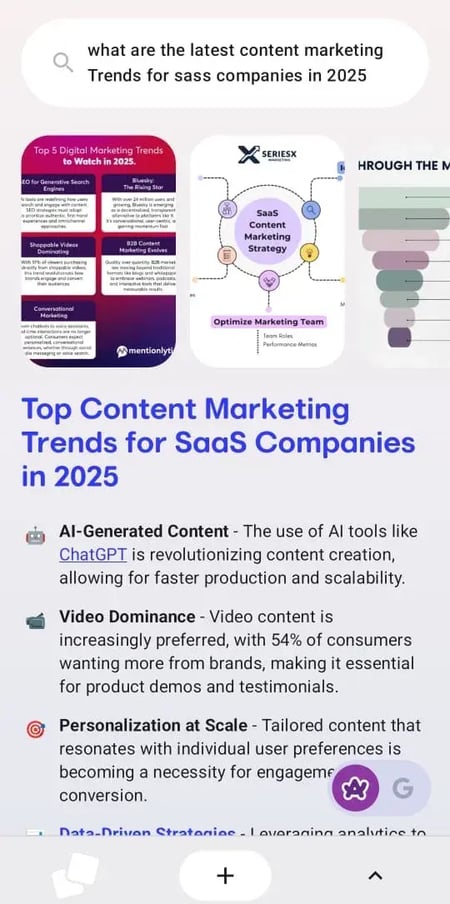
As a mobile-first web browser, Arc is easy to use on iPhone 14 Pro. I downloaded it from the App Store to test its features. The summary is detailed with adequate references to 10 sources for cross-checking citations. Further, users can click on certain text links to dive further into topics.
Arc also uses the Google search engine to generate results. Other search engines like Bing, DuckDuckGo, and others are also available. Users can summarize their results to access a short, synthesized version and seamlessly switch between Arc’s AI results and the Google search summary.
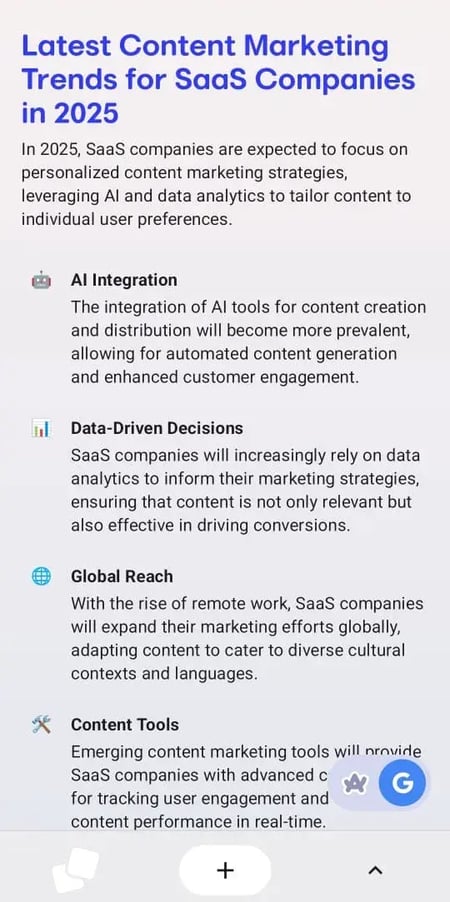
Best for: Arc Search is great for AI-powered searches on the go.
Pro tip: Users can sync their phones with the Arc desktop browser for a seamless browsing experience between devices. This will help pick up searching from any device without losing browsing history.
Key Features
- A mobile-first approach helps with quick, concise search results
- Ad blockers and tracker blocks protect privacy
- Voice assistant and Incognito mode enhance user experience
What I Like
- No third-party ads or pop-ups to disturb my web browsing experience
- Syncing across devices without tracking my personal data
Pricing: Arc Search is free for everyone.
4. Gemini
Rating: 4/5
Gemini, from Google, is not a search engine in the traditional sense. However, the Gemini app (formerly known as Bard), Google’s AI chatbot and virtual assistant, uses advanced LLMs to generate conversational replies by citing information from Google Search in real-time. Further, Gemini powers Google Search’s AI overviews for synthesized summaries and now powers the AI Mode in Chrome for a dedicated AI-powered search experience.
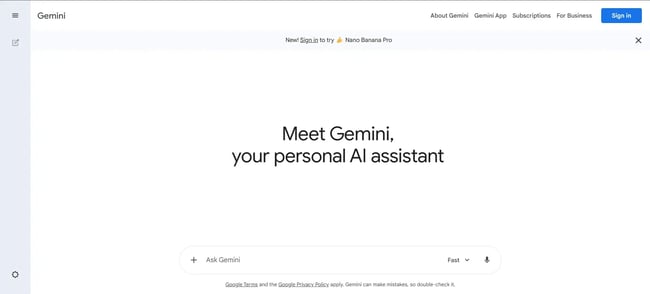
For teams already using Google’s products for work, Gemini is the perfect solution. As , a senior marketing manager of community growth at HubSpot, said, “I really enjoy Gemini because it's integrated with the Google Ecosystem — which was my preferred search engine to begin with.”
For the test, I used Gemini in incognito mode so that it couldn’t trace my preferences or search history. It provided a comprehensive result with a detailed explanation for each section. I was particularly impressed with how it answered the AI-driven transformation section and dealt with its impact on SERP. The citations were provided beside each paragraph for easy cross-verification.
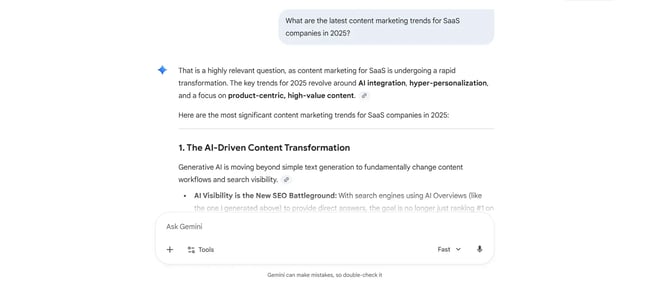
I also downloaded the Gemini app on my iPhone 14 Pro. It’s a good tool to search the web, engage with interactive visuals and real-world examples, plan itineraries, and do product research on the go.
Best for: Gemini is best for analytical queries rather than broad overviews. Although the number of sub-sections is limited, detailed answers for each section make it ideal for focused research.
Pro tip: Use Gemini across the Google product suite and see how it learns from files to deliver even better and personalized answers.
Key Features
- Users can circle, highlight, or scribble something on the phone and use Gemini’s multimodal capabilities to search it on the web
- Offers customized answers for user queries like shopping places and products from Google’s Shopping Graph
- Wide integration with existing Google products enhances search accuracy and personalization
What I Like
- Decent search diversity
- The “Fast” model also generates high-quality, in-depth results quickly
- Multiple options for deep research, image generation, and guided learning
Pricing: Google’s Gemini offers a tiered geographical pricing structure. Besides the free plan, Gemini offers the Google AI Pro for $19.99/month (free introductory offer) and Google AI Ultra at $249 (introductory offer at $124.99/3 months).
5. Brave Search
Rating: 4.5/5
is one of the top AI search engines that offers a free, privacy-focused service. With over 50 million user queries per day, Brave is one of the biggest non-Big Tech search engines. The “” feature synthesizes content from billions of webpages to create AI-powered answers, right in the search results page. Brave Leo is Brave’s own smart AI assistant built into the browser, which makes every page more interactive and powers the AI browsing experience.
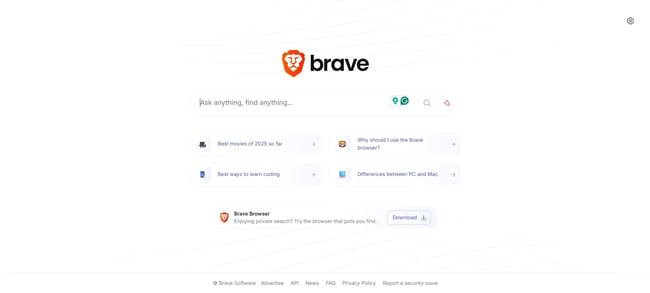
What I found most appealing about Brave Search is how well its AI feature is integrated into the app. You can simply select the “Ask” option to get an AI-powered search result instead of the usual browsing experience.
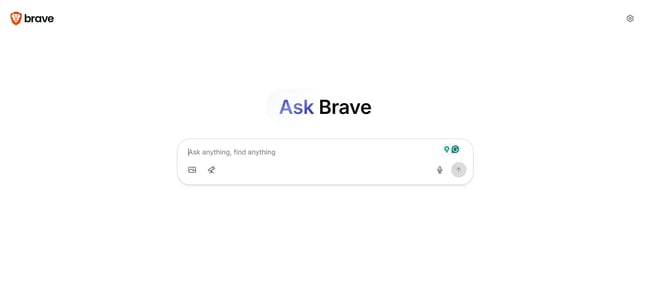
Like Google, Brave also provides an AI overview of the search query on its homepage with provisions to ask follow-up questions. But it’s the ‘Ask Brave’ feature that can compete with non-Big Tech firms. The search results were comprehensive, sourced from diverse channels like blogs, YouTube videos, and Reddit threads, with easy citation navigability. And the best thing is, Brave doesn’t retain or share my chats for model training.
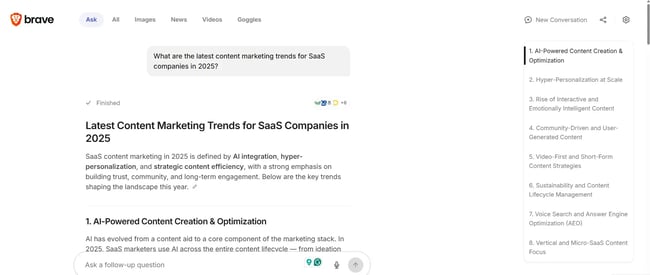
I also downloaded the Brave browser app on my iPhone 14 Pro. For someone who really cares about data privacy, I found it the best bet to protect my chat history and not be bothered by ads. The usage experience was very smooth as well.
Best for: Brave is the best AI search engine for privacy-focused users since it doesn’t collect, share, or sell personal data. Brave also doesn’t require login details to access its web browsing features.
Pro tip: Instead of manually searching for YouTube videos and Reddit threads using keywords, use Brave “Ask” to fast-track research.
Key Features
- Private, with no personal data tracking and account or login detail requirements
- Diverse search history with over 10 cited sources across blogs, YouTube, and Reddit
- Each section is very detailed with relevant sources for easy cross-checking
What I Like
- Separate images, videos, and news tabs under each section for further in-depth research
- Simultaneously balances answer depth and the extensiveness of its own result generation without any fluff
- Diverse sources make the query result richer than most of its counterparts
Pricing: Brave offers a free version, Search Premium for $3/month and $29.99/year, and Leo AI Premium for $14.99/month and $149.99/year.
6. Claude
Rating: 4/5
Claude, Anthropic’s AI assistant, offers web search capability by blending the roles of a search engine and a conversational AI to deliver up-to-date, cited information. It uses the Brave Search as its primary search engine, not Google or Bing.
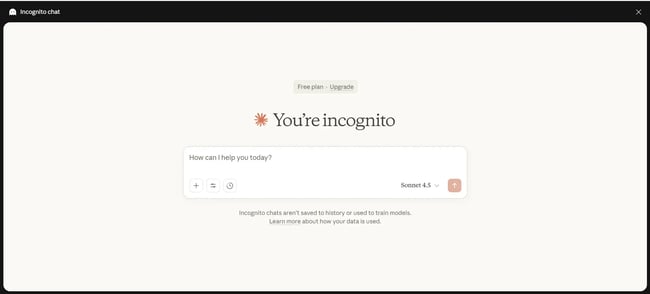
I have been using Claude for most of my work due to its vast integration support. Besides Google Drive integration, the for Claude helps me get personalized AI insights and visualize them through charts and graphs. for Claude helps teams with analyzing customer data and taking data-driven action directly.
During the test, I liked how Claude quickly generated the results with a detailed description for each marketing trend collected from 10 sources. But there were no tables to summarize the content. So there are no options to quickly glance through the main points. Further, although the first few points were described in detail, the last points had limited descriptions with no links to sources, making source verification difficult.
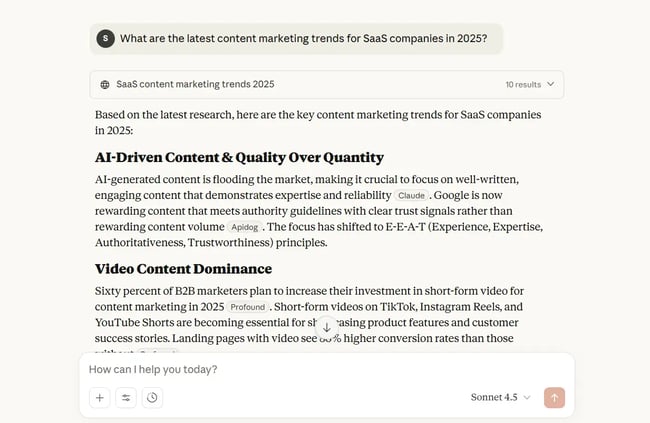
I also downloaded the Claude app on my iPhone 14 Pro, which requires iOS 17.0 or higher to run. The native app is helpful with chats, image analysis, and a quick web search on the go.
Best for: Claude is best for marketers who need to integrate multiple third-party apps for data-driven insights. Marketers can use it with Claude’s web search feature for a deeper analysis and research for their clients.
Pro tip: Use Claude for in-depth results, and back it up with follow-up questions on their output to get detailed answers on those areas where they don’t elaborate.
Key Features
- Provides multiple models, style options, and an additional ‘extended thinking’ feature to generate results, with a feature to disable web search
- Quick result generation with a list of sources cited at the top
- High accuracy while reporting current events, market news, and other time-sensitive information
What I Like
- Decent search diversity with 10 sources cited and displayed in a drop-down menu
- Data-driven results with citations
- Easy readability with well-marked out, descriptive sections
Pricing: Claude offers a 3-tier pricing structure: Free, Pro starting at $20/month or $200/year, and Max from $100/month.
7. ChatGPT
Rating: 4.5/5
ChatGPT, the most widely known AI chatbot, also functions as an AI-powered search engine, with real-time access to the web. Its online search feature is useful for asking factual questions, doing research, getting live or recent data, and conversational queries. OpenAI initially introduced the search engine as SearchGPT and later rebranded it to ChatGPT Search.
Like Claude, I extensively use ChatGPT for brainstorming, generating product outlines, and now, also for web searches. The the first deep research connector, also helps me with customer data analysis.
As HubSpot motion designer said, “I like that ChatGPT is able to search through both text and voice modes. Also, its deep research functionality is pretty useful.”
For the test, I was pleasantly surprised by the depth of the answer. Each section had bulleted points that were quite extensive, with each point having three citations. It was easily readable, and the points could easily be elaborated for a full-scale blog or probed deeper for research. However, unlike Claude, ChatGPT didn’t provide any data-backed facts.
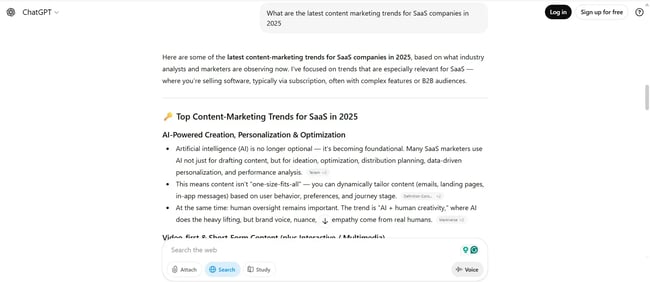
I used the ChatGPT app on my iPhone 14 Pro, and the usage experience was smooth. Moreover, ChatGPT can be directly integrated into Siri if iOS is updated to 18.2 or a higher version. With the ChatGPT extension, I could use it for visual and written searches on the go.
Best for: Just like Perplexity, ChatGPT is best for both new and seasoned marketers. For newcomers, the simple language and follow-up prompts guide them toward the right direction. At the same time, seasoned professionals can provide prompts for deeper research.
Pro tip: ChatGPT is great for users new to AI search. It’s one of the best tools for beginners to begin their AI search engine journey.
Key Features
- In-built web search feature with context awareness that can answer follow-up questions without re-explanation
- ChatGPT Search pulls in real-time information from the web
- Good for dynamic searches like weather updates, stock prices, and sports scores, as well as static queries
What I Like
- The most extensive query answer, with detailed bullet points and extensive citations
- Easy user interface and navigability with sources beside each section
- Follow-up questions and examples from real companies help with deeper analysis
Pricing: ChatGPT offers a geographical pricing structure. In the US, besides the free plan, the Plus category is $20/month, and Pro is $200/month.
HubSpot's AEO Grader
See how visible your brand is in AI-powered search engines.
- Analyze your brand for today’s AI search engines.
- Maximize your AI search performance.
- Assess your brand’s visibility and presence.
- Learn how you compare to competitors.
8. Copilot
Rating: 3.5/5
Copilot, the Microsoft AI companion, integrated into Microsoft 365 apps like Word, PowerPoint, and Excel, also functions as an AI-powered search engine. Copilot Search is a specialized AI-assisted search feature that combines Microsoft’s legacy Bing search engine with conversational AI.
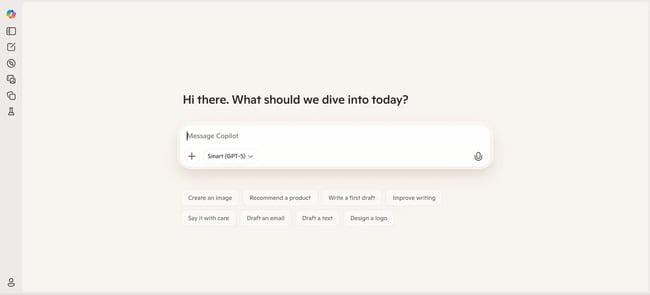
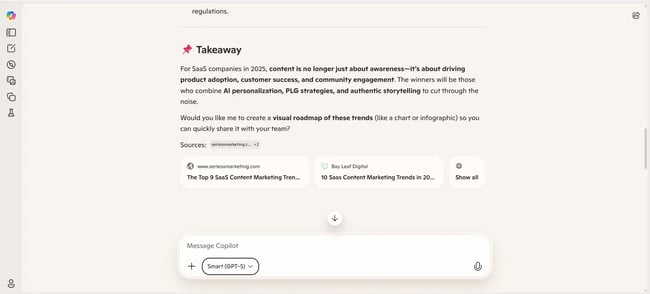
Although I tested Copilot in Google Chrome incognito mode for consistent results, Copilot works best in Edge, Microsoft’s cross-platform web browser. I liked how quickly it generated the results with short points under each section for easy readability. However, there were no tables summarizing the content, and Copilot used only three sources, far fewer than the average 10 used by other search engines.
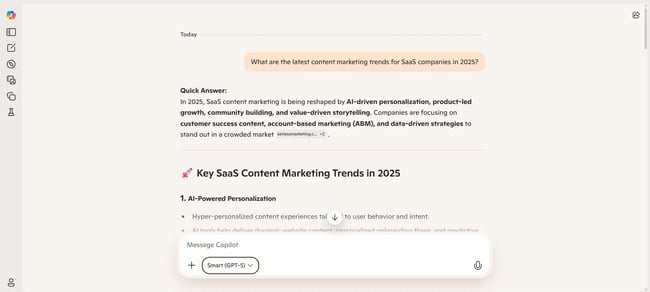
I also downloaded the Microsoft Copilot app on my iPhone 14 Pro. Although Copilot can also be accessed from any of my phone’s web browsers, the app experience is always the ideal one. The login experience was smooth with a free Microsoft account or Apple ID, and I could search just about anything on the go.
Best for: Copilot is ideal for beginners who want to try out the features of an AI search engine without getting into deeper insights. However, Copilot offers relevant follow-up prompts that can help a beginner explore a topic further.
Pro tip: Copilot is better for integrating files from a laptop or other existing apps and combining them with a web search for in-depth analysis
Key Features
- Multiple modes for deep thinking, study, quick response, and smart answers
- Supports texts, images, and videos
- Remembers preferences (if memory feature is on) and generates customized results
What I Like
- Quick result generation
- Short, to-the-point answers
- Easy interface
Pricing: Copilot follows a geographical tiered pricing structure for individuals, enterprises, and studios. The individual plans start at $9.99/month for individual users, $12.99/month for family, $19.99/ month for Premium users. The business plan has two options for $30/month and $36/month, billed annually, while Studio plans are customized.
9. EXA Websets
Rating: 4/5
by Exa is one of the top AI search engines for lead generation and B2B marketing. It uses web crawling API, SERP API, and deep research tools to find and extract structured content from websites and live data. Websets produces search results based on user-defined criteria and enrichments.
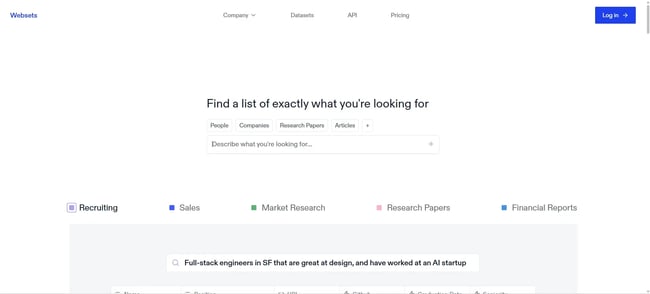
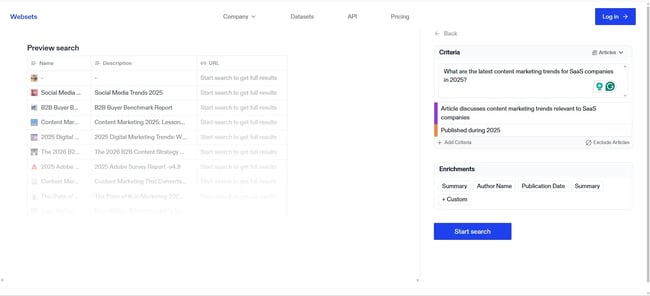
I must begin by saying Websets is not for beginners. It’s a sophisticated tool and requires some familiarity with the interface before using it. But its highly technical nature also means Websets produces top-notch results. I could set criteria based on which the results will be generated. I could also exclude articles that I don’t want in the search results. The results were impressive, and I was provided with an exhaustive list of resources.
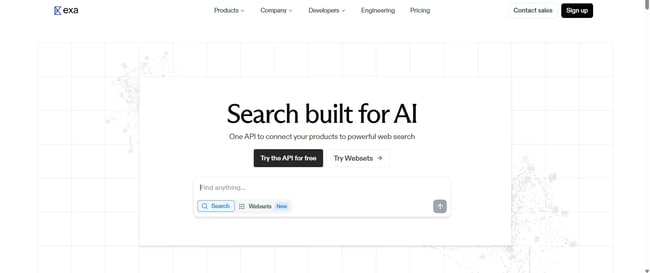
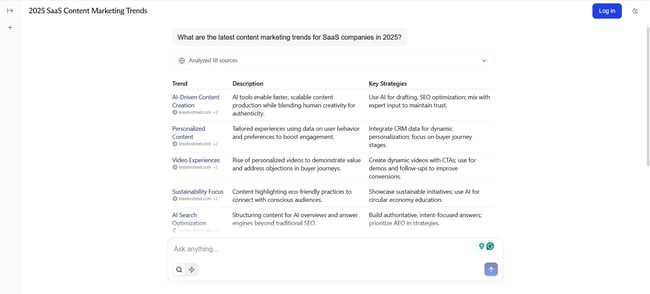
Exa also has a standalone that provides a compact table with the search results.
While the results are not extensive, they provide a short overview before readers can dive in. It analyzed 18 sources across tweets, research papers, and news to generate the results, almost double the sources cited by its competitors. Users can also set a limit on how old the cited sources can be (from the past 24 hours to one year).
Websets doesn’t have a dedicated app for the iPhone 14 Pro. So, I had to use it from my phone’s web browser. I wouldn’t recommend doing it at all because of the complex user interface.
Best for: Websets is the best AI search engine for marketers who want to do a deep dive into academic articles, journals, and blogs for more nuance. Websets can be used with other search engines to find the best and relevant sources related to a subject for a better analysis.
Pro tip: Use the Exa AI search engine API for a simple web search and use Websets for a deep dive by predefining research criteria.
Key Features
- Users can add criteria, exclude articles, and provide customized details like author name and publication date for search results
- Unlike other AI-powered search engines that provide a summary, Websets provides a list of relevant articles that match the user-defined criteria
What I Like
- Exa offers both complex and simplified search interfaces, depending on the user’s preference and goal
- Manually setting criteria helps to customize the search results
- Maximum search diversity and citations across all AI search engines
Pricing: Exa functions on a credit basis. Websets has three plans: Starter for $49/month (8,000 credits), Pro for $449/month (100,000 credits), and Enterprise has custom pricing. Exa API offers a pay-as-you-go option starting with $10 in free credits.
How to Choose the Right AI Search Engine
AI search engines can help marketers save time and conduct more personalized research. When picking a platform, users should evaluate how often they search and their available research.
- For everyday research: Start with Perplexity. Its 10+ source citations and summary tables make it ideal for work projects, content research, or any time you need comprehensive, verifiable information.
- For mobile searching: Arc Search is unbeatable. Seamless tab management and no ads make it perfect for on-the-go queries.
- For privacy-first searching: Brave Search never tracks you. It‘s perfect for sensitive queries or if you’re simply tired of being followed around the internet.
Getting Started Guide
Starting an AI search journey is quick and easy:
- Pick two tools to start: I recommend Perplexity for desktop and Arc for mobile
- Use them for one week: Replace default search for non-navigational queries
- Pay attention to time saved: Track how much faster users find quality information
- Upgrade if needed: Most paid tiers are worth it for those who search more than 10 times daily
Frequently Asked Questions
Which is the best AI search engine?
Perplexity leads overall with its comprehensive results and 10+ source citations. But the “best” one depends on individual needs, for instance, I’d choose Arc for mobile and Brave for privacy.
Which AI search engine is totally free?
Arc Search, and the free tiers of Perplexity, ChatGPT, Claude, Gemini, and Brave Search all offer robust free options. Arc has no paid tiers at all.
How do I turn on AI search?
Different search engines have different ways to turn on AI search. For example, Google‘s AI features appear automatically for certain queries as "AI Overviews" at the top of results. For full AI search capabilities, use Google’s Gemini directly at . Similarly, for Brave Search, select “Ask” to turn on AI search.
Is Google AI better than ChatGPT?
Google AI (popularly called Gemini) is best for existing Google users who already use the company’s other products. ChatGPT is an AI-first company and best suited for people who want to use an AI search engine with a simple user interface. Both Google AI and ChatGPT are equally good AI search engines.
Are AI search engines accurate?
No, AI search engine results are not always accurate. Always verify important information using the cited sources. The best AI search engines make this easy by clearly listing all references.
Do AI search engines replace Google?
AI search engines won’t replace traditional Google searches. Google is still the ideal choice for manually searching links to blogs, news articles, academic papers, videos, and social media content. AI search engines are better suited for quick, synthesized answers in a conversational tone, reducing research time.
How do AI search engines make money?
AI search engines make money from displaying ads, charging advertisers for clicks and impressions, subscription services for premium features, partnering with brands, and selling aggregated, anonymized data to businesses, and e-commerce commission.
Can I use AI search engines for work?
AI search engines can increase productivity and reduce research time at work. But make sure to verify important information from the cited sources. Always remember, the AI search is a research assistant, not an oracle.
Start ranking in AI search.
Once marketers have experience with AI search as a user, they need to change gears and optimize for Answer Engine Optimization (AEO). The first step is understanding how their brand appears in AI search engines.
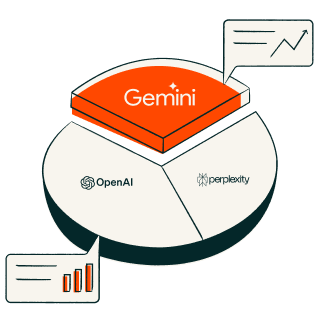
HubSpot’s AEO grader shows how visible brands are in ChatGPT, Perplexity, and Google’s AI search. The tool then compares the company’s performance to top competitors before showing the aggregate sentiment of AI search queries.
Start optimizing for AI search today.
Editor's note: This post was originally published in July 2024 and has been updated for comprehensiveness.
HubSpot's AEO Grader
See how visible your brand is in AI-powered search engines.
- Analyze your brand for today’s AI search engines.
- Maximize your AI search performance.
- Assess your brand’s visibility and presence.
- Learn how you compare to competitors.
Artificial Intelligence