Selecting the best rank tracking software is no longer as simple as measuring blue links. The modern search landscape has evolved into a complex ecosystem of organic results, AI Overviews, ChatGPT-style queries, and local packs. Today, traditional rank tracking falls short because static metrics don¡¯t capture this new reality, creating an urgent need for answer engine rank tracking and dynamic Search Engine Results Page (SERP) feature tracking.
Modern tools need to measure both brand visibility across AI-generated summaries and rich snippets as well as standard Google positions. Advanced answer engine tracking ensures marketers remain visible exactly where the audience looks.
The best tools offer accurate data, daily or weekly updates, local and mobile tracking, and integrations with platforms like Google Search Console. Start with a free trial or use to see how rank tracking fits into the team¡¯s broader marketing strategy.
Now, let¡¯s dive into the best rank tracking software on the market.
Table of Contents
- What constitutes modern rank tracking software?
- What makes a great rank tracker tool?
- Key Features to Look For in Rank Tracking Software
- Free vs. Paid Rank Tracking Software
- How to Test and Choose Rank Tracking Software
- 13 Best Rank Trackers
- Frequently Asked Questions About Rank Tracking Software
What constitutes modern rank tracking software?
Modern rank tracking software measures how a website appears across today¡¯s search results. It tracks keyword positions and expands that view to include visibility across AI-generated answers, SERP features, and location-specific results.
Search results on platforms like Google vary based on device, location, and query type. For this reason, rankings can differ significantly between users searching the same keyword in different contexts. The role of rank tracking software is to capture these variations and provide a consistent way to measure performance. Core capabilities include:
- Answer engine visibility tracking, which tracks whether a brand or page appears in AI-generated responses across tools like ChatGPT and Perplexity AI.
- SERP feature tracking that monitors presence in featured snippets, People Also Ask, local packs, AI Overviews, image results, and video carousels.
- Local and multi-location tracking, which measures rankings across cities, ZIP/postal codes, or defined map grids.
- Cross-device tracking that captures ranking differences between desktop and mobile environments.
- Visibility metrics, including share of voice, feature ownership, and competitive coverage across keyword sets.
Rank tracking accuracy depends on location settings, device type, update frequency, and how each tool collects and processes data. A consistent setup is required when comparing tools.
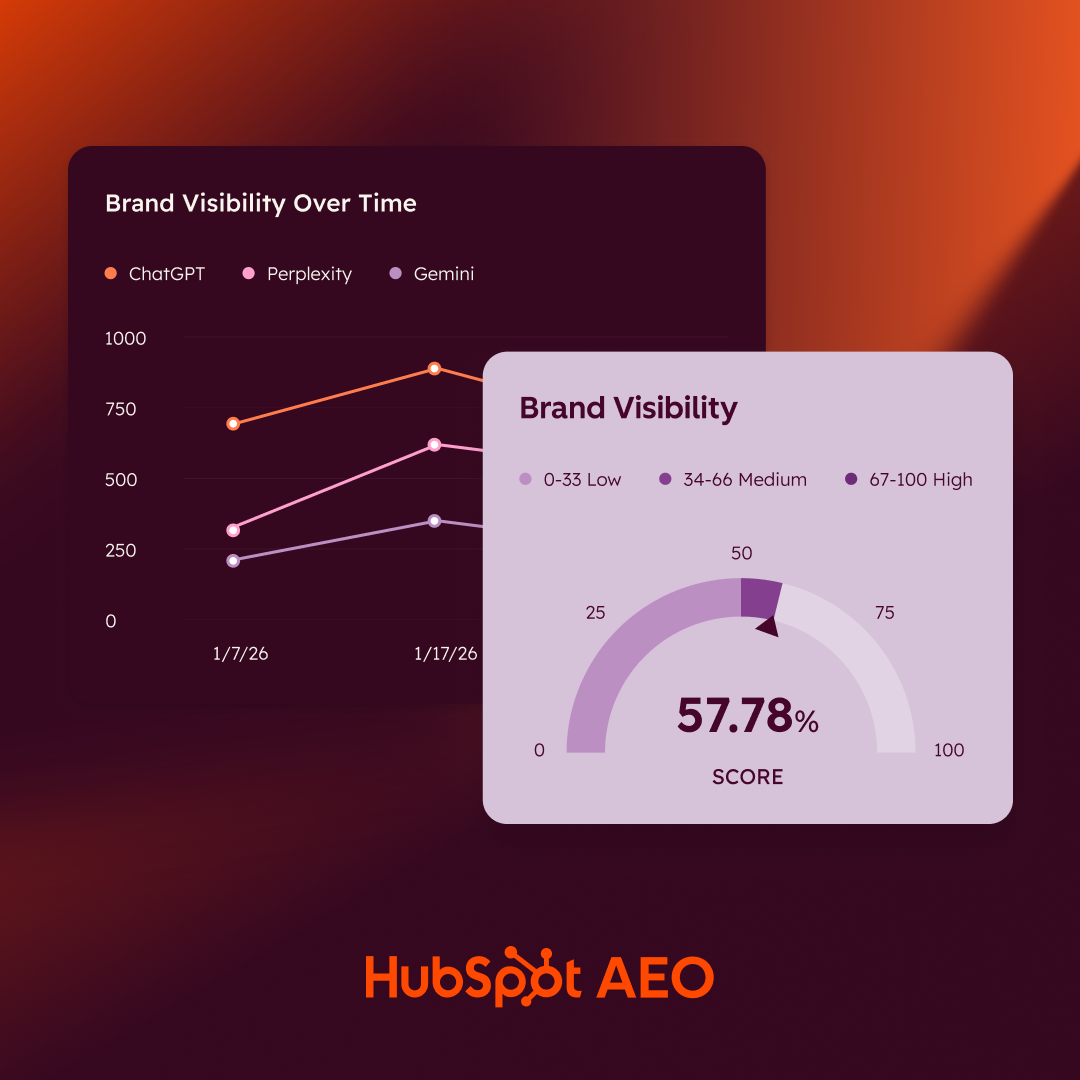
HubSpot AEO Tool
See exactly where your brand shows up in answer engines and take action to close AI visibility gaps.
- Track AI mentions.
- Analyze citations
- Monitor prompts
- Benchmark competitors
How Modern Rank Tracking Tools Work
Modern rank tracking tools simulate search conditions, collect result data, and track changes over time. The output reflects how search engines present results across different environments.
Search Simulation
Rank tracking tools run searches from defined locations and devices while removing personalization factors such as search history.
For example, for a keyword like ¡°project management software,¡± a rank tracking tool can simulate a desktop search in London and a mobile search in New York without personalization. It can then report that the page ranks #5 in London and #3 in New York while also appearing in a People Also Ask result in the mobile SERP.
SERP Capture and Classification
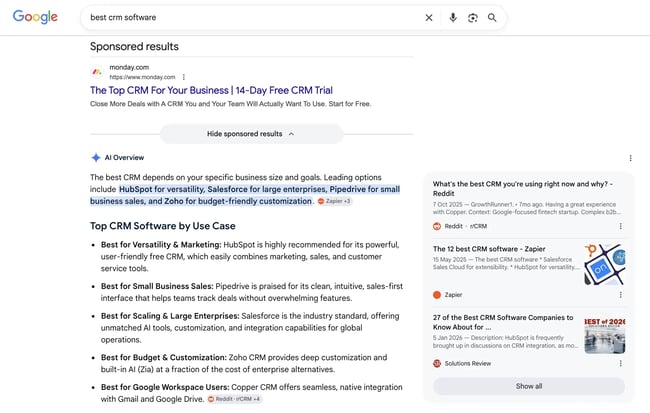
Rank tracking tools record the full results page and identify result types, including organic listings and SERP features. For a query like ¡°best CRM software,¡± the tool might detect a featured snippet and several product list results. Knowing this, it then maps where each tracked domain appears within those elements. As a result, the marketing team can understand which result types dominate the page and where visibility is concentrated.
Position and Visibility Tracking
Each keyword is tracked for rank position and presence across features such as snippets, local packs, and AI-generated results. For example, a page may rank #4 organically for ¡°email marketing tools¡± while also appearing in a featured snippet, which increases overall visibility beyond its position. The tool captures both signals and attributes visibility accordingly.
Trend Tracking
Rankings and visibility are recorded over time to detect movement, volatility, and competitive changes. A keyword might move from position #3 to #6 over a two-week period while losing a featured snippet to a competitor, signaling a decline in visibility. These patterns help teams connect ranking changes to content updates, algorithm shifts, or competitor activity.
Reporting
Data is aggregated into dashboards and reports, often combined with traffic and conversion data. For instance, a report may show that a group of keywords improved in average position and visibility share, alongside an increase in organic sessions and demo signups. This connects ranking performance to measurable business outcomes.
Pro tip: Rank tracking is one very important part of a business¡¯s SEO strategy ¡ª and our Ultimate Guide to SEO covers the rest, outlining everything a team needs to get a website and blog ranking.
Types of Rank Trackers: Cloud vs. Desktop
Modern rank tracking tools fall into four main categories, each designed for different levels of complexity, reporting needs, and search environments.
AI-Enabled Trackers
These tools focus on visibility in AI-generated responses across platforms such as ChatGPT and Perplexity. They track whether a brand, product, or page is mentioned, cited, or linked within AI summaries and answers. Some tools also analyze prompt variations to understand how visibility changes based on query phrasing. This category is most relevant for teams monitoring early shifts in AI-driven discovery and brand presence outside traditional SERPs.
Local Rank Tracking Tools
These tools track rankings across defined geographic areas, including cities, ZIP/postal codes, and map grids. They measure visibility in location-based results such as local packs and map listings, where rankings vary significantly by proximity to the searcher. Many tools include grid-based tracking to show how rankings change across neighborhoods, along with integrations for managing business listings. This category is essential for businesses that depend on local search visibility to drive in-person visits or service-area leads.
Enterprise Platforms
Enterprise rank tracking platforms are built to handle large keyword sets, multiple domains, and international markets. Enterprise rank tracking tools cater to enterprise teams, who prioritize API access, governance, and scalable reporting. They provide advanced reporting capabilities, including segmentation by region, product line, or business unit. Common features include API access, role-based permissions, workflow controls, and integrations with analytics or BI tools. These platforms are designed for organizations that require standardized reporting, data governance, and scalability across teams.
All-in-one SEO Suites
All-in-one SEO suites combine rank tracking with other SEO capabilities such as keyword research, backlink analysis, and technical site audits. Rank tracking is integrated into a broader workflow, allowing teams to move from insight to action within a single tool.
For example, a drop in rankings can be analyzed alongside technical issues or backlink changes without switching platforms. This category is commonly used by in-house teams and agencies that want consolidated tooling and unified reporting.
Who needs rank tracking software?
Businesses of all sizes use rank tracking software, with requirements varying based on team structure, scale, and use case. However, the same core capability, i.e., tracking search visibility, supports different workflows, reporting needs, and decision-making processes across organizations. Here are the five main user groups.
Agencies
SEO agencies use rank tracking tools to monitor client campaigns, create white-label reports, and prove ROI. Agencies need white-label reporting and multi-client management to standardize reporting across accounts and scale operations efficiently. Rank tracking data feeds into recurring reports and client-facing dashboards.
Local Businesses
Local businesses require rank trackers that can monitor location-specific results, especially for ¡°near me¡± searches and Google Maps rankings. These tools track visibility across cities, ZIP/postal codes, or map grids to reflect how rankings change based on proximity. This data supports lead generation and in-store traffic.
In-house SEO Teams
In-house SEO teams need daily rank tracking to spot algorithm updates, monitor competitors, and justify budget increases. Ranking data is used to evaluate content performance, identify growth opportunities, and report on SEO impact across marketing channels.
Enterprise SEO Teams
Enterprise teams need to manage SEO and handle reporting at scale. Their work spans multiple markets, domains, and product lines. Rank tracking tools support large keyword sets, advanced segmentation, and integrations with internal systems.
Publishers and Content Teams
Publishers and content teams use rank tracking to measure topic-level visibility and monitor performance across SERP features. This includes tracking how content appears in featured snippets, news results, and other content-driven formats. Insights from rank tracking inform editorial planning and content optimization.
What makes a great rank tracker tool?
Great rank tracking software accurately assesses how a business ranks for target keywords. These tools should provide competitor comparison, actionable steps for optimizing content, and SEO guidance. With , teams can plan content around topics that matter to their audience and track keyword performance as they build search authority.
Accuracy and Reliability
The best rank tracking software delivers consistent, accurate results that match incognito searches. Search engines personalize results based on location, search history, device type, and browsing behavior, so different users see different rankings for the same keyword. Quality rank tracking tools account for these variables.
Update Frequency Options
Daily rank tracking has become the standard, but the best tools offer flexibility. Teams might want hourly updates during a campaign launch or weekly tracking for stable keywords to save credits. Premium rank tracking tools even offer on-demand updates when teams need fresh data immediately.
Local and Mobile Tracking
With mobile searches dominating and local SEO more competitive than ever, a rank tracker must handle both. Look for granular location tracking (down to ZIP code level) and separate mobile/desktop rankings.
API and Integration Capabilities
For agencies and enterprises, API access transforms rank tracking from a reporting tool to a business intelligence platform. The best rank tracking tools integrate with Google Data Studio, Google Sheets, and popular reporting platforms. Some even offer white-label APIs for building custom dashboards.
Pro tip: integrates directly with Google Search Console, pulling in real data on impressions and click-through rates to inform teams¡¯ strategies.
Competitor Tracking
Professional rank tracking software monitors competitors¡¯ positions for the same keywords, revealing opportunities when they drop and threats when they climb. Look for tools that track unlimited competitors without extra charges.
Pro tip: SEO and tracking metrics can be tricky, so beginners should look into . It features some helpful guides and templates to take the guesswork out of SEO. From there, marketers can take the to give their knowledge extra cred.
AI and SERP Feature Tracking
Modern rank tracking should include SERP feature tracking to ensure a business maintains full visibility across the entire search landscape. Traditional rank tracking falls short because high organic rankings no longer guarantee clicks if a dynamic feature pushes the result down the page. High-ranking organic positions often lose significant traffic to visually prominent features, making it critical to monitor where a brand actually sits on a pixel level.
SERP feature tracking covers featured snippets, local packs, and AI Overviews, alongside other non-traditional elements like People Also Ask (PAA) and image/video carousels. AI rank tracking measures visibility in AI-generated search results and LLM answers, including chatbot citations across platforms like ChatGPT, Perplexity, Gemini, and Claude. When comparing software, look for platforms that distinguish between standard organic positions, pixel height, and presence within these interactive elements.
Buyers should evaluate tools based on how effectively they track these shifting surfaces. Top platforms have built dedicated modules to tackle this modern ecosystem:
- HubSpot & : A powerful combination for analyzing AI visibility. The free AEO Grader evaluates brand presence and sentiment across ChatGPT, Perplexity, and Gemini to generate a baseline score out of 100. For ongoing performance tracking, HubSpot AEO monitors prompt coverage, tracks citation rates over time, and provides prioritized optimization recommendations.
- Offers extensive tracking across millions of real-world prompt variants to map brand share of voice inside ChatGPT, Perplexity, Gemini, and Copilot.
- : Unifies standard positioning with deep visibility reporting for AI Overviews and traditional SERP components on a single dashboard.
- Provides near-instant, on-demand updates with robust tracking for over 50 distinct SERP features and AI-generated layouts via specialized LLM tracking capabilities.
- Includes an AI Search add-on designed specifically to monitor brand mentions and source links across multiple generative search engines.
HubSpot AEO Tool
See exactly where your brand shows up in answer engines and take action to close AI visibility gaps.
- Track AI mentions.
- Analyze citations
- Monitor prompts
- Benchmark competitors
Key Features to Look For in Rank Tracking Software
When evaluating rank tracking software, teams should keep these features top of mind.
- Accuracy and reliability depend on location, device type, and personalization.
- Competitor analysis helps understand a business¡¯s position in the market.
- Local SEO capabilities are essential for physical locations and specific geographic areas.
- Integration options should streamline workflows by connecting with the existing marketing stack.
- Ease of use and reporting functionality that make unlocking insights simple are important.
Quick Comparison of the Best Rank Trackers
|
Tool |
Accuracy & Reliability |
Competitor Analysis |
Local SEO Capabilities |
Integrations |
|
HubSpot SEO ÌÇÐÄVlog Software |
Strong Google Search Console keyword data. Tracks desktop/mobile performance with dependable reporting. |
Basic competitor visibility insights through connected SEO data. |
Limited local SEO depth compared to dedicated local tools. |
Native HubSpot ecosystem, Google Search Console, CRM integrations. |
|
HubSpot AEO |
Allows for generative tool optimization. Tracks brand visibility across ChatGPT, Gemini, and Perplexity with prompt-level monitoring. |
Strong AI competitor and citation analysis for answer engines. |
Not focused on local SEO tracking. |
Best when connected to HubSpot Smart CRM and ÌÇÐÄVlog Hub. |
|
SEMrush |
Daily keyword updates with accurate desktop/mobile tracking. |
One of the strongest competitor analysis suites available. |
Limited multi-location tracking on lower tiers. |
Zapier, Google tools, and broad third-party integrations. |
|
Ahrefs |
Accurate international tracking across 190+ countries and devices. |
Excellent competitor and backlink analysis. |
Good location tracking, though less local-focused than dedicated tools. |
API access and integrations with reporting workflows. |
|
Moz |
Reliable desktop/mobile rank tracking with optimization suggestions. |
Strong keyword gap and competitor comparison features. |
Decent local SEO support through Moz Local ecosystem. |
Large third-party integration library and API access. |
|
Google Search Console |
Highly accurate first-party Google ranking data. |
Minimal competitor tracking. |
Useful for monitoring local search visibility on Google. |
Integrates easily with Google Analytics and SEO platforms. |
|
SERPWatcher by Mangools |
Accurate Google-only tracking across locations and devices. |
Includes SERP competitor monitoring. |
Excellent city- and district-level tracking support. |
Limited compared to enterprise SEO suites. |
|
SE Ranking |
Strong multi-search-engine tracking with AI-assisted insights. |
Detailed competitor keyword and visibility tracking. |
Good local and regional tracking options. |
API access, agency add-ons, and marketing integrations. |
|
Nightwatch |
Precise ZIP-code-level tracking with desktop/mobile support. |
Tracks competitors and emerging AI search visibility. |
Excellent hyper-local tracking capabilities. |
Google Analytics, Search Console, API, and Looker Studio support. |
|
SEO PowerSuite Rank Tracker |
Reliable desktop software with unlimited keyword tracking. |
Solid competitor keyword comparison tools. |
Tracks rankings across nearly 600 search engines locally and globally. |
Fewer direct cloud integrations due to desktop setup. |
|
Keyword.com |
Strong location and device-based tracking with Share of Voice metrics. |
Basic but useful competitor visibility tracking. |
Excellent city and Google Maps rank tracking. |
API-focused workflows and shareable dashboards. |
|
Sitechecker |
Reliable Google Search Console-connected keyword tracking. |
Basic competitor performance monitoring. |
Good support for monitoring local SERP changes. |
Google Search Console integration and SEO workflow tools. |
|
Ranktracker |
Organic search and paid ad tracking. |
Side-by-side competitor comparisons. |
100,000 trackable locations. |
Consistent Google AI Overview performance. |
Free vs. Paid Rank Tracking Software
Free rank tracking tools offer a practical entry point for small businesses, solopreneurs, or teams just starting their SEO journey. However, free tools typically restrict the number of keywords teams can track. That number may be as small as 10 terms.
Paid rank tracking software offers comprehensive features that support serious SEO efforts. Paid software can track hundreds or even thousands of keywords, provide daily updates, and include competitor monitoring.
The deciding factor is SEO maturity and business needs. If a business is tracking 10 to 20 keywords for a single local business, free tools may suffice. But if a company is monitoring multiple locations, analyzing competitors, or managing client campaigns, paid software becomes essential.
How to Test and Choose Rank Tracking Software
To move from research to purchase, marketers must check how well a platform handles the complexities of the modern search ecosystem. A tool must align with current technical realities while remaining simple enough for teams to extract actionable insights. When software trials or technical specifications are under review, focusing on core structural capabilities rather than surface-level metrics ensures a smarter investment.
The most effective way to test a potential tracker is to set up a small-scale trial project. Evaluation methodology should compare the same keywords, devices, locations, and reporting needs across tools so there¡¯s an objective benchmark. During this trial period, cross-reference the software¡¯s dashboard metrics with real-world searches to check how the system interprets the live search landscape.
Core Evaluation Criteria
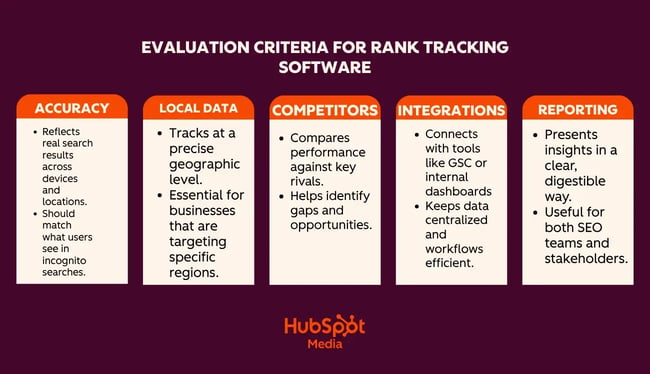
- Accuracy, Reliability, and Personalization. True accuracy depends on how effectively software mirrors real-world user behavior. Search engines constantly personalize results based on location, device type, and browsing history. Accuracy and reliability depend on location, device type, and personalization; therefore, the software must account for these variables during a trial to ensure that recorded positions match clean, incognito user searches.
- Hyper-Local Performance. Physical businesses and localized services need tools that look beyond country-level data. Local rank tracking tools track rankings by ZIP code, location, and map grid to offer an exact view of regional visibility. A quick test of how precisely a tool isolates geographical data reveals whether it can truly capture regional market share.
- Competitor Analysis. To understand a business¡¯s position in the market, evaluation in a vacuum offers little strategic value. Test the tool¡¯s competitor analysis capabilities by adding three to five main rivals to the trial project. Quality software monitors these domains automatically to benchmark positions, flag when rivals gain traction, and identify content gaps.
- Integration Options. Disconnected data leads to scattered workflows. A chosen tracker should offer integration options that streamline workflows by connecting with the existing marketing stack, whether that means pulling Google Search Console data directly into a CRM or feeding insights into central dashboards.
- Ease of Use and Reporting Functionality. Deep data has value only if the team can understand it. Evaluate the platform¡¯s ease of use and reporting functionality to understand and act on insights. Run automated test reports during the trial phase to ensure the data is digestible for both seasoned SEO professionals and cross-functional stakeholders.
13 Best Rank Trackers
1.
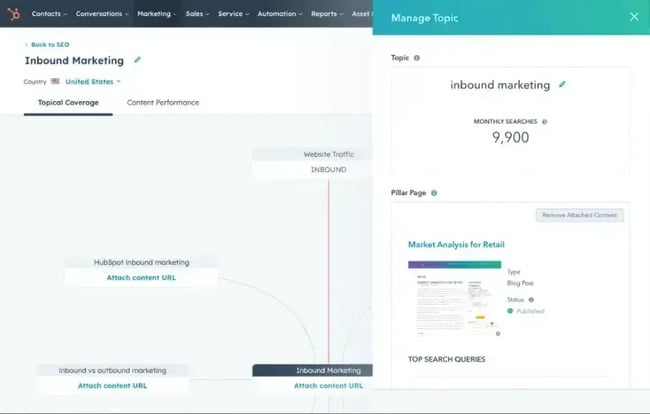
±á³Ü²ú³§±è´Ç³Ù¡¯²õ is an intuitive SEO management platform that¡¯s part of ÌÇÐÄVlog Hub. Marketers can use this software to plan an SEO strategy, monitor its progress, and determine ROI.
±á³Ü²ú³§±è´Ç³Ù¡¯²õ SEO tools scan entire websites and prioritize recommendations by impact. That lets marketers focus on the optimizations that will move the needle most for their search rankings. Beyond that, ±á³Ü²ú³§±è´Ç³Ù¡¯²õ SEO software includes content readability metrics for blog posts, displaying reading ease and time to improve the user experience.
Key Features
- Integration with Google Search Console for more accurate metrics and reports. This also means marketers won¡¯t have to tab back and forth between the two platforms.
- Integration with ±á³Ü²ú³§±è´Ç³Ù¡¯²õ native Content Management platform.
What I Like: HubSpot SEO tools¡¯ recommendations tab lets marketers know what changes could be made to improve website optimization. But what I thought stood out was that teams can see how high the SEO impact of the issue is, the difficulty of fixing, and which role can implement the change.
Pros
- Seamlessly integrate the platform with existing HubSpot platforms.
- Like other HubSpot products, the SEO ÌÇÐÄVlog Software features an easy-to-use interface.
Cons
- ±á³Ü²ú³§±è´Ç³Ù¡¯²õ SEO tools focus more heavily on content optimization, topic strategy, and reporting integrations, which may limit their use for granular keyword monitoring, SERP feature tracking, or large-scale SEO reporting.
- In order to use ±á³Ü²ú³§±è´Ç³Ù¡¯²õ SEO ÌÇÐÄVlog Software, users must subscribe to ÌÇÐÄVlog Hub, which may not work for someone who already has a different marketing tech stack.
Pricing
- Free tools via trial.
- ÌÇÐÄVlog Hub Starter: $20 per month a seat.
- ÌÇÐÄVlog Hub Professional: $800 per month (3 seats), additional seats $45 per seat.
- ÌÇÐÄVlog Hub Enterprise: $3,600 per month(5 seats), additional seats $75 per month.
2.
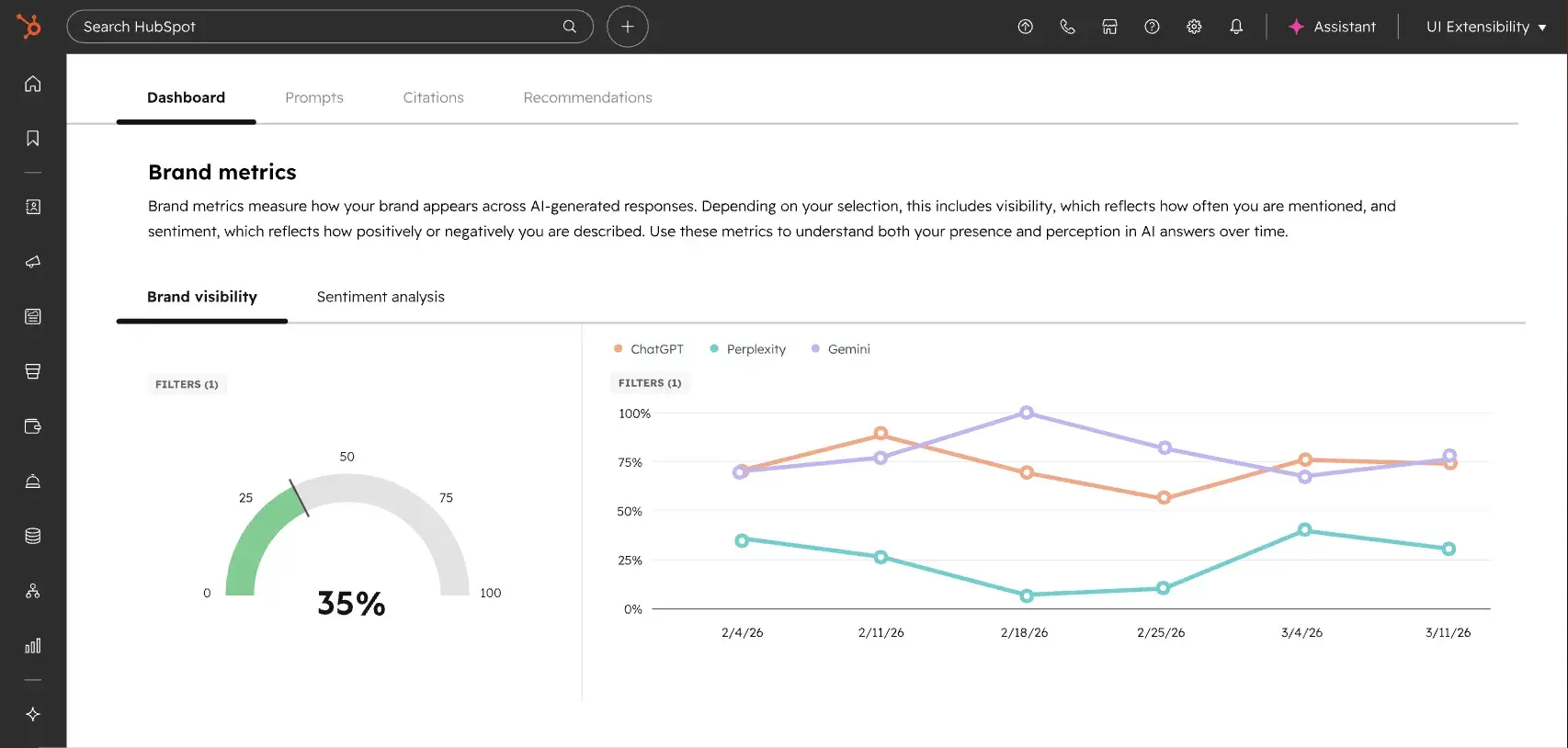
is designed to help teams track and improve their visibility in AI-generated search results. It focuses on how brands appear across answer engines, including ChatGPT, Google Gemini, and Perplexity, where users increasingly discover and evaluate products.
The platform analyzes whether a brand is mentioned, cited, or recommended in AI responses and provides insights into how that visibility changes over time. It connects these insights with actionable recommendations, helping teams understand how to influence AI-driven discovery alongside traditional SEO.
Key Features
- HubSpot AEO offers multi-engine coverage, which means that teams can monitor how responses differ by platform and identify where they are gaining or losing presence.
- Brand visibility and sentiment analysis lets users see how their brand appears in AI-generated answers. They can also evaluate whether those mentions are positive, neutral, or negative.
- With prompt tracking and suggestions, marketing teams can track specific prompts and discover new ones relevant to their industry, products, or audience queries.
- The tool offers competitor and citation analysis, which lets users see how other brands are being mentioned in AI responses. HubSpot AEO also shows citations influencing those results.
- Users have access to suggested actions to improve visibility, which allows them to focus on high-impact optimizations for AI search performance.
What I Like: In my opinion, one of the strongest advantages of this tool is its use of context. Most AEO tools require manual input to decide which prompts to track, which can slow down setup and limit coverage. When connected to HubSpot Smart CRM data, the AEO tool can use existing information about the company, competitors, and industry to suggest relevant prompts automatically. This makes the tracking setup more aligned with actual business priorities.
Pros
- Built specifically for tracking visibility across multiple AI answer engines
- Context-aware prompt suggestions when connected to HubSpot Smart CRM
- Clear recommendations that tie visibility insights to actionable next steps
Cons
-
The tool delivers the most value when it¡¯s connected to existing HubSpot Smart CRM data. Without that, users don¡¯t get the same out-of-the-box insights.
Pricing
- or $45/month when billed annually as a standalone product. This includes tracking for 25 prompts across 3 answer engines, with the option to purchase additional prompts.
- Also included as part of ÌÇÐÄVlog Hub Pro and Enterprise
3.
is one of the biggest names in SEO, and with good reason. The platform¡¯s robust features, like its backlink checker, competitor analysis, and organic keyword research, make it a popular go-to platform for marketers.
In SEO, marketers are usually at the mercy of search engine algorithms and their constant changes and updates. Luckily, SEMRush¡¯s rank tracker tool can keep teams updated on any changes in Google¡¯s algorithm, so they never fall behind.
Key Features
- SEMRush¡¯s rank tracking tool allows marketers to track organic keywords and pay-per-click (PPC) keywords.
- The platform recently integrated ContentShakeAI, a generative AI browser extension.
- Compare domains to see which have the most organic visibility and traffic.
What I Like: The ¡°intent¡± feature can tell you the intention users had when searching specific keywords, giving you a deeper insight into where in the customer journey they are.
Pros
- SEMRush features a user-friendly interface for easy navigation.
- The tool can integrate with Zapier to create fast and efficient workflows.
- SEMRush¡¯s data updates daily for the most accurate information.
Cons
- Those on SEMRush¡¯s first tier have to choose either desktop or mobile tracking.
- Multi-location tracking is not available.
- This can be pricey for smaller businesses that aren¡¯t experts in SEO.
Pricing
- Pro: $139 per month (or $117 per month, billed annually).
- Guru: $249 per month(or $208 per month, billed annually).
- Business: $499 per month (or $416 per month, billed annually).
4.
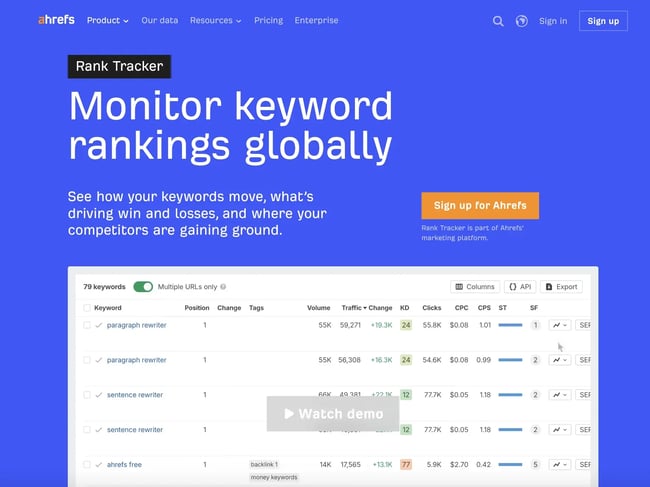
is another big player in the SEO game, offering a full suite of SEO tools to increase website visibility. The rank tracker tool is feature-rich and allows users to check search metrics across various search engines.
The platform comes equipped with keyword analysis, the ability to earn SERP features, and a backlink checker for a comprehensive SEO experience.
Key Features
- The rank tracker can measure metrics across more than 190 countries, making it perfect for companies with international operations.
- Ahrefs features a competitor analysis tool.
- The platform now comes with an AI agent that runs analysis in the background to spot opportunities or find technical errors
- Ahrefs¡¯ Share of Voice feature lets users see what percentage of clicks from organic search traffic takes users to the website.
What I Like: I discovered that Ahrefs has a feature that lets you schedule reports to be sent by email so you can stay up to date on your rank tracking without having to manually create the reports every time. I find this useful for quickly checking your keywords¡¯ status frequently in between generating full reports.
Pros
- Ahrefs has an extensive library of educational materials called Ahrefs Academy that can help beginner SEOs get started on their strategy or help longtime optimizers learn a new trick or two.
- The platform has built its own search engine, Yep (currently in Beta), which could give users a more accurate reading of keyword metrics.
- Because they¡¯ve been operating for more than 10 years, Ahrefs is known for its keyword research.
Cons
- Ahrefs is packed with useful features, but it doesn¡¯t have a very user-friendly interface, which can make it overwhelming to navigate.
- Its enterprise package costs $17,988 annually, making it the highest price point on the list when broken down monthly.
Pricing
- Lite: $129 per month.
- Standard: $249 per month.
- Advanced: $449 per month.
- Enterprise: $1499 per month (annual commitment required).
5.
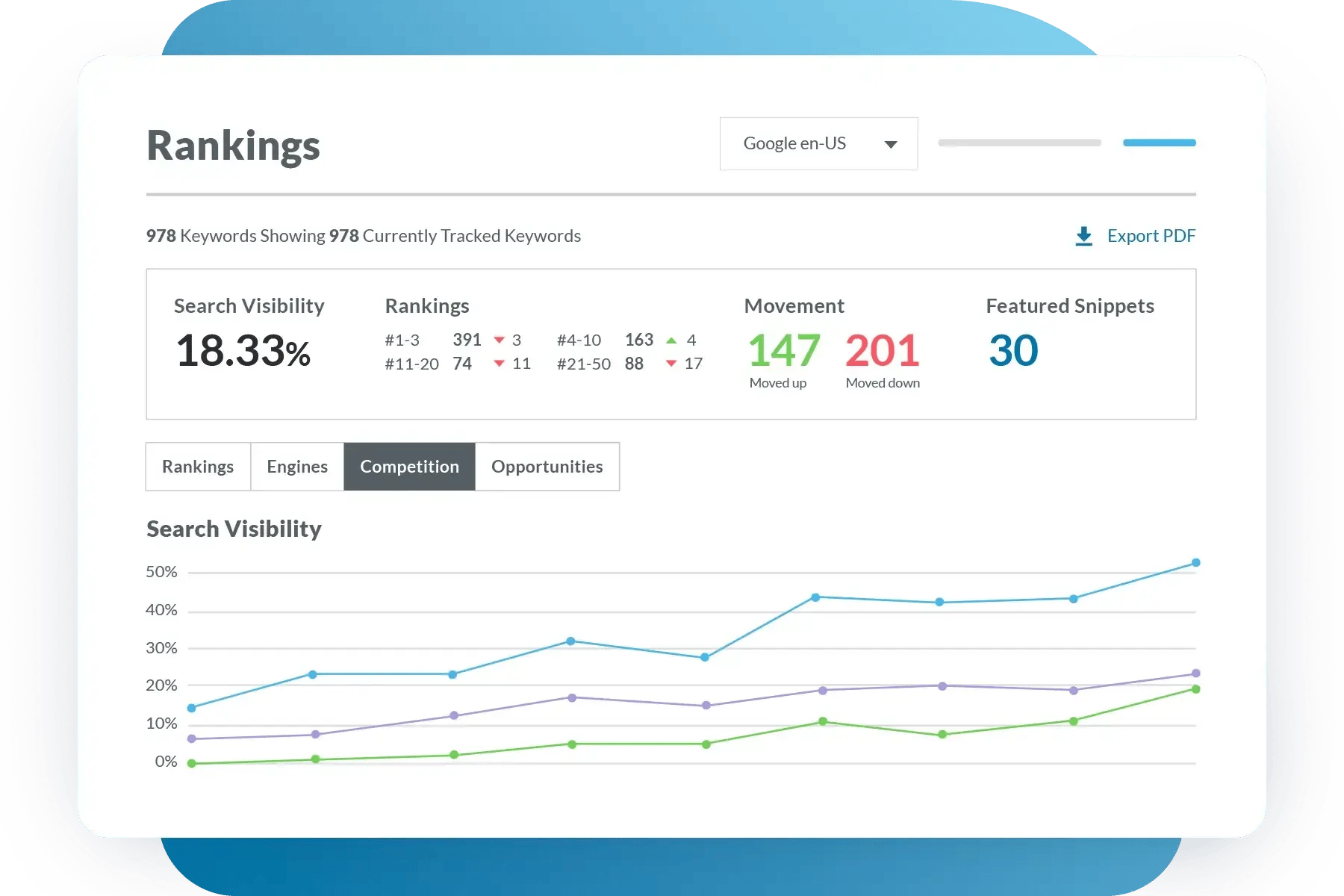
With over 20 years of experience in SEO, definitely earned its spot on this list. Moz is an all-in-one SEO solution with a fantastic rank tracker tool. Similar to Ahrefs, it hosts an extensive library of learning resources.
Moz¡¯s rank tracking tool makes it easy to determine which keywords are working and which are not. Marketers can compare keyword rank between desktop and mobile to understand user behavior.
Key Features
- Moz¡¯s platform gives teams keyword and content optimization recommendations.
- Marketers can also see which keyword fixes take priority, so they can work accordingly.
- The rank tracking tool lets marketers compare metrics to competitors for a holistic view of their strategy.
What I Like: I love that Moz has the largest catalog of third-party integrations. No matter what programs you are currently using, it¡¯s highly likely that you can integrate Moz, but if that¡¯s not the case, you can also use their API to do it manually.
Pros
- With Moz¡¯s competitor analysis, marketers can identify gaps in their strategy to fill.
- Users can create custom segments within Moz to get a thorough understanding of all audience groups.
- Moz has SEO solutions for all business sizes; small businesses to large enterprises can benefit from Moz¡¯s packages.
Cons
- Moz¡¯s user interface looks outdated and isn¡¯t as user-friendly as it could be.
Pricing
- Free trial for 7 days.
- Standard: $99 per month.
- Medium: $179 per month.
- Large: $299 per month.
HubSpot AEO Tool
See exactly where your brand shows up in answer engines and take action to close AI visibility gaps.
- Track AI mentions.
- Analyze citations
- Monitor prompts
- Benchmark competitors
6.
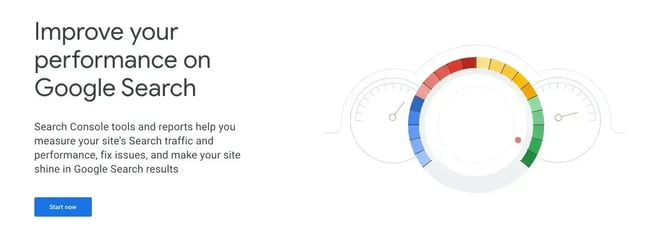
Google Search Console allows users to see keyword rankings, clicks, and other data to improve website visibility in SERPS. It features analysis tools that can monitor internal links, backlinking domains, and top-linked pages.
Though the rank tracking in Google Search Console is not a thorough one, I wanted to include it on this list because it is 100% free, and if you¡¯re already using Google Analytics and other marketing tools, it¡¯s easy to get up and running.
All marketers start somewhere, and even small business owners may be strapped for funds at the beginning, so whatever free tool they can get will help them immensely.
Key Features
- Google¡¯s search analytics lets users see which searches are bringing users to a website.
- Google will send email alerts if it detects a site has an issue that needs to be fixed.
- Ability to integrate with third-party rank tracker tools.
What I Like: For those new to SEO and rank tracking, Google Search Console has a 29-video training series on using the Search Console.
Pros
- Google Search Console is free and doesn¡¯t have any paid tiers.
- The platform is easy to use, especially for teams already familiar with Google platforms.
Cons
- Google Search Console has limited keyword tracking capabilities.
- The platform only runs metrics on Google, leaving out other search engines like Yahoo! and Bing.
Pricing
- Free.
7.
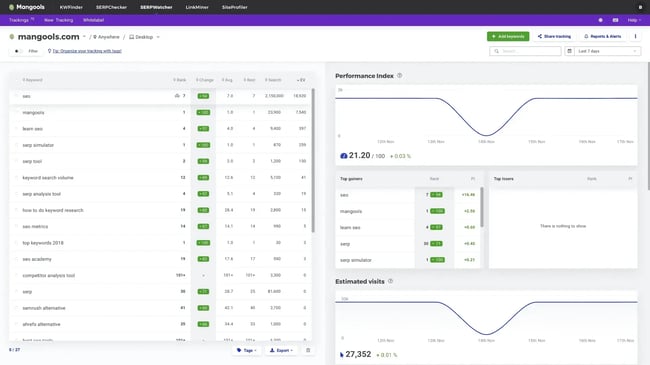
Although originally began as a keyword research tool, its offerings expanded to include backlink research, SERP competitor analysis, webpage analysis, and keyword rank tracking.
Like other platforms, users can track keyword metrics, make any necessary fixes, and create reports to share with teams.
Key Features
- Tracks rankings irrespective of locations or devices.
- Sends daily rank tracking updates so teams stay on top of their site¡¯s SEO.
- Currently has 65,000 supported locations, including countries, districts, and even cities.
What I Like: SERPWatcher has a simple and clean user interface, making it a great choice for those who are just getting into SEO. And since SEO can be so intense, I love it as an entry-level ranking tool for people who want to get a great impact.
Pros
- The platform has an interactive report feature that allows users to share key metrics with their team using a single link and can send custom event-based reports, too.
- All they need to start tracking keyword rank is a valid domain, a location, the platform they want to track, and desired keywords.
- Users can keep tracking organized using tags that they can name and add custom colors to.
Cons
- Users can track both desktop and mobile, but during the initial setup, they¡¯ll only be able to choose one, which means they have to go back and add the other later.
- SERPWatcher¡¯s rank tracker tool will only look through Google¡¯s index, leaving out other search engines.
Pricing
- Basic ($18 per month or $226 billed annually): Tracks up to 200 keywords daily. Limited to 1 user seat.
- Premium ($26 per month or $316 billed annually): Tracks up to 700 keywords daily. Includes 3 simultaneous user logins.
- Agency ($48 per month or $586 billed annually): Tracks unlimited keywords daily. Includes 5 extra seats for larger teams.
8.
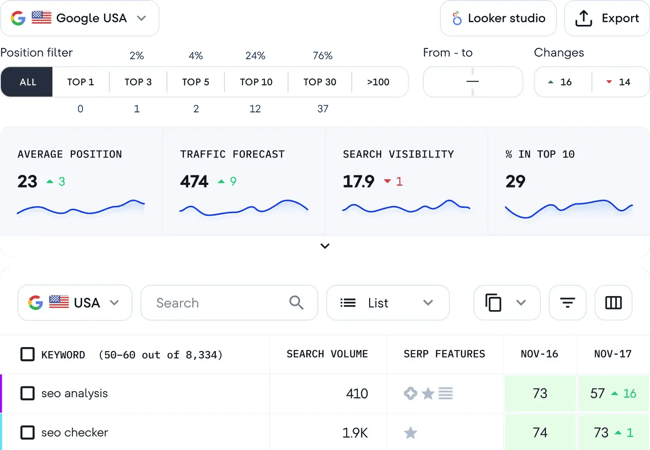
is an SEO software platform with various tools to monitor a site¡¯s visibility and keyword rankings. SE Ranking is ideal for agencies and in-house marketing/SEO teams. The platform is comprehensive and allows users to track keywords on multiple search engines, including Google, Yahoo!, Bing, and even YouTube.
Key Features
- SE Ranking¡¯s Rank Tracker gathers keyword performance metrics.
- The AI-powered On-Page SEO Tracker lets users keep tabs on site ranking and make any fixes that could improve its visibility.
- Crawl a website using the platform¡¯s website audits and find out how the website is performing.
What I Like: I love that this platform makes it easier to prevent the cannibalization of keywords. It identifies which pages might be competing for the same keywords so the appropriate fix can be made.
Pros
- Users can grant clients access to the platform to keep them informed.
- Track competitors¡¯ keywords to see how hard it would be to compete for the same keywords.
Cons
- Scaling steep cost increases for growing teams. While the entry price is highly competitive for solo users, the sharp jump in pricing between subscription tiers can feel punishing. For a growing agency or team, being forced to move up a tier just to add a few more client websites or user seats results in a massive 2x to 3x cost jump.
- Smaller backlink database compared to premium alternatives. For specialists heavily focused on link-building, SE Ranking¡¯s backlink index (~3 trillion links) is noticeably smaller and updates less frequently than premium tools like Ahrefs or Semrush. This can lead to missing newer or more obscure backlinks during deep competitive analysis.
Pricing
- Core ($103 per month): Includes 1 manager seat, up to 10 projects, tracking for 2,000 daily keywords, and 25,000 monthly API credits.
- Growth ($223 per month): Includes 3 manager seats, up to 30 projects, tracking for 5,000 daily keywords, historical project data, and 100,000 monthly API credits.
- Enterprise (Custom pricing): Scaled to custom tracking volumes, unlimited seats, and dedicated customer success support.
Popular Add-ons (Billed Separately)
- Agency Pack (+$69 per month, annual billing only): Required for full white-labeling, custom reporting themes, and automated client portals.
- AI Search (+$71.20 per month): Unlocks deep competitor tracking and visibility analytics within ChatGPT, Gemini, Perplexity, and Google AI Overviews.
9.
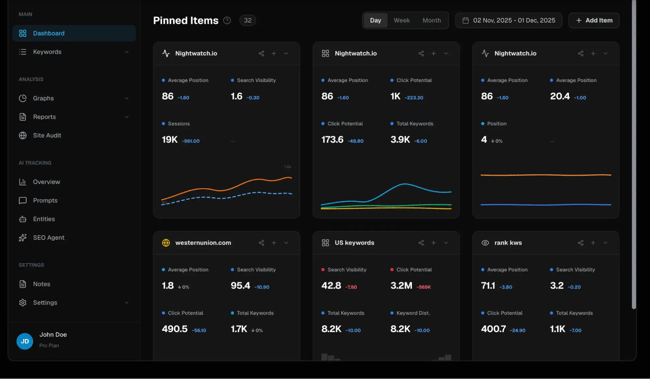
The next platform on this short list of the best rank tracking software is , an SEO platform with a clean and colorful user interface. Nightwatch is easy to navigate and looks different than other tools since its default background color is black, adding to the platform¡¯s night theme.
Key Features
- Nightwatch can pinpoint keyword rank down to the ZIP code.
- Users can audit websites and check for broken links, missing tags, and other issues that can hinder ranking.
- Users can create ¡°segments¡± in Nightwatch and compare how their keywords perform in each one.
- Track keyword ranking across multiple search engines, even DuckDuckGo.
What I Like: Nightwatch¡¯s AI capabilities are super interesting. Nightwatch AI Tracker allows the user to see if their tracked keywords appear in ChatGPT or other LLM results. Users will know exactly which phrases are being used and which questions are being asked.
Pros
- Nightwatch has a drag-and-drop feature to build out custom reports.
- The rank tracker can alert users to opportunities regarding potential global and local SERP placements they could take over.
- Users can build out white-labeled reports for clients.
Cons
- Teams can only track up to five competitors in the starter plan. Higher-tier plans increase this allowance (e.g., 10 to 15 competitors per site on advanced tiers, and unlimited on custom enterprise plans).
Pricing
- Starter (€79 per month): Tracks up to 500 keywords and 50 AI prompts across 5 websites, with 5 competitors tracked per site. Includes 25 site audit pages, 1,500 AI responses per month, and 100 SEO Agent credits per month. Covers Google, YouTube, and Bing, with Google Analytics integration and real-time on-demand checks.
- Professional (€159 per month): Tracks up to 2,500 keywords and 150 AI prompts across 25 websites, with 10 competitors per site. Includes 25 site audit pages, 4,500 AI responses/mo, and 1,000 SEO Agent credits/mo. Everything in Starter, plus Looker Studio integration, white-label reports, unlimited seats, and API access.
- Agency (€399 per month): Tracks up to 7,500 keywords and 500 AI prompts across 100 websites, with 15 competitors per site. Includes unlimited site audit pages, 15,000 AI responses/mo, and 5,000 SEO Agent credits/mo. Everything in Professional, plus a dedicated account manager, priority support (SLA), custom API rate limits, and SSO & advanced security.
- Enterprise (Custom pricing): Starts at 20,000+ keywords with unlimited AI prompts, websites, competitors per site, site audit pages, AI responses/mo, and SEO Agent credits/mo. Everything in Agency, plus custom data retention, dedicated infrastructure, custom integrations, and volume discounts.
10.
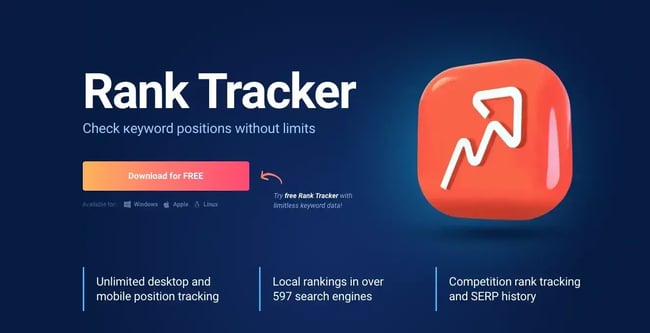
is another all-in-one platform that features a rank tracker tool as part of its package. What makes SEO Powersuite different from all the other tools on this list is that it doesn¡¯t operate in a browser ¡ª it¡¯s actually a desktop application. Users have to download the software onto a computer to use it. Despite this difference in operation, SEO Powersuite is still a great option to fulfill SEO and rank-tracking needs.
Key Features
- Rank Tracker can search local rankings through almost 600 search engines.
- Users can create fully customizable rank tracking dashboards to suit their needs.
- Able to search desktop and mobile SERPs to get a comprehensive view of keyword metrics.
What I Like: Hands down, my favorite thing about this platform is that no matter which tier you choose, you get unlimited keyword tracking! It¡¯s the only platform on this entire list that offers such a generous feature.
That means that even if you choose to stick with a free plan, you can still benefit from the unlimited tracking. This could make a world of difference for any company.
Pros
- Users can choose to buy the entire SEO Powersuite or its features individually if they don¡¯t need the entire suite.
- The desktop application is available for Windows, Mac, and even Linux, so it¡¯s widely accessible.
- Unlimited keywords
Cons
- Users can¡¯t save projects if they¡¯re on the free tier.
- Automated, unwatermarked report exporting (via PDF, HTML, or CSV formats) is heavily locked behind the Enterprise tier, making it the minimum required plan for agency client delivery.
Pricing
- Free Forever: $0 without saving or exporting
- Professional: $29.10 per month
- Enterprise: $49.95 per month
- Max+ (New Premium Tier): $74.95 per year (Adds dedicated priority support and higher cloud project limits).
11.
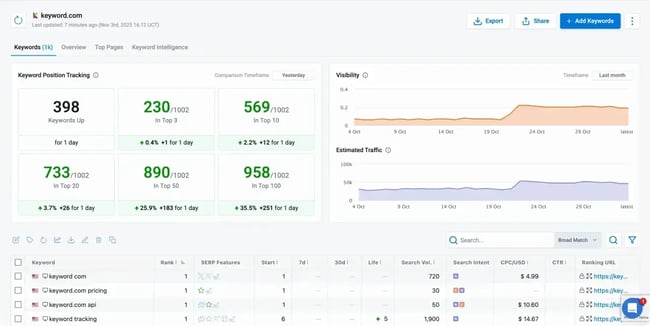
allows users to track keywords for any location and from any device, giving the user a lot of control over their tracking. It¡¯s best for agencies, in-house teams, and companies that need enterprise solutions.
Key Features
- Keyword.com can track keyword metrics down to a city and ZIP code level.
- The platform offers users on paid tiers unlimited seats.
- Branded reporting for all tiers, even Free Forever.
What I Like: We all know that metrics fluctuate on a daily basis, and sometimes even I can get caught up in these fluctuations and miss the overall trends. Keyword.com has a way to break through that noise and deliver the metrics that you should be focusing on. I particularly like their Share of Voice feature, which shows the percentage of clicks that land on your webpage to get a clear picture of your keyword performance.
Pros
- Keyword.com can track keyword metrics on Google Maps results.
- Users can create one-click shareable dashboards.
- The keyword position tracker allows users to organize keywords by topic or intent.
- Paid tiers start at only $4/mo.
Cons
- They offer a free trial, but it¡¯s limited to 14-days only.
Pricing
- Search Visibility (Starting $7/mo): It offers focused Google search rank tracking starting at 50 keywords.
- 360¡ã Visibility (Starting around $33/mo): A newer, highly popular tier combining traditional Google SERP tracking (1,000+ keywords) with dedicated AI Visibility tracking credits.
- AI Visibility (Starting at $39/mo): AI visibility tracking, prompt research, citation analysis, brand sentiment analysis, with the option to feed AI visibility data into internal tools.
12.
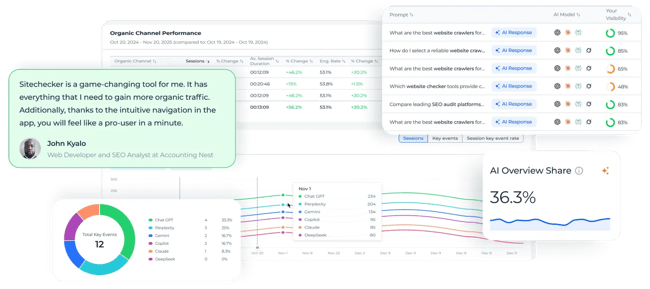
is a website analyzer tool that helps evaluate website performance. Marketers can get a detailed SEO audit report with a personalized checklist that includes actionable tasks to help improve a site¡¯s performance. This tool provides tracking reports about keyword ranking, visibility, and competitors¡¯ performance change.
Key Features
- Easy and Quick GSC integration setup.
- Get rank-tracking insights with comprehensive filters.
- Acquire important ranking data for each keyword.
- Monitor SERP changes for each keyword.
What I Like: The platform offers seamless integration with Google Search Console for quick, reliable setup and enhanced data accuracy. With robust filtering options, users can drill down into specific ranking data and monitor SERP fluctuations for each tracked keyword, equipping marketing teams with the insights necessary to respond proactively to changes in the search landscape.
Pros
- Easily integrate with Google Search Console.
- Analyze individual pages and provide a comprehensive SEO report.
Cons
- It offers a limited free plan (14-days).
Pricing
- Basic: $83per month.
- Standard: $208 per month.
- Premium: $375 per month.
- Enterprise: Contact directly.
13.
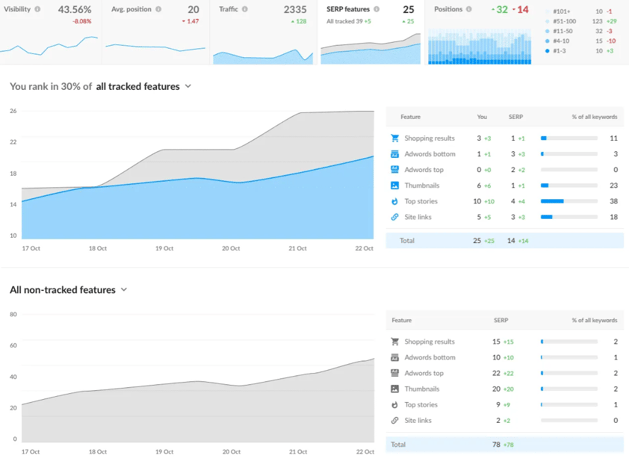
is a unified SEO platform with built-in rank tracking, keyword research, backlink monitoring, site auditing tools, and more. Of course, judging by the software¡¯s name, rank tracking features are the main selling point.
I found the rank tracker especially handy for companies that want to focus on local or international SEO strategies. Ranktracker supports over 100,000 trackable locations, plus all supported search engine languages across Google (Google Maps and GMB included), Bing, Yahoo, and Yandex.
Key Features
- Includes side-by-side competitor comparisons around average SERP positions, ranked SERP features, and traffic.
- Ranktracker supports automated white-label reports, perfect for agencies.
What I Like: I love how Ranktracker¡¯s pricing plans are structured. You get to access the platform¡¯s entire feature set regardless of the subscription package you select. The platform¡¯s pricing varies based on the number of keywords you track.
Pros
- ¡°SEO Savings¡± metric compares organic search performance with paid advertising costs to gauge how much revenue you saved through SEO.
- Ranktracker includes scored SEO checklists, perfect for offering non-SEO-savvy users guidance on improving their rankings.
- The platform also tracks Google AI Overview performance.
Cons
- Pricing differences between plans are rather steep, which may make scalability a challenge.
Pricing
- Launch: $39 per month.
- Growth: $89 per month.
- Scale: $149 per month.
- Authority: $299 per month.
Frequently Asked Questions About Rank Tracking Software
How accurate is rank tracking software?
Rank tracking software is generally accurate. Look for tools that use multiple data sources to assess rankings. Tools should consider location, search history, type of device, and browsing behavior.
Should I track my rankings daily or weekly?
Weekly tracking is sufficient for most businesses. Search rankings naturally fluctuate day-to-day due to algorithm updates, competitor activity, and other factors, so daily tracking can create unnecessary noise in the data. Weekly checks give a clearer view of meaningful trends.
Are free rank tracking tools worth using?
Free rank tracking tools are useful but come with limitations. Most free tools restrict the number of keywords users can track and offer basic features. Free rank tracking software is a good starting point. However, as the team¡¯s SEO strategy grows, they will likely need a paid solution that offers more comprehensive tracking.
Can rank tracking software handle local SEO and Google Maps results?
Yes, many rank tracking tools support local SEO tracking, including Google Maps rankings. These tools allow users to track how a business appears in local search results for specific cities, neighborhoods, or zip codes.
What¡¯s the difference between desktop and cloud-based rank tracking tools?
Desktop rank tracking tools are installed on a computer and store data locally, while cloud-based tools operate in web browsers with data stored on remote servers. Cloud-based tools offer accessibility from any device but require an internet connection. Desktop tools work offline and give users more control over data storage.
Do I need API access for rank tracking?
API access isn¡¯t necessary for most users, but it¡¯s valuable for teams that want to integrate rank tracking data with other tools or build custom reporting dashboards. With API access, marketers can pull ranking data directly into analytics platforms or a CRM. ±á³Ü²ú³§±è´Ç³Ù¡¯²õ SEO software keeps ranking data, content tools, and reporting in one place, so teams can optimize without switching between platforms.
Can rank tracking software track competitors automatically?
Yes, most rank tracking software includes competitor tracking features. Tools track their positions, making it easy to identify gaps in a team¡¯s strategy or opportunities where competitors are outranking. Advanced tools also provide insights into which keywords drive the most traffic to competitor sites.
Build an SEO strategy backed by rank tracking data.
Before making a buying decision and settling on one rank tracking software, take time to map out the kinds of features the company needs and the team¡¯s available budget. From there:
- Start with a free trial to test top contenders.
- Import the business¡¯s top 20-50 keywords.
- Set up competitor tracking and monitor three to five direct competitors.
- Configure alerts so the team is notified of significant ranking changes.
- And create a first report.
That said, modern search isn¡¯t just about SEO anymore ¨C AEO is quickly becoming just as important. ±á³Ü²ú³§±è´Ç³Ù¡¯²õ SEO and AEO tools let teams track and improve performance across both channels, so no potential source of traffic or leads goes untapped.
Editor's note: This post was originally published in July 2024 and has been updated for comprehensiveness.
HubSpot AEO Tool
See exactly where your brand shows up in answer engines and take action to close AI visibility gaps.
- Track AI mentions.
- Analyze citations
- Monitor prompts
- Benchmark competitors
SEO Resources
![How to create a B2B SEO strategy in 9 steps [+ 2026 data]](https://53.fs1.hubspotusercontent-na1.net/hubfs/53/seo-strategy-for-b2b-1-20260612-1070412-1.webp)
![53 Free Content Writing Tools That Level Up My Workflow [for Writing, Editing & Content Creation]](https://53.fs1.hubspotusercontent-na1.net/hubfs/53/Screenshot-2024-06-14-at-1.21.19%20PM.webp)

![How to search an entire website in Google in 3 steps [example]](https://53.fs1.hubspotusercontent-na1.net/hubfs/53/how-to-do-a-google-site-search-1-20251029-5740198.webp)