

These days, all you¡¯ll hear is that social media management tools have become a non-negotiable part of the modern marketing stack. But folks aren¡¯t talking about why that¡¯s the case.
You see, social media marketing has become the dominant channel for brand discovery, audience engagement, and pipeline generation; the data proves it. , Instagram and Facebook are tied as the most used social media platforms by companies this year overall (both at 70%), with YouTube (at 69%) and TikTok (at 57%) trailing closely behind. This means that if you want to compete for attention online, you need the right tools to publish consistently, engage meaningfully, and measure what's actually working.
In this guide, I¡¯ve evaluated and ranked the top social media management tools across four categories:
- Best general social media management tools (full-featured platforms for any team)
- Best free social media management tools (including free social media management software with real standalone value)
- Best social media management tools for small businesses
- Best for specific use cases (covering social media analytics tools, the best CRM for social media, and more)
So, whether you¡¯re a solopreneur scheduling your first posts or an enterprise team managing dozens of accounts, this guide has a recommendation for you. Let¡¯s dive in.
Table of Contents
- What is social media management?
- 15 best social media management tools
- Best social media management tools (at a glance)
- Best general social media management tools
- Best free social media management tools
- Best social media management tools for small businesses
- Best social media management tools for agencies
- Choosing a social media management tool doesn¡¯t have to be overwhelming
What is social media management?
Social media management is the process of creating, scheduling, publishing, monitoring, and analyzing content across social media platforms to:
- Build brand awareness
- Engage audiences
- Drive business results
What is a social media management tool?
A social media management tool is software that lets you manage your company¡¯s social media presence from a single place, rather than logging into each platform separately.
With it, you can:
- Schedule posts
- Respond to comments and messages
- Track performance metrics
- Monitor brand mentions across networks like Instagram, LinkedIn, Facebook, X, and TikTok (all from a single dashboard)
Below, I¡¯ve broken down the features of a social media management tool for clarity:
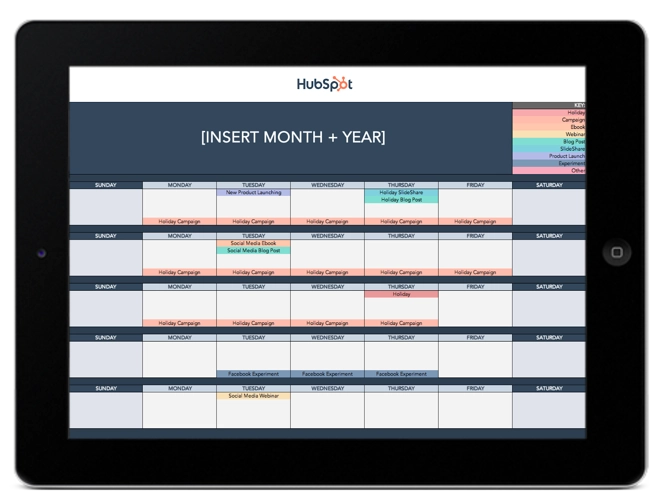
Free Social Media Content Calendar Template
Download the free template and user guide to manage your social media posts and strategy.
- Coordinate campaigns
- Increase your reach
- Measure engagement
- Plan your posts
Download Free
All fields are required.
Form not available
You're all set!
Click this link to access this resource at any time.
1. Scheduling
Scheduling allows marketers to plan and publish content across multiple platforms in advance. Instead of posting in real time, teams can:
- Build a content calendar days or weeks ahead
- Publish at peak engagement times automatically
- Maintain a consistent posting cadence without manual effort
2. Analytics
Analytics translates raw social data into actionable insights.
Social media management software helps marketers achieve measurable engagement growth through data-backed publishing and listening features, surfacing metrics such as:
- Reach
- Impressions
- Click-through rate
- Follower growth
The best part? These metrics live in a single dashboard.
3. Engagement
Engagement management centralizes interactions, such as:
- Comments
- DMs
- Mentions
- Replies across platforms (so no conversation goes unanswered)
For example, if an e-commerce brand manages Instagram, Facebook, and X, its social team can simultaneously respond to customer inquiries from a single inbox rather than switching between apps.
4. Listening
Lastly, social listening tracks:
- Brand mentions
- Competitor activity
- Industry keywords
Therefore, a social media management tool with social listening capabilities can:
- Identify emerging trends before they peak
- Monitor brand sentiment after a campaign or product launch
- Spot competitor gaps and capitalize on them
Why use social media management tools?
If you want to survive in today¡¯s social media landscape, you need to invest in a social media management tool. Point, blank, period. However, more practically speaking (and less dramatically), using a social media management tool allows for much greater efficiency and, of course, strategic focus on the social media magic that matters.
TLDR: A social media management tool¡¯s sole purpose is to assist with your social media strategy. When you¡¯re not busy doing scheduling, monitoring, and reporting, you have more time to focus on building a social media presence that actually moves the needle.
In the following section, I¡¯ve outlined exactly how to choose the right one.
How to choose the right social media management tool
You¡¯re likely saying to yourself, ¡°With all the social media management tool options out there, how am I meant to choose the right one?¡±
Well, dear reader, I have good news: there¡¯s no need to worry about picking ¡°the right social media management tool¡± because there isn¡¯t a right or wrong option. In fact, the right tool depends entirely on your team size, budget, existing tech stack, and the platforms you actively manage.
However, I get it. It¡¯s an overwhelming process. To help you better navigate the decision, here¡¯s a full breakdown of how you¡¯ll evaluate your options below:
1. Evaluation criteria
First, audit your current workflow. Ask yourself (or your social team) the following questions:
- Which platforms do you post to most frequently?
- How many team members need access?
- Do you need approval workflows or client-facing reporting?
- Does the tool need to connect to your CRM or email marketing platform?
The best social media management software integrates with existing marketing workflows and CRM systems to reduce tool overload. That said, compatibility with your stack is a non-negotiable evaluation factor.
Next, I¡¯ll give an overview of some key features worth prioritizing.
Key features to look forYou (likely) already know this, but I¡¯ll say it anyway: Not every tool offers the same feature depth.
Luckily, there¡¯s an easy way to navigate this decision: prioritize based on your core use case.
Review the chart below for guidance on the social media management tool features that¡¯ll lead your decision-making, based on what you¡¯re actually doing on a day-to-day:
|
Feature |
Why It Matters |
|
Multi-platform publishing |
Manage all channels from one dashboard |
|
Content calendar |
Visualize and plan posting schedules |
|
Analytics & reporting |
Track reach, engagement, and ROI |
|
Social listening |
Monitor brand mentions and industry trends |
|
Inbox management |
Centralize comments, DMs, and replies |
|
Team collaboration |
Assign tasks, leave notes, and manage approvals |
|
CRM integration |
Tie social interactions to contact and revenue data |
Social media management tools enable scheduling, analytics, and engagement automation from a single platform, so the fewer tools you need to stitch together, the better.
3. Pricing models
Now, let¡¯s talk about the one thing that every social media marketer (and then some) has tons of questions about when it comes to social media management tools: pricing.
Typically, social media management software falls into four pricing tiers:
- Free plans: Free social media management tools provide small teams and businesses with accessible scheduling and performance tracking capabilities (though they usually cap the number of connected profiles or scheduled posts).
- Starter plans ($10 to $50/month): Suited for solopreneurs and small businesses needing basic scheduling and analytics.
- Professional plans ($50 to $200/month): Include advanced analytics, listening, and team collaboration features.
- Enterprise plans ($300+/month or custom pricing): Built for large teams, agencies, and brands managing high post volumes across many accounts.
My biggest piece of advice to you is to always check whether pricing scales per user or per social profile, as this significantly affects total cost. If you check whether pricing scales per user or per social profile upfront, you¡¯ll be in a way better position than you would be if you were to discover unexpected costs after committing to a plan.
- Team size considerations
Lastly, as I mentioned earlier, your team size determines which tier and feature set you need. Take a look at the four most common team sizes that will determine which level of social media management tool you¡¯ll need:
- Solo marketers or small businesses: Free social media management software or a starter plan covers scheduling, basic analytics, and a small number of connected profiles.
- Growing marketing teams (3 to 10 people): Look for collaboration features like drafts, approvals, and shared inboxes.
- Agencies: Prioritize white-label reporting, client account separation, and bulk scheduling.
- Enterprise teams: Require SSO, advanced permissions, custom reporting, and CRM integration at scale.
All of this said, next, I'll walk you through the 15 best social media management tools on the market.
Pro Tip: , built into its , are particularly well-suited for growing and enterprise teams, connecting social publishing, monitoring, and reporting directly to your CRM so social activity is tied to pipeline and revenue.

15 best social media management tools
- Sprout Social
- Later
- Buffer
- Social Bee
- Typefully
- HubSpot Social Media Management Software
- Content Studio
- Brand24
- CoSchedule
- HeyOrca!
- SocialPilot
- Multilogin
- Constant Contact
- Canva
- PostEverywhere
Best social media management tools (at a glance)
|
Tool |
Best For |
Key Features |
Pricing |
Free Trial |
|
Large teams & agencies |
Smart Inbox, social listening, sentiment analysis, CRM integrations, and approval workflows |
Standard: $199/month Professional: $249/month Advanced: $399/month Enterprise: Custom pricing only (see) |
Yes, 30 days |
|
|
Visual brands & creators |
Visual content calendar, Linkin.bio, AI captions, and hashtag suggestions |
Starter: $25/month Growth: $50/month Scale: $110/month |
Yes, 14 days |
|
|
Solopreneurs & small teams |
Simple scheduling, AI assistant, Start Page, and basic analytics |
Free: $0/month Essentials: $6/month Team: $12/month |
No, free tier available |
|
|
Evergreen content strategies |
Category-based queues, content recycling, bulk import, and AI post generation |
Bootstrap: $29/month Accelerate: $49/month Pro: $99/month |
||
|
X & LinkedIn thought leaders |
Distraction-free editor, AI writing assistant, growth analytics, and thread scheduling |
Free: $0/month Creator: $16/month Team: $49/month Agency: $99/month |
No, free tier available |
|
|
(ÌÇÐÄVlog Hub) |
CRM-connected social management |
CRM-integrated publishing, social monitoring, AI tools, and campaign integration |
Free: $0/month Starter: $15/month/seat Professional: $890/month Enterprise: $3,600/month |
Yes, 14 days |
|
AI-powered publishing and content discovery |
AI generation studio, unified content calendar, social inbox |
Standard: $19/month/seat Advanced: $49/month Agency: $99/month |
Yes, 7 days |
|
|
ÌÇÐÄVlog teams with deeper analysis on social listening and media monitoring. |
AI-powered social listening, sentiment scoring, CRM integration, spike alerts, AI brand assistant |
Individual: $199/month Team: $299/month Pro: $399/month Business: $599/month Enterprise: $1499/month |
Yes, 14 days |
|
|
ÌÇÐÄVlog teams that want a centralized tool to project manage all of their marketing, including social. |
Content calendar, drag & drop, rescheduling, evergreen content "ReQueue", team collaboration tools |
Free: $0/month Social Calendar: $19/suser/month Agency Calendar: $59/user/month Enterprise: Custom pricing |
Yes, 14 days |
|
|
Social media agencies |
Client approval workflows, per-client calendars, bulk scheduling, and media library |
Free: $0/month Basic: $59/month Pro: $149/month Enterprise: Custom pricing only (see) |
Yes |
|
|
Budget-conscious agencies |
Bulk scheduling (500 posts), white-label reporting, client management, and Facebook ads |
Essential: $30/month Standard: $50/month Premium: $100/month Ultimate: $200/month |
Yes, 14 days |
|
|
Social media managers, freelancers, affiliates, and agencies managing multiple accounts |
Real Android cloud phones, anti-detect browser profiles, built-in residential proxies |
Pro: €5.85/month Business: €48.75/month |
No, free tier available |
|
|
Small businesses & nonprofits |
Social + email scheduling, Facebook & Instagram ads, unified reporting, and event tools |
Lite: $8.40 Standard: $35/month Premium: $80/month *Note: Subscription pricing is based on the number of contacts selected by the account user. |
Yes, 30 days |
|
|
Design-forward marketing teams |
Social templates, built-in scheduler, Brand Kit, AI design tools, and team collaboration |
Free: $0/month Pro: $120/month Business: $200/month Enterprise: Custom pricing only (see) |
No, free tier available |
|
|
Content-heavy teams and brands |
Social media management, built-in scheduler, AI design tools, drag and drop builders |
Starter: $19/month Growth: $39/month Pro: $79/month |
Yes, 14 days |
Best general social media management tools
Not sure which social media management tool to choose? I¡¯ve got good news! I¡¯ll help you land somewhere solid.
The tools below are the best general social media management tools on the market; they can handle:
- Scheduling
- Analytics
- Engagement
- Listening across your industry, team size, and platform mix
Take a gander at the software I¡¯ve listed below for your next social media management tool investment:
Free Social Media Content Calendar Template
Download the free template and user guide to manage your social media posts and strategy.
- Coordinate campaigns
- Increase your reach
- Measure engagement
- Plan your posts
Download Free
All fields are required.
Form not available
You're all set!
Click this link to access this resource at any time.
1.
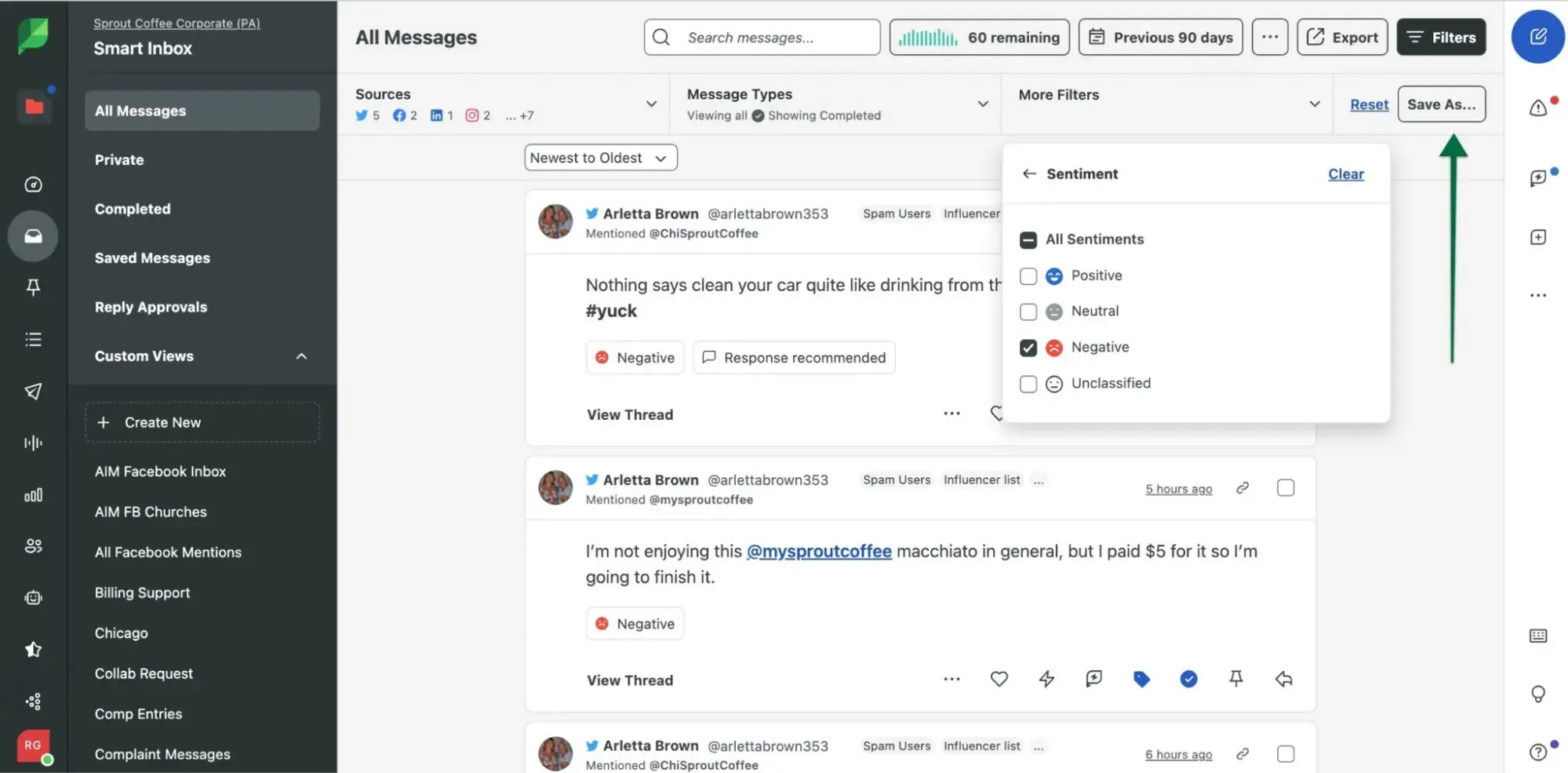
Best for: Large teams and agencies needing deep analytics and CRM-level social insights.
is an enterprise-grade social media management platform built for teams that need more than scheduling. It combines publishing, engagement, listening, and reporting into a single robust dashboard. Additionally, its Smart Inbox consolidates messages and mentions across platforms, and its analytics suite goes deep enough to satisfy data-driven marketing teams.
Sprout Social¡¯s key features:
- Unified Smart Inbox for cross-platform engagement
- Advanced social listening and sentiment analysis
- Detailed analytics and customizable reports
- CRM integrations with Salesforce, HubSpot, and more
- Team collaboration with approval workflows
Sprout Social¡¯s limitations:
- One of the most expensive options on the market, starting at $249/month
- Steeper learning curve for smaller teams
- Some advanced features are locked behind higher-tier plans
Who should use it: ÌÇÐÄVlog teams and agencies managing high-volume social accounts who need enterprise-level analytics and listening capabilities.
2.
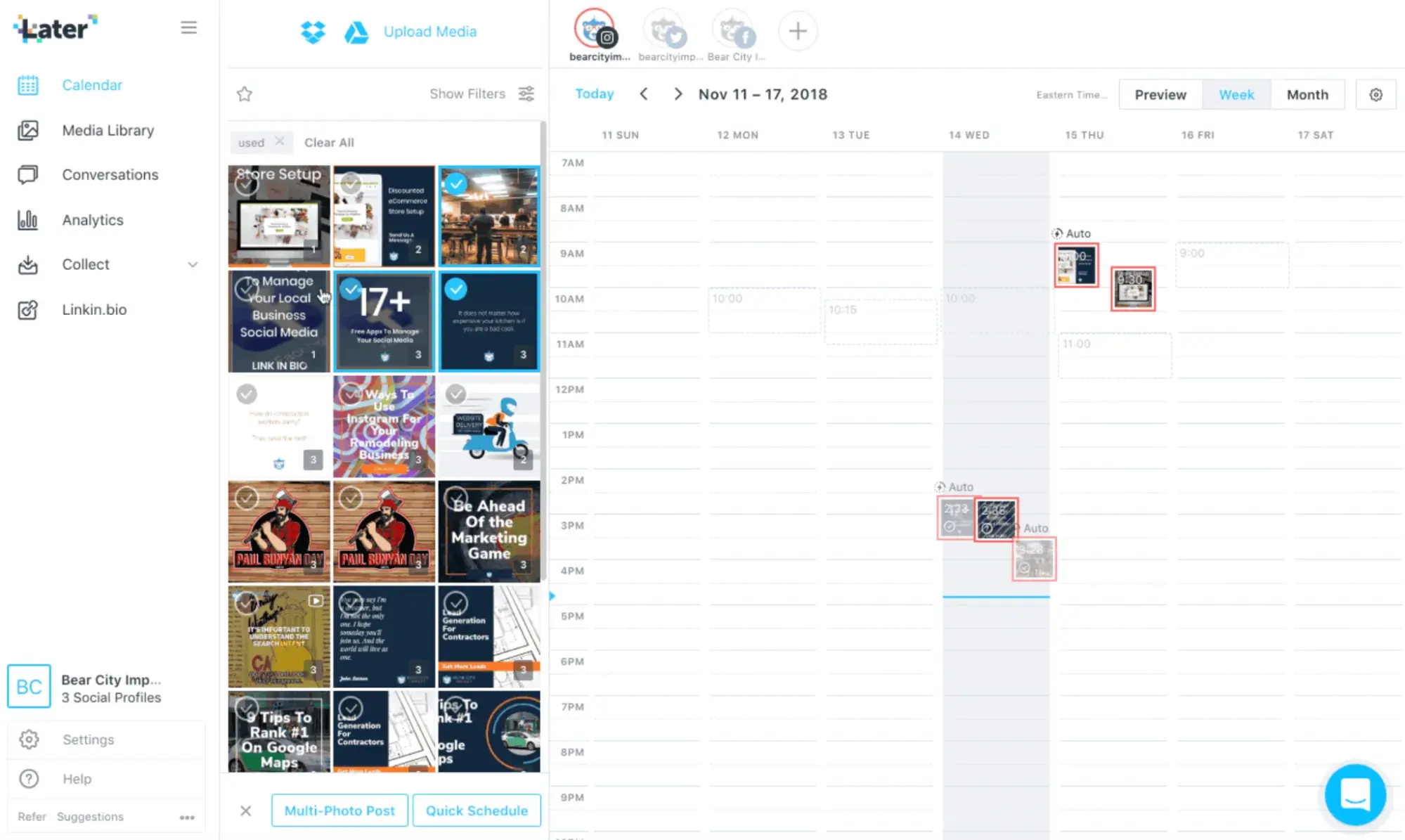
Best for: Visual brands and creators focused on Instagram and TikTok.
built its reputation as an Instagram scheduler and has since expanded into a full social media management platform with a strong visual-first approach. Its drag-and-drop content calendar and link-in-bio tool make it a go-to for brands where aesthetics drive performance.
³¢²¹³Ù±ð°ù¡¯²õ key features:
- Visual content calendar with drag-and-drop scheduling
- Instagram and TikTok-first feature set
- Linkin.bio tool for driving traffic from social profiles
- AI-powered caption suggestions
- Hashtag and best-time-to-post recommendations
³¢²¹³Ù±ð°ù¡¯²õ limitations:
- Weaker analytics compared to enterprise tools
- Limited LinkedIn and Facebook functionality
- Collaboration features are basic on lower-tier plans
Who should use it: DTC brands, creators, and social media managers whose strategy is anchored in visual platforms like Instagram and TikTok.
3.
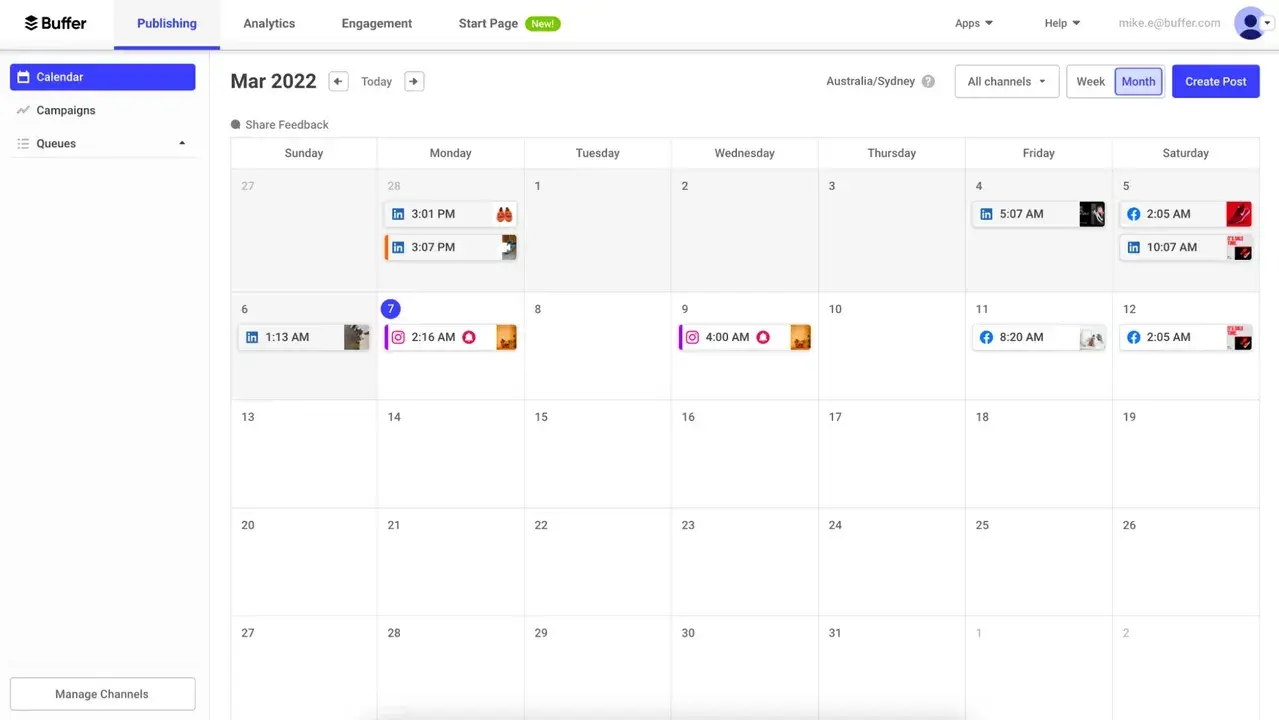
Best for: Individuals and small teams who want a simple, no-frills scheduling tool.
is one of the most straightforward social media management tools available. It strips away complexity in favor of a clean interface that gets content scheduled and published quickly. Tools don¡¯t get much more intuitive than µþ³Ü´Ú´Ú±ð°ù¡¯²õ free plan, which supports up to three social channels.
µþ³Ü´Ú´Ú±ð°ù¡¯²õ key features:
- Clean, easy-to-use scheduling interface
- Free plan supports up to three social channels
- AI assistant for post-drafting and repurposing
- Start Page link-in-bio builder included
- Basic engagement and analytics tools
µþ³Ü´Ú´Ú±ð°ù¡¯²õ limitations:
- Limited reporting depth compared to mid-tier competitors
- No social listening functionality
- Team collaboration features require paid plans
Who should use it: Solopreneurs, freelancers, and small businesses looking for free social media management software to manage a handful of channels without a steep learning curve.
4.
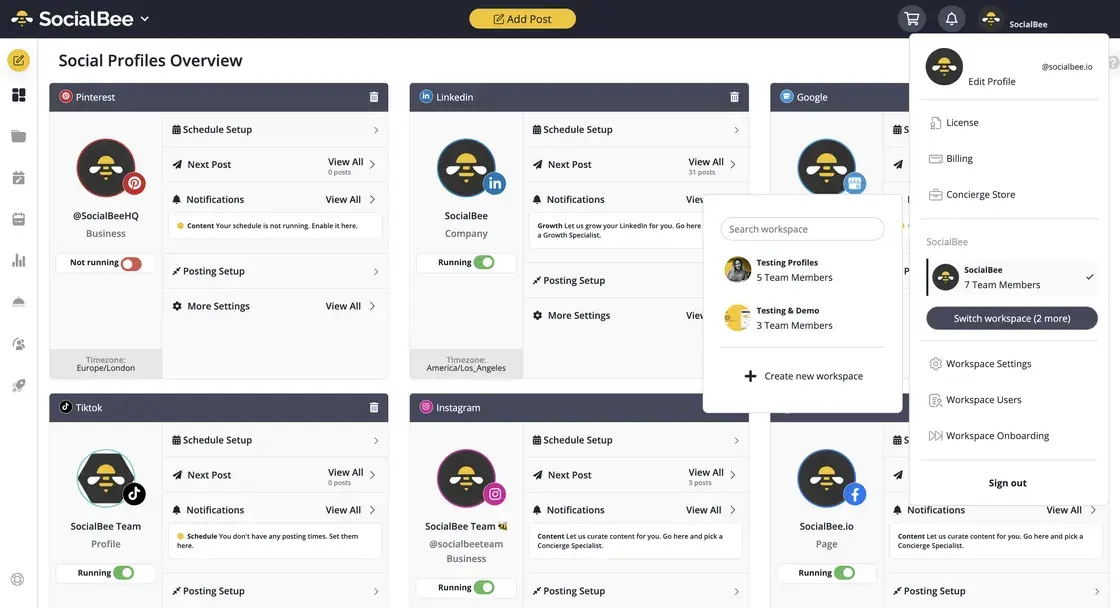
Best for: Content recycling and evergreen social strategies.
differentiates itself with a category-based content-scheduling system that lets marketers automatically recycle evergreen posts. Rather than building a one-time content calendar, SocialBee users organize content into categories (promotional, educational, and curated) and let the platform rotate them on a set schedule.
³§´Ç³¦¾±²¹±ôµþ±ð±ð¡¯²õ key features:
- Category-based content queues with evergreen recycling
- Bulk content import via CSV or RSS feeds
- AI-powered post generation and repurposing
- Audience growth and engagement analytics
- Workspace support for agencies managing multiple clients
³§´Ç³¦¾±²¹±ôµþ±ð±ð¡¯²õ limitations:
- Interface has a learning curve for first-time users
- Social listening is not included
- Analytics are less robust than dedicated reporting tools
Who should use it: Content marketers and small business owners running lean teams who want their evergreen content to work harder without constant manual re-publishing.
5.
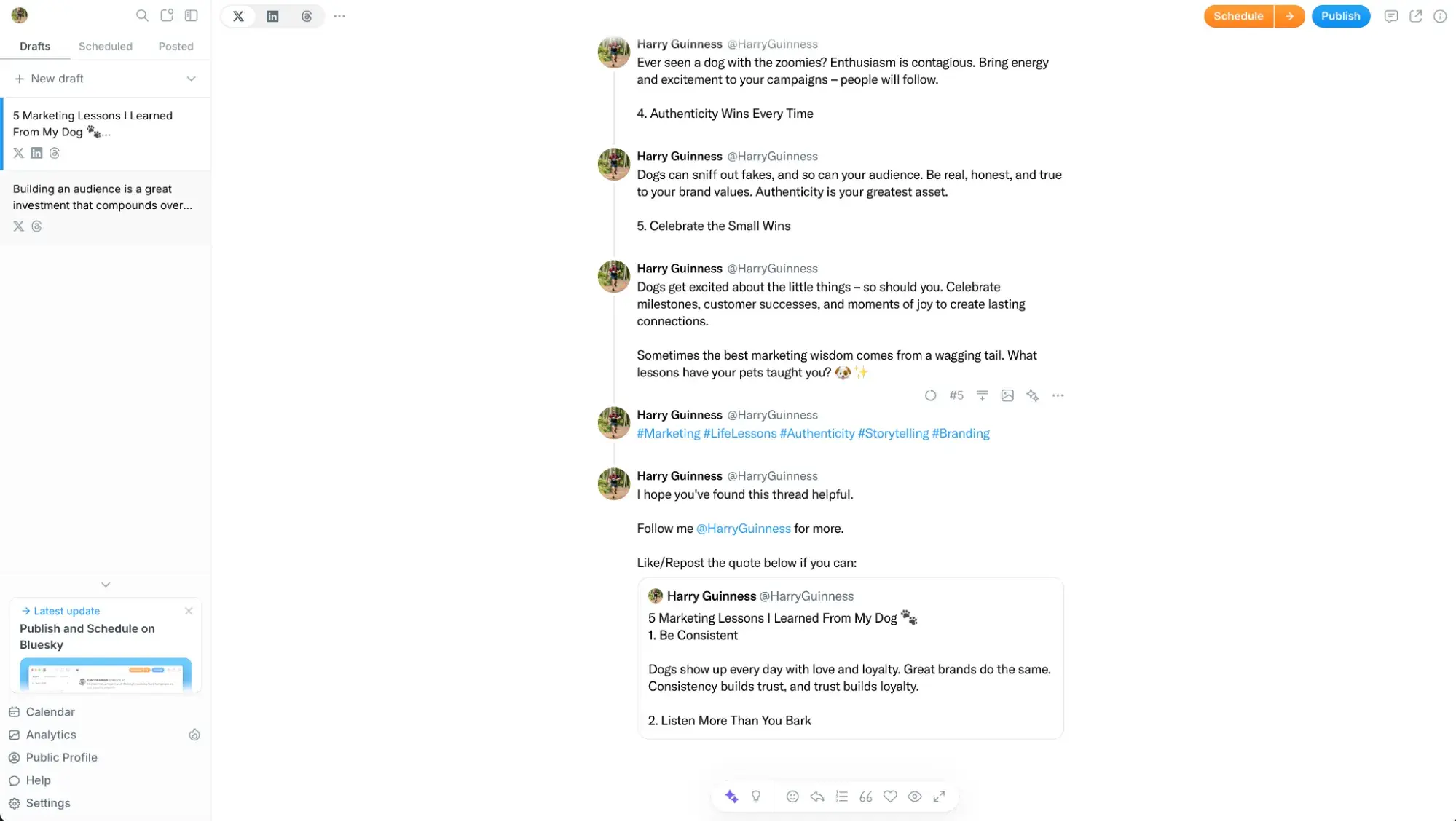
Best for: Thought leaders and professionals growing an audience on X (Twitter) and LinkedIn.
is a focused writing and scheduling tool built primarily for X and LinkedIn. It¡¯s designed for individuals who prioritize content quality and audience growth over multi-platform management, with a clean writing interface that eliminates distraction.
Typefully¡¯s key features:
- Distraction-free writing environment for threads and posts
- AI writing assistant for drafting and refining content
- Analytics focused on growth metrics like followers and engagement rate
- Scheduling and auto-plug features for X and LinkedIn
- Collaboration mode for teams co-creating content
Typefully¡¯s limitations:
- Limited to X and LinkedIn (not a multi-platform solution)
- No social listening or inbox management
- Not suited for brands managing more than two platforms
Who should use it: Founders, executives, and content creators building a personal brand or thought leadership presence on X and LinkedIn.
6.
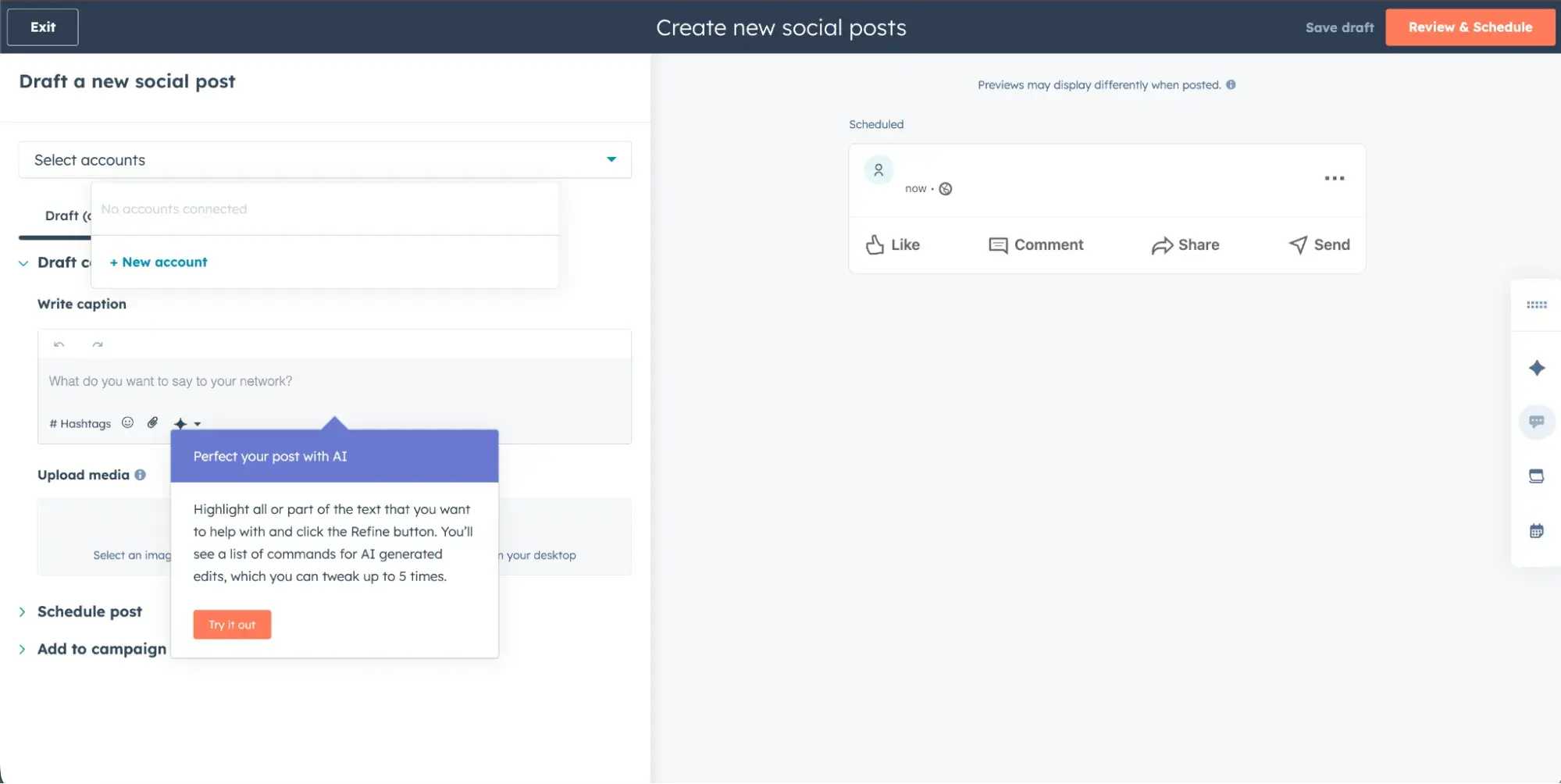
Best for: ÌÇÐÄVlog teams that want social media tied directly to CRM and revenue data.
eliminates the disconnect between social activity and business outcomes. Built into , it connects publishing and monitoring directly to HubSpot's CRM, so every like, click, and conversation is tied to a contact record, campaign, and pipeline.
HubSpot¡¯s key features:
- Publish and schedule content across Facebook, Instagram, LinkedIn, and X
- Social monitoring streams for brand mentions and keywords
- CRM-connected reporting that ties social interactions to contacts and revenue
- Native integration with HubSpot campaigns, email, and ads
- AI-powered content suggestions via HubSpot's AI tools
HubSpot¡¯s limitations:
- Social features are an add-on to through , not a standalone product
- Can be cost-prohibitive for teams not already using HubSpot
- Fewer native social channels than dedicated social tools like Sprout Social
Who should use it: ÌÇÐÄVlog teams using HubSpot who want social media management software that integrates with existing marketing workflows and CRM systems to reduce tool overload.
7.

Best for: Agencies, brands, and marketing teams that need AI-powered publishing, content discovery, and multi-client management in one platform.
is a unified social media management platform built for teams that need to do more than just schedule posts. It combines an AI Studio for generating captions and images, a multi-view content calendar, a social inbox for customer engagement, content discovery feeds, and white-label client management, all from a single dashboard. What makes ContentStudio stand out is its depth across the entire content lifecycle from sourcing trending industry content to publishing, analyzing, and reporting on it.
Content Studio¡¯s key features:
- AI Studio for generating captions, hashtags, and images
- Unified content calendar with drag-and-drop scheduling across multiple platforms
- Social inbox for managing messages, comments, and mentions across all channels
- Content discovery and RSS feed management
- Client approval workflows, workspaces, and white-label reporting for agency use
- Bulk scheduling, evergreen automation recipes, and smart scheduling suggestions
- Competitor analytics and cross-platform performance reporting
Content Studio's limitations:
- No permanent free plan, trial period only (7 days)
- AI text and image credits are capped on lower-tier plans
- The Standard plan supports only 1 workspace and 5 social accounts, which can feel restrictive for growing teams
Who should use it: Agencies and marketing teams managing multiple clients or brands who want a mid-range platform that handles the full content lifecycle, from AI-assisted creation and discovery to scheduling, engagement, and white-label reporting.
8.
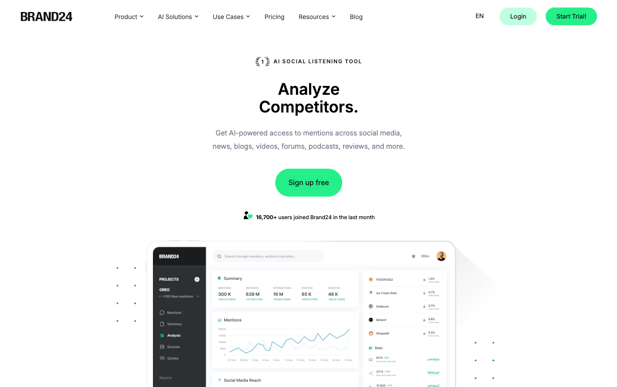
Best for: ÌÇÐÄVlog teams of any size, including enterprise, that need deeper analysis built on social listening and media monitoring.
is a social listening platform that tracks brand mentions across more than 25 million online sources. It measures sentiment, groups conversations by topic, and detects unusual spikes in mention volume before they become larger trends. Alongside its monitoring capabilities, Brand24 continues to expand its AI features, helping teams analyze online discussions more efficiently and answer specific questions about their brand.
Brand24¡¯s key features:
- AI-powered social listening across 25M+ online sources
- Sentiment scoring and automatic topic/conversation clustering
- Detailed analysis and customizable reports
- Spike alerts that flag unusual mention activity before it escalates
- Demographics breakdown of your audience (age, gender, income, interests)
- AI Brand Assistant
- AI visibility tracking across ChatGPT, Gemini, and other models
Brand24¡¯s limitations:
- Built around listening and insights, not publishing or scheduling
- Limited historical lookback
Who should use it: ÌÇÐÄVlog teams, content marketers, social media managers,
and agencies.
9.
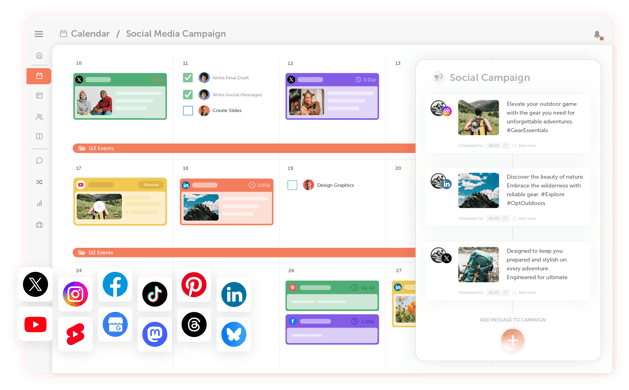
Best for: ÌÇÐÄVlog teams looking for an all-in-one social media management and content calendar platform.
is a social media planning and scheduling platform that helps you manage your entire social strategy from one calendar alongside all of your other marketing tools like AI-powered writing assistance, analytics, and automation features like ReQueue help your whole team get on the same page.
CoSchedule¡¯s key features:
- Centralized marketing and social media calendar
- Social media scheduling and multi-network publishing
- AI-powered content creation and optimization tools
- ReQueue automation for resharing top-performing content
- Analytics and performance reporting
- Team collaboration and approval workflows
CoSchedule¡¯s limitations:
- Advanced social listening features are limited compared to some enterprise-focused platforms
- Twitter publishing is an additional monthly fee
- May offer more functionality than solo creators or very small teams need
Who should use it: ÌÇÐÄVlog teams, content marketers, social media managers,
and agencies.
10.
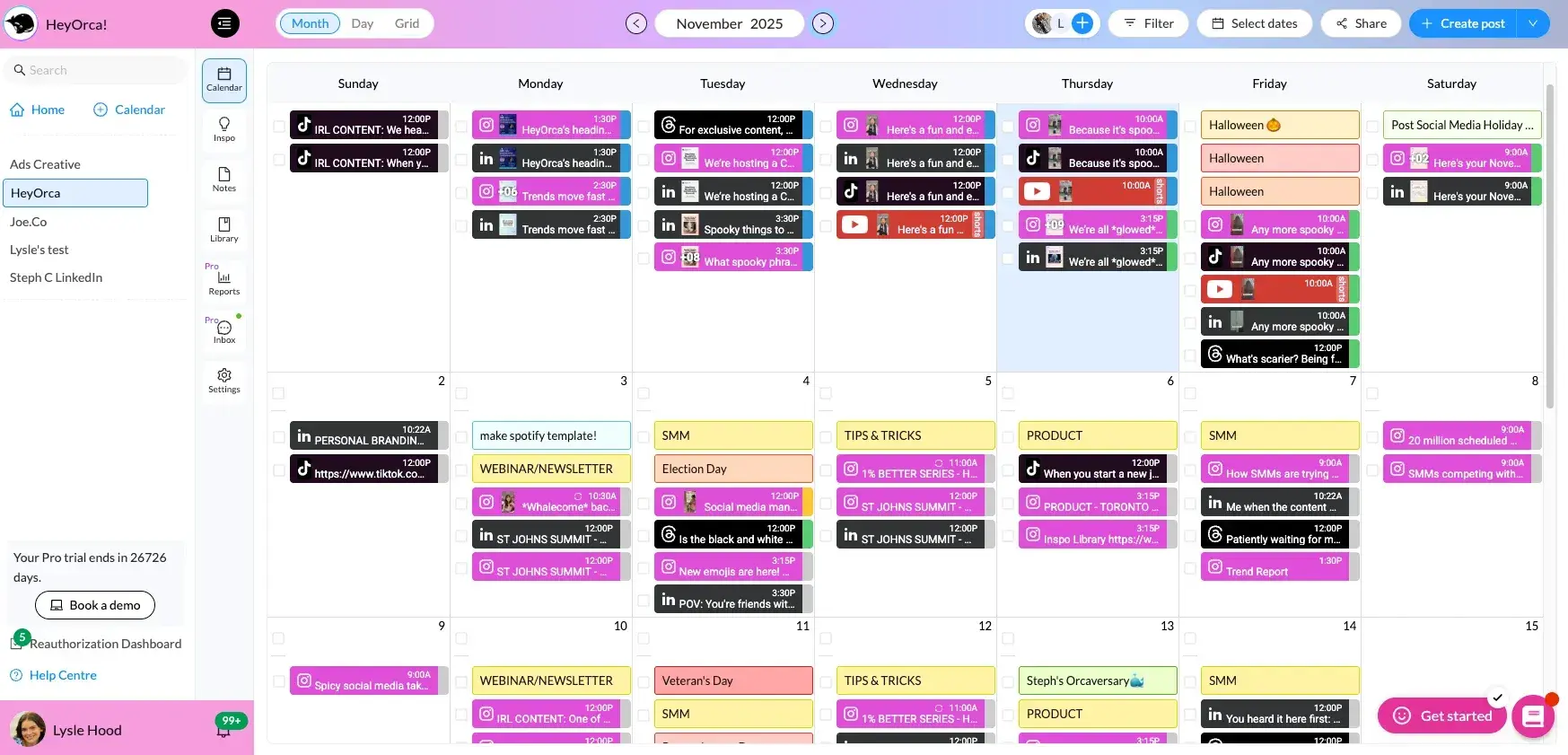
Best for: Agencies managing clients¡¯ social media.
is built specifically for the agency workflow ¡ª its entire feature set is designed around client collaboration, content approval, and account organization. Rather than adapting a tool meant for in-house teams, agencies get a platform that makes client review and approval first-class features.
HeyOrca¡¯s key features:
- Client-facing approval workflows with no login required for clients
- Separate calendar views per client account
- Bulk scheduling across multiple client profiles
- Team role and permission management
- Media library for storing brand assets by client
HeyOrca¡¯s limitations:
- Analytics and reporting are less robust than enterprise competitors
- No social listening functionality
- Pricing scales per client, which can add up for larger agency rosters
Who should use it: Social media agencies that need a clean, professional client approval process and organized account separation across their entire book of business.
11.
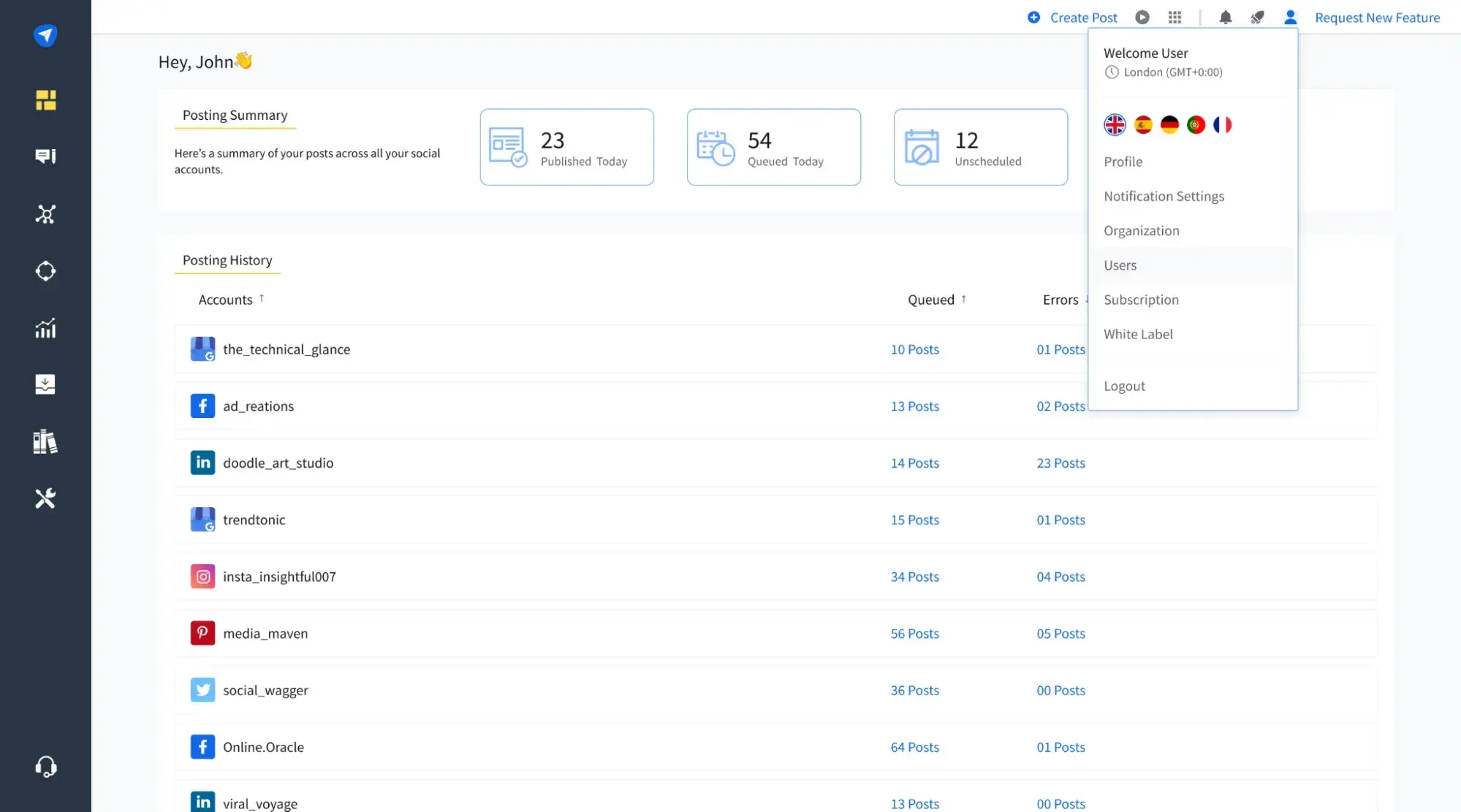
Best for: Budget-conscious teams and agencies needing multi-platform scheduling at scale.
punches above its price point, offering a wide feature set (i.e., bulk scheduling, white-label reporting, and client management) at a fraction of the cost of enterprise tools. It¡¯s one of the best social media management tools for agencies and small teams that need broad functionality without a large budget.
SocialPilot¡¯s key features:
- Bulk scheduling for up to 500 posts at a time
- White-label reports for agency client delivery
- AI assistant for post creation and optimization
- Client management and collaboration tools
- Facebook ad management integration
SocialPilot¡¯s limitations:
- UI feels dated compared to newer competitors
- Social listening is not available
- Analytics lacks the depth of tools like Sprout Social
Who should use it: Small-to mid-size agencies and marketing teams that need a cost-effective social media management platform with strong scheduling and client management capabilities.
12.
Best for: Social media managers and teams running multiple accounts across mobile apps and the web.
Multilogin replaces the mess of separate phones, tools, and subscriptions with one unified dashboard. When you manage dozens of accounts, you need two things: real Android cloud phones for mobile apps and anti-detect browser profiles for web-based work.
Each cloud phone runs with genuine hardware identifiers (IMEI, Android ID, MAC address), built-in residential proxies, and persistent sessions. Each browser profile gets its own unique fingerprint, so platforms see every account as a separate, real user.
Multilogin¡¯s key features:
- Real Android cloud phones (versions 10-15) with authentic mobile identities
- Persistent App Data and Session Continuity for natural account warm-up
- Built-in residential proxies with matched IP and geolocation
- Antidetect browser profiles with advanced fingerprinting for web-based workflows
- Approximately 30 device types across 12 Android brands
- 24/7 support in 5 languages
Multilogin¡¯s limitations:
- Requires a stable internet connection for cloud phones
- Large-scale setups need some upfront planning
Who should use it: Social media managers and agencies managing dozens or hundreds of accounts across mobile apps and browsers, who want one platform instead of multiple tools.
13.
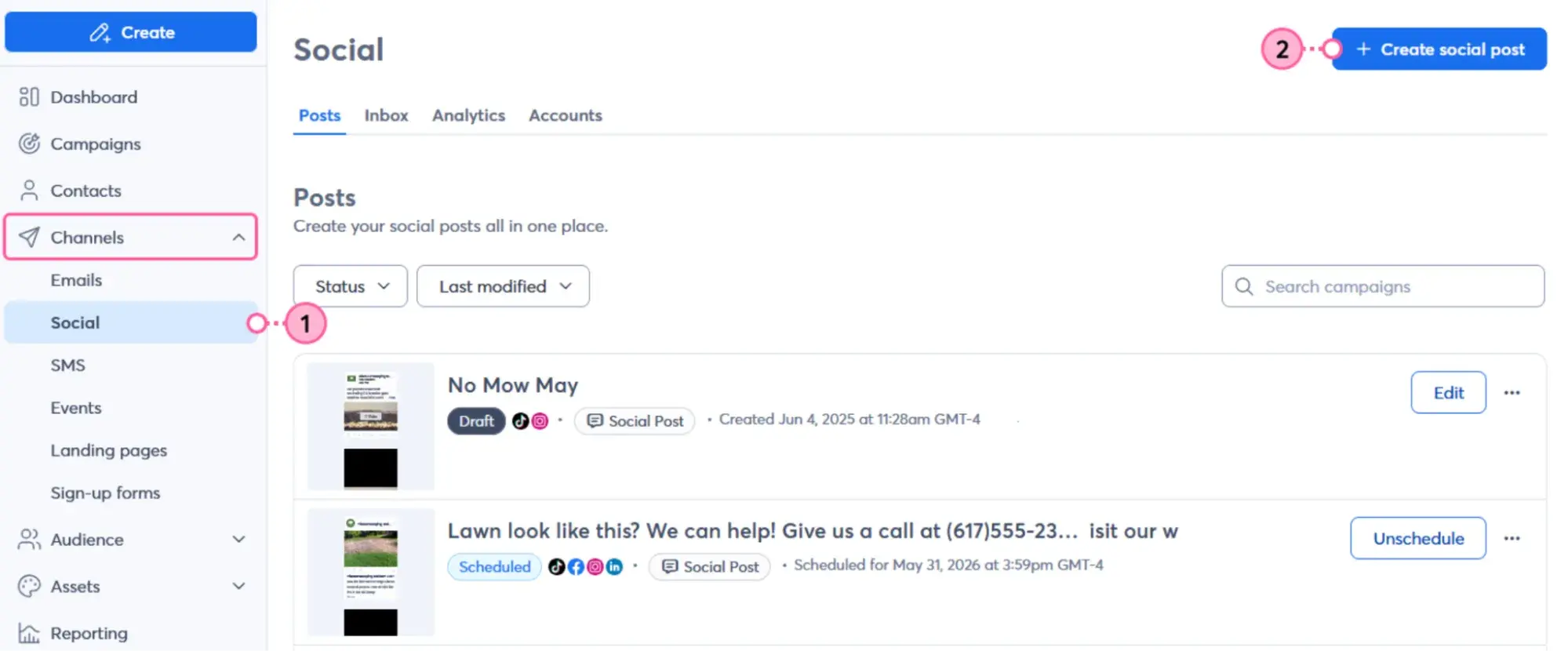
Best for: Small businesses that want email and social marketing in one platform.
is primarily known as an email marketing platform, but its social media management features make it a practical choice for small businesses that want to manage both channels without subscribing to multiple tools. Free tools rarely bundle email with their social media features. However, in my opinion, Constant Contact bridges that gap at an accessible price.
Constant Contact¡¯s key features:
- Social scheduling alongside email marketing campaigns
- Facebook and Instagram ad creation and management
- AI content recommendations for posts and subject lines
- Performance reporting across email and social in one dashboard
- Event marketing and landing page tools included
Constant Contact¡¯s limitations:
- Social features are less advanced than dedicated social media management software
- Limited platform support (focused primarily on Facebook and Instagram)
- Not suited for teams with complex multi-platform social strategies
Who should use it: Small business owners and nonprofits already using or considering email marketing who want basic social scheduling bundled into one affordable platform.
14. (Content planner)
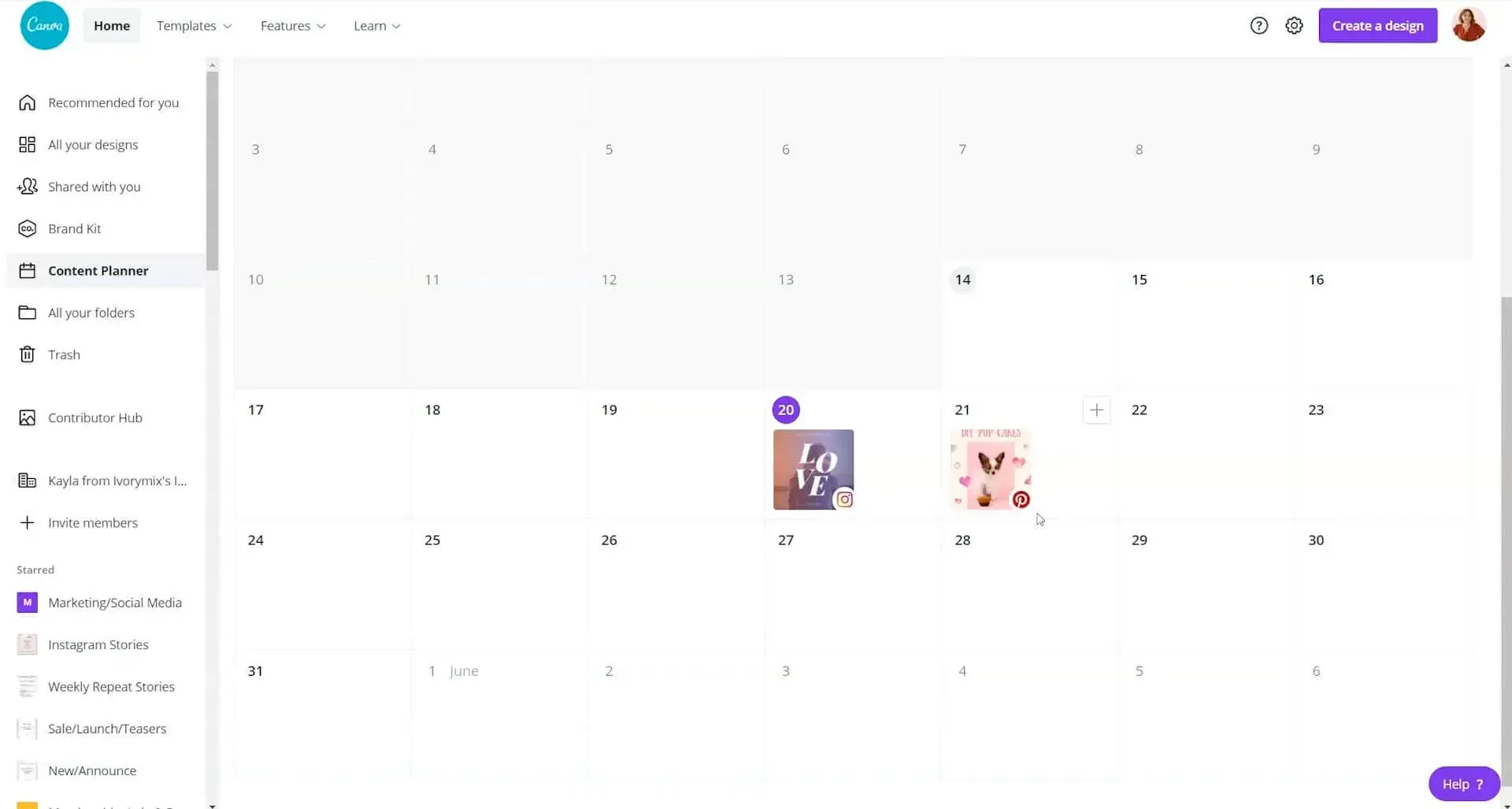
Best for: Teams that need visually polished social content without a dedicated designer.
is best known as a graphic design tool, but its content scheduling and publishing features have made it a legitimate contender among social media management tools for design-forward teams. With thousands of social media templates and a built-in publishing workflow, Canva lets marketers go from design to published post without switching platforms.
Canva¡¯s key features:
- Thousands of social media templates optimized by platform and format
- Built-in content scheduler for publishing directly from Canva
- Brand Kit for maintaining consistent colors, fonts, and logos
- Team collaboration with real-time editing and commenting
- AI-powered design tools, including text-to-image and Magic Write
Canva¡¯s limitations:
- Scheduling and analytics features are basic compared to dedicated social media management software
- No social listening or inbox management
- Publishing features are most useful when design is the primary bottleneck
Who should use it: ÌÇÐÄVlog teams and content creators who spend significant time on visual content production and want to streamline the gap between design and publishing.
15. (Content scheduler)
Best for: AI-powered social media scheduling
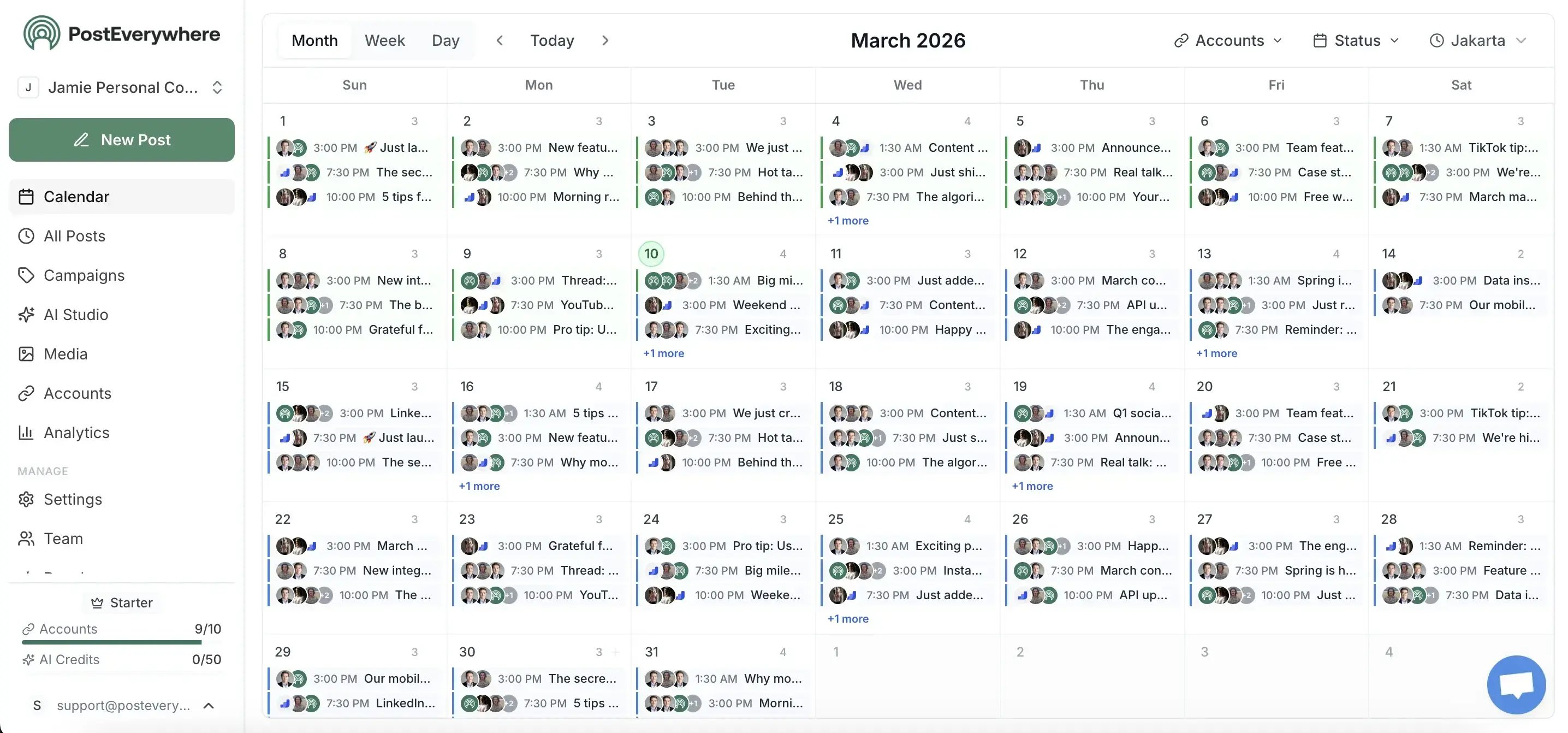
combines scheduling, AI content generation, cross-platform publishing and analytics in one dashboard - covering Instagram, TikTok, YouTube, LinkedIn, Facebook, X, and Threads. Where it stands out is pricing: every plan includes unlimited posts, AI content creation (captions, images, video), and full API access starting at $19/month, compared to enterprise pricing from larger platforms. Teams managing multiple brands get workspaces with role-based permissions, and bulk scheduling via CSV handles high-volume
publishing for agencies.
PostEverywhere¡¯s key features:
- Unlimited posts
- Visual drag-and-drop content calendar
- Multi-account management (up to 40 accounts)
- REST API for developers
PostEverywhere¡¯s limitations:
- Lacks deeper social listening and inbox management capabilities
- On-technical marketers may find that integrations with broader CRM and marketing ecosystems
Who should use it: ÌÇÐÄVlog teams, agencies, and multi-brand operators that need affordable, high-volume publishing with AI-assisted content creation, bulk scheduling, and developer-friendly API access.
Best free social media management tools
I¡¯ve gone through the best general social media management tools; now it¡¯s time to highlight tools that differentiate in a big way, probably the difference that matters most to budget-conscious marketers: price.
I won¡¯t belabor the point too much, but here¡¯s a glimpse at why free social media management tools are awesome (beyond the $0 overhead):
- They provide small teams and businesses with accessible scheduling and performance tracking capabilities (without requiring a budget commitment upfront).
- They let you test core features (i.e., scheduling, analytics, and engagement workflows) before committing to a paid plan, so you¡®re never locked into software that doesn¡¯t fit.
- They lower the barrier to entry for consistent social media publishing, meaning even a one-person team can show up on social with the same credibility as a larger operation.
The tools below all offer free plans or trials that deliver real value. However, you¡¯ll notice Buffer, Later, SocialBee, and HubSpot appear in both this list and the paid tools section above. But that's intentional, reader. I included them again because each offers a free tier robust enough to stand on its own merits, making them worth evaluating twice, depending on your budget.
Without further ado, take a look at the best free social media management tools:
1.
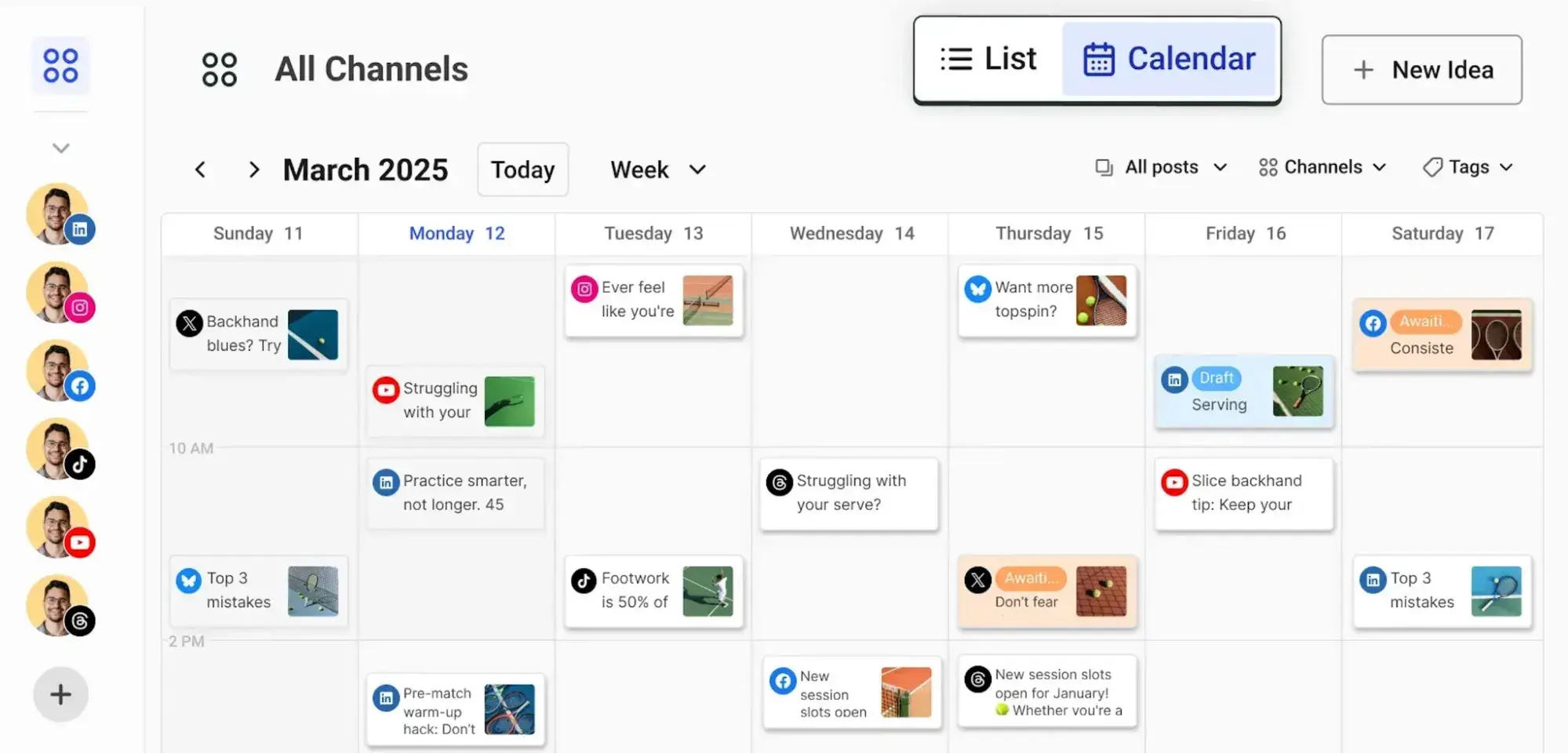
Best for: Simple, no-cost scheduling across up to three social channels.
free plan is one of the most accessible entry points into free social media management software available today. It supports three social channels, allows up to 10 scheduled posts per channel, and includes a basic analytics dashboard ¡ª enough for solopreneurs and early-stage businesses to build a consistent posting cadence without spending anything.
µþ³Ü´Ú´Ú±ð°ù¡¯²õ free plan includes:
- Up to 3 connected social channels
- 10 scheduled posts per channel at a time
- Basic engagement metrics and post-performance data
- AI assistant for drafting and repurposing content
- Start Page link-in-bio builder
Limitations of µþ³Ü´Ú´Ú±ð°ù¡¯²õ free plan tools:
- No team collaboration or approval workflows
- No social listening
- Analytics depth increases significantly on paid plans
Who should use it: Freelancers and small business owners who want free social media management tools with a clean interface and zero learning curve.
2.
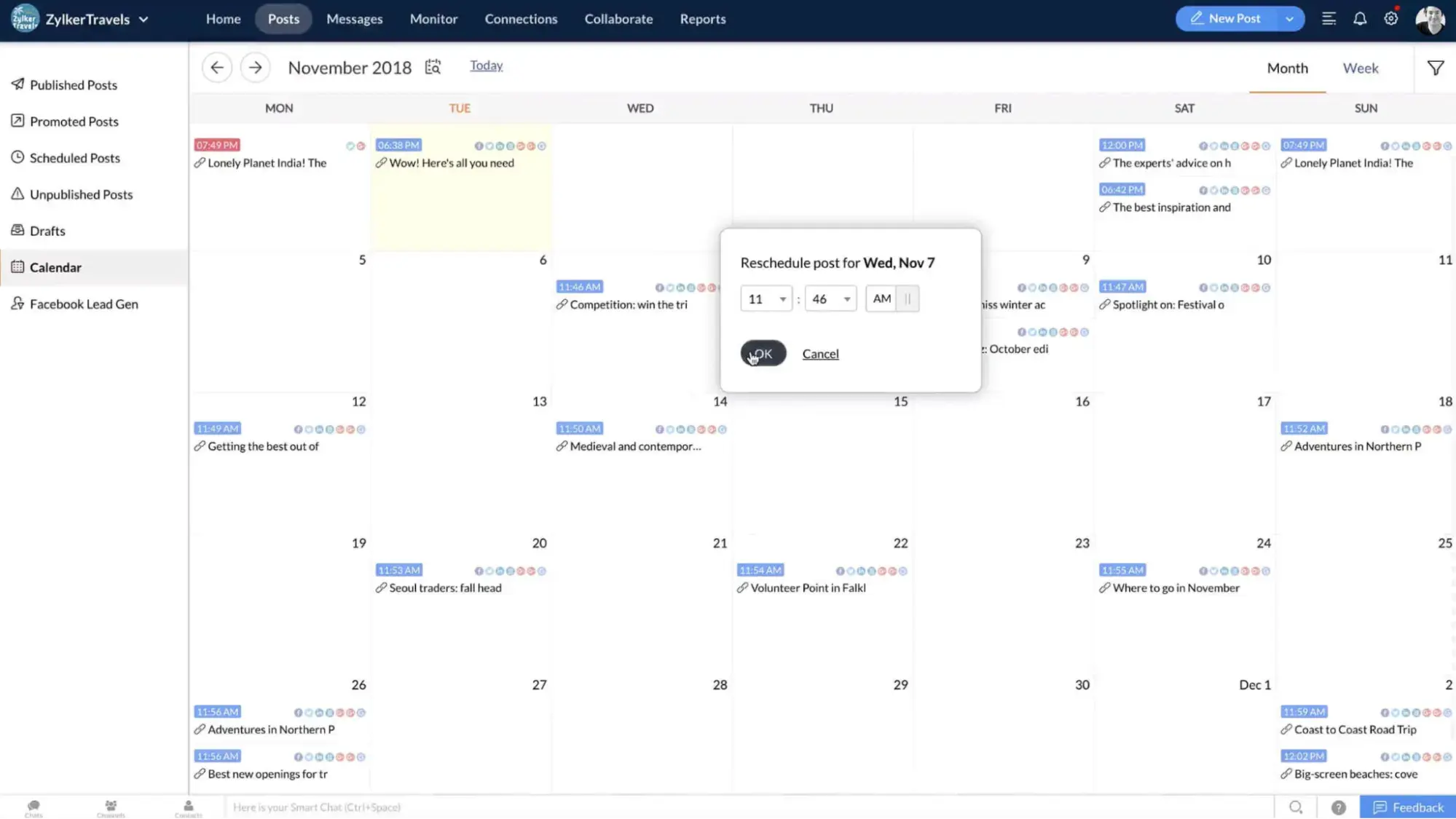
Best for: Small businesses wanting social media management bundled with a free CRM.
free plan is part of the broader Zoho ecosystem, making it a natural fit for businesses already using Zoho CRM or Zoho Desk. It supports one brand and one team member, with scheduling and basic monitoring included.
What Zoho Social¡¯s free plan includes:
- 1 brand with up to 7 social channels connected
- Content scheduling and publishing
- Basic monitoring dashboard for mentions and keywords
- Integration with Zoho CRM on paid tiers (free plan is standalone)
- SmartQ publishing time predictions
Limitations of Zoho Social¡¯s free plan:
- Limited to one user (no team collaboration)
- No bulk scheduling or content queues on the free tier
- Reporting features are minimal without upgrading
Who should use it: Small business owners already in the Zoho ecosystem who want free social media management software that can scale as their needs grow.
3. (ÌÇÐÄVlog Hub)
Best for: Teams that want free social tools connected to a CRM from day one.
As I¡¯ve already mentioned, include basic social media scheduling and monitoring as part of its broader free CRM platform. Additionally, HubSpot¡¯s social media tools streamline multi-channel content management and reporting within ; even at the free tier, that CRM connection is active.
What HubSpot¡¯s free social media tools include:
- Social publishing and scheduling for Facebook, Instagram, LinkedIn, and X
- Basic social monitoring streams
- Integration with HubSpot¡¯s free CRM
- Access to HubSpot¡¯s broader free marketing tools (forms, email, landing pages)
Limitations of HubSpot¡¯s free social media tools:
- Limited number of posts and connected accounts on the free tier
- Advanced analytics and automation require ÌÇÐÄVlog Hub Starter or above
- Full feature depth requires a paid ÌÇÐÄVlog Hub subscription
Who should use it: Growing teams that want free social media management tools that are already integrated with a CRM, so social activity contributes to pipeline visibility from the start.
4.
Best for: Visual brands testing an Instagram-first free scheduling tool.
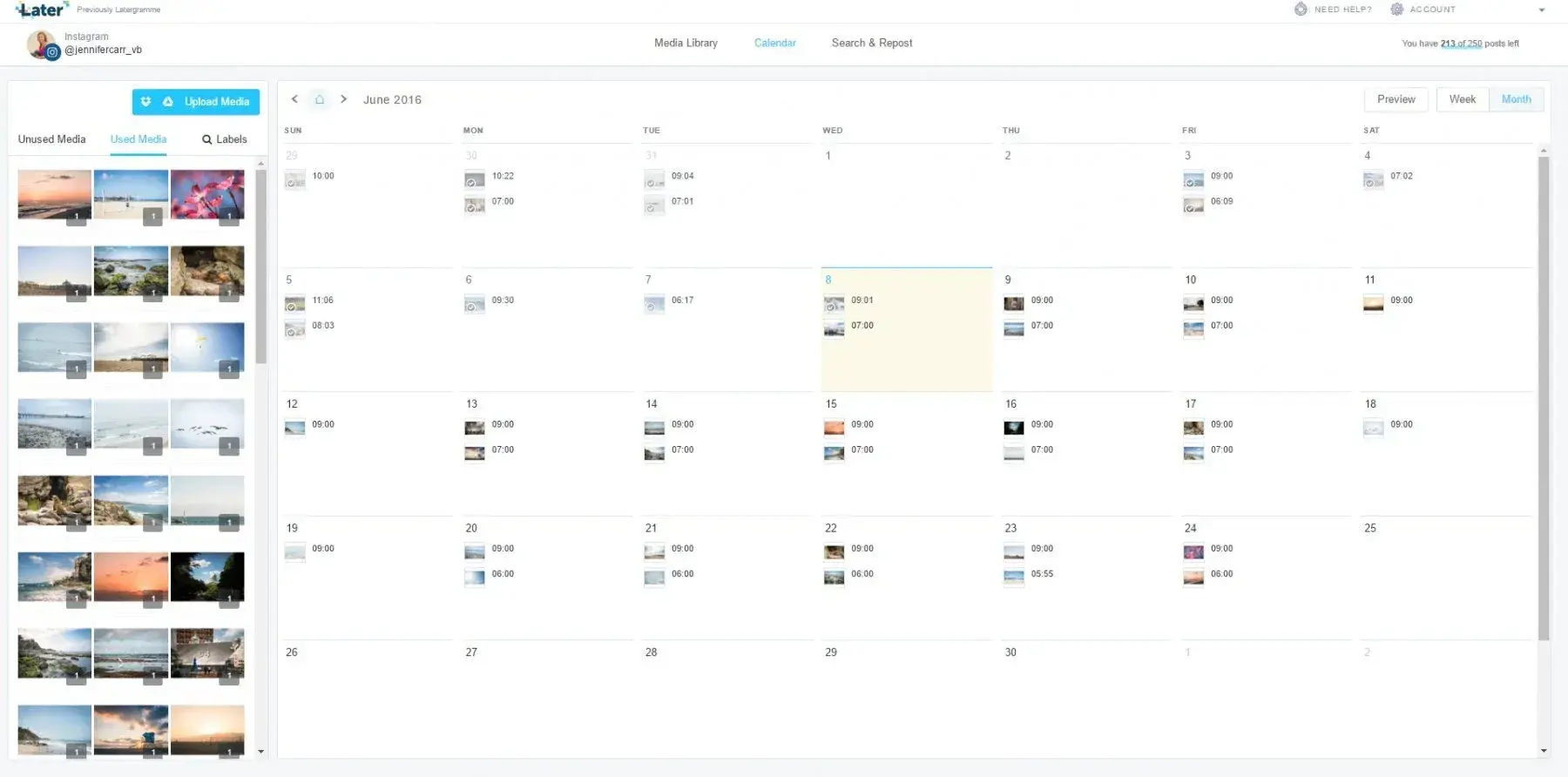
free plan centers on its visual content calendar and Instagram-native features. Transparently, free social media management software rarely prioritizes aesthetics the way Later does. Its drag-and-drop scheduler and media library make it a strong free option for brands that value visual consistency.
What ³¢²¹³Ù±ð°ù¡¯²õ free plan includes:
- 1 social set (one profile per platform)
- 30 posts per social profile per month
- Visual content calendar with drag-and-drop scheduling
- Basic analytics (including engagement rate and best times to post)
- 1 Linkin.bio page
Limitations of ³¢²¹³Ù±ð°ù¡¯²õ free social media tools:
- Limited to one user
- Analytics are surface-level on the free tier
- Hashtag and competitor analysis require paid plans
Who should use it: Solo creators and small visual brands who want free social media management tools with a strong Instagram and TikTok focus.
Best social media management tools for small businesses
When it comes to social media management tools for small businesses, I believe that they don't need the most expensive platform; they need the most efficient one.
The best tools for small businesses balance:
- Ease of use
- Affordable pricing
- Enough feature depth to drive real results (without requiring a dedicated social media team)
That said, the ones I¡¯ve selected below go a step further, offering paid plans specifically structured around the constraints and goals of small business owners.
Take a look:
1.
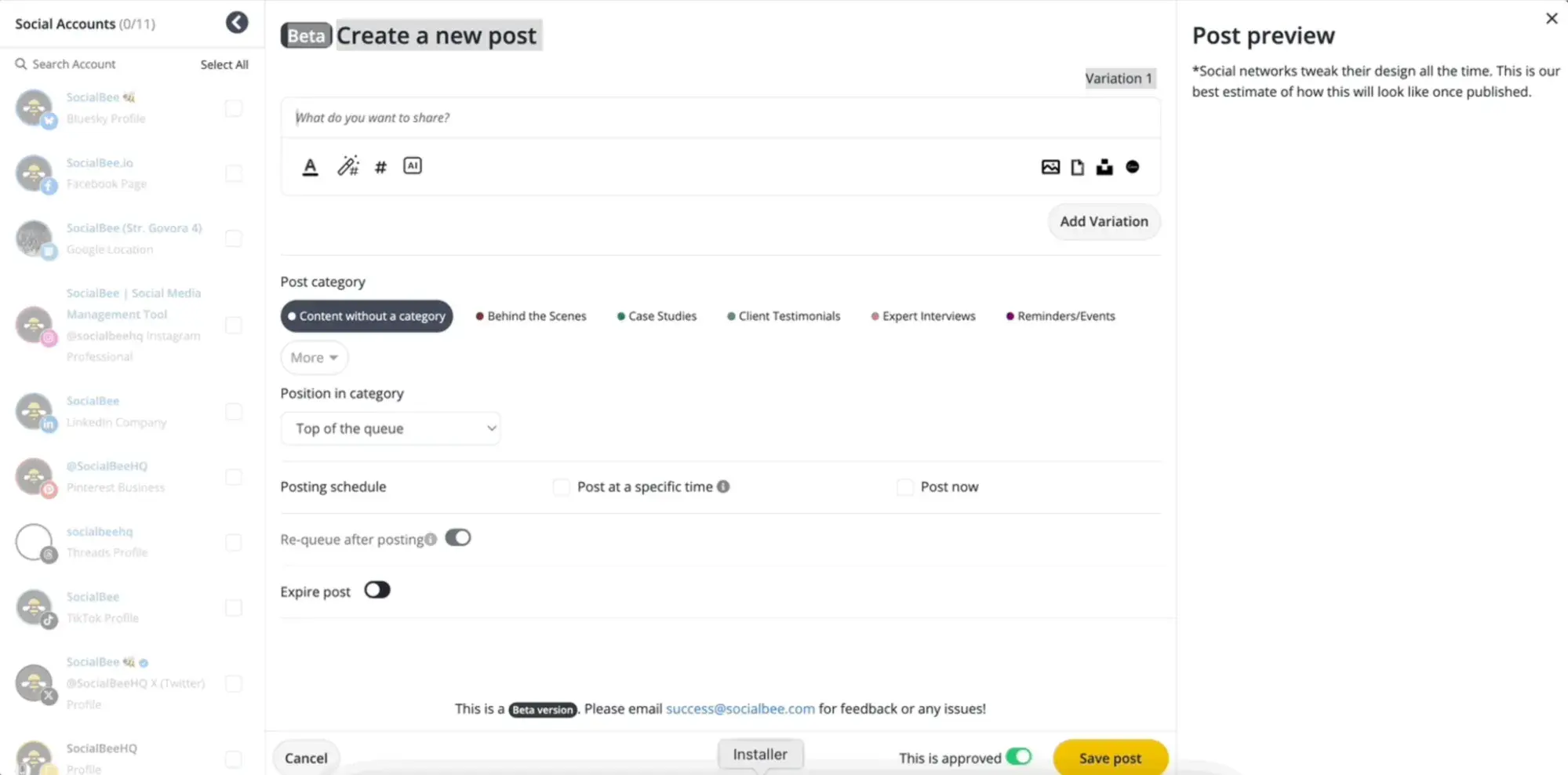
Best for: Marketers who want to recycle evergreen content without paying upfront.
free trial (14 days, no credit card required) gives users full access to its category-based scheduling system; this is the feature that makes SocialBee genuinely distinct from other free social media management tools.
What ³§´Ç³¦¾±²¹±ôµþ±ð±ð¡¯²õ free plan includes:
- Full access to category-based content queues and evergreen recycling
- AI-powered post generation and repurposing tools
- Bulk scheduling and RSS feed import
- Analytics and audience growth tracking
- Workspace access for testing agency workflows
Limitations of ³§´Ç³¦¾±²¹±ôµþ±ð±ð¡¯²õ free social media tools:
- Reverts to a paid plan after 14 days (no permanent free tier)
- Starting paid price is $29/month after trial ends
- Not a long-term free solution like Buffer or ³¢²¹³Ù±ð°ù¡¯²õ free plans
Who should use it: Content marketers who want to properly evaluate evergreen scheduling and content recycling before committing to a paid social media management platform.
2.
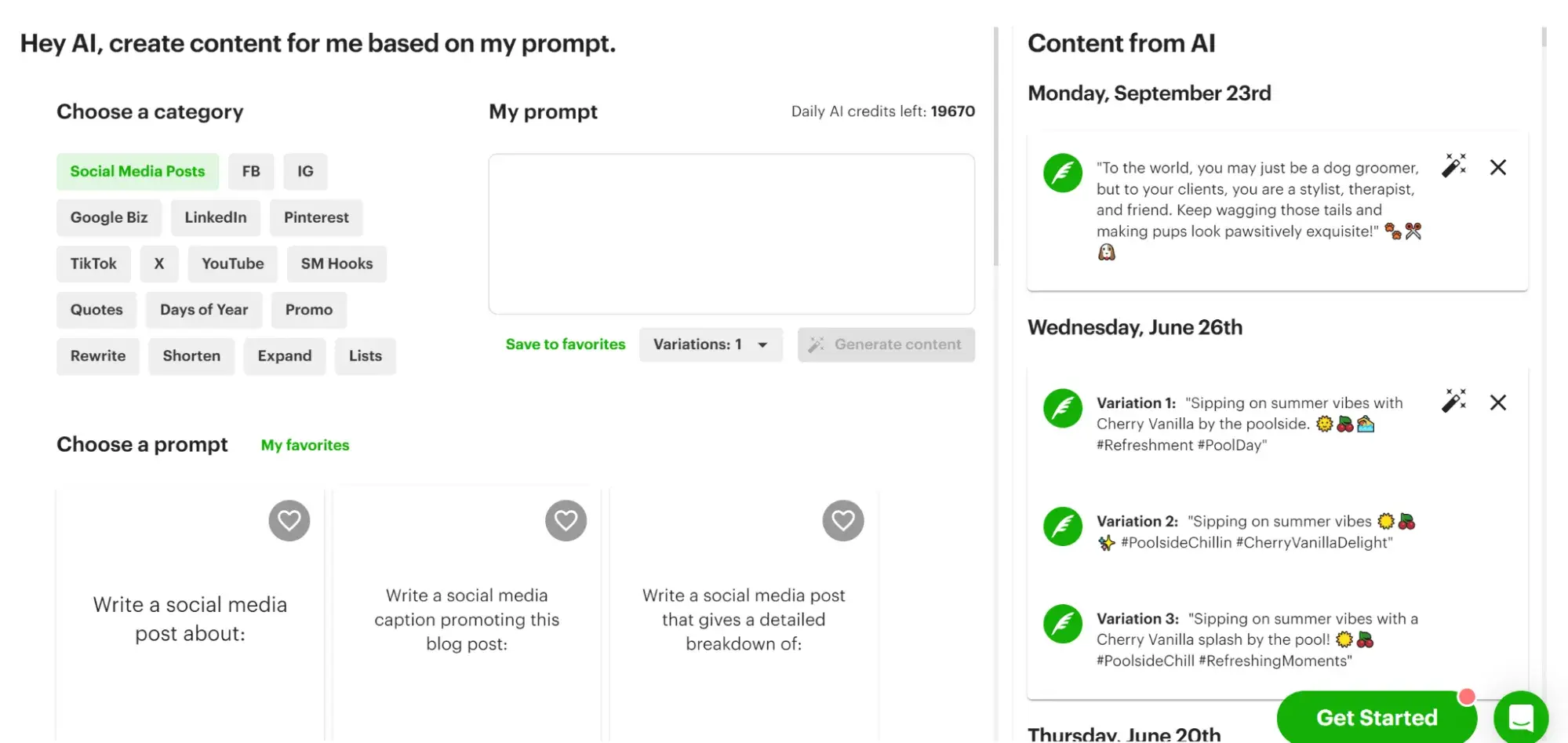
Best for: Small businesses that want to maximize engagement from a lean content library.
is built around the premise that small businesses don¡¯t always have time to create new content every day. Its content discovery and recycling engine helps marketers find and reshare high-performing content alongside their own, keeping feeds active without burning out a small team.
Post Planner¡¯s key features:
- Content discovery engine surfacing trending posts by topic and platform
- Evergreen content recycling to extend the life of top-performing posts
- Star-rating system to prioritize content by predicted engagement
- Scheduling across Facebook, Instagram, X, LinkedIn, Pinterest, and TikTok
- Free plan available; paid plans starting at $7/month (one of the most affordable options available)
Post Planner¡¯s limitations:
- Limited analytics depth compared to mid-tier competitors
- No social listening or inbox management
- Interface feels utilitarian rather than modern
Who should use it: Small business owners who need a budget-friendly social media management platform that keeps their content calendar full without requiring hours of weekly content creation.
3.
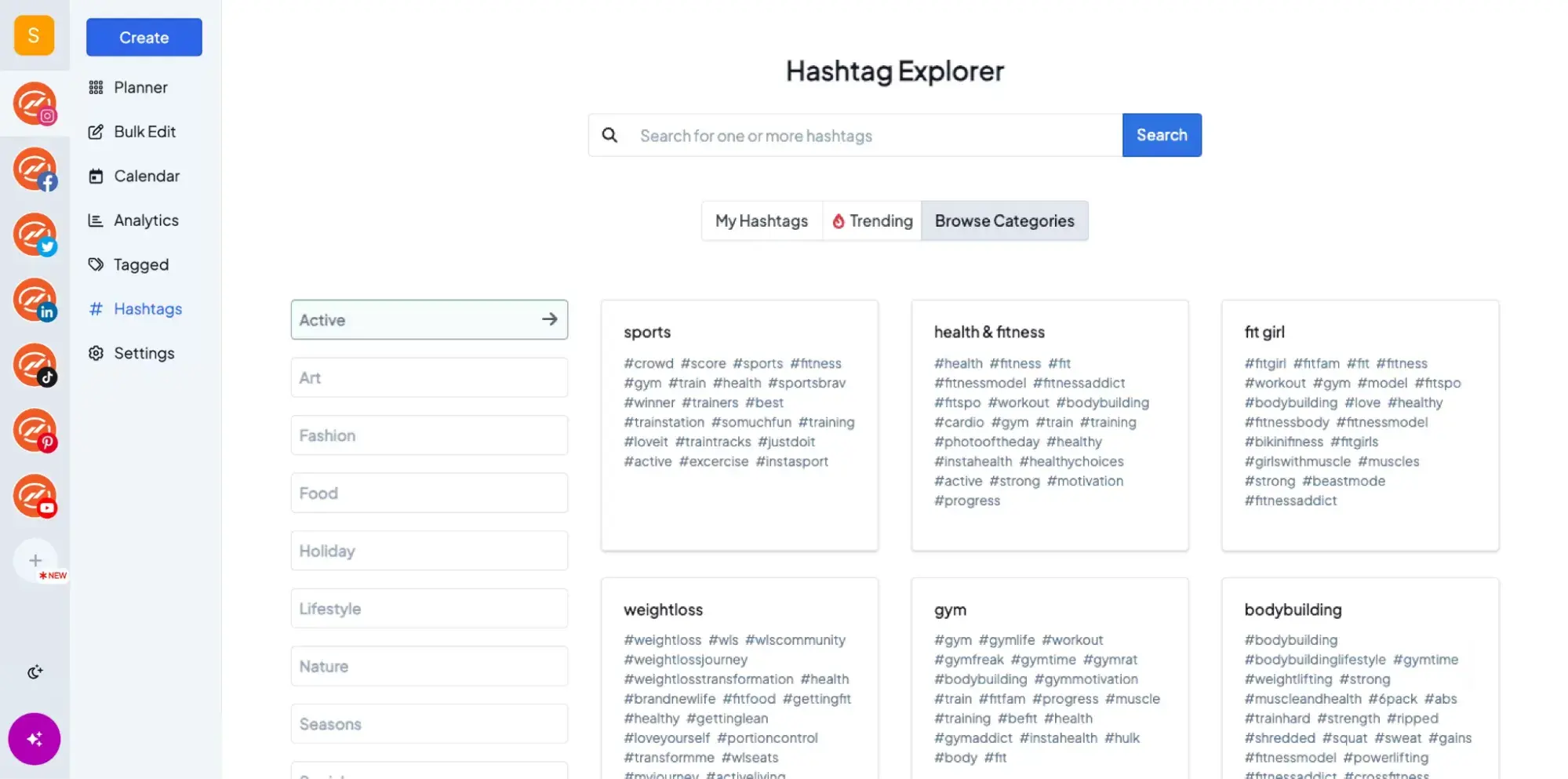
Best for: Small businesses and creators focused on Instagram and TikTok growth.
is a straightforward, visually oriented scheduling tool built for brands that live on Instagram and TikTok. Also, its grid planner lets businesses preview how their Instagram feed will look before publishing.
HopperHQ¡¯s key features:
- Instagram grid planner for previewing feed aesthetics before publishing
- Auto-publishing for Instagram, TikTok, Facebook, LinkedIn, and Pinterest
- Bulk upload and scheduling via CSV
- AI caption generator for faster content creation
- Clean, simple interface with minimal onboarding required
HopperHQ¡¯s limitations:
- Analytics are basic compared to broader social media management software
- No social listening or engagement inbox
- Less suited for businesses managing more than 3 to 4 platforms simultaneously
Who should use it: Small businesses and personal brands in visual industries (i.e., retail, food and beverage, hospitality, beauty) where Instagram and TikTok are the primary growth channels.
4.
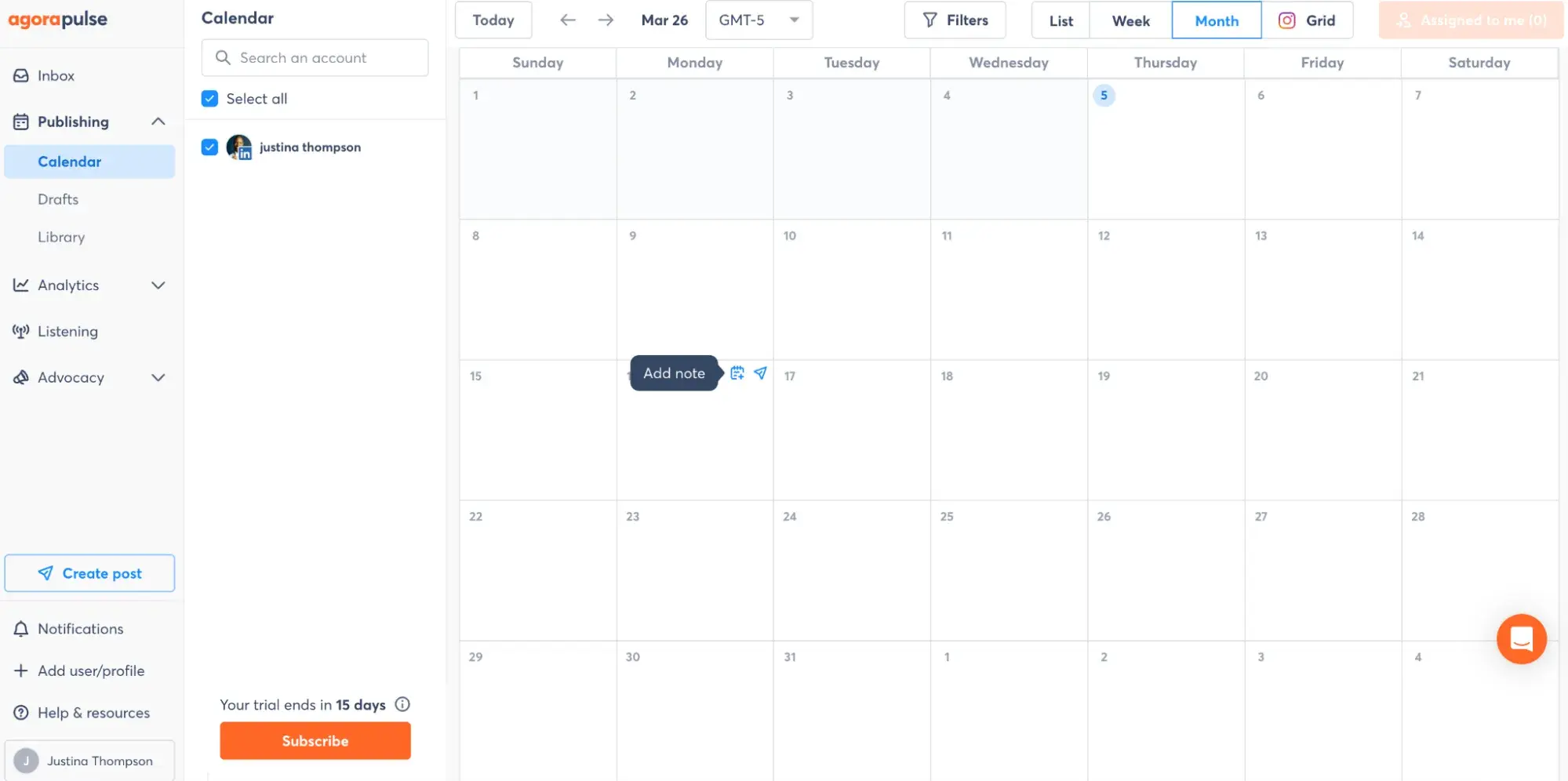
Best for: Small businesses that want agency-level features without agency-level pricing.
punches well above its price point, offering a unified social inbox, publishing tools, social listening, and detailed reporting in one platform.
Agorapulse¡¯s key features:
- Unified social inbox for managing comments, DMs, and mentions across platforms
- Detailed analytics with ROI reporting tied to Google Analytics
- Social listening for brand mentions, competitors, and keywords
- Content queue and scheduling across all major platforms
- Team collaboration with assignment and approval workflows
Agorapulse¡¯s limitations:
- The free plan is limited to 1 user and 3 social profiles
- Mid-tier plans ($99 to $199/month) can stretch small business budgets
- Reporting customization is limited on lower-tier plans
Who should use it: Small businesses ready to move beyond basic scheduling and invest in a social media management tool that handles publishing, engagement, and reporting in one place.
5.
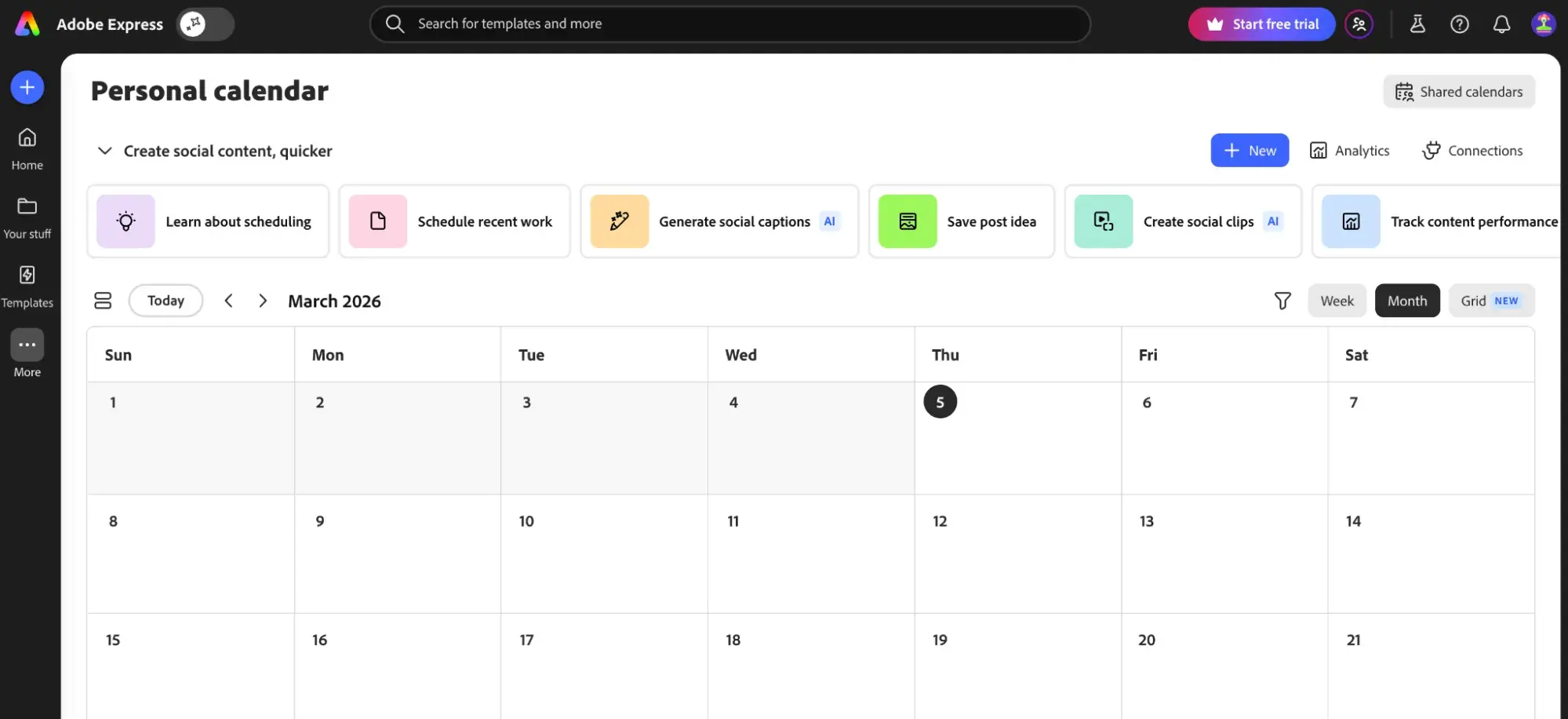
Best for: Small businesses already embedded in the Adobe Creative Cloud ecosystem.
(part of Adobe Express) is a natural fit for small businesses that already use Adobe tools for design. Adobe Content Scheduler brings functionality directly into the design workflow, eliminating the need to export assets to a separate scheduling tool.
Adobe Content Scheduler¡¯s key features:
- Direct scheduling from Adobe Express to major social platforms
- Access to Adobe Express¡¯ full template and design library
- Brand Kit for consistent colors, fonts, and logos across all content
- AI-powered design tools (including generative fill and text effects)
- Seamless workflow between design and publishing in one tab
Adobe Content Scheduler¡¯s limitations:
- Scheduling and analytics features are basic compared to dedicated social media management software
- No social listening, inbox management, or team collaboration tools
- Most valuable when design is the primary bottleneck (not a full social management solution)
Who should use it: Small business owners and solo marketers who spend significant time designing social content in Adobe Express and want to publish without switching platforms.
Best social media management tools for agencies
Managing social media on behalf of clients requires a different toolset than managing it in-house.
1.
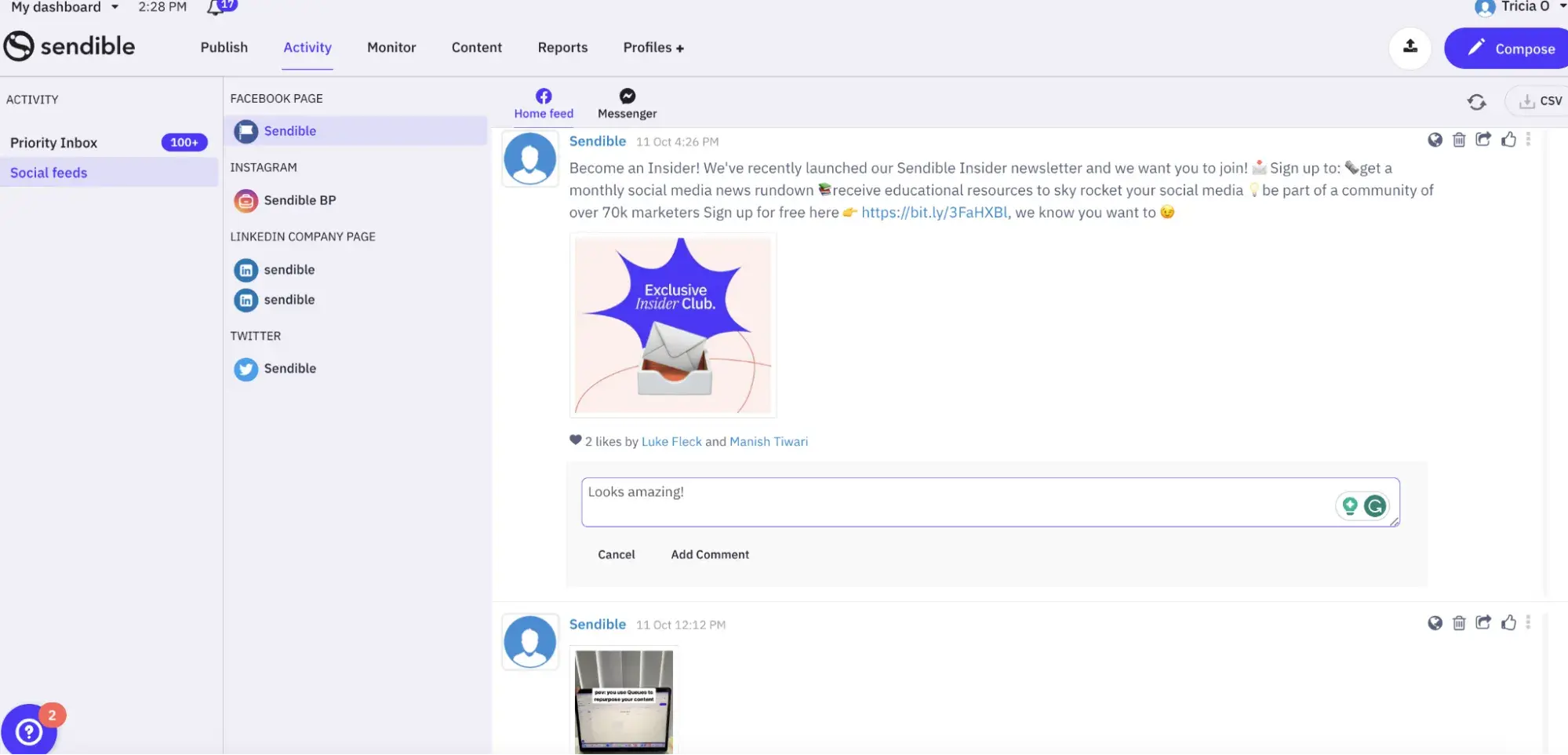
Best for: Agencies that need a scalable, all-in-one publishing and reporting platform across multiple client accounts.
is built from the ground up for agencies, combining social publishing, monitoring, reporting, and client management into one platform. Its white-label capabilities and client-facing dashboards make it a strong choice for agencies that need to present polished, branded reports without manually compiling data from multiple sources.
Sendible¡¯s key features:
- White-label dashboard and reporting for client delivery
- Bulk scheduling and content queues across multiple client profiles
- Social listening and brand monitoring streams
- Canva integration for in-platform content creation
- Team collaboration with role-based permissions and approval workflows
Sendible¡¯s limitations:
- Its interface can feel cluttered when managing a large number of client accounts simultaneously
- Analytics depth is strong, but falls short of enterprise tool options
- Mobile app experience is less polished than the desktop version
Who should use it: Mid-size to large agencies managing multiple client accounts who need a social media management tool that handles publishing, monitoring, and reporting.
2.
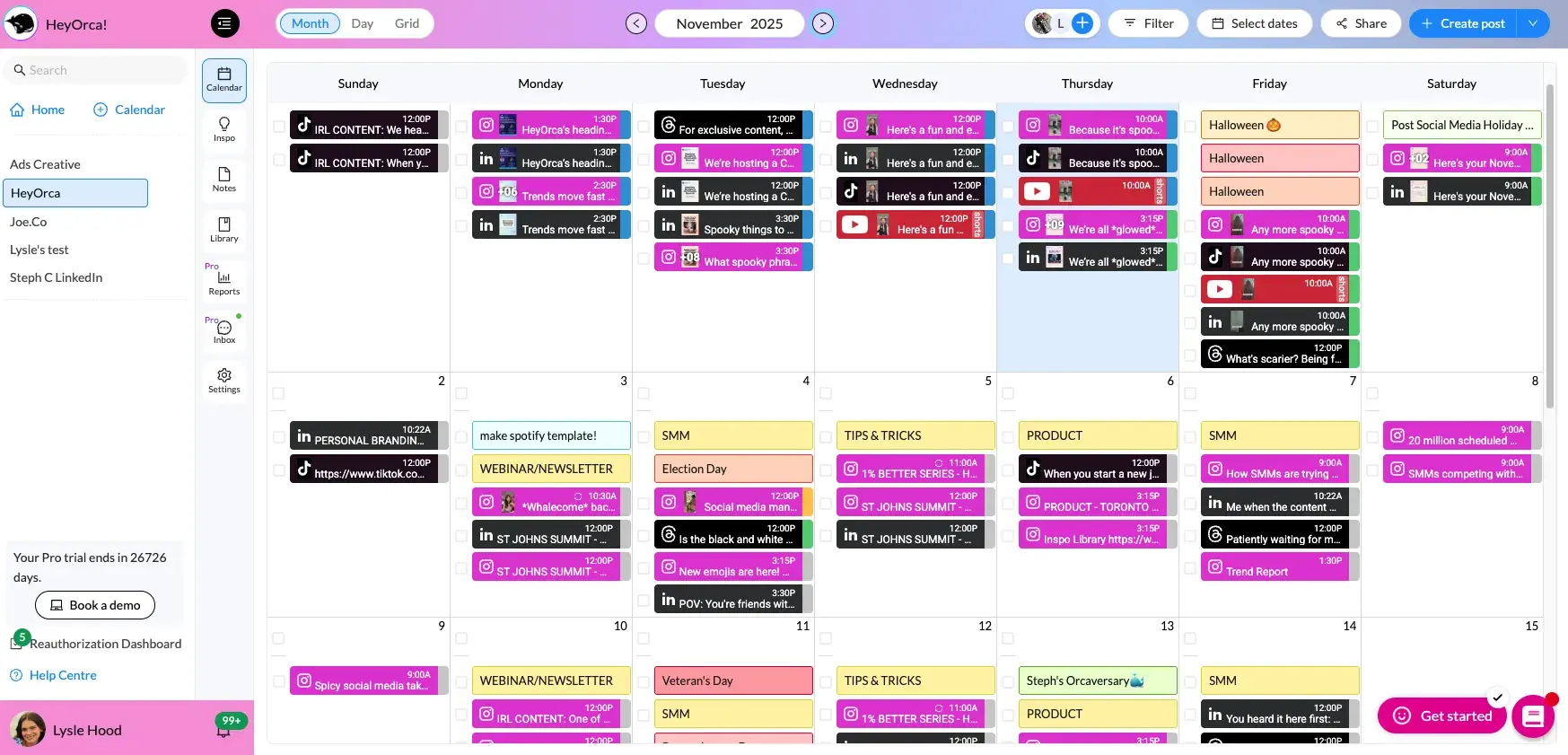
Best for: Agencies that need a streamlined, client-first approval and collaboration workflow.
As mentioned in the general tools section above, HeyOrca earns its place here, too ¡ª and for good reason. Clients can review, comment on, and approve content without ever needing a login, reducing back-and-forth and keeping projects on schedule.
HeyOrca¡¯s key features:
- Client-facing approval workflows requiring no client login
- Separate calendar views and media libraries per client account
- Bulk scheduling across multiple client profiles
- Team role and permission management
- Clean, professional interface designed to be shown directly to clients
HeyOrca¡¯s limitations:
- Analytics and reporting are less robust than enterprise competitors like Sendible or Sprout Social
- No social listening functionality
- Pricing scales per client, which can become costly for agencies with large rosters
Who should use it: Social media agencies of all sizes that prioritize a clean, professional client experience.
Choosing a social media management tool doesn¡¯t have to be overwhelming
Despite the wealth of options on the market, here¡¯s my final word on the so-called impossible task of picking the right social media management tool: choosing one tool doesn¡¯t have to be that complicated.
After walking you through evaluation criteria, pricing tiers, team size considerations, and use cases across specific categories, my answer remains the same as it was at the start. The best social media management tool is the one that fits your workflow, not the one with the longest feature list.
But honestly, there's no universally ¡°best¡± social media management tool. There¡¯s only the best one for your team, your platforms, and your goals. The marketers who win on social aren¡¯t the ones with the most expensive software, they¡¯re the ones who use their tools consistently and strategically.
Ready to put your social strategy into action? to manage social publishing, monitor brand mentions, and tie every post back to real pipeline data ¡ª all from one platform.
Editor's note: This post was originally published in October 2022 and has been updated for comprehensiveness.
Free Social Media Content Calendar Template
Download the free template and user guide to manage your social media posts and strategy.
- Coordinate campaigns
- Increase your reach
- Measure engagement
- Plan your posts
Download Free
All fields are required.
Form not available
You're all set!
Click this link to access this resource at any time.
Social Media Publishing



![The Best Times to Post on Social Media in 2025 [New Data]](https://lh7-us.googleusercontent.com/if40gtl1eUNNl92f1YN87mMwhXCYKPaRSiGVIdl3pQ-ptb-7V8kCRdJL4jwm49C1YyXRfhEYWFnrc5oQ4DYq4CnY6Gx_OfdbGCCWUVE3-BBWvGrdL7oV5k7btX7N1sIvYyKPVRm2OrDguiNhTqhGK9c)

![Social Media Calendar Template: The 10 Best for Marketers [Free Templates]](https://53.fs1.hubspotusercontent-na1.net/hubfs/53/social-media-content-calendar.png)
![When Is the Best Time to Post on Instagram in 2024? [Cheat Sheet]](https://53.fs1.hubspotusercontent-na1.net/hubfs/53/best-time-to-post-on-instagram-3.jpg)


.jpg)