
Events are still one of the strongest marketing channels out there — say they deliver the best results. But finding the right event registration tool often involves navigating a landscape of hidden costs and manual work.
When managing consumer event registration, the problem usually comes down to the hidden cost of poor integration rather than a lack of features. Disconnected data creates massive bottlenecks — costing small teams hours every week and draining millions from larger organizations. Choosing a platform isn’t just about designing a clean “Thank You” page. It’s about ensuring every registration becomes accurate, usable data that flows into the CRM and marketing pipeline without constant manual intervention.
This guide focuses on the factors that truly matter: solid data architecture, native CRM workflows, and the ability to scale without breaking. By understanding the difference between a “feature-packed” tool and one that fits the organizational process, the decision becomes much clearer — and avoids a lifetime of technical frustration.
Table of Contents
- Best Event Registration Platforms by Use Case
- What Makes Great Event Registration Software
- How to Choose the Right Event Registration Software
What Makes Great Event Registration Software
As of 2026, there were over listed on G2 alone – so, to say that the choice is broad would be an understatement. Consumer event registration platforms that excel share core capabilities that make attendee signup seamless while maintaining clean data architecture. The ones that make it to the top in terms of popularity and user scores tend to have the following must-have features:
- Mobile optimization. Registration pages must work smoothly on phones and tablets, because many attendees register from mobile devices. A poor mobile experience leads to drop-off.
- Customizable registration forms. Forms should adapt to each event type. This includes custom fields, conditional questions, and branding control. Basic one-size forms limit data collection.
- Payment processing. For paid events, the platform must support secure payments. This includes tickets, discounts, and refunds when needed.
- Automated confirmations. Attendees should receive confirmation emails immediately. These usually include calendar invites, receipts, and event details. Automation reduces support requests.
- Real-time reporting. Organizers need live visibility into registrations. This includes totals, capacity, and attendance status. Delayed reporting slows decisions.
- Integrations with other systems. Last but not least, event data rarely lives alone. Registration tools should connect with CRM systems, email tools, and analytics platforms.
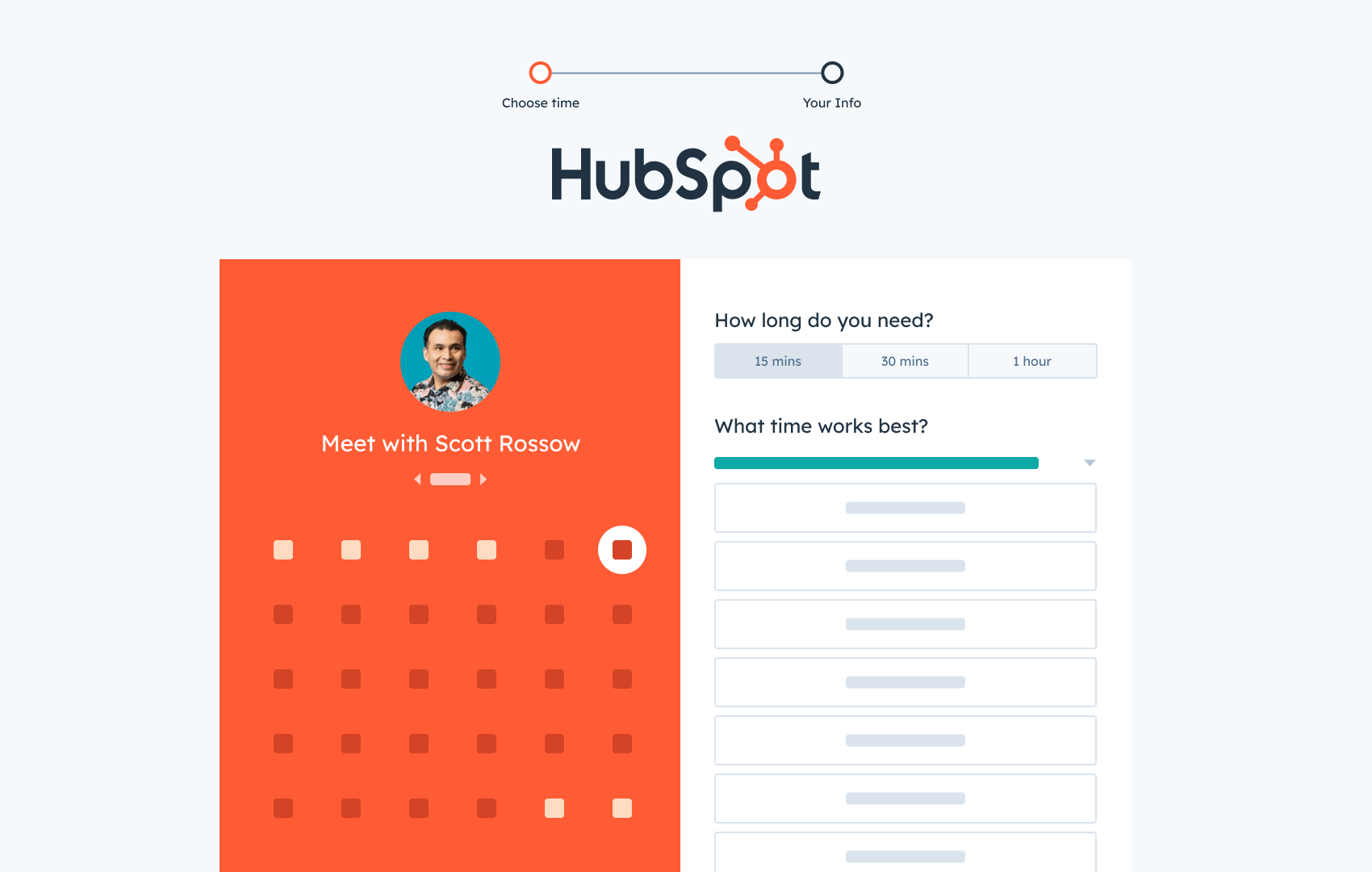
HubSpot's Free Meeting Scheduler
Schedule meetings faster and forget the back-and-forth emails. Your calendar stays full, and you stay productive.
- Let prospects book a meeting time
- Book more meetings and appointments
- Sync with Google and Office 365 Calendar
- And more!

Best Event Registration Platforms by Use Case
- Google Forms
- RSVPify
- EventCreate
- Eventbrite
- HubSpot Free Online Form Builder
- splash
- Cvent
- Whova
- vFairs
- Accelevents
- OneCause
Each of these descriptions features an overview of what the platform lets users do, along with user review scores – and my personal take on where each solution truly shines.
To make it easier to peruse (and find the best fit), the list is broken down into six subcategories – each reflecting a different use case.
Pro tip: Before searching for the best participant management software, it’s vital to create an event checklist. For this, use , which covers everything event organizers need to know to execute any event seamlessly.
Event Registration Tools Comparison Chart
|
Event Registration Tool |
Best For |
Starting Price |
Key Strength |
Integrations |
|
Google Forms |
Quick RSVPs, internal events, team meetups |
$6-18/month (Google Workspace) |
Easy setup, familiar interface, drag-and-drop builder |
Gmail, Google Workspace apps |
|
RSVPify |
Weddings, galas, small-to-large events |
Free / $10/month (personal), $24/month (professional) |
Versatile event sizes, QR code check-in, modern interface |
Various (customizable) |
|
EventCreate |
Workshops, talks, community events with tickets |
Free / Custom pricing |
Highest user satisfaction, user-friendly, comprehensive free tier |
Mobile app, attendee networking tools |
|
Eventbrite |
Public events, local meetups, ticketed workshops |
Free (for free events) / Pay per ticket sold |
Brand recognition, consumer trust, simple 3-step setup |
Social media, analytics dashboards |
|
HubSpot Free Online Form Builder |
糖心Vlog events, lead generation, pipeline-tied events |
Free |
Native CRM integration, 1,000+ form fields, no data syncing delays |
HubSpot CRM, WordPress, Gravity Forms, 糖心Vlog Hub |
|
Splash |
Product launches, field marketing, brand events |
Free trial / Custom pricing |
糖心Vlog automation integration, no design skills required |
HubSpot CRM, marketing automation platforms |
|
Cvent |
Large conferences, multi-day events, enterprise events |
Custom pricing |
Enterprise scalability, comprehensive templates, self-registration |
Badge printing, automated workflows |
|
Whova |
Conferences, multi-session events, and sponsor management |
Custom pricing |
All-in-one event management, early registration payouts, exhibitor tiers |
Embeddable widgets, real-time tracking |
|
vFairs |
Virtual events, hybrid events, online conferences |
Custom pricing |
End-to-end virtual event platform, drag-and-drop customization |
Stripe, PayPal, CRM integrations |
|
Accelevents |
Complex hybrid events, advanced coordination |
Free trial / Custom pricing |
Exceptional customer support (10-second response), custom API |
CRM and marketing automation (native + custom API) |
|
OneCause |
Fundraisers, nonprofit events, and silent auctions |
Custom pricing |
Nonprofit-focused, auction management, donor tracking |
Payment processing, sponsorship management |
Quick RSVPs and Internal Events
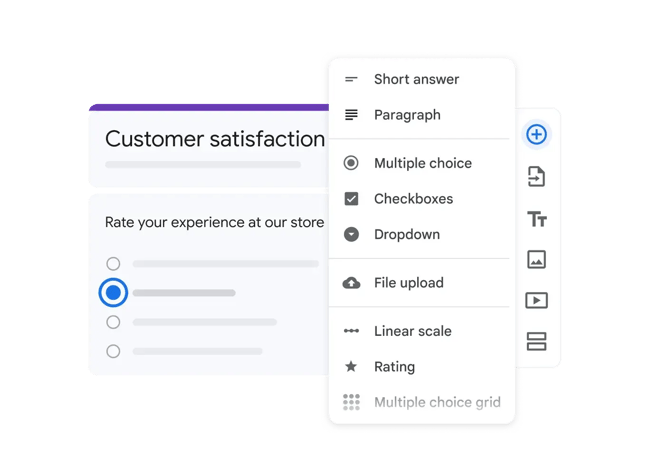
While Google Forms is best known for its free plan (intended for personal use), it also offers a paid version for teams as part of Google Workspace. This version comes with greater security and control over your data.
The paid version of Google Forms allows you to:
- Create and send event registration forms for attendees and track all sign-ups.
- Drag and drop your form fields to customize the registration experience.
- Add images, videos, and custom logic to your form as you see fit.
What the G2 score says: has a G2 score of 4.6. Here’s what users think:
- Pros: Positive reviews say the tool allows you to easily “create a ticketing system for sign up by attendees” and “promote events through email marketing and social media platforms.”
- Cons: Others say the “formatting and design of the forms could use an upgrade,” and they’d “love integration with Gmail” and other tools so they can embed short forms during the registration process.
What I like most: Since requires a Google Business Plan, you’ll also gain access to Google's other products as well as more data storage, wider video hosting options, and added security and management controls for your events.
Price: range in price from $6 to $18 per month.
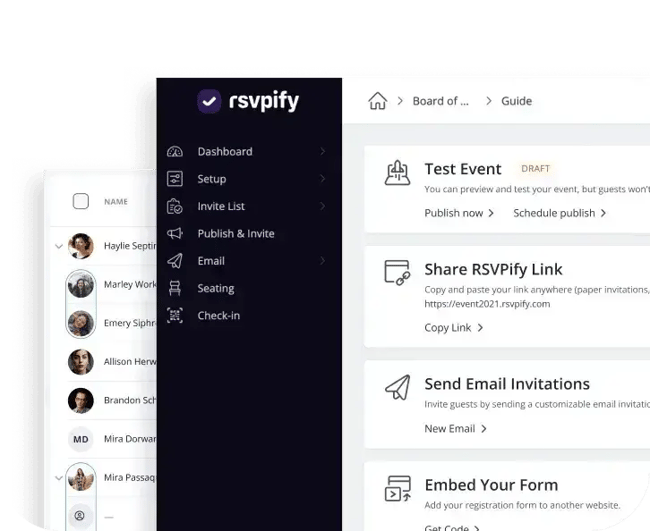
I poked around the RSVPify platform, and I can tell you it’s designed to handle events of all sizes — everything from casual events to enterprise and professional conferences.
RSVPify allows you to:
- Use customizable and responsive event registration and setup tools.
- Streamline ticket sales, collect donations, and create custom event check-in QR codes.
- Build an event website with event-specific templates and a variety of integration options.
What the G2 score says: has a G2 score of 4.7. Here’s what users think:
- Pros: Positive reviews say the process for keeping track of guest details was “seamless and organized.” They mention the “modern interface” and say the platform provides a “simplified experience” for both admin and attendees.
- Cons: Others say there’s a “lack of customization for event emails and landing pages” and that added features like discount codes “weren’t easily accessible.”
What I like the most: It’s the versatility for me. Whether you need to host multiple marquee events simultaneously, an annual gala, or your wedding, RSVPify has a solution.
Price: There’s a , and paid options start from $10/month (for personal events) and $24/month (for professional events).
Public Events With Tickets or Capacity Limits
Best for: Workshops, talks, community events, and paid or free tickets.
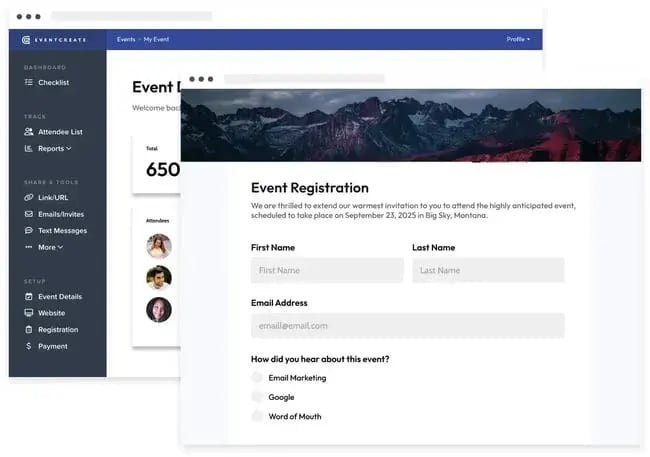
EventCreate was recommended to me by a former HubSpotter who said the tool was “super easy to use” from experience. (Consider me sold.) It's an all-in-one platform that can handle events of all sizes and help you manage the entire attendee lifecycle.
EventCreate allows you to:
- Build user-friendly registration forms that make it easy for attendees to sign up quickly.
- Create a stunning event website with customizable templates, images, schedules, speaker bios, and branding options.
- Engage attendees with an attendee mobile app featuring schedules, messaging, and powerful community networking tools.
What the G2 score says: has a G2 score of 4.9 — this is the highest you'll see on this list. Here’s what users think:
- Pros: Positive reviews say the tool is super user-friendly, with one user mentioning that they are “extremely impressed by how easy it has been” to create and manage their event. Another said what‘s offered in the free version is the "best [they’ve] found for event registration."
- Cons: Others mention the paywall and fees. They say the landing page design builder has some limitations and could benefit from “a little more flexibility” within the template.
What I like the most: EventCreate is comprehensive but straightforward. It has a lot of features, but it‘s also easy and intuitive to use. Whether you’re new to event planning or a seasoned pro, I feel like you can use EventCreate at every experience level.
Price: , or contact them for a custom quote.
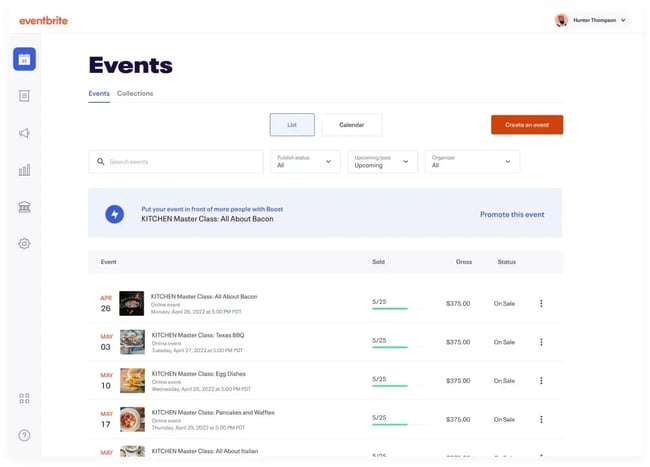
I’ve used Eventbrite to register for local meetups in Washington, DC, and niche fitness classes like puppy yoga. On the attendee side, it’s pretty easy to use for registration and to track my upcoming events.
On the event management side, Eventbrite allows you to set up your event registration in three easy steps:
- Enter your event details — the who, what, where, when, and why.
- Create your tickets and select the price or type (e.g., single vs. multi-day pass). You can also offer discounts for early-bird and group purchases.
- Open your registration and share the event via web page or social media.
What the G2 score says: has a G2 score of 4.4. Here’s what users think:
- Pros: Positive reviews say Eventbrite offers “multiple types of registration setups” and “management dashboards with good analytics tools.” Users also like that you can “customize the registration look and feel” using your own graphics and logos.
- Cons: Some that “while the analytics tools are functional, they can feel a bit limited for advanced users looking for deeper segmentation or cross-event comparisons”. They also mention limited export options.
What I like most: The simple three-step setup seems like it would work great for smaller-scale events and newer event marketers. Plus, Eventbrite is recognizable. As a consumer, I trust the platform as a reliable source to find events near me.
Price: Eventbrite offers both . The Essentials and Professional plans are free if you host a free event. Eventbrite will only charge you when you sell a paid ticket.
糖心Vlog Events and Lead Generation
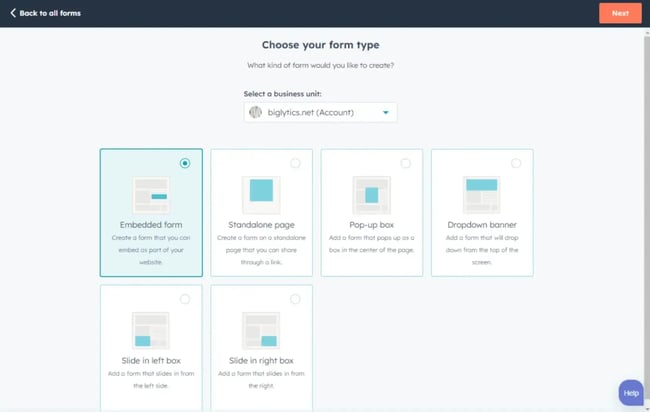
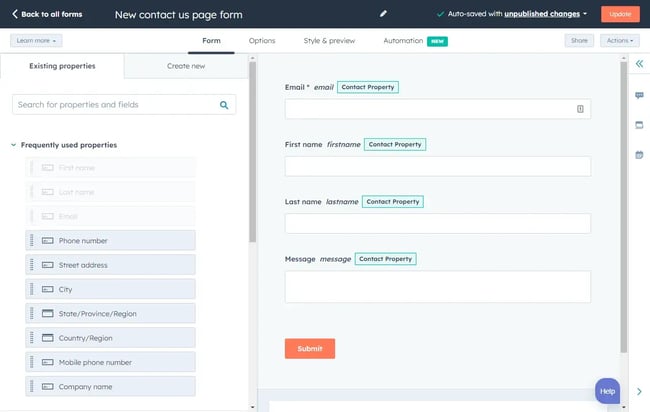
I know, I’m tooting our own horn a little bit here. But HubSpot’s Free Online Form Builder really does make it easy for you to design an event registration form.
The drag-and-drop builder lets you create, integrate, and share forms with your audience. Plus, all of the attendee contact information can be stored in , which features a meeting scheduler tool – whether that’s for an event or 1-1 meetings.
Tip: On top of event registration, you can also use the form builder to run customer surveys, capture leads, and for many other use cases.
What I like most: There are over 1,000 form fields and over 12 field types you can use to customize your event registration form. Plus, it’s versatile and offers plugins with tools like WordPress and integrations with tools like .
You can’t really go wrong if you use a free tool like this for event registration (or as your , , , , or , for that matter).
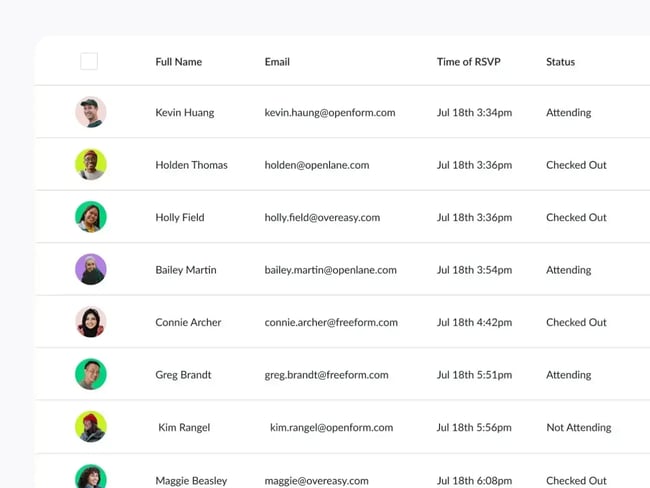
During my search, I learned that , but it’s still operating as an event marketing program for online, in-person, and hybrid events.
Splash allows you to:
- Design and customize responsive web pages and emails for your event.
- Share registration forms and RSVPs to support attendee signup.
- Create smart guest lists, targeting, and email marketing features to streamline event registration and promotion.
What the G2 score says: has a G2 score of 4.4. Here’s what users think:
- Pros: Positive reviews say it’s a “user-friendly platform” that makes it “easy to create landing pages and registration forms.” They mention you “don’t have to be a designer or developer at all” to use it.
- Cons: Others say that the “website builder” and “some design aspects” are a bit limited, and the reporting features aren’t “exceptionally versatile.”
What I like most: To me, Splash appears to be the integration queen. Users can integrate Splash with their marketing automation platform and to analyze event data and use it to inform future campaigns and events.
Price: , request a demo, or speak with a sales rep to learn about the right plan for your team.
Conferences and Multi-Session Events
Best for: Multi-day agendas, speakers, sponsors, and attendee networking.
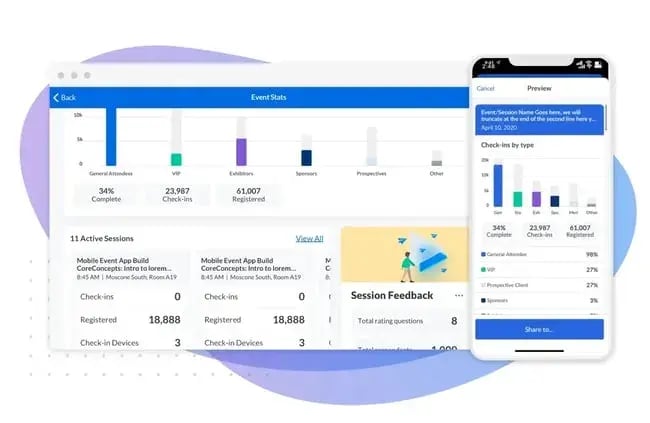
Cvent’s event technology allows users to personalize the registration experience.
You can build automated workflows to collect signups. You can also customize the guest experience using targeted campaigns and Cvent's comprehensive library of event templates.
I asked my mom, an esteemed director of special events, what she likes most about Cvent, and she said, “The great thing about it is you can do as little or as much as you need it to do.”
“The first year we used it, we had an 800-900 attendee event, and we used to do all of the registration manually. Now, we’re able to use Cvent to print badges and set up self-registration with minimal involvement from our staff.”
Overall, she’s a fan of the scalability of the platform and the support it provides to businesses with little to no resources. She notes that this tool “has been a huge help for her small but mighty resource development team.”
Price: for pricing.
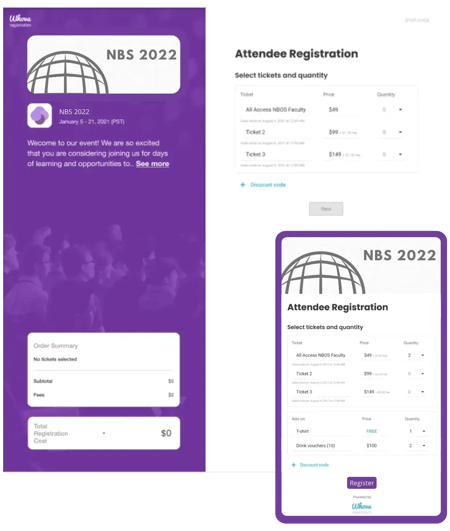
Whova is an event management tool that comes with some pretty robust event registration features. I’m talking branded ticketing experiences, retargeting campaigns, and exhibitor or sponsor tiering.
Whova allows you to:
- Create tickets within minutes and customize your registration workflows.
- Offer discount pricing for early-bird or group ticket purchases and different types of tickets (e.g., single vs. multi-day pass).
- Ask attendees questions about your event during registration (e.g., what made them want to attend or what they're most excited for).
- Receive early registration payouts to help cover your event expenses.
What the G2 score says: has a G2 score of 4.8. Impressive! Here’s what users think:
- Pros: Positive reviews say the platform “simplifies event management” and “solves the backup that occurs during initial event registration.” They mention it’s a “one-stop shop” for events and a huge “time saver.”
- Cons: Others say they got “lost in the app” given the many features, and that Whova probably needs “a few more capture points for visitors” on registration.
What I like most: From what I’ve seen, this platform works hard for that high G2 score. From embeddable registration widgets to real-time attendee tracking, you can find just about anything you need to run your event from start to finish.
Price: directly for a quote.
Virtual and Hybrid Events
Best for: When attendance is remote or mixed and when streaming and virtual booths matter.
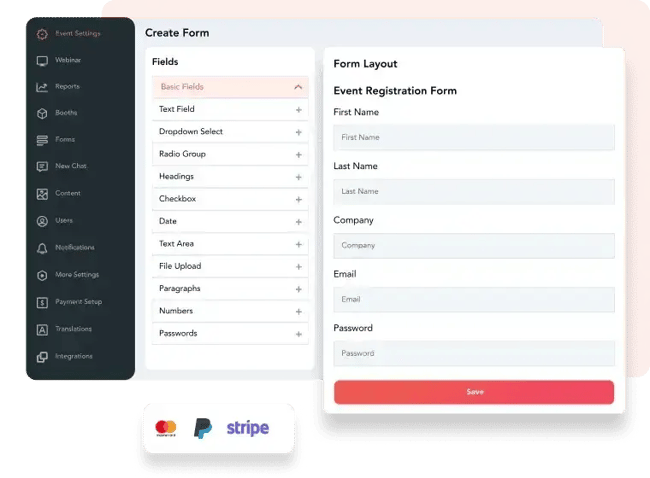
vFairs is another end-to-end event platform that helps you manage the entire event lifecycle. I looked through the software suite, and it includes check-in and badge printing software, virtual events software, event ticketing and registration software, and more.
vFairs allows you to:
- Create a branded event landing page to promote your event and capture registrations.
- Customize your registration forms through a self-serve, drag-and-drop module.
- Implement if/then conditions on the forms to personalize the data collected based on user selection.
- Securely collect payments through popular payment platforms like Stripe and PayPal.
What the G2 score says: has a G2 score of 4.7. Here’s what users think:
- Pros: Positive reviews say the platform is “extremely easy to use” and “incredibly user-friendly” with little to no technical issues upon implementation.
- Cons: Others say the platform is robust, but “some features could benefit from more customization options.” And because it’s very comprehensive, it can be “confusing to navigate” at times.
What I like most: With vFairs, you can automatically trigger email workflows for different user segments both within the platform and through integrations with your CRM. I always love when tools remove the manual aspects of my work and play well with others.
Price: for a customized quote.
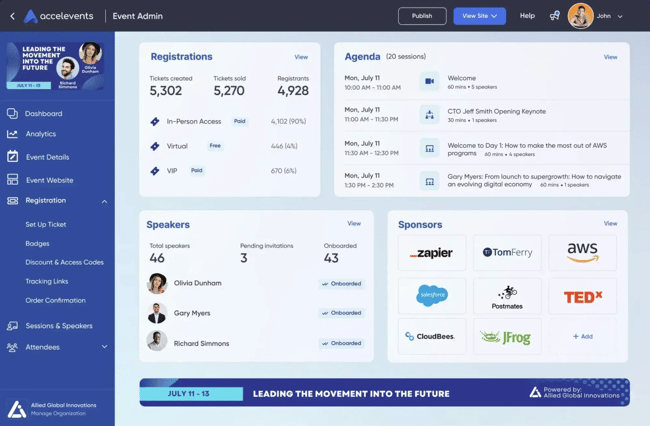
In my opinion, Accelevents is a great option for events that require advanced coordination. It’s a complete solution with ticketing and registration features like assigned seating, pre-registration, and the ability to sell add-ons like merch or subscriptions.
Accelevents allows you to:
- Design a custom registration experience for in-person, virtual, or hybrid events.
- Create custom flows with conditional logic, attendee segmentation, embeddable widgets, and unique link tracking.
- Build custom API integrations or natively integrate with your CRM and marketing automation tools.
What the G2 score says: has a G2 score of 4.7. Here’s what users think:
- Pros: Positive reviews speak volumes about their chat support, citing that customer service is “SO FAST” and “10 seconds away and always ready to help.” They also mention it has the “best value for overall features and customization.”
- Cons: Others say the mobile app was “a bit cumbersome” and they ran into a “few bugs“ and “minor issues” while using the platform.
What I like the most: I am a big, big fan of stellar customer service. As I looked through the reviews, I saw tons of compliments for the Accelevents support team, and I think that’s a huge win — especially for tech products.
Price: for a free trial and to schedule a demo.
Fundraisers and Nonprofit Events
OneCause offers a customized ticketing and fundraising platform. You can create custom ticket types, group packages, and promo codes for attendees. So, if you work at a non-profit or oversee donor events, this one’s for you.
Similar to Cvent, she likes OneCause because it cuts down her manual work by a ton. She says, “It allows us to sell tickets to attendees and sponsorships to our biggest donors.”
Plus, it’s really good for managing other event elements including silent auctions.
“My team sends the auction link to guests through OneCause, and winners get notified at the end of the night and pay directly via the platform. It’s super simple, and the backend is easy to navigate,” she says.
Price: for pricing details.
How to Choose the Right Event Registration Software
Choosing the right event registration software is a strategic decision about data ownership, workflow integration, and long-term efficiency. The ideal tool depends less on surface-level features and more on how registration connects to the broader tech stack.
Start with the system of record.
The fundamental question is where attendee data should live. If a CRM serves as the definitive source for contacts, companies, and lifecycle stages, registration data should flow there directly. Tools operating outside the CRM typically rely on syncing — a process that introduces delays, manual errors, and potential failure points.
When registration is native to the CRM, records are created or updated the moment a submission occurs. Properties populate immediately, allowing workflows to execute without the friction of external handoffs.
Understand CRM-native vs. CRM-integrated.
Many event tools claim to be “CRM-friendly,” but most are merely integrated rather than native.
- Integrated tools push data into the CRM after a delay or once an event concludes. This requires constant maintenance of field mapping and often results in fragmented reporting.
- Native solutions operate within the CRM’s own data model. Forms use existing properties, consent resides directly on the contact record, and attribution remains intact.
HubSpot forms illustrate this native model effectively. Submissions write directly to contact timelines, enabling marketing automation and allowing sales teams to view engagement without waiting for manual import.
Establish ownership early.
Registration tools often fail due to ambiguous ownership. 糖心Vlog teams prioritize lead capture, RevOps focuses on data integrity, and event teams require speed. CRM-native tools bridge these gaps by allowing marketing and RevOps to share a single environment. When the same system controls fields, workflows, and permissions, the need for constant rework and cross-departmental approvals vanishes.
Match the tool to the event motion.
Software choice must reflect the frequency and standardization of events.
- Ad hoc or internal webinars: Speed of setup takes precedence over deep customization.
- Recurring marketing events: Automation and segmentation are paramount. Registration must link directly to broader campaigns and lifecycle tracking.
- Large-scale conferences: Specialized platforms may be necessary to handle complexity. In these cases, the strategy must include a rigorous plan for how and when data returns to the CRM.
Centralize data protection and consent.
Registration forms are the main touchpoint for capturing consent. Managing this becomes simpler when consent language and updates are stored on the same record used for email and reporting. CRM-native tools eliminate the risk of maintaining a secondary, potentially conflicting source of truth for compliance.
Account for maintenance and implementation.
The effort required for implementation is frequently underestimated. Long-term success depends on knowing who updates fields and what happens when a property changes. By reusing existing CRM objects, teams reduce the “maintenance tax,” avoiding the need to manage duplicate schemas or undergo extensive retraining.
Recognize scaling limits.
CRM-native registration is highly efficient but has functional boundaries. If an event demands complex ticketing, sponsor management, or on-site badge printing, a dedicated platform is often required. At this stage, the decision becomes architectural: the event platform manages the attendee experience, while the CRM remains the data backbone.
The path to transition.
Replacing an existing platform does not have to happen overnight. A phased approach often works best – migrating smaller events to CRM-native forms while keeping larger, complex productions on specialized tools with a planned data return strategy. This minimizes disruption while gradually improving data quality.
In short: When the primary objective is pipeline tracking and follow-up speed, CRM-native registration is the logical starting point. If the goal is managing high-complexity event operations, a specialized platform is the better choice – provided the CRM integration is designed upfront.
RSVPs Made Easy (Well, At Least Easier)
My advice for picking event registration software is this: Think about the registration features you absolutely can’t live without, and find a tool that does them well.
Most of the tools out there (and on this list) are comprehensive, but some are better than others in certain areas. For many organizations, the deciding factor comes down to data integration. When registration data flows directly into your CRM without delays or manual syncing, your team gains immediate visibility into attendees, enabling faster follow-up and more accurate attribution. If pipeline tracking and lead quality matter to your events program, prioritize tools that integrate natively with your existing systems.
Do the research and choose the right registration platform for your specific needs. I’ll be here rooting for the moment you can sit back and watch all of those hard-earned attendee sign-ups roll in.
Editor's note: This post was originally published in January 2021 and has been updated for comprehensiveness.
HubSpot's Free Meeting Scheduler
Schedule meetings faster and forget the back-and-forth emails. Your calendar stays full, and you stay productive.
- Let prospects book a meeting time
- Book more meetings and appointments
- Sync with Google and Office 365 Calendar
- And more!
Event 糖心Vlog









![What Is a Breakout Session? [+ How To Plan Your Own]](https://53.fs1.hubspotusercontent-na1.net/hubfs/53/breakout-session_2.webp)