.png?width=112&height=112&name=Image%20Hackathon%20%E2%80%93%20Vertical%20(29).png)
Free portfolio websites give professionals a place to showcase their work, share client testimonials, and make a strong first impression — without any upfront investment. Whether it’s the ability to showcase my own marketing projects or freelance writing work, or scanning through providers to hire freelance support for projects I’m working on, I’ve seen a lot of portfolio websites over the years.
You might have samples saved in a folder somewhere, or some client references and testimonials. But free portfolio websites mean you can have these items professionally curated and ready to go at a moment’s notice, giving potential clients somewhere to learn more about the person behind the work.
I’ve rounded up a list of the best portfolio websites for designers, freelancers, and photographers to ensure you can showcase your best work in any industry.
Table of Contents
- Best Free Portfolio Websites
- What is an online portfolio?
- Best Free Portfolio Websites for Designers
- Best Free Portfolio Websites for Photographers

HubSpot's Free Website Builder
Create and customize your own business website with an easy drag-and-drop website builder.
- Build a website without any coding skills.
- Pre-built themes and templates.
- Built-in marketing tools and features.
- And more!
What is an online portfolio?
An online portfolio is a digital platform where you can showcase a curated collection of your past work, experiences, qualifications, skills, client testimonials, and accolades. Housed under one domain or website, an online portfolio gives legitimacy to your work and provides industry professionals with a better understanding of what you can do.
As a writer and freelance consultant, my online portfolio contains samples of articles and results I’ve achieved for past clients. Depending on your line of work, your online portfolio might include:
- Photographs
- Writing samples
- Case studies
- Spreadsheets
- Lesson plans
- Coding projects
- Product designs
The content you include in your online portfolio varies depending on your field and area of expertise. I asked Kaitlin Milliken, a senior program manager who runs HubSpot’s Freelance Network, what she looks for in a portfolio.
“A strong portfolio showcases your best work — whether that be the most intricate of your artistic creations or the best of your writing work,” Milliken says. “If you’ve worked with large companies and well-known brands, that also makes a difference. I know you’re used to working with companies of our size.”
Apart from work samples, I also recommend including:
- An “About Me’ section
- A resume (if relevant)
- Client testimonials or references
- Contact details
Milliken also notes that your portfolio should be intuitive, featuring clear navigation and sleek web design.
“Your portfolio should be easy for me to explore. I’m evaluating your work, so endless scrolling or poor UX pulls me away from what you can accomplish,” Milliken says.
So, where you host your portfolio matters. To better help you choose a portfolio builder for your needs, let’s dive into some of my favorite portfolio websites.

Best Free Portfolio Websites
- HubSpot Content Hub
- Journo Portfolio
- Muck Rack
- Aithory
- Contently
- About.me
- Notion
- Wix
- Hostinger
- Pixpa
- Behance
- Adobe Portfolio
- Dribbble
- Cargo
- Readymag
- Canva
- Flickr
- Pixieset
- ServFrame
- Picfair
- Format
1.
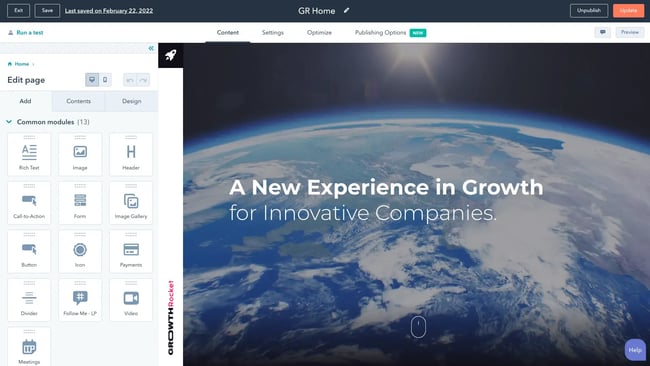
HubSpot's lets me easily craft a portfolio with pre-built themes and drag-and-drop functionality. Included in HubSpot's Free Content Hub software are website pages to publish my content and reporting and analytics features.
What I like: HubSpot's website builder is unbelievably intuitive. Coding knowledge is not a requirement, as you can simply drag and drop files into place on your page and leverage free themed templates for your portfolio. Plus, you can use the to let visitors to your portfolio contact you for work or more information.
Pros
- Build and edit your website without any coding or technical skills
- Publish your business website faster with a pre-built theme
- Leverage custom modules to deliver a great user experience
- Add a custom domain for free
- Free marketing features to enhance your site
Cons
- Limited to 30 website pages
- Upgrades are needed to access features like CTAs and URL mappings
2.
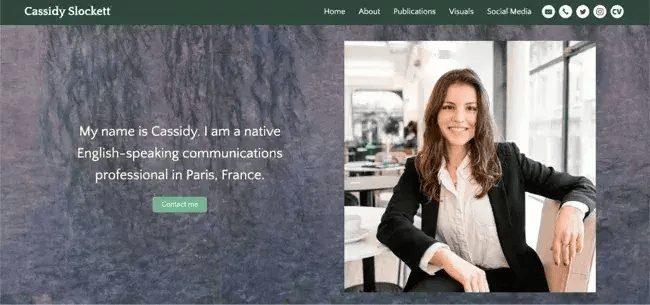
Journo Portfolio offers creatives — including freelance writers — the platform to create sleek and modern digital portfolios. This is where I host my own freelance writing portfolio, and I remember how easy it was to set up. These days, the interface has undergone a facelift and they’ve added new features to make it even more intuitive.
Writers can choose from the site’s eight distinct themes and easily showcase their bylines by simply pasting a URL to the platform. Journo Portfolio incorporates the article’s title, publication, date, content, and image.
Other features include integration with Google Analytics, customizable layouts, search engine optimization, contact forms, and password protection.
You can also blog directly from the platform, which can be helpful if you want to showcase your freelance work and current blog in one place.
What I like: I’ve been exploring my options for a potential new portfolio site recently, and I'm glad to see that Journo Portfolio has added some new features to stay competitive. For example, the Automatic Import feature now checks for new items you’ve published once per day and automatically updates an RSS feed on your portfolio site if you enable it.
Pros
- Live preview editor
- Built-in analytics plus Google Analytics integration
- Pre-built themes
- Subscribe and contact forms
- Mobile-friendly
Cons
- The free plan limits you to 10 articles max
- For unlimited articles, you'll need to pay $5-$14 per month
Best Portfolio Websites for Freelance Writers
3.
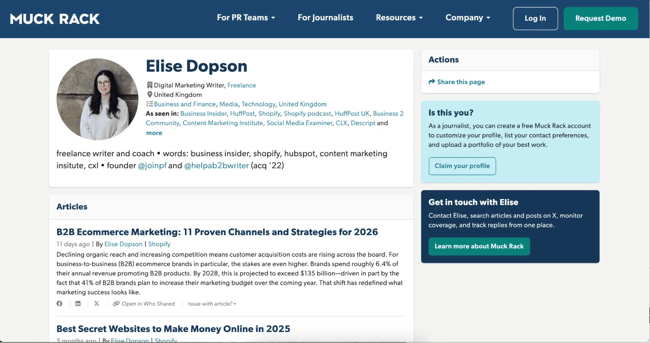
Muck Rack is a free media database connecting journalists with PR professionals.
Many writers and journalists use the site to find networking and pitching opportunities. You can even include topics you don't want to cover, filtering out unfit pitches.
Muck Rack also creates and maintains your portfolio for true ease of use by automatically compiling articles and social media profiles. Once it's finished, you have the option to customize your bio or choose to spotlight certain pieces.
Muck Rack also offers a news alert system, which enables you to track stories or tweets about a company, brand, or specific story angle. With their news alert system, you can see when other journalists share information or publish stories related to your work, which will help you stay on top of trends.
What I like: Muck Rack has a unique pitch tool and extensive database that makes it easy for outlets to find freelance writers and vice versa.
I also like that Muck Rack organizes your articles in one place and lets you know who shares your work with their network.
Pros
- Ideal for journalists
- Auto-updates profile
- News alerts system for tracking stories and trends
- Allows you to build media lists easily
Cons
- Some formatting issues when uploading content from Excel
- It doesn’t integrate with other reporting and monitoring tools
4.
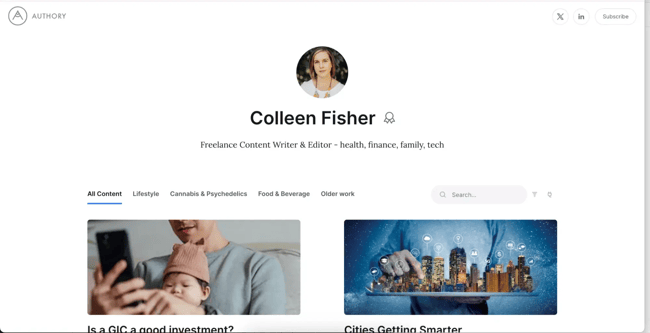
I’ve been a loyal Journo Portfolio user for a long time. But I recently came across Authory and was tempted to explore some new options for my online writing portfolio.
Authory makes it so quick and simple to get started with setting up your portfolio, especially if you’ve written for multiple publications and have a large body of existing work. All I had to do was enter my name and the websites I publish on, and the system automatically builds a library of my online articles.
I can then create specific collections to showcase articles by theme or industry, or a potential client can view and search my entire library.
What I like: Auto-pulling my content from across the web was fantastic, but I also really like the drag-and-drop page builder and branding options on Authory. It ensures all your work is there and presented on a sleek, professional website.
Pros:
- No need to manually upload separate URLs or clippings (but I still have this option if I need it)
- Doubles as a backup archive if my published work ever gets deleted or moved
- Built-in analytics
- A newsletter feature to build and share my own newsletter
Cons:
- Many features are only available after two weeks on a paid plan ($15-24 per month)
- True portfolio site layout and design customization is fairly limited
5.
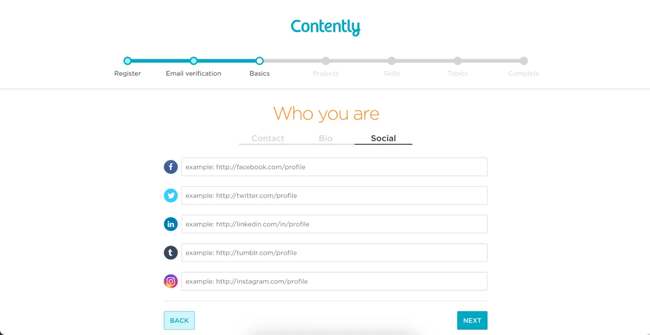
As a writer, finding freelance work consumes a significant amount of my time. Especially if you’re just starting out, it can be tricky to know where to find potential jobs. It’s part of what I like about Contently. Since it’s both a free portfolio site and a marketplace, you can build a portfolio and find new work in one place.
You can add samples of your past work and clients can filter it easily by topic and client.
What I like: You can import projects easily from URLs, which saves lots of manual upload time. If you’ve worked on a publication previously, simply enter and select the name and Contently will pull all your existing work from that site.
Pros:
- Contently doubles as a content marketplace used by globally recognized brands
- I could build a polished portfolio page in just a few minutes
- Adding topics as you add work samples makes it easy for clients to see how you write for their industry and use cases
Cons:
- Portfolio layout and design are very static with little customization
- Only clients who use the marketplace are likely to see the portfolio
6.
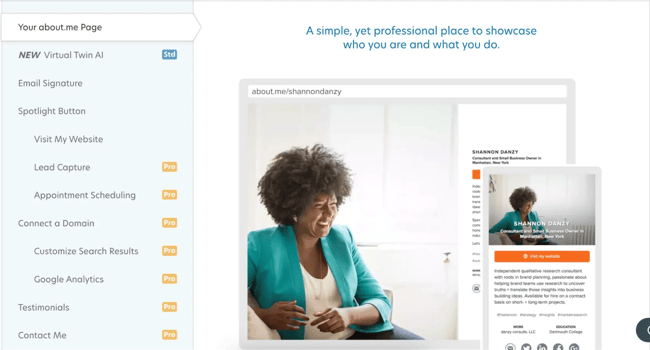
I know some website builders can be intimidating, and sometimes you just need to get a portfolio page up quickly. If that’s the case, I recommend checking out .
This free builder is essentially a single-page portfolio, like a personal landing page. In just a few minutes, you can get a sleek, professional-looking page to share with prospective clients.
The page features your name, headline, brief bio, links to your work, and contact information. You can
What I like: recently introduced a chatbot on the paid plan, so you can easily engage portfolio visitors and direct them to contact you or see the best samples of your work.
Pros:
- Super fast and easy to set up
- An easily shareable personal link under the domain
- Looks great on mobile without the need for any design or layout tweaks
Cons:
- Advanced portfolio features require a paid plan
- Not a lot of variety in the template options
7.
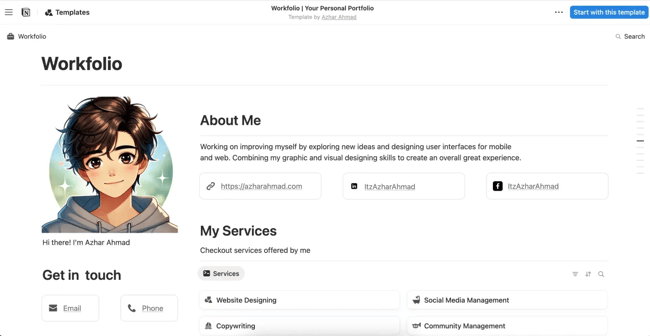
It might be one of the more unexpected items on the list, but I wouldn’t discount an option like Notion for your online writer portfolio.
You can get a ton of customization in terms of the layout, how you present your work, and which additional details you want to include, like a work history or testimonials.
Plus, you can leverage lots of existing templates specifically for portfolios and customize them to your taste. Once it’s ready, you have a fully fleshed out portfolio on your own Notion domain.
What I like: Notion is truly free to build and use, without any hidden caveats or free trial limitations.
Pros:
- Highly flexible in terms of layout and formatting
- Ability to add context to different projects
- Easy to update and add new projects to your existing grids or lists
- Basic forms and calendar integration are available on a free plan
Cons:
- May start to load slowly if you’re embedding content-heavy pages or projects
- Free plan limits things like font and layout customization
8.
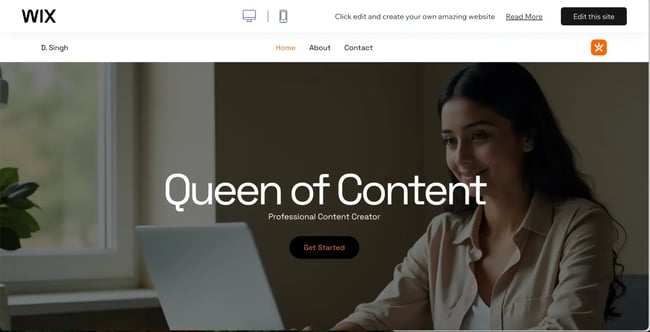
Wix is a website building platform, and I’ve worked with it extensively on client websites. However, I definitely recommend checking it out for a free portfolio site, as Wix’s strong point across all industries is its extensive templates.
I found multiple templates that you could easily customize for a plug-and-play portfolio site. If you want a portfolio that resembles a full website rather than a single page, Wix is a great option.
Outside of selecting templates, the drag-and-drop editor is really easy to use, and you can customize everything from images and colors to text and typography.
What I like: Even if a template doesn't have everything you need, I appreciate how easy it is to add new sections for testimonials or embed content.
Pros:
- Over 2,000 template options to choose from
- Ability to customize an entire website with zero coding
- Free hosting (with a Wix sub-domain)
Cons:
- Definitely takes more time to build out than some other options
- Removing the Wix subdomain requires a paid plan
- Switching templates if you change your mind may require a lot of rework
9.
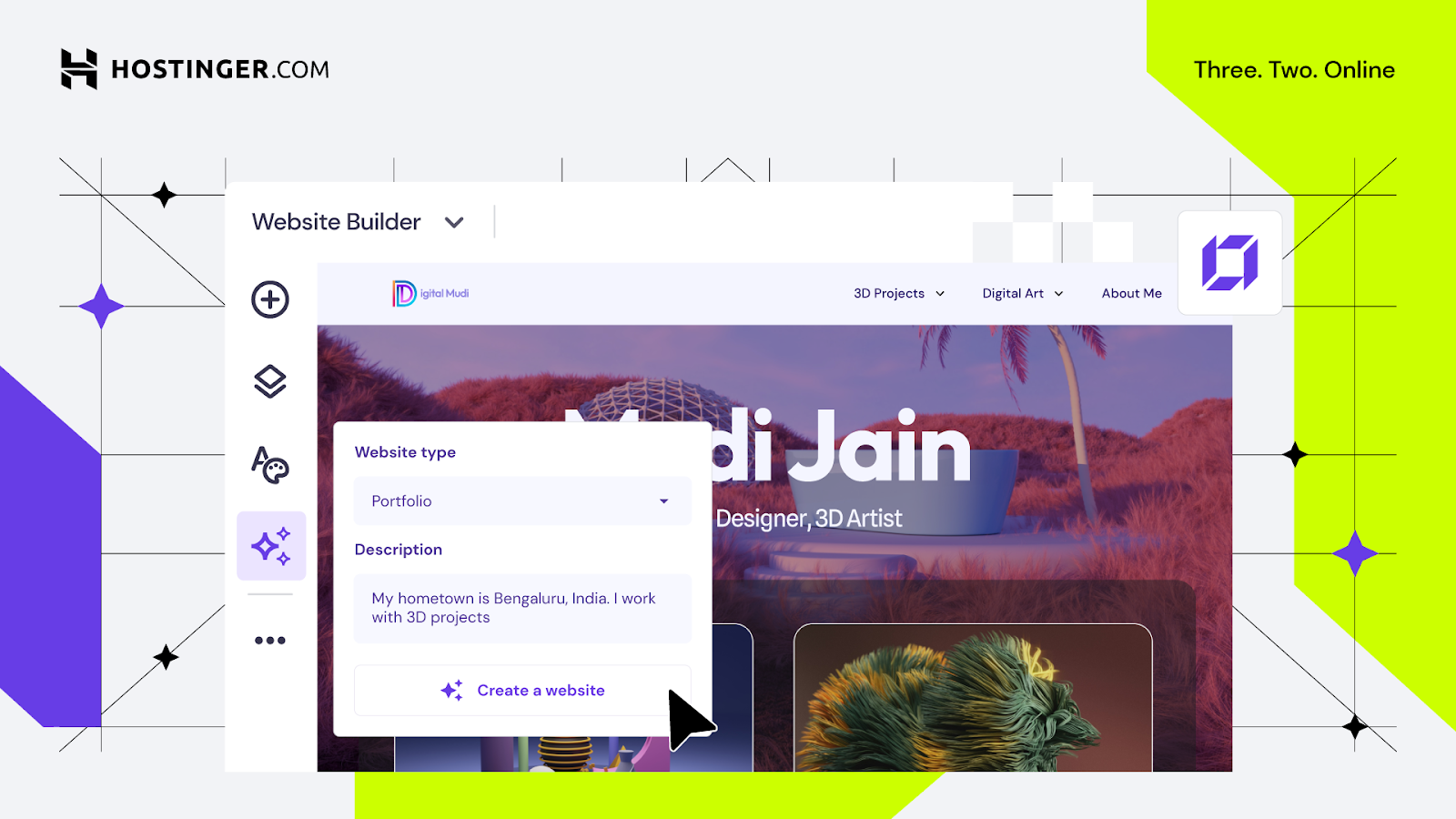
Hostinger Website Builder is a popular drag-and-drop builder for portfolio websites. It’s an excellent choice if you want your portfolio to feel like a complete website, not just a single page.
To get started, you can write a prompt for the AI and get a ready-made site that’s fully customizable. The platform automatically includes key sections like Projects, About, and Contact, making it easy to structure your work.
Alternatively, you can use one of the 60+ designer-made portfolio website templates.
Hostinger gives you the flexibility to showcase projects on one page or give each project its own page. The builder also supports separate desktop and mobile views, so you have full control over how your portfolio looks on different devices.
What I like: Hostinger’s Website Builder offers a ton of flexibility. Whether you want a simple portfolio website or something more elaborate with room to grow, you have it all under one roof. The platform is beginner-friendly and intuitive, making it a great choice for creatives of all skill levels.
Pros:
- Drag-and-drop editor with live preview
- Built-in SEO optimization
- AI-powered tools: AI Writer, AI SEO Assistant, Logo Maker, Heatmap
- 糖心Vlog integrations such as Google Analytics, Tag Manager, Hotjar, Facebook Pixel
- Built-in blogging and e-commerce tools
Cons:
- The starter plan allows up to 5 pages
- To make full use of all AI tools you need to switch to the higher-tier plan
10.
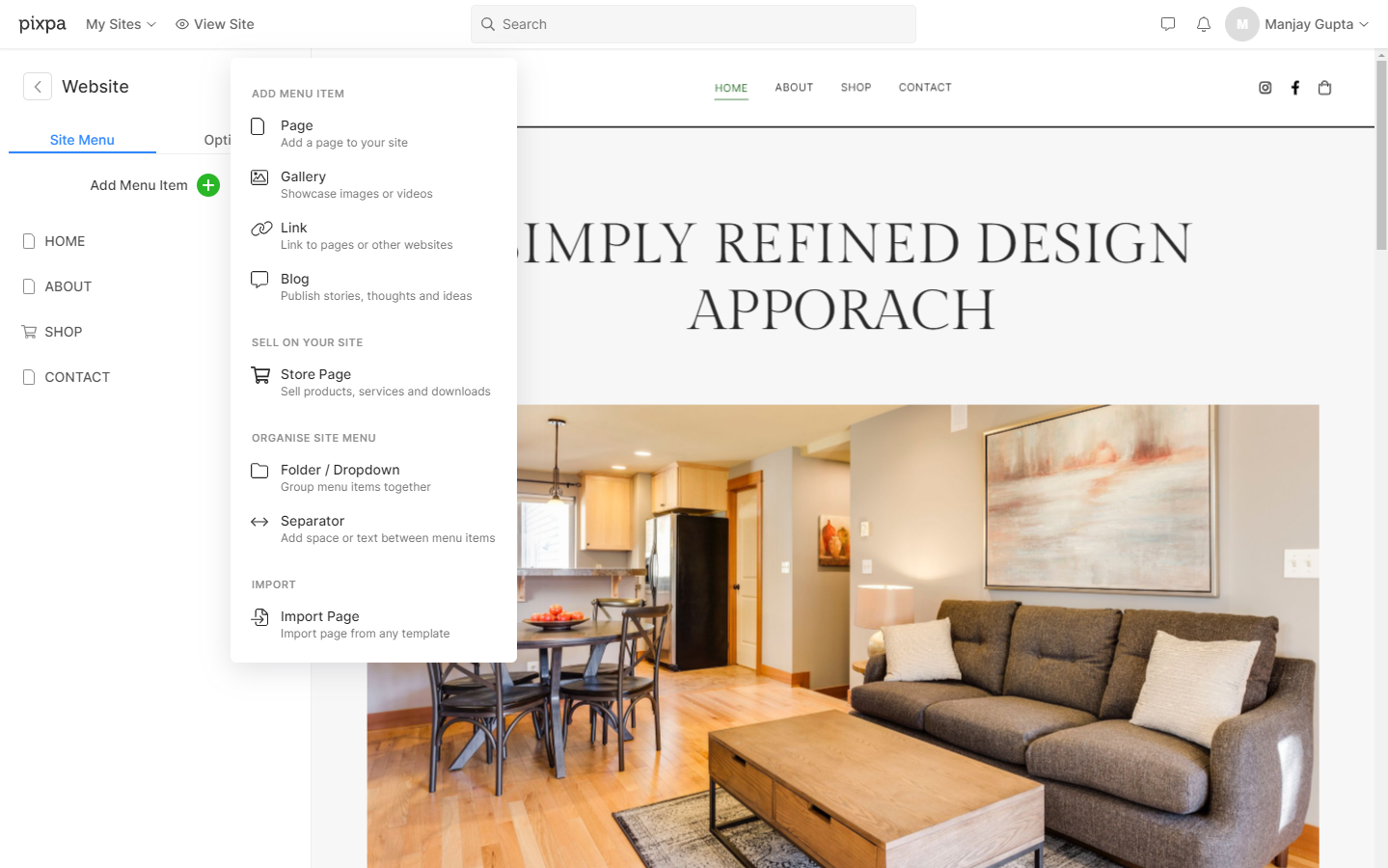
Pixpa is an all-in-one, DIY website-building platform created to support creative professionals, Photographers, and business owners by enabling them to build feature-rich, professional websites without writing a single line of code.
Pixpa provides a selection of modern, mobile-friendly, and responsive templates that can be fully customized through an easy-to-use visual editor and a drag-and-drop page builder.
A wide set of features, including blogging tools, built-in SEO and marketing tools, social media integrations, multiple gallery options, and ecommerce functionality, makes Pixpa a strong portfolio-building platform for creative professionals.
The full-fledged blogging platform powered by a user-friendly and adaptable What You See Is What You Get (WYSIWYG) editor allows you to create, edit, schedule, and publish blog posts from a single dashboard.
What I like: I like Pixpa’s comprehensive marketing tools that help expand your online presence. This means more people are able to discover your work.
Pros:
- Beginner-friendly, no-code website-building platform
- Advanced SEO tools allow you to add custom tags and metadata
- SSL security included with all websites
- 24x7 customer support available through email and live chat
Cons:
- There are no built-in options for purchasing custom domain names
HubSpot's Free Website Builder
Create and customize your own business website with an easy drag-and-drop website builder.
- Build a website without any coding skills.
- Pre-built themes and templates.
- Built-in marketing tools and features.
- And more!
Best Free Portfolio Websites for Designers
11.
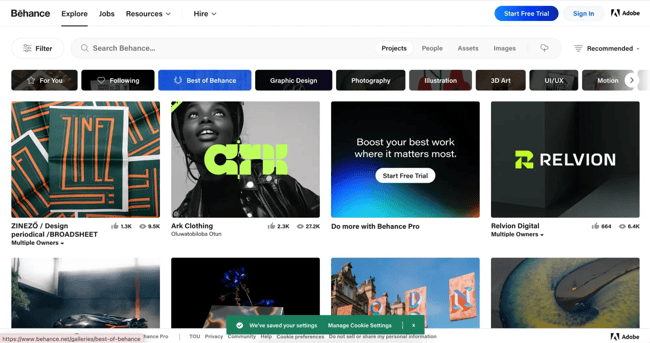
With millions of UX/UI designers, artists, and photographers on the site, Behance is one of the most widely used online portfolio websites.
It's also straightforward to use — you can organize your work based on the project, list projects under construction, and ask followers for feedback. Additionally, the site allows you to link your portfolio to your social media accounts.
Behance's massive digital community makes it an excellent option to get your name out there, particularly since recruiters and interviewers peruse the site to find talent.
However, Behance displays the number of people who have viewed and liked your work, which can be more advantageous — but riskier — than a more straightforward website portfolio.
What I like: Behance is one of the largest destinations for anyone seeking a designer. As such, well-positioned designers have an excellent shot at getting noticed. I’ve even browsed this platform to fulfill my graphic design needs! I’ve always been impressed by the talent I encounter.
Pros
- Ideal for creatives who don't have time to create their standalone portfolio site
- Can get feedback from followers
- Includes social proof in terms of views and likes on the portfolio site
Cons
- Limited design and feature options on the free plan
- The display of views and likes can be risky if not enough people see or appreciate a project
12.
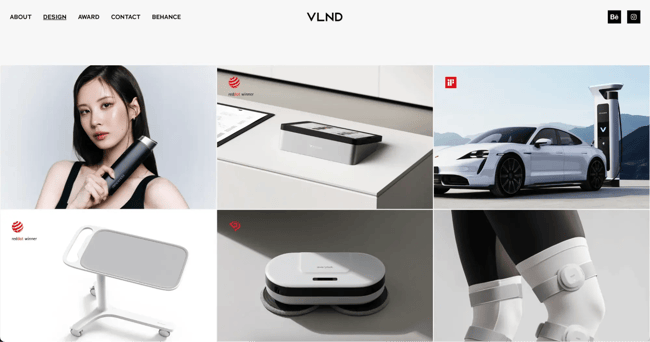
If you already have a Creative Cloud membership, Adobe Portfolio is an excellent option for creating a single-page website or a full gallery of your work. With Adobe Portfolio, you can set up a sleek and customized portfolio in minutes, and each of the platform's themes is automatically optimized for any device.
Adobe Portfolio can also integrate with Behance and Adobe Lightroom to import your projects for greater visibility.
What I like: Adobe Portfolio works well with other Adobe tools and software. As many designers are familiar with the tool, they can quickly create unique portfolios. I appreciate how this offering allows you to create a portfolio on a platform users would already be familiar with.
Pros
- Option to create a multi- or single-page website
- Offers 18 responsive themes
- Integrations with Behance and Adobe Lightroom
Cons
- It is only free if you have a Creative Cloud membership
13.
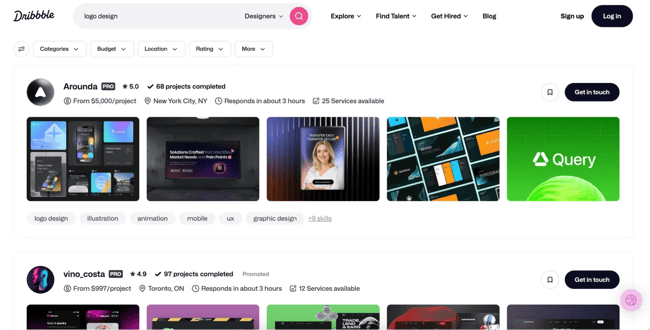
Dribbble is a huge online design community, and doubles as a marketplace to connect clients with top design talent. If you sign up for the platform as a designer, you can easily create an online portfolio with samples of your work in a way that provides an impressive visual impact.
Your projects are referred to as “shots” on Dribbble, and when prospective clients filter or search for specific services, your portfolio will appear in the list. Clients can then scroll through your samples and click into them for more detail.
What I like: A Dribbble portfolio almost feels more like building a social media profile, and it lends itself really well to visuals.
Pros:
- Huge existing audience to leverage for new work
- Clients and community members can save and comment on your work to build visibility
- Uploading projects and organizing shots is a quick setup process
- Applying tags enables clients to find you for specific project types (e.g., logo design)
Cons:
- Ability to add commentary or written case study context is limited
- Some advanced features require a paid subscription
14.
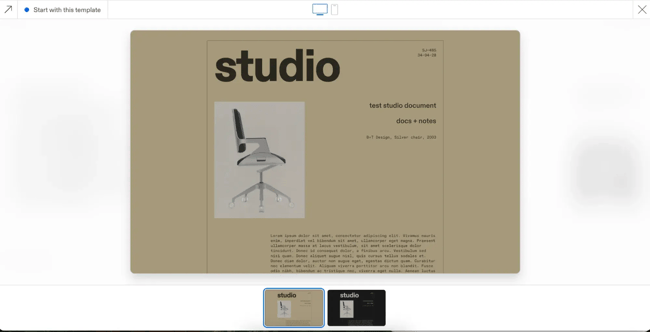
Cargo is a free portfolio builder made specifically for designers across lots of different niches. It’s especially ideal for designers of physical products, like carpenters or architects.
It comes with a lot of templates to get started with, and they each have different variants such as a light or dark mode, depending on your preferences.
Once I selected a template, the next step was to organize my work into folders through the left sidebar menu. The platform provides you with extensive control over layout and page structure. So, if your work doesn’t feel “right” on a traditional website, this may be worth a look.
What I like: Aside from past work samples, Cargo can be used for pitch decks, idea boards, or online shops, making it extremely versatile.
Pros:
- Total visual control gives designers freedom over how they display and contextualize their work
- Ideal for fine art, visual artists, experimental digital designers, and creatives
Cons:
- Much higher learning curve than other website builders
- Some templates are not fully mobile responsive and may require tweaking for mobile view
15.

With Readymag, you can create a portfolio website for free with up to 10 pages.
There is a huge volume of templates to get you started. But as you can see from the example I’ve highlighted in the image above, the possibilities are huge. Michael Clark, for example, is a photographer and video director, and his Readymag portfolio includes a background video on the main page alongside links to his featured work and contact information.
Since you’re not limited to a typical portfolio structure, you can use Readymag to showcase interactive presentations and add text for more detailed case studies.
What I like: An entire Readymag portfolio site feels like a sample project in and of itself, making it the perfect way to showcase your abilities.
Pros:
- More traditional grid layouts are available, but you’re not boxed into them
- Visual work samples can sit alongside text to build a narrative rather than status gallery style grids
- Supports advanced elements like animation and parallax effects
Cons:
- More time-intensive to build than plug-and-play portfolio sites
- Readymag branding will still be visible on free versions
16.
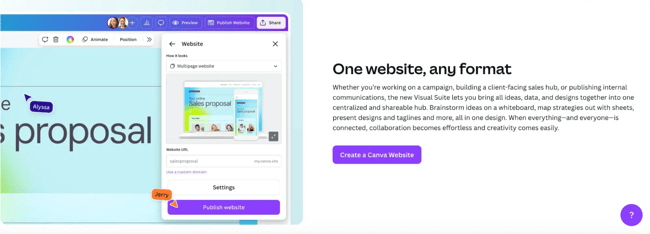
Canva has become well known as an alternative graphic design tool for people of all ability levels, and it’s something I use all the time for things like social media visuals and client presentations. But you might not know about Canva Website Builder, a tool that lets you easily build and publish entire websites right from the app.
Whether you already use Canva for design or not, you can publish up to five live portfolio sites with Canva domains on a free plan.
Once you get started with a website design, you can drop your projects onto the page, create different sections, add text and motion graphics, or whatever you’d like to include.
What I like: Canva gives you the ability to design your portfolio site however you’d like, so designers can really unleash their creativity when showcasing their work.
Pros:
- Large library of designer-first templates
- Easy to test different templates without committing to a design right off the bat
- Ability to start from scratch without a template
- Mobile responsive by default
Cons:
- Free plans require using a Canva subdomain for your portfolio sites
- Set-up time is more extensive than other options
- Can load slowly and lag in video or motion-heavy portfolios
HubSpot's Free Website Builder
Create and customize your own business website with an easy drag-and-drop website builder.
- Build a website without any coding skills.
- Pre-built themes and templates.
- Built-in marketing tools and features.
- And more!
Best Free Portfolio Websites for Photographers
17.
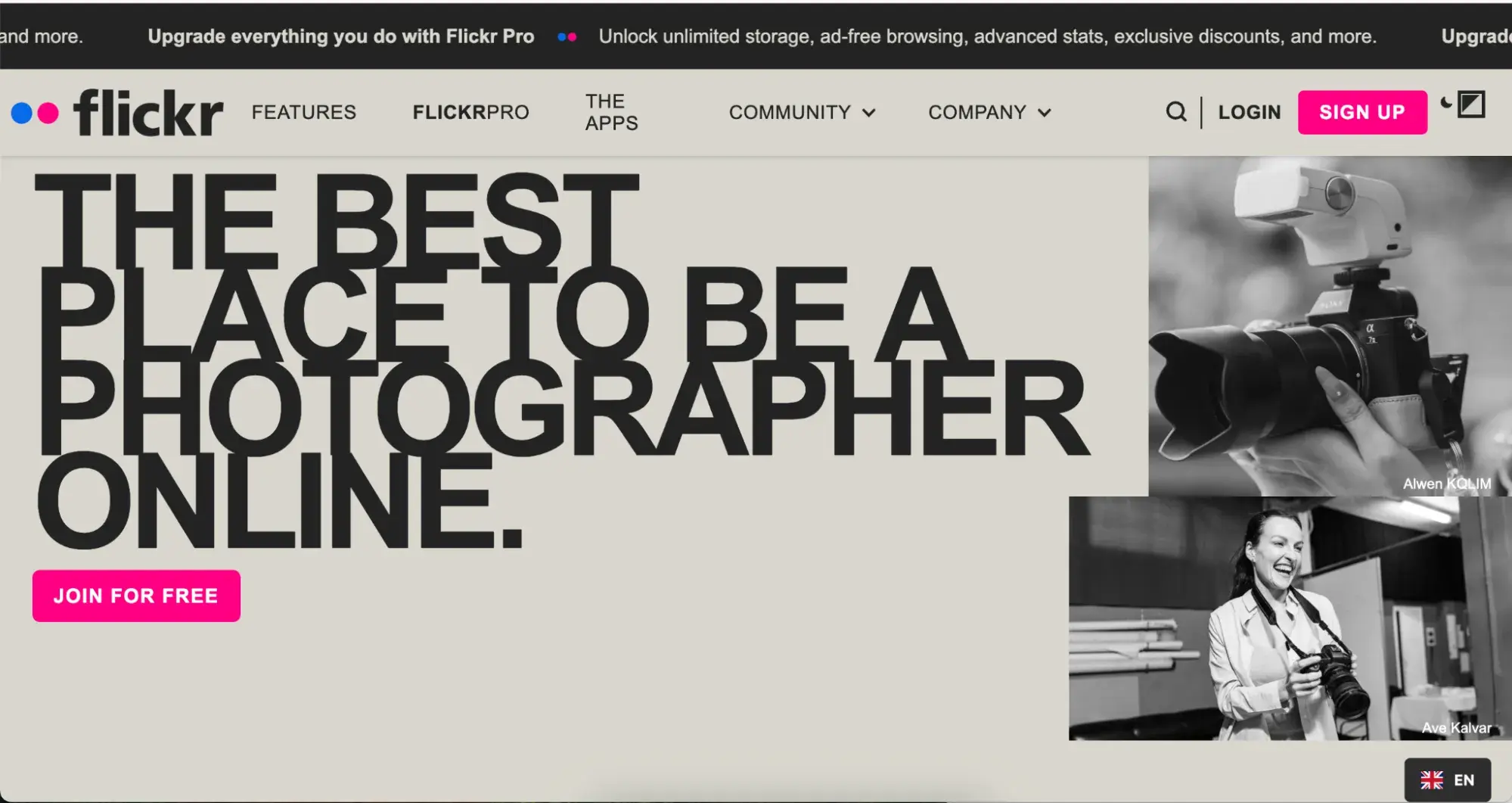
Undoubtedly one of the most well-known portfolio sites with billions of photos and millions of members, Flickr is an excellent site to share your work, connect with other photographers, and find inspiration for future projects
Photographers who use Flickr as a portfolio should ensure their photos are set to “Public view” and are arranged into folders or categories.
Some creating a more polished portfolio website and then linking to that website from Flickr for increased visibility.
What I like: Flickr is a classic that I’ve used many times to find great images for my projects. Flickr levels the playing field, allowing amateur photographers to be discovered, provided they share stunning photographs.
Pros
- Ideal for photographers just starting out
- It is great to connect with others and find inspiration
Cons
- Limited to GIF, PNG, and JPEG photo formats
- Limited to 1,000 photos on the free plan
18.
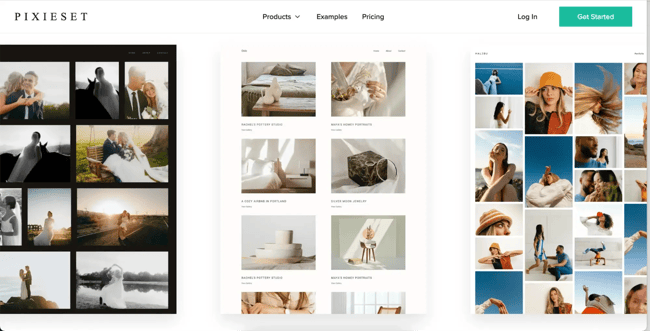
Pixieset is ideal for professional photographers who want to showcase specific projects and large volumes. The two core pillars of the platform are a public portfolio site and client galleries. So you can deliver work to clients privately and easily add new work to your public portfolio site all from the same place.
Whether you specialize in weddings, pet photography, or family portraits, Pixieset makes it easy to establish your public presence with beautiful templates designed to showcase your work.
What I like: Even on the free plan, I think the portfolio sites look very polished and professional. The simple designs ensure your photography is what catches the eye.
Pros:
- Full portfolio website available on free plan
- Client galleries included in your account automatically
- Ability to add other important business information, such as FAQs, pricing, and contact details
Cons:
- Storage is limited to 3GB on the free plan
- Video support is limited, so it’s not ideal for hybrid shooters or reel-based portfolios
19.
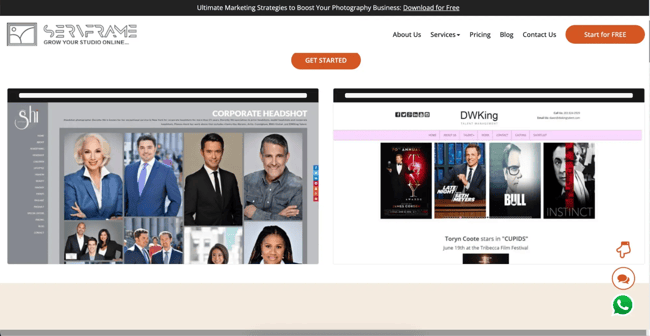
ServFrame was built with photographers in mind and is particularly suitable if your speciality lies in corporate photography, such as team photos, event photography, or professional headshots.
The platform provides full-screen image galleries alongside hero shots and responsive layouts. So you can highlight your best work while still showcasing high volumes and variety.
What I like: ServFrame makes it easy to get a polished website up and running quickly, so you can focus on selecting your best work and uploading it.
Pros:
- Clean, client-facing slideshow and gallery layouts
- 5GB of storage on the free plan
Cons:
- Only a single-page site is available on the free plan
- Design and layout options are not flexible
20.
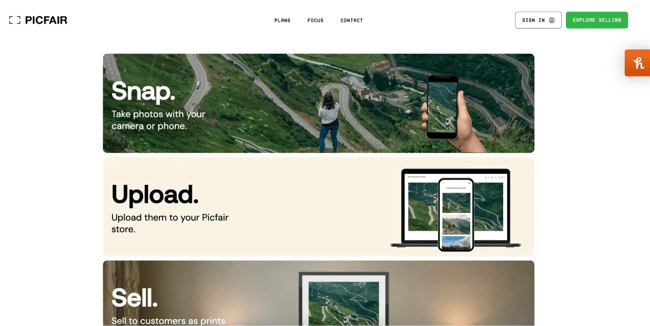
Picfair is primarily a marketplace for selling your photos online, but it also provides a ready-to-go online portfolio and store in one convenient location.
Through your Picfair Store, you can upload examples of your best work and commercialize them on the same platform.
Picfair’s free tier is best suited for aspiring photographers or “amateurs” who want to test the waters and see if their work is resonating enough to sell online.
What I like: All licensing, image protections, and payments are handled by Picfair, so you don’t need to worry about that side of things.
Pros:
- Galleries and workflows are pre-built for commercial photography
- Ability to license and sell prints without a separate eCommerce tool
Cons:
- Limited to 20 images on the free plan
- Search and visibility features are also limited on the free plan
21.
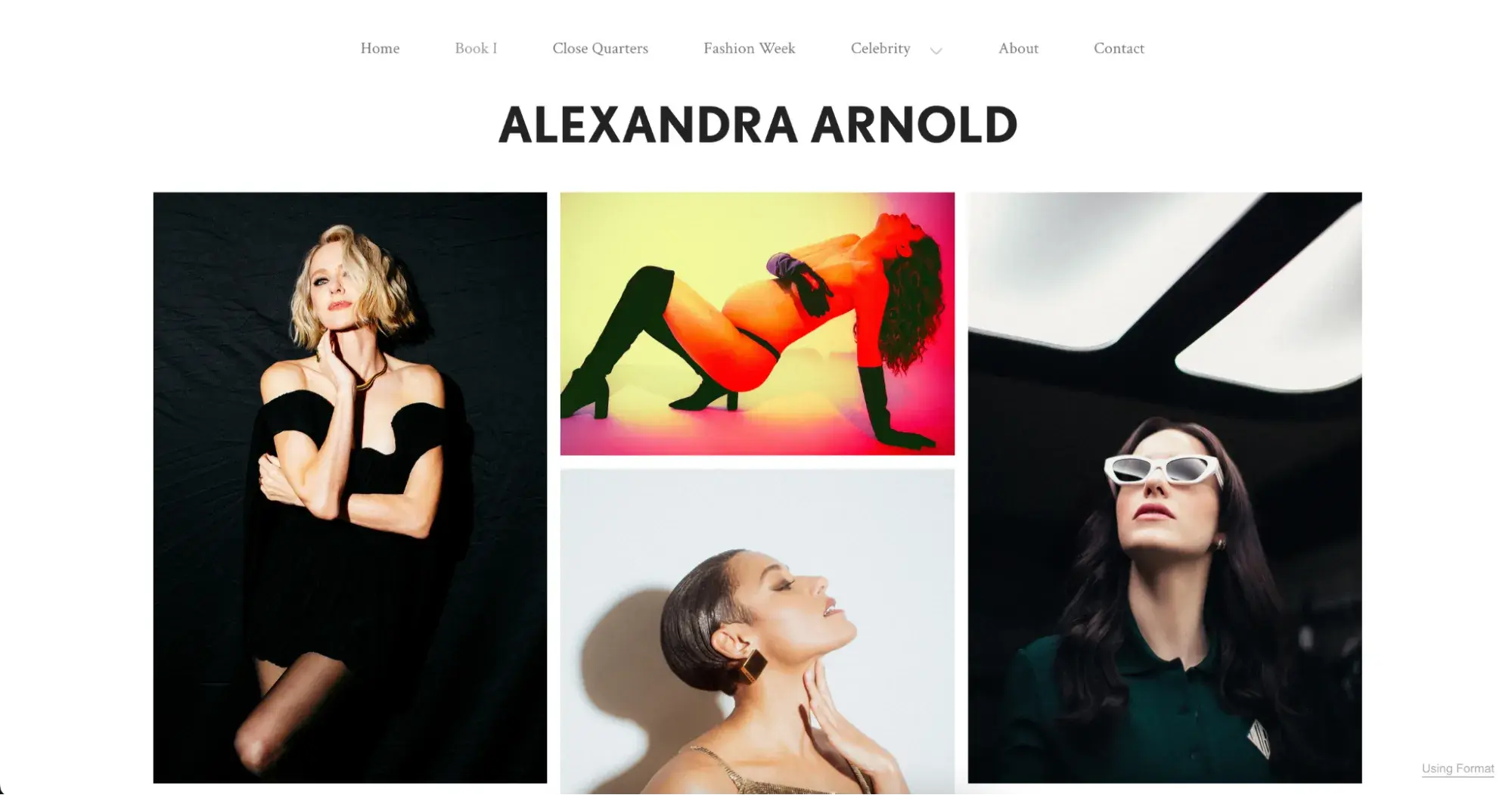
Format is a portfolio website designed for photographers who want to create and curate their digital gallery or store. Built with tools to help you create a professional website, it offers solutions for supporting a photography business, as well as cloud storage to protect your work.
Format has a suite of templates made to fit any aesthetic. It’s designed to serve particular professional situations best, such as for wedding photography or to showcase your artwork.
It can also change how viewers navigate your work, from gallery formats to more interactive scrolling or slideshow options.
What I like: I love the range of offerings on Format. The site features over 90 templates specifically designed to help photographers showcase their work. You can also collaborate with clients directly from the platform and expand your online presence.
Pros
- Ideal for professional photographers
- Can support high-quality photos
- Can integrate online stores with no fees for sales
Cons
- The interface comes with a learning curve, but users don’t have to worry about code
Creating Your Online Portfolio
Freelance writing, designing, and photography is a competitive game these days. When I submit a proposal or pitch for new work, I like to feel confident that my online presence is helping me put my best foot forward.
Free online portfolio sites help you go beyond social media profiles and showcase your best work and experience in a professional way. It can be the factor that gets you ahead of the competition and enables you to access higher-quality projects and rates over time.
Editor's note: This post was originally published in April 2019 and has been updated for comprehensiveness.
.png)
12 Free Customizable Resume Templates
Fill out this form to access your free professionally-designed templates, available on:
- Microsoft Word
- Google Docs
- Microsoft PowerPoint
- Google Slides
Download Free
All fields are required.
Form not available
You're all set!
Click this link to access this resource at any time.
Website Design
.webp)

![What makes a good website? Here are 16 things I look at [new data]](https://53.fs1.hubspotusercontent-na1.net/hubfs/53/what-makes-a-good-website-1-20250527-1287063.webp)




-Aug-24-2021-10-23-11-99-PM.png)