.png?width=112&height=112&name=Sales%20Hub_Call%20Queue%20(1).png)
Cold calling remains a significant part of many sales professionals’ daily work. In fact, 68% of sales professionals work for organizations that leverage cold calling in some capacity, and 63% of those who cold call daily report their call volume has increased year-over-year since 2024. Among daily cold callers, 22% make more than 51 calls per week. That’s why any automated cold-calling system that expedites the process and alleviates the associated pain is a welcome resource for everyday salespeople.
An automated cold calling system is software that dials phone numbers, connects sales reps with prospects, and logs call activity automatically — saving teams hours of manual work. These systems use dialers like power, predictive, and progressive to boost connect rates and productivity.
Using cold calling platforms doesn’t just save reps’ time — it transforms how sales teams operate, turning the most dreaded sales activity into a streamlined, data-driven process.
This post covers seven of the best automated cold calling platforms in the market and highlights their standout features to help sales leaders choose the one that best fits their needs.
Table of Contents
- Cold Calling Software
- Why Your Sales Team Needs an Automated Cold Calling System
- What to Look for in a Cold Calling Software
- Cold Calling Software Comparison
- Types of Cold Calling Dialers Explained
- Using CRMs and Call Recordings for Cold Calling Success
- Frequently Asked Questions About Automated Cold Calling Systems
Why Your Sales Team Needs an Automated Cold Calling System
Manual cold calling drains productivity — not because reps lack skill and don’t know how to cold call effectively, but because most of their time is spent on low-value tasks like dialing, logging calls, or waiting for prospects to pick up. According to HubSpot’s State of Cold Calling data, only 32% of daily cold callers achieve a 6–10% call-to-appointment rate, and connect rates remain low primarily due to poor timing, inconsistent follow-ups, and fatigue.
Automated cold calling systems automate dialing and call logging for sales teams. Automation directly addresses these gaps by eliminating manual steps, ensuring timely follow-ups, and helping reps reach more prospects in less time.
Automated systems also create measurable efficiency gains. Reps using AI to handle prospecting and administrative work save at least 2 hours per day. Leveraging AI-powered sales dialer software helps to reduce the time spent on unsuccessful or unanswered calls. When reps spend more of their day on honest conversations instead of admin work, both call volume and conversion quality improve. Even a slight uplift — such as increasing connect rates by a few percentage points — materially impacts the number of meetings booked and the pipeline created.
Finally, automation brings consistency and data-driven insights to a traditionally chaotic sales process. Features such as CRM syncing, call sequencing, lead scoring, and call analytics ensure reps always contact the right prospects at the right time. Instead of guessing, they operate within structured workflows that boost accountability and make cold calling far more predictable and effective.
30 Free Sales Call Templates
Have better conversations with your sales prospects using these free templates.
- Discovery call template
- Follow-up call template
- Standard outreach template
- And more!
Download Free
All fields are required.
Form not available
You're all set!
Click this link to access this resource at any time.
What to Look for in a Cold Calling Software
B2B cold calling tools vary widely. The best ones aim to simplify high-volume outreach and help reps stay focused on actual selling. From automated dialers that eliminate manual calling to CRM integrations, call recording, lead segmentation, voicemail drops, and built-in scripting, the right automated cold calling system reduces admin work, shortens downtime between conversations, and strengthens follow-ups. These features collectively make cold calling more efficient, more accurate, and ultimately more effective.
Auto Dialer
An auto dialer is a feature that puts the dialing process on autopilot. It is incredibly helpful for saving all that time dialing and waiting, and for more time actually doing sales work.
Given that sales reps are able to dedicate only two hours daily to active selling, auto dialers are one aspect of cold calling software that can turn that around.
Predictive Dialer
A predictive dialer anticipates when sales reps are likely to finish calls and dials the following number automatically, ensuring there’s no downtime between conversations.
For sales reps who have dialed lots of calls back-to-back, this sounds like having a sales assistant who can read minds — win–win.
Call Recording and Monitoring
Call recording and monitoring features provide an excellent avenue to use past calls as training opportunities. Revisiting earlier conversations at specific time stamps and fact-checking helps to make sure that someone actually said something specific. This is an absolute must for any cold calling software.
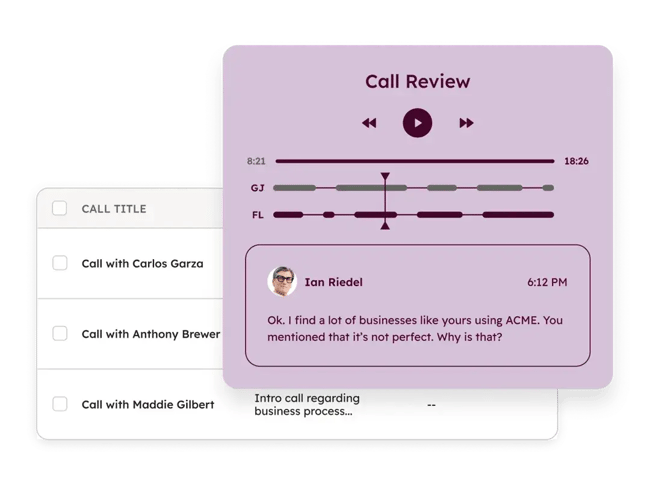
Fun Fact: HubSpot call recording logs calls automatically in the CRM to provide context for future interactions and coaching opportunities.
CRM Integrations
The CRM integration feature is an absolute lifesaver for working smarter, not harder. It’s best to choose an automated cold calling system that either has a built-in CRM or bi-directional native integration with a company’s CRM. That’s a fancy way of saying that data syncs back and forth between the two. For instance, tools like and integrate with . integrations are a solid next-best-case scenario to direct CRM integrations.
Reducing endless manual workarounds, data entry, or copy-pasting is always a win for any team. In addition to saving countless mind-numbing hours, integrating aspects is the best way to expedite tasks while avoiding mistakes.
Lead Management Automation and Segmentation
Even if the cold-calling software doesn’t integrate with the CRM, it’s best to ensure it includes automation tools that can segment leads by likelihood to engage and by sales-funnel stage, among other criteria. That’s because lead management can be a complete nightmare when dealing with a high volume of cold call prospects.
Voicemail Drop
Leaving messages can be surprisingly tricky — from unexpected beeps to abrupt cut-offs or rambling despite having a solid script. Voicemail drop features solve this problem by allowing reps to send a pre-recorded message instantly, saving time and ensuring consistency.
Call Scripts
It’s easy for sales conversations to go off track, especially when prospects steer discussions into unrelated territory. Platforms offering cold-call scripting features help reps stay focused, follow a clear structure, and guide the conversation back on course when needed.
Custom Number Selection
Custom number selection is a powerful feature that lets teams display a local number when calling prospects, even if the prospect isn’t based in that area. This helps to increase the answer rates and builds immediate familiarity and trust.
Call Scheduling and Reminder
Missed follow-ups can cost deals and signal a lack of reliability. Addressing this, call scheduling and reminder features help reps stay organized, follow through on commitments, and ensure prospects feel valued throughout the process.
Ever had someone promise to do something and not follow through? Of course, you have. We all have. Not only is it incredibly frustrating on the receiving end, but it’s also a deal-killer.
Cold Calling Software Comparison
|
Solution |
Key Features |
Best For |
Price |
Free Trial |
|
HubSpot Sales Hub |
|
Seamless integration of dialer with CRM |
Plans starting at $9 per seat/month |
14-day free trial |
|
Aircall |
|
Trimming fat between calls and improving reps’ productivity |
Plans starting at $30 per user/month |
7-day free trial |
|
CloudTalk |
|
SMB sales teams, high-volume outbound calls |
Plans starting at $9 per user/month |
14-day free trial |
|
Toky |
|
Accessibility across channels and devices |
Plans starting at $20 per user/month |
Unavailable |
|
RingCentral |
|
Straightforward, effective call scripting |
Plans starting at $20 per user/month |
14-day free trial |
|
Klenty |
|
Coachable recordings and reports |
Plans starting at $50 per user/month |
14-day free trial |
|
Rafiki |
|
Actionable insight on customers and reps |
Plans starting at $19 per user/month |
14-day free trial |
|
Gong |
|
Exceptional conversational intelligence |
Available on request |
Unavailable |
Types of Cold Calling Dialers Explained
Sales dialer software can range from high-speed automation to deeply personalized calling workflows. While power dialers accelerate outbound volume with controlled pacing, predictive dialers maximize talk time through algorithm-driven dialing. Progressive dialers balance efficiency with brief prep time, while preview dialers prioritize context-rich, high-quality conversations. Together, these options support teams that need speed, personalization, or both.
Power Dialers
A power dialer automatically calls the following number on a rep’s list the moment a call ends. It removes manual dialing entirely and maximizes call volume without overwhelming reps. Unlike predictive dialers, it waits until an agent is available before placing the next call, keeping the pace fast but controlled.
Best for: High-volume outbound teams that want to increase call throughput without risking dropped calls or compliance issues.
Predictive Dialers
Predictive dialers use algorithms to dial multiple numbers simultaneously and connect reps only when a live person answers. They “predict” rep availability by analyzing call duration, connect rates, and team capacity — ensuring minimal downtime. This method delivers the highest call velocity but can lead to abandoned calls if not calibrated correctly.
Best for: Large call centers with many agents, where maximizing talk time and minimizing idle time is the top priority.
Progressive Dialers
A progressive dialer automatically places the next call only when a rep indicates they’re ready. Unlike a power dialer, it gives reps a moment to review context before the next call begins while still maintaining steady automation. This offers a balance between speed and personalization.
Best for: Sales teams that want efficiency but still need a bit of prep time to personalize their pitch or reference CRM notes.
Preview Dialers
Preview dialers show the rep detailed information about the prospect before dialing. The rep chooses when to start the call, giving them maximum control and context. This approach results in fewer calls per hour but higher-quality conversations.
Best for: High-intent or strategic outbound motions — such as enterprise sales, account-based selling, or situations where personalization heavily influences conversion.

Cold Calling Software
- HubSpot Sales Hub
- AirCall
- CloudTalk
- Toky
- RingCentral
- Klenty
- Rafiki
- Gong
1.
Best for: Seamless integration with a company’s CRM.
HubSpot Sales Hub's extensive call-tracking capabilities make it one of the premier cold-calling software solutions available. Backed by a robust suite of features and an accessible interface, the software is suitable for virtually any business, individual rep, or manager.
HubSpot Sales Hub offers native CRM integration and AI-powered call analysis to schedule and prioritize calls. It also allows sales reps to place calls directly from the browser and automatically log them. Additionally, the software includes advanced conversational intelligence features to help inform more thoughtful, effective cold calls over time.
Key Features and Benefits:
- CRM data-driven call prioritization.
- Direct from desktop dialing.
- Conversational intelligence capabilities.
- Automatic CRM call logging.
- Call prioritization focuses sales reps on their most important conversations, maximizing time and energy.
Pricing: .
2.
Best for: Trimming fat between calls and improving reps’ productivity.
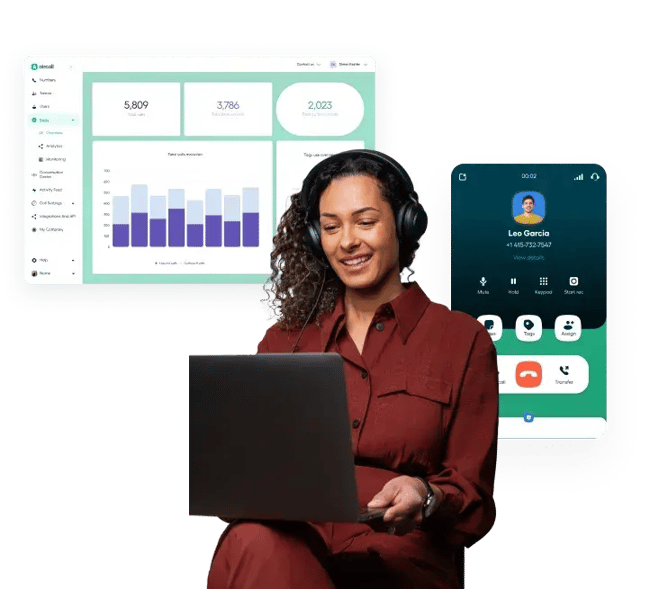
Aircall is one of the better cloud call center solutions available for sales and support teams. The solution is well-suited to boosting individual reps’ productivity and streamlining an organization’s cold-calling results. Hundreds of integrations mean it works with popular software such as , Salesforce, and ActiveCampaign.
With features like automatically triggered post-call workflows to minimize downtime between calls, the program has the potential to trim a lot of fat from general cold calling efforts that plague most organizations. Its top-notch analytics capabilities help managers understand the team’s performance and make data-driven decisions.
Key Features and Benefits:
- Automatic call data entry.
- Automatically triggered post-call workflows.
- First-rate call analytics.
It’s worth noting that Aircall AI is now available as an AI cold calling software add-on for $9 per license to better understand and analyze each call.
Pricing: .
3.
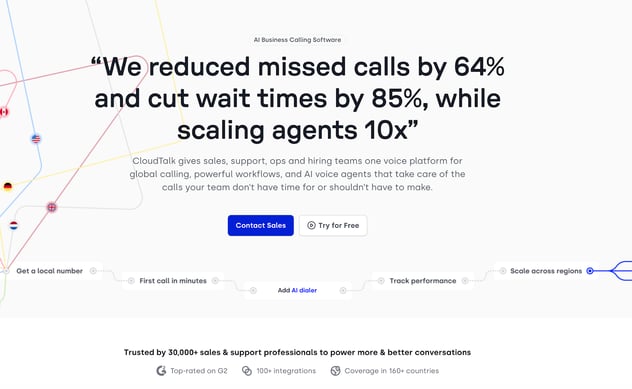
Best for: SMB sales teams running high-volume outbound calling campaigns.
CloudTalk is a cloud-based business calling platform built specifically for sales and support teams that need to scale outbound operations without enterprise-level complexity. Its AI Voice Agent handles inbound and outbound calls autonomously, qualifying leads, answering FAQs, and routing conversations. At the same time, the Power Dialer eliminates manual dialing by automatically queuing the next call the moment a rep wraps up.
With 160+ international virtual numbers and 100+ native integrations spanning CRMs, helpdesks, and business tools, including HubSpot, Salesforce, and Pipedrive, CloudTalk slots directly into existing workflows without requiring custom middleware.
Key Features and Benefits:
- AI voice agent.
- Power dialer.
- Predictive dialer
- AI call transcription and summaries.
Worth noting: The Entrepreneur, Business, and Enterprise plans share similar capabilities, with the main differences in reporting and per-minute pricing for in-call features.
Pricing:
4.
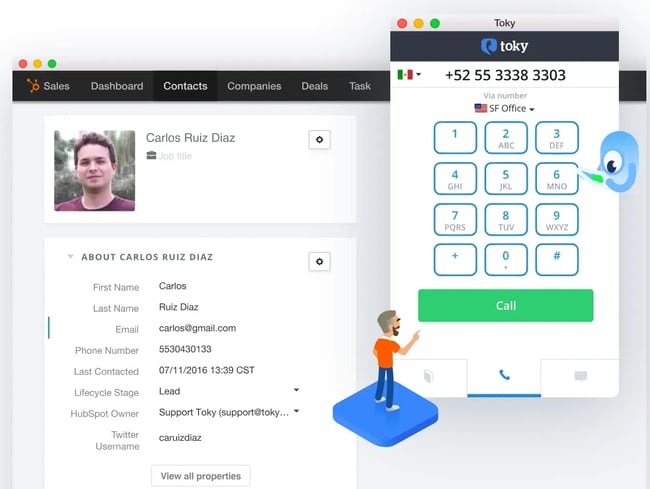
Best for: Accessibility across channels and devices.
Toky is another cloud-based cold-calling platform that offers an extensive suite of features, including instant CRM call logging, cross-system monitoring for data-driven decision-making, and a wide range of integrations.
Though its capabilities are impressive in their own right, the software sets itself apart from most other programs with its range of accessibility. With Toky, sales teams can access calls and conversations via browsers — or on iOS, Android, PCs, or Macs. What’s more, by integrating with any website, popular CRMs — including HubSpot and Zapier — it’s likely to work with the rest of the tech stack.
Key Features and Benefits:
- Unlimited inbound calls.
- Extensive integrations.
- Accessibility from anywhere.
- Call logging.
Worth noting: The Entrepreneur, Business, and Enterprise plans share similar capabilities, with the main differences in reporting and per-minute pricing for in-call features.
Pricing: .
5.
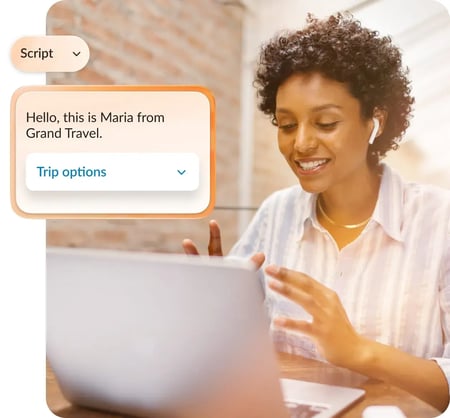
Best for: Straightforward, compelling call scripting.
RingCentral Engage Voice is a dedicated outbound sales and cold calling resource. The program includes a range of features that balance accessibility with powerful functionality, including a drag-and-drop script builder, a versatile dialer system, and other capabilities that enable focused personalization and minimal downtime between calls. Vanity numbers, high-volume SMS, and other features are also available for an additional fee.
Key Features and Benefits:
- Drag-and-drop script builder.
- Real-time insights.
- Several integrations — including HubSpot and Salesforce.
Of note, RingCentral now features RingSense AI for video on all plans, with phone and messaging coming soon.
Pricing: .
6.
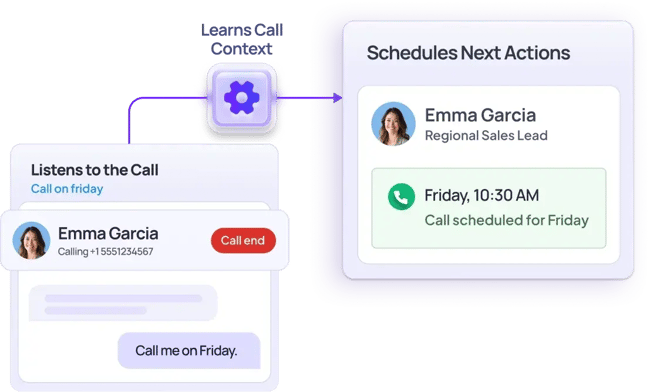
Best for: Coachable recordings and reports.
Klenty offers a dynamic, automated cold-calling system that streamlines and simplifies cold calls for reps and managers alike. The software features one-click call placing to minimize downtime between conversations.
It also has top-notch call recording capabilities via its “Action Replay” feature — allowing management to review reps’ calls for focused, effective coaching. Beyond that, the program includes call reporting tools that provide insight into how individual reps handle their calls.
Key Features and Benefits:
- One-click dialing.
- Coachable call recording.
- Actionable call reports.
The entry-level plan has more than 20 robust features that are great for teams working to reach more target customers. Higher-tier plans feature more in-depth automations, include a CRM plugin, and allow for a more comprehensive multi-channel approach.
Pricing: .
7.
Best for: Actionable insight on customers and reps.
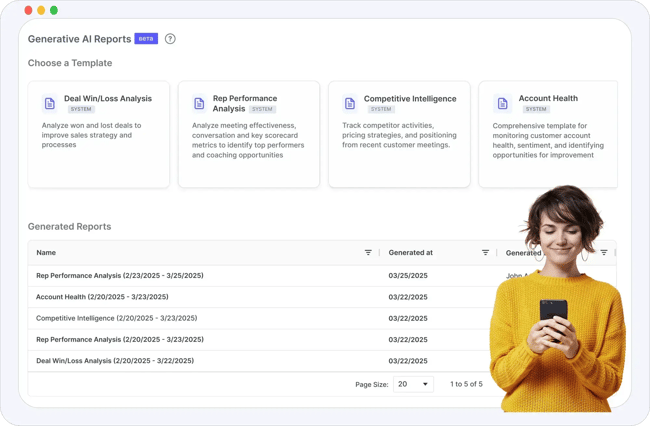
Rafiki provides a powerful conversational intelligence platform that offers sophistication without sacrificing accessibility. The software captures and transcribes sales calls in 50+ languages, uses artificial intelligence to analyze the data it collects, identifies topic patterns, documents KPIs, and ultimately provides actionable insights for sales teams to be more effective. Additionally, it supports auto-generating follow-up emails after cold calls, and a ChatGPT assistant provides meeting insights.
Key Features and Benefits:
- Customer insight.
- Opportunity identification.
- Organizational intelligence.
Of note, CRM integrations are available in higher-tier plans.
Pricing: .
8.
Best for: Exceptional conversational intelligence.
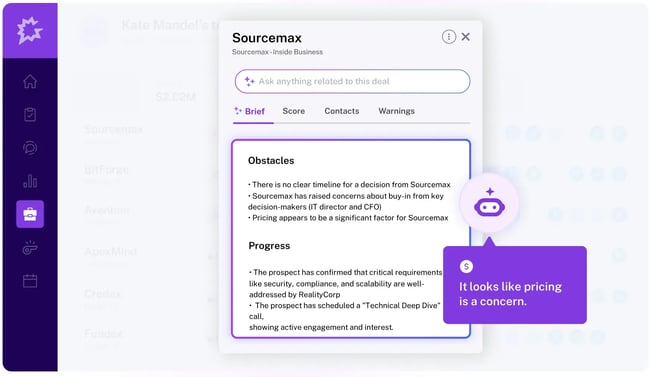
Gong is the preeminent conversational intelligence platform on the market. The company boasts an impressive list of customers, including Okta, Monday.com, LinkedIn, Zillow, and PayScale.
Businesses using Gong as a cold calling platform have seen results such as a in first-call-to-close rate (Mintel), a in win rate (Genesys), and in methodology adoption (SproutSocial).
The platform is more specialized than most of the software listed here. For those looking for an exceptional conversational intelligence platform to support broader cold-calling efforts, it’s hard to find an option better than Gong.
Key Features and Benefits:
- Actionable next steps.
- Top-performer playbook sharing.
- Potential “close lost” deal identification.
Pricing: .
Using CRMs and Call Recordings for Cold Calling Success
An automated cold calling system becomes exponentially more powerful when integrated with a CRM. This combination transforms scattered call data into actionable insights that drive real revenue growth.
Automatic Call Logging Benefits
Every call, recording, and outcome syncs automatically to the right contact record — no more scribbled notes or forgotten follow-ups. Sales managers gain complete visibility into activity levels, while reps save time on data entry. This automation ensures nothing falls through the cracks and creates a complete history for every prospect interaction.
When the next call comes up, reps see previous conversations, email exchanges, and noted pain points right on their screen. This context turns cold calls into warm conversations.
Using Call Data for Coaching
Call recordings integrated with the CRM become a coaching goldmine. Managers can quickly identify which talk tracks convert, spot common objections, and share winning examples across the team. Instead of shadowing calls all day, managers can review key moments and provide targeted feedback.
Top-performing teams use this data to build playbooks based on what actually works. They analyze successful calls to determine optimal call length, resonant key phrases, and the optimal number of follow-up attempts.
Tracking Conversion Metrics
With CRM-integrated calling, sales reps finally get clear visibility into their entire funnel. Track metrics such as connection rates by time of day, conversion rates by lead source, and revenue per dial hour. This data reveals optimization opportunities they’d never spot manually.
For example, reps might discover that calls made between 4–6 PM convert 40% better, or that leads from specific campaigns need different messaging. These insights help sales teams continuously refine their approach and maximize ROI from their automated cold calling system.
A CRM can make or break a sales team’s cold-calling success. While the specific cold calling tools detailed above enable sales teams to make and manage cold calls, it’s how they track their prospects, notes, and follow-up tasks that ensure they don’t miss mission-critical touchpoints.
Frequently Asked Questions About Automated Cold Calling Systems
How much does cold calling software typically cost?
Pricing of automated cold calling systems varies widely based on their features and scale. Basic auto-dialers start at around $20 per user/month. The pricing for enterprise predictive dialers is steeper and can exceed $200 per user/month.
In general, most cold calling software providers offer tiered pricing, with more premium features like AI cold-call coaching and analytics available in higher plans.
What about TCPA compliance and legal requirements?
Any automated cold-calling system must comply with regulations such as the TCPA in the U.S., the GDPR in Europe, and similar laws globally. Violations can be costly, with fines of up to per call.
To ensure compliance, it’s advisable to look for a tool with features like automatic DNC list scrubbing, time zone management, and consent tracking.
Can I use these tools for international cold calling?
Yes, most modern cold calling platforms support international dialing with local presence features. In fact, it is also possible to display local numbers to improve answer rates and manage calls across time zones.
However, availability varies by country due to telecom regulations. It is best to ensure your provider supports your target countries and review the associated per-minute costs.
What’s the difference between power dialers and predictive dialers?
Power dialers call one number at a time, moving to the next after each call ends. They offer speed without overwhelming agents and are perfect for quality-focused teams.
Predictive dialers call multiple numbers simultaneously and use algorithms to connect reps only when a live person answers. This minimizes wait time, making them ideal for high-volume operations where efficiency matters most.
How long does it take to implement cold calling software?
The basic setup for cold-calling software typically takes 1–2 days, including CRM integration and initial training. However, optimizing call flows, scripts, and reporting can take 2–4 weeks. It is best to choose providers offering strong onboarding support to accelerate time-to-value.
How do I integrate an automated cold calling system with my CRM?
Most automated cold calling platforms offer native integrations with popular CRMs, including HubSpot, Salesforce, and Pipedrive, via their app marketplaces.
Installation generally involves connecting both systems, authenticating accounts, and mapping fields so contacts, call logs, and recordings sync automatically. It’s best to test the integration with a small sample list before scaling company-wide.
What kind of results can I expect after switching to automation?
By switching to automated cold-calling systems, you can expect more calls per rep per day and improved data quality. This becomes possible as automation eliminates manual dialing, reduces idle time between calls, and streamlines call logging. Data quality improves when call outcomes, recordings, and notes are automatically captured, eliminating manual-entry errors. However, it’s important to note that conversion rates depend more on the messaging, targeting, and rep skills than the technology itself.
Getting Started With Automated Cold Calling
So what’s the bottom line? Great salespeople use all the tools at their disposal, including strong cold-calling software, call-recording features that also transcribe, and effective CRM practices. No matter the nature or scale of a business, if cold calling is central to its outreach, sales teams need to evaluate these cold-calling software options — sooner rather than later.
30 Free Sales Call Templates
Have better conversations with your sales prospects using these free templates.
- Discovery call template
- Follow-up call template
- Standard outreach template
- And more!
Download Free
All fields are required.
Form not available
You're all set!
Click this link to access this resource at any time.
![How to build a CRM in Google Sheets [free template]](https://53.fs1.hubspotusercontent-na1.net/hubfs/53/google-sheets-crm-1-20251210-8327154.webp)





![How & why to use sales scripts [+ 14 examples and templates]](https://53.fs1.hubspotusercontent-na1.net/hubfs/53/sales-script-examples-hero.webp)