
Reschedule meeting decisions are not rare crises; they are a normal part of modern work. With millions of meetings happening every day and many professionals reporting they lose time to unnecessary or canceled meetings, how those changes are handled has a real impact on trust, productivity, and relationships.
A clear reschedule meeting email does more than move a calendar invite. It signals respect for other people’s time, preserves momentum on projects or deals, and prevents confusion across busy teams. When that process is supported by a tool like , it also becomes much easier to propose new times, avoid double-booking, and .
This guide walks through when to reschedule a meeting, best practices, and scenario-based templates. It also shows how HubSpot’s scheduling tools can simplify the process, making rescheduling feel professional and customer-first rather than stressful.
Table of Contents
- How to Reschedule a Meeting Professionally
- When should I reschedule a meeting?
- Best Practices for Rescheduling Meetings
- How to Send a Meeting Reschedule Email
- Meeting Reschedule Email Templates
- Frequently Asked Questions About Rescheduling Meetings
How to Reschedule a Meeting Professionally
Rescheduling a meeting professionally means balancing transparency, empathy, and clarity while minimizing disruption for everyone involved. A strong approach includes a valid reason, timely communication, and a clear path to a new time that works for attendees.
In my experience, rescheduling becomes a trust-building moment when it is handled quickly and with ownership. A short, direct message, a couple of realistic alternatives, and a scheduling link from HubSpot Meetings usually turn a potential friction point into a small proof of reliability.
Here is a quick checklist for rescheduling a meeting professionally:
- Reschedule only for valid reasons, such as illness, emergencies, urgent priorities, or real scheduling conflicts.
- Communicate as soon as the conflict is known, ideally at least 24 hours before the meeting.
- Use a clear subject line that signals a rescheduled meeting request.
- Acknowledge the inconvenience, offer a brief explanation, and propose one or more new times.
- Share a meeting scheduling link so attendees can choose a time.
- Follow up politely if attendees do not respond or rebook.
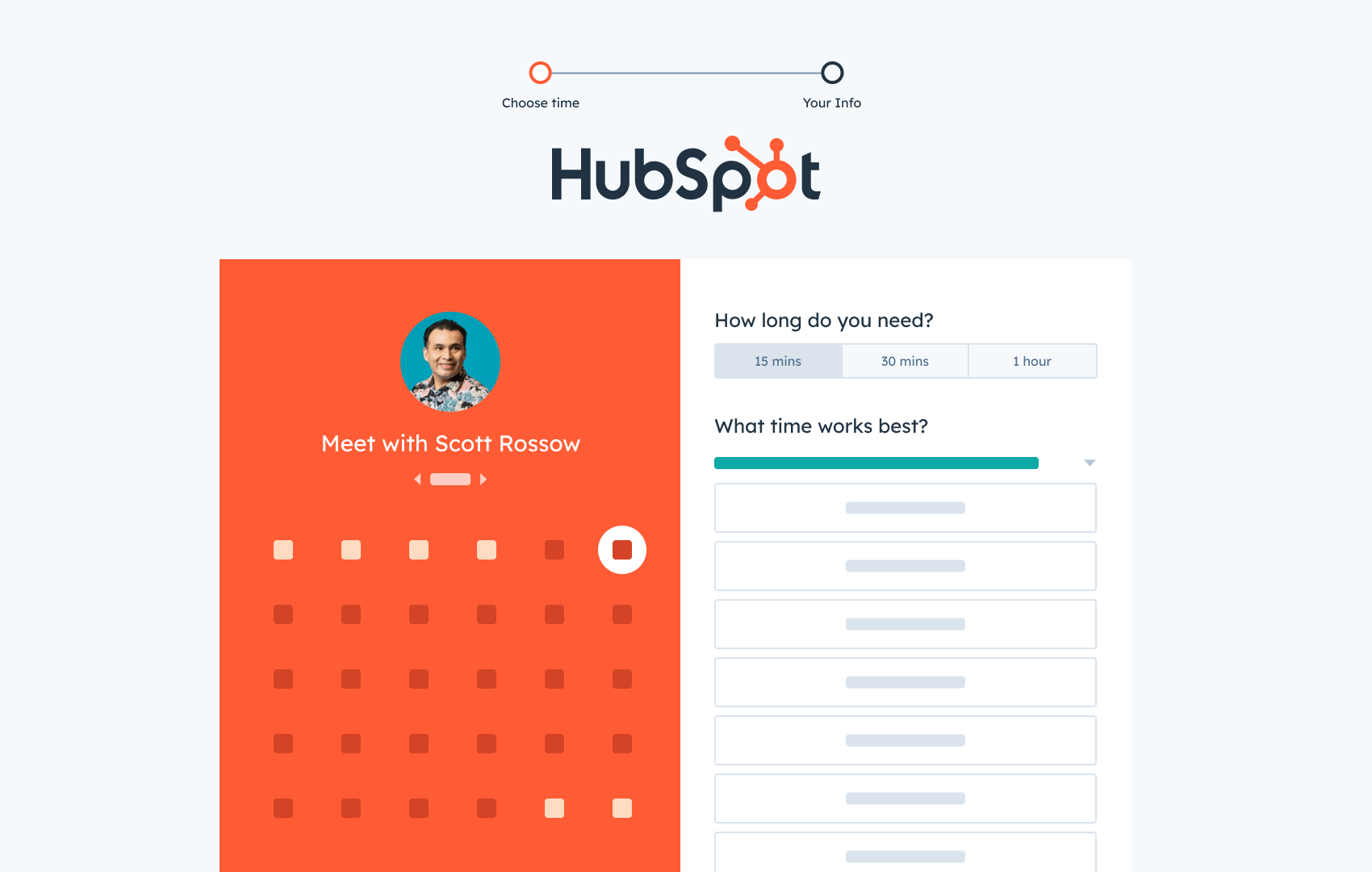
HubSpot's Free Meeting Scheduler
Schedule meetings faster and forget the back-and-forth emails. Your calendar stays full, and you stay productive.
- Let prospects book a meeting time
- Book more meetings and appointments
- Sync with Google and Office 365 Calendar
- And more!
When should I reschedule a meeting?
Rescheduling a meeting is appropriate when attending would significantly reduce the quality of the interaction, create avoidable conflict with more urgent obligations, or jeopardize health and safety. The main goal is to protect both the outcome of the meeting and the working relationship.
Valid reasons to reschedule a meeting include illness, emergencies, double-booking, and insufficient preparation:
- Illness or health issues: Attending while sick, especially in person, risks spreading illness and reduces focus.
- Personal emergencies: Serious events involving family, safety, or urgent personal matters take precedence over regular check-ins.
- Workplace emergencies: Critical incidents such as system outages, major customer escalations, or compliance issues sometimes require immediate attention.
- Double-booking or overlapping meetings: Calendar conflicts happen, especially across time zones or shared calendars, and one meeting must be moved.
- Time zone confusion: Mistakes with time zone conversions can put a meeting at an impractical hour for one party.
- Insufficient preparation: If a meeting requires key data, stakeholders, or materials that will not be ready, rescheduling may lead to a more productive conversation.
- Key stakeholder is unavailable: When a decision-maker or essential participant cannot attend, moving the meeting often protects the value of the time invested.
- Technical issues: Persistent connectivity problems or platform failures can make it impossible to host a productive session.
My experience has taught me that being explicit about the reason helps others interpret the reschedule as thoughtful rather than casual. A short line such as “A critical customer issue needs immediate attention” or “There was a time zone misalignment on my side” goes a long way toward preserving rapport.
For recurring internal meetings, rescheduling is especially common when priorities shift or a week is compressed by holidays or launches. In those cases, using or calendar integration to adjust the series and notify attendees automatically can save time and avoid errors.
Pro tip: When the reason feels sensitive, a phrase like “due to unforeseen circumstances” is often enough, as long as the rescheduled meeting email is timely and respectful.
Best Practices for Rescheduling Meetings
Rescheduling meetings effectively relies on a consistent set of habits. Clear wording, prompt notice, and structured alternatives help attendees adjust without confusion or frustration. These best practices apply whether the meeting is internal, client-facing, virtual, or in person.
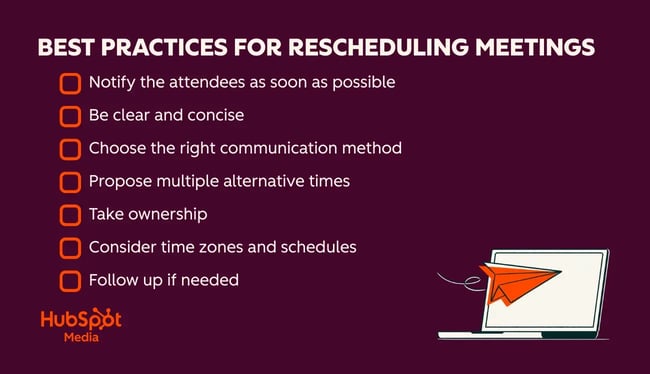
Professional meeting reschedule practices require early notification, clear communication, and multiple alternative times.
Notify the attendees as soon as possible
Timely notice reduces wasted preparation and allows attendees to reallocate reclaimed time. When a conflict becomes clear, a rescheduled meeting email or message should follow soon after, rather than being delayed until the last minute.
From my perspective, the most appreciated reschedules are the ones that arrive early in the day with enough runway to adjust. Even a few extra hours can change someone’s stress level and leave a positive impression.
Be clear and concise
Clear, concise wording to reschedule a meeting makes life easier for recipients. A strong message states the original time, the need to reschedule, a brief reason, and suggested alternatives in just a few lines.
I have found that over-explaining personal details can make messages feel awkward. A simple, professional reason, combined with specific next steps, usually reads better and keeps the focus on logistics rather than excuses.
Choose the right communication method
Different situations call for different channels. Internal reschedules for small teams can be handled over chat or a quick call, while external or high-stakes meetings usually merit a formal email to share rescheduled meeting details.
Personally, I rely on email for client meetings and then follow up with a chat or text only if the change is truly last-minute. For executive stakeholders, I have also used a short call followed by an email recap to provide both a human touch and a written record.
Propose multiple alternative times
Offering two or three specific time slots, along with a scheduling link, reduces back-and-forth and signals respect for other calendars. This approach also increases the probability that at least one option fits.
In my own calendar management, the combination of “Here are three times that work on my side” plus a link has been the most efficient pattern. Some attendees prefer picking from the options, while others go straight to the link and select something entirely different.
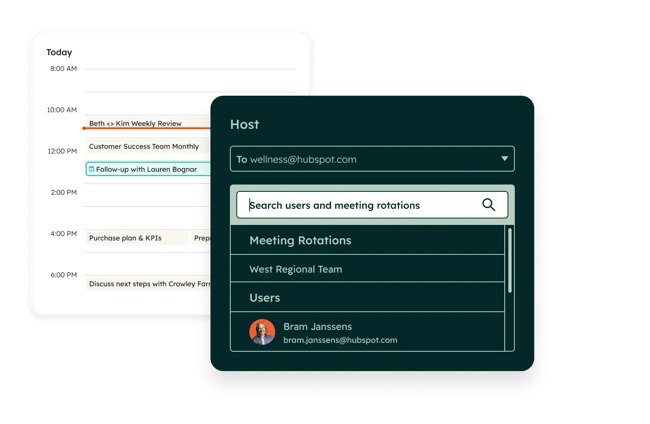
Pro tip: HubSpot Meeting Scheduler displays real-time availability, so attendees can easily choose new meeting times.
Take ownership
Effective reschedule meeting emails acknowledge the inconvenience and take responsibility for the change. A short apology and a clear statement that the sender is initiating the reschedule sets the right tone.
I have noticed that even busy executives respond more positively when the email says, “I need to request a reschedule due to…” rather than phrases that shift blame vaguely to “scheduling issues” or “calendar problems.” Ownership builds trust, even when plans change.
Consider time zones and schedules
For distributed teams and global clients, time zones and local working hours are critical. New time slots should respect each participant's typical business hours and avoid early mornings, late nights, or major local holidays whenever possible.
Here, is particularly helpful because it automatically detects time zones, syncs with connected calendars, and shows only slots that work for all participants.
Follow up if needed
If attendees do not reply or rebook within 24 to 48 hours, a polite follow-up can keep the meeting from disappearing entirely. That follow-up can reference the original reschedule meeting email and include the same proposed times or an updated link.
In practice, I have seen follow-ups rescue important conversations, especially with prospects or busy leaders. A short message such as “Just checking whether any of these times work” often gets a quick response, especially when combined with a link from HubSpot Meetings or the CRM.
How to Send a Meeting Reschedule Email
A professional email to reschedule a meeting follows a consistent structure. It starts with a clear subject line, acknowledges the change, offers a brief explanation, and provides concrete alternatives. The message should be easy to scan on a mobile device and simple to respond to.
There is flexibility in tone and detail, but the core structure usually includes:
- A clear subject line that mentions “Reschedule” or “Rescheduled Meeting”.
- A short greeting that addresses recipients by name.
- One sentence stating the need to reschedule and the original time.
- A brief, credible reason for the change.
- Two or three alternative times or a link to a meeting scheduler.
- A polite acknowledgment of the inconvenience and a thank you for understanding.
- A clear closing with contact information.
When that structure is paired with HubSpot Meeting Scheduler or another integrated scheduling tool, most reschedules become one-click actions for attendees rather than long email threads.
Pro Tip: Sales and service teams who live in the CRM can insert HubSpot meeting links directly into their reschedule messages, so any new booking automatically logs to the contact record and updates pipeline activity.
Meeting Reschedule Email Templates
Templates for rescheduled meeting emails help reduce anxiety and save time in stressful moments. Each scenario benefits from slightly different wording, level of detail, and tone.
The following templates can be copied as-is or adapted inside HubSpot email sequences and templates, paired with a HubSpot Meeting Scheduler link for faster rebooking.
General Business Meeting Rescheduling
General internal meetings, such as one-on-ones or project check-ins, usually call for straightforward, low-drama wording that acknowledges the change while staying efficient.
Template
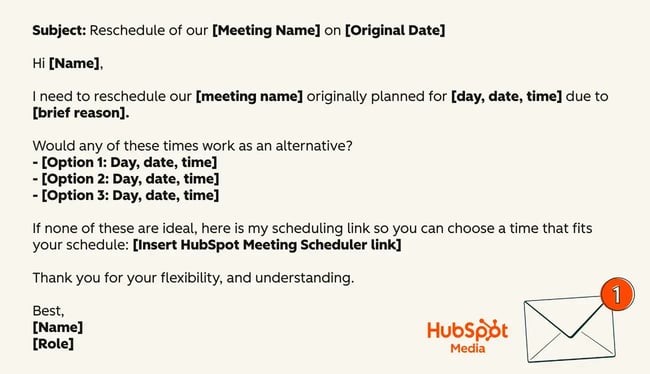
Subject: Reschedule of our [Meeting Name] on [Original Date]
Hi [Name],
I need to reschedule our [meeting name] originally planned for [day, date, time] due to [brief reason].
Would any of these times work as an alternative?
- [Option 1: Day, date, time]
- [Option 2: Day, date, time]
- [Option 3: Day, date, time]
If none of these are ideal, here is my scheduling link so you can choose a time that fits your schedule:
[Insert HubSpot Meeting Scheduler link]
Thank you for your flexibility and understanding.
Best,
[Name]
[Role]
When to Use It
This template fits standard internal business meetings where the relationship is collaborative, and the reschedule is not highly sensitive. It works well across teams and departments for recurring check-ins, status reviews, or working sessions.
What I Like About It
I appreciate that this format is brief, respectful, and clear. It acknowledges the change, offers multiple options, and gives the other person control through the HubSpot Meetings link, which usually prevents long back-and-forth message chains.
Client Meeting Reschedule
Client meetings often carry higher stakes, so the wording for rescheduling a meeting needs to be more relationship-focused and reassuring, while remaining concise.
Template
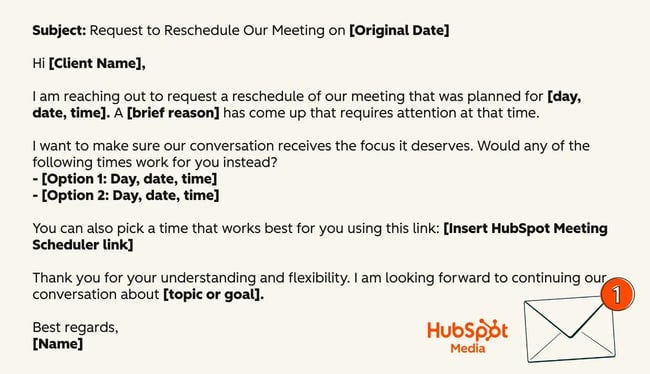
Subject: Request to Reschedule Our Meeting on [Original Date]
Hi [Client Name],
I am reaching out to request a reschedule of our meeting scheduled for [day, date, time]. A [brief professional reason] has come up that requires attention at that time.
I want to make sure our conversation receives the focus it deserves. Would any of the following times work for you instead?
- [Option 1: Day, date, time]
- [Option 2: Day, date, time]
You can also pick a time that works best for you using this link:
[Insert HubSpot Meeting Scheduler link]
Thank you for your understanding and flexibility. I am looking forward to continuing our conversation about [topic or goal].
Best regards,
[Name]
[Role, Company]
[Contact details]
When to Use It
This template is designed for external clients or stakeholders who value trust, professionalism, and clarity. It is suitable for sales calls, QBRs, onboarding sessions, or renewal discussions.
What I Like About It
I like that this email explicitly centers the client’s experience by framing the reschedule as a way to protect the quality of the conversation. It shows respect for their time and reinforces the importance of the relationship.
Last-Minute Reschedule
Last-minute reschedules are more sensitive, since attendees may already be preparing or traveling. The message needs to be direct, apologetic, and solution-oriented.
Template
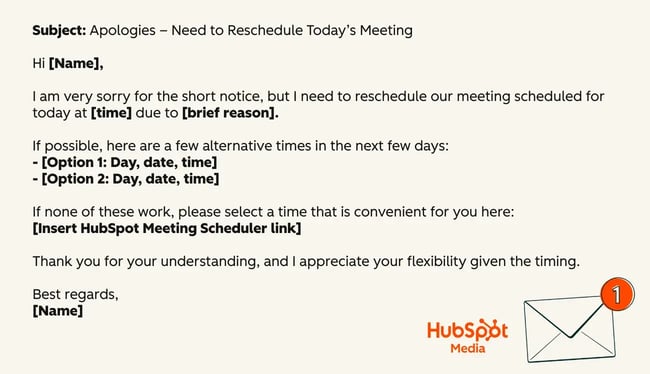
Subject: Apologies – Need to Reschedule Today’s Meeting
Hi [Name],
I am very sorry for the short notice, but I need to reschedule our meeting scheduled for today at [time] due to [brief reason].
If possible, here are a few alternative times in the next few days:
- [Option 1: Day, date, time]
- [Option 2: Day, date, time]
If none of these work, please select a time that is convenient for you here:
[Insert HubSpot Meeting Scheduler link]
Thank you for your understanding, and I appreciate your flexibility given the timing.
Best,
[Name]
When to Use It
This template is appropriate when unexpected events force a same-day change. It should be used sparingly and paired with timely delivery, ideally as soon as the conflict becomes unavoidable.
What I Like About It
I like that this message leads with a clear apology and moves quickly into solutions. It shows awareness of the disruption and offers a fast path to recovery, which is especially important in sales or customer contexts where last-minute changes can be frustrating.
Emergency Reschedule
In true personal or family emergencies, the primary goal is to be honest enough to maintain trust without oversharing or adding emotional weight to a professional message.
Template
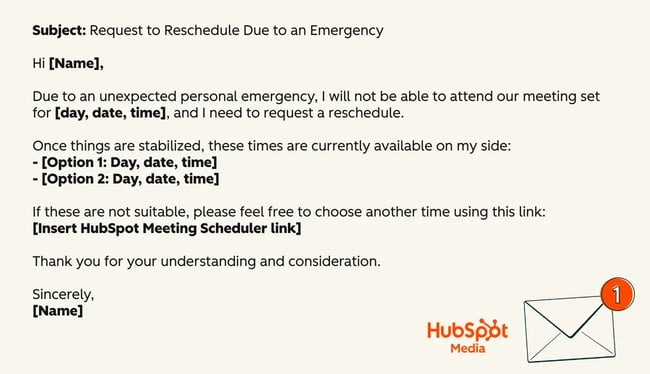
Subject: Request to Reschedule Due to an Emergency
Hi [Name],
Due to an unexpected personal emergency, I will not be able to attend our meeting set for [day, date, time], and I need to request a reschedule.
Once things are stabilized, these times are currently available on my side:
- [Option 1: Day, date, time]
- [Option 2: Day, date, time]
If these are not suitable, please feel free to choose another time using this link:
[Insert HubSpot Meeting Scheduler link]
Thank you for your understanding and consideration.
Sincerely,
[Name]
When to Use It
This template is best in situations involving serious personal, family, or health events where attending the meeting would not be reasonable or responsible. It keeps the explanation high-level while still being transparent.
What I Like About It
I like that this wording respects privacy while still explaining that the situation is serious. It invites empathy without asking for it directly and keeps the focus on next steps and rescheduling.
Team Meeting Reschedule
Team meetings often involve multiple attendees and sometimes several time zones. A reschedule message for this scenario benefits from a combination of suggested times and a poll or scheduler link.
Template
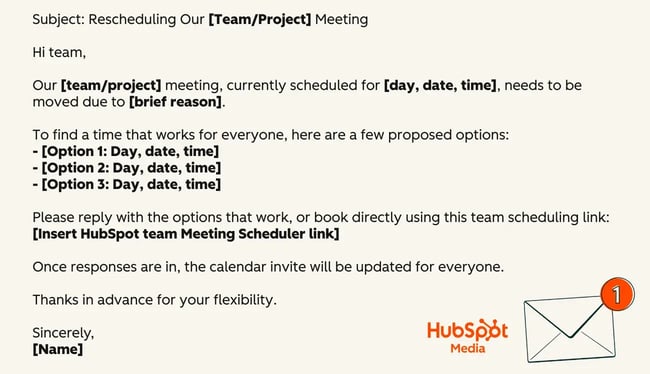
Subject: Rescheduling Our [Team/Project] Meeting
Hi team,
Our [team/project] meeting, currently scheduled for [day, date, time], needs to be moved due to [brief reason].
To find a time that works for everyone, here are a few proposed options:
- [Option 1: Day, date, time]
- [Option 2: Day, date, time]
- [Option 3: Day, date, time]
Please reply with the options that work, or book directly using this team scheduling link:
[Insert HubSpot team Meeting Scheduler link]
Once responses are in, the calendar invite will be updated for everyone.
Thanks in advance for your flexibility.
Best,
[Name]
[Role]
When to Use It
This template fits internal team or project meetings with three or more participants. It works especially well when combined with a team meeting link from HubSpot Meetings, since that can automatically route bookings to available hosts.
What I Like About It
I like that this approach acknowledges the group dynamic and gives people a simple way to respond. Using a team scheduling link has saved me many email threads and made it much easier to keep everyone aligned on the final time.
Pro tip: When prospects or customers miss the call, resources like HubSpot’s guide to handling no-show prospects and templates for follow-up can help keep those conversations alive.
Frequently Asked Questions About Rescheduling Meetings
A rescheduled meeting email can feel more stressful than it needs to be, especially when relationships or deals are on the line. The questions below address common concerns about wording, timing, and professionalism.
These answers reflect a blend of best practices from meeting productivity research and recent rescheduling guides, along with lessons from real-world sales and leadership work.
How do you politely reschedule a meeting?
The most polite way to reschedule a meeting is to be timely, brief, and specific. A respectful message acknowledges the original time, states the need to reschedule, offers a short apology, and provides clear alternatives or a scheduling link.
From what I have seen, politeness is less about elaborate language and more about how early the message is sent and how easy it is for others to respond.
What’s the best wording to reschedule a meeting?
Effective wording to reschedule a meeting includes a phrase like “I need to request a reschedule of our meeting on [date] due to [brief reason]” followed by “Would any of these times work for you?” The tone stays professional, direct, and appreciative.
In practice, I avoid vague phrases like “something came up” and prefer specific, concise reasons that help recipients trust that their time is being taken seriously.
How do I reschedule a meeting with a message?
Rescheduling with a message involves choosing the right channel, following the structure outlined earlier, and including concrete next steps. Email is generally best for external stakeholders, while chat or text may be acceptable for internal teams, especially when combined with an updated calendar invite.
I often send the message and immediately adjust the calendar entry in HubSpot or my connected calendar once the new time is confirmed, so there is no ambiguity.
When should I call instead of emailing to reschedule?
A direct call is most appropriate when the meeting is high-stakes, the change is very last-minute, or the relationship is sensitive. Examples include executive briefings, final contract reviews, or customer escalations. In those cases, a short phone or video call followed by a confirming email can prevent misunderstandings.
My rule of thumb is simple: if the meeting would significantly affect revenue, reputation, or a key relationship, a quick call followed by a reschedule email is worth the extra effort.
Is it unprofessional to reschedule a meeting?
Rescheduling a meeting is not unprofessional when it is handled with transparency, respect, and structure. It becomes unprofessional when it happens frequently without strong reasons, arrives at the last minute, or lacks clear alternatives.
In my experience, most teams understand that conflicts happen. What they remember is how consistently someone communicates, how often they cancel without cause, and whether new times are easy to confirm through tools like HubSpot Meeting Scheduler.
Reschedule Meetings Seamlessly
Rescheduling a meeting is unavoidable in modern work, but it never has to feel chaotic. A clear process, reliable templates, and the right scheduling tools protect relationships and keep projects moving.
Meeting reschedule emails maintain professional relationships when handled with transparency and structure. The professionals who handle reschedules best do a few simple things consistently: they communicate early, take ownership, provide options, and use tools like HubSpot’s Meeting Scheduler so that rebooking is as simple as one click.
Over time, those habits send a powerful message: even when things change, meetings are handled with care, clarity, and respect for everyone’s time.
HubSpot's Free Meeting Scheduler
Schedule meetings faster and forget the back-and-forth emails. Your calendar stays full, and you stay productive.
- Let prospects book a meeting time
- Book more meetings and appointments
- Sync with Google and Office 365 Calendar
- And more!
Book Sales Meeting
![How to find a meeting time that works for everyone [+ tools]](https://53.fs1.hubspotusercontent-na1.net/hubfs/53/Operation-everest-how-to-find-a-meeting-time-that-works-1-20250924-5040800.webp)