Customer meetings remain one of the most effective ways to build trust with clients. A well-run customer meeting gives teams an opportunity to align on goals. A clear understanding of what a customer needs reduces churn risk and surfaces roadblocks, so both sides stay on the path to success.
Well-run customer meetings have clear objectives and an agenda. That’s especially true in the age of meeting overload. Research suggests that up to one-third of meetings may be unnecessary. Beyond that, report not having enough uninterrupted focus time due to back-to-back meetings.
So, how can businesses run customer meetings that respect busy schedules and deliver real value? This guide breaks down different types of customer meetings, how to prepare for them, and how to run them.
Table of Contents
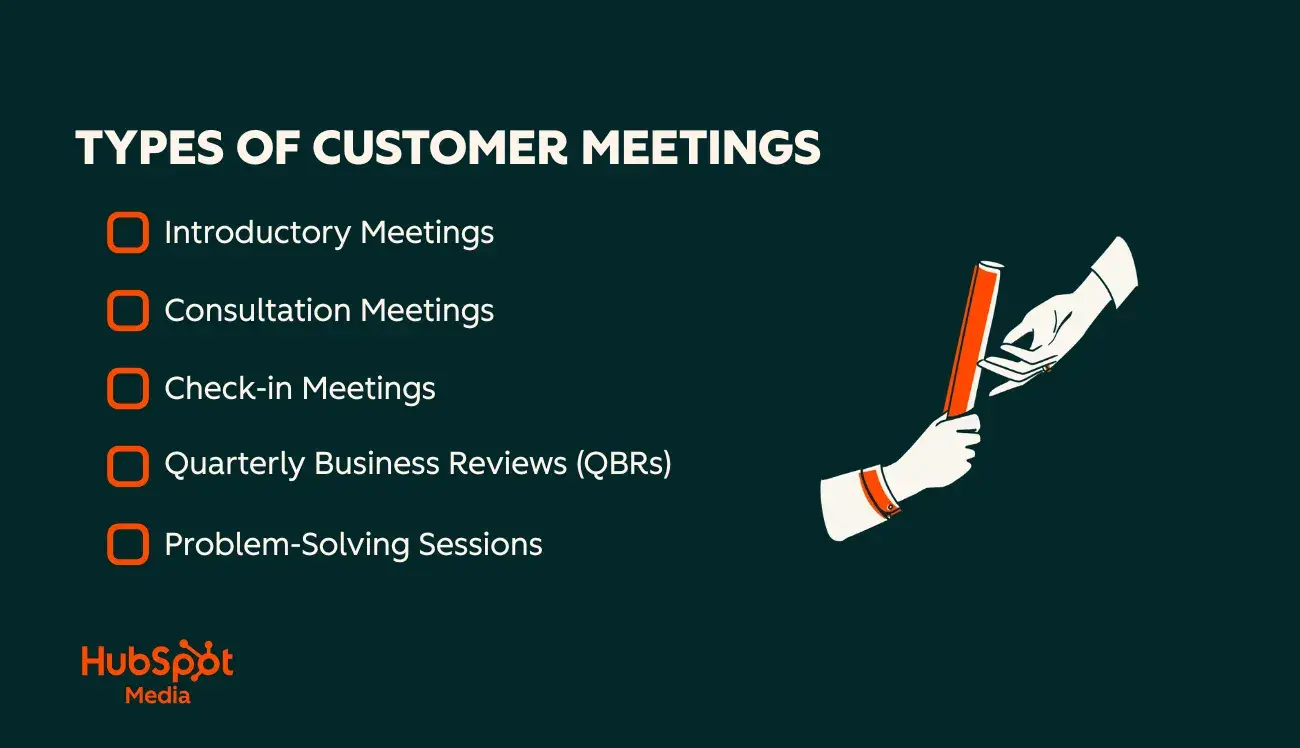
Types of Customer Meetings
Teams should have different customer meetings throughout the customer lifecycle. For example, at the start of an engagement, teams will have introductory meetings. Later in the journey, they’ll have regular check-ins and quarterly business reviews. Each discussion should have a clear purpose and be customized to the customer’s current situation.
Introductory Meetings
Introductory meetings establish rapport and clarify customers’ needs. Initial conversations cover goals, pain points, and context. The objective of introductory customer meetings is discovery. During introductory meetings, businesses should uncover:
- Customer priorities and challenges.
- Key stakeholders.
- What success looks like to the customer.
- Customer needs.
- Customer history and context.
Consultation Meetings
During consultation meetings, businesses explore customer needs in depth. Reps align with customers on solutions and strategies to meet goals. During consultation meetings, teams are likely to provide customers with:
- Tailored recommendations.
- A strategic roadmap for meeting goals.
- Case studies and proof points.
- A clear scope of services and pricing parameters.
Check-in Meetings
Check-in meetings are regularly scheduled touchpoints designed to nurture customer relationships. Success reps discuss alignment on goals, roadblocks, and customers’ desired outcomes with a product or service. During customer check-in meetings, teams should:
- Ensure customers are achieving their goals.
- Evaluate and adjust the strategy if customer needs have shifted.
- Provide proactive optimization advice based on usage and past progress (e.g., suggesting underutilized features or alternate workflows).
Quarterly Business Reviews (QBRs)
A quarterly business review is a high-level strategic meeting held every 90 days. Participants include the vendor and the customers’ key executive stakeholders. QBRs are strictly focused on strategy and value realization.
In consultations and check-ins, success teams provide detailed coaching and diagnosis. During QBRs, reps primarily focused on high-level strategy and demonstrating ROI to key stakeholders. The team is focused on supporting contract renewals and expansion opportunities.
During a QBR, businesses must prove they are worth the continued investment by providing:
- In-depth ROI analysis.
- A 90-day strategic roadmap.
- Customer health analysis.
- An updated success plan for tracking long-term goals.
Problem-Solving Sessions
Problem-solving sessions are customer meetings focused on resolving a specific issue. These meetings are not held on a regular schedule. Instead, they are triggered by roadblocks or critical incidents that require hands-on troubleshooting. In a problem-solving meeting, teams align to address a specific issue and develop a resolution plan.
Problem-solving sessions can make or break customer trust. To maintain customer relationships, businesses must provide:
- A structured root cause analysis of the issue at hand.
- Multiple resolution pathways.
- Decisive next steps for moving forward and avoiding the issue in the future.
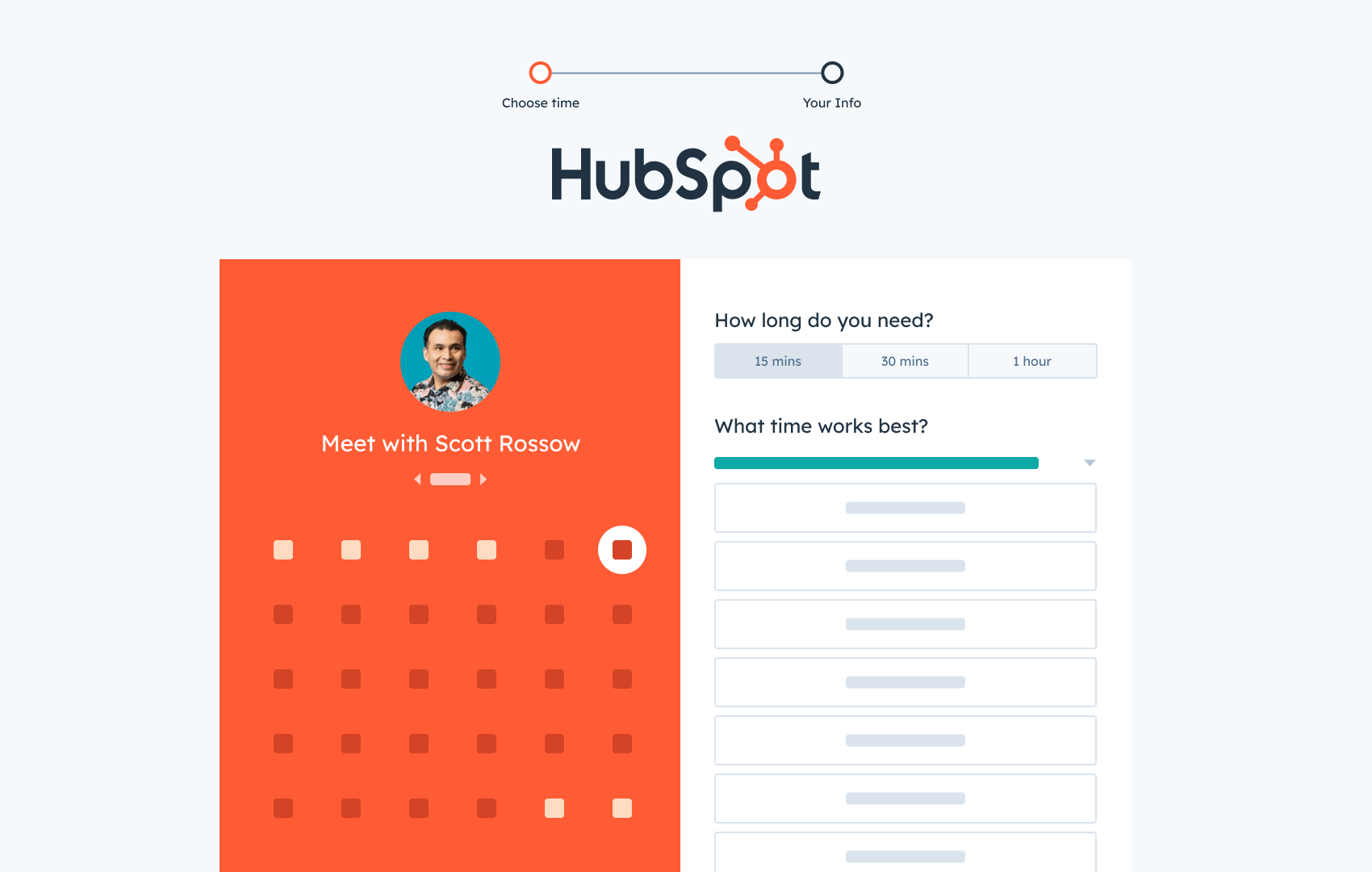
HubSpot's Free Meeting Scheduler
Schedule meetings faster and forget the back-and-forth emails. Your calendar stays full, and you stay productive.
- Let prospects book a meeting time
- Book more meetings and appointments
- Sync with Google and Office 365 Calendar
- And more!
How to Prepare for Customer Meetings
Without structure and a clear purpose, meetings can waste time and keep everyone away from their work. To prepare for customer meetings, teams should take the time to set clear objectives and create an actionable agenda.
Here’s how.
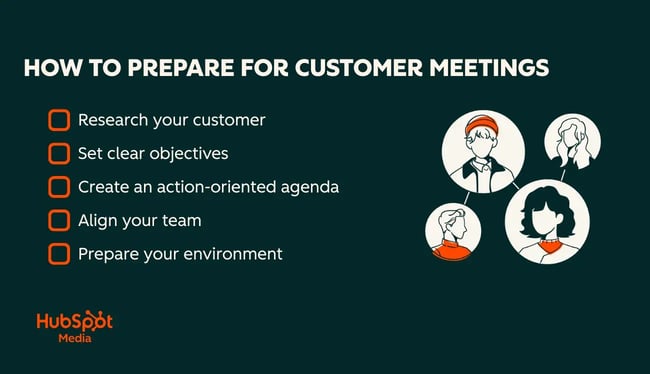
Research your customer
Every customer’s situation is different. Ahead of a customer meeting, teams must gather context to keep the conversation personal. Start by researching customer goals and pain points. Then, review previous notes and support cases. Understanding customer history allows teams to create purpose-driven meetings that show the team values the customer and their time.
Pro tip: Create a pre-meeting checklist to ensure everyone is up to date on customer history. Items to review include:
- Last meeting summary and notes.
- Open support tickets and escalations.
- Adoption or usage metrics.
- Renewal timelines.
- New client stakeholders and organizational changes.
Not sure where to store meeting notes, tickets, and customer history? unifies all service history and integrates natively with . The result is 360-degree view of the customer and a complete understanding of context.
Set clear objectives
A successful customer meeting requires a clear objective. Businesses should define desired outcomes for both sides of a customer meeting to ensure viability. Objectives and goals must be specific and clear, and teams should share them at least 24 hours in advance.
Outside of my business career, I have a check-in meeting with my band every Monday at noon. For a long time, I felt frustrated that each meeting devolved into a broad, aimless discussion. It wasn’t until we started approaching each meeting with a specific goal that we began having meaningful conversations.
The key to my meeting success was getting read throughout the week prior and sharing an agenda before our weekly meeting.
If scheduling meetings is a recurring pain point, can help. Using this free tool, teams can send booking links that sync with reps’ CRM and calendars. Beyond that, Service Hub’s AI can automate meeting prep and follow-up.
Create an action-oriented agenda
Successful customer meetings have an agenda. The rundown outlines how time will be spent during a meeting. The agenda should be built around key decisions and actions, not general topics.
Building an agenda requires significant preparation to ensure goals are clearly articulated and that all parties leave with clear next steps. Many teams follow the 40/20/40 rule. According to the rule, 40% of the time should be spent on preparation, 20% on the meeting, and 40% on follow-up.
|
Segment |
Percentage |
Key Activities |
|
Preparation |
40% |
Agenda setting, pre-reading, research on customer context, what’s changed, what matters now. |
|
Meeting |
20% |
Focused discussion of agenda items, time management, and active participation. |
|
Follow-Up |
40% |
Planning and next steps. Creating a meeting summary. Assigning ownership to action items, solidifying key dates, and commitments. |
Client Check-In Meeting Agenda Template
Use this customer meeting agenda template when planning recurring customer meetings for ongoing work and customer success check-ins.
Client Check-In Meeting - [Date/Time]
Attendees: [Success team members + key stake holders]
The goal of this meeting is to discuss current progress, identify any obstacles, and agree on priorities moving forward.
Agenda items:
- Discuss customer wins and usage milestones since the last check-in
- Identify outstanding tasks or roadblocks that require attention
- Review the status of in-progress work
- Discuss expansion opportunities and underutilized features
- Uncover client priorities and goals that have changed since the last check-in
- Confirm next steps and responsibilities
Align your team
When multiple team members are attending a customer meeting, each person must understand their role. Role misalignment can lead to awkward conversations where people speak over or contradict one another.
When my band is creating new music, we hold meetings to discuss the tracks we're working on. These were once chaotic, free-for-all venting sessions. It was a total mess.
The situation improved after I stepped into a coordinator role. Now, I lead these calls and systematically solicit feedback. My job is to ensure contradictory opinions are resolved and to transcribe all notes into clear instructions our mixer can understand.
Pro tip: Before meetings, have each team member review the customer record in . With the same information, everyone has context about support tickets and previous meeting notes.
Prepare your environment
A distraction-free environment is key to successful customer meetings. Even virtual settings need thoughtful setup to be successful. Preparing a virtual customer meeting environment involves:
- Testing audio and video. Verify that the microphone and camera are functioning.
- Controlling the background. Ensure your physical background is professional and clutter-free, or use a neutral blur/virtual background.
- Managing bandwidth. Close unnecessary browser tabs and bandwidth-heavy applications to prevent lag. Check wifi connection.
- Silencing notifications. Turn off desktop notifications (Slack, Email, iMessage) to prevent distracting pop-ups during screen sharing.
For in-person customer meetings, teams can prepare by
- Securing the space. Confirm the conference room booking at least 24 hours in advance to avoid double-booking.
- Checking the tech. Test the TV, projector, and HDMI connection before the client arrives. Ensure the necessary dongles or adapters for Mac/PC connectivity are available.
- Clearing the board. Erase notes from previous meetings on whiteboards and ensure fresh markers are available.
- Ensuring hospitality. Prepare water, coffee, or other refreshments, and ensure the room temperature is comfortable.
Pro tip: To reduce administrative friction, use the . It automates logistics by allowing clients to book time that works for them. The scheduler integrates with HubSpot’s CRM and can include pre-meeting questionnaires to gather context automatically.
How to Run Effective Customer Meetings
Effective customer meetings yield measurable business outcomes. Conversations have a clear agenda that ties to clients’ needs. Beyond that, successful meetings have a host who acts as a producer who skillfully manages the group's pacing and participation.
Here are some tips for conducting customer meetings.
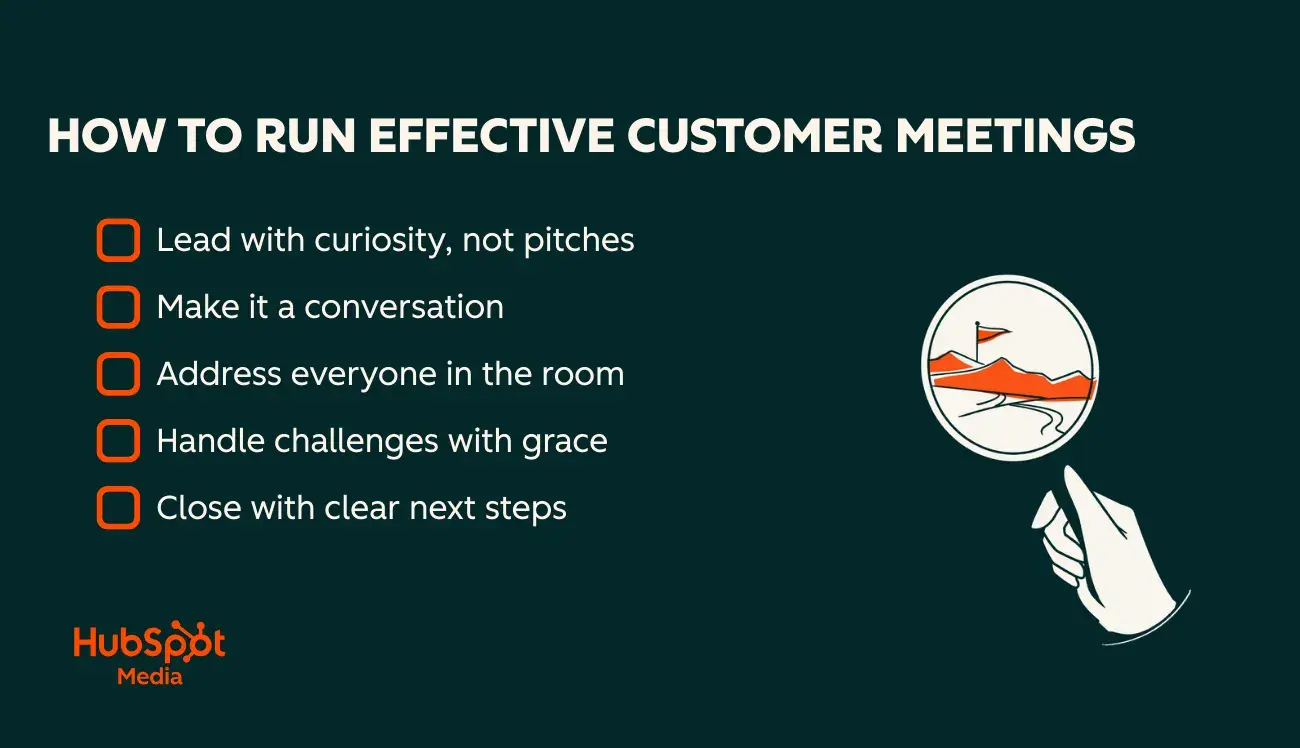
Lead with curiosity, not pitches
Effective customer meetings are collaborative discussions, not one-sided lectures or sales pitches. The foundation of a great customer meeting is curiosity. The team must prioritize understanding the customer's needs and tailor the agenda to reflect the customer experience.
Instead of coming in hot with recommendations and usage statistics, meeting hosts should set the tone by asking the customer relevant questions that highlight the customer experience. For example:
- “Has anything changed since we last spoke?”
- “Have you run into any roadblocks using X feature?”
- “Can you tell me about any recent successes you’ve had using the product?”
Leading with curiosity not only makes customers feel valued, but it is also crucial for diagnosing customer progress. By listening, reps can uncover opportunities to add value.
During my time as a support rep at HubSpot, I learned the critical importance of active listening. Often, customers struggled to articulate their problems clearly. My role was to ask thoughtful follow-up questions to gain a complete understanding of their issues. That allowed me to provide the most effective support.
Make it a conversation
Customer meetings are conversations, not presentations. Ask thoughtful questions, chunk information into short sections, and pause intentionally after key points to invite customer input.
As a support rep, I always summarized the customer’s issue before moving on to solutions. I’d say something like “Just to recap, you’re having trouble logging in to your portal and have already tried resetting your password. Is that right?”
I found that repeating their situation back to them did two things: It confirmed we were solving the right problem, and it shifted the tone to “me and the customer vs. the issue” rather than “customer vs. company.” That same strategy works to turn customer meetings into conversational collaboration sessions.
Pro tip: Recap customer feedback in plain language. It demonstrates active listening, prevents misunderstandings, and keeps the meeting collaborative.
Address everyone in the room
In meetings with many stakeholders, it’s common for one person to dominate the conversation. However, reps should address everyone in the room to foster a collaborative environment and gather essential details to determine whether a plan works.
Customer meeting hosts can facilitate conversations and encourage quieter team members to speak up. Often, technical folks (IT, Ops, Analysts) have the most valuable insights but are less comfortable speaking up. Meeting hosts are responsible for addressing everyone in the room to ensure all insights are uncovered.
Pro tip: Watch body language. Unexpressed confusion or disagreement might show up as a tense look or crossed arms before anyone speaks up.
Handle challenges with grace
It’s crucial to respond with empathy and clarity when customers raise concerns. Don’t take the criticism personally. In challenging moments, the goal is to step back, lower the temperature, and truly align with the customer.
As a support rep at HubSpot, I worked with many frustrated customers. I found that the fastest way to de-escalate was to acknowledge what they were experiencing. I was then upfront about what I could (and couldn’t) do.
Even in “wait it out” situations like product downtime, reps should say something like, “I’m really sorry you can’t access the product right now. I know you have work to get done, and this is frustrating.” Customers feel heard and tensions cool.
During challenging moments in customer meetings, be honest and empathetic. Don’t make excuses and don’t take things personally. Admit mistakes and clearly lay out the path toward success. Admitting errors and laying out next steps builds trust faster than sounding perfect.
Pro tip: In , log key customer challenges and resolutions as notes (and associate them with relevant tickets). That way, future meetings start with context, and teams can personalize follow-ups around past roadblocks.
Virtual Meeting Considerations
Virtual meetings can be just as effective as in-person meetings, but they require more intentional facilitation and preparation. People zone out more easily over video. Reps will also have a harder time picking up on body language cues. Before the call begins, take a few steps to ensure remote meetings are tight and free of technical issues.
Here are some virtual meeting tips.
Keep remote meetings engaging
- Greet participants as they join and set expectations/agenda within the first minute.
- Ask direct questions and invite personal contributions so meetings don’t become a one-way presentation.
- Use collaboration tools (polls, whiteboard, chat) to engage participants mid-meeting.
- Adapt the agenda as needed. Prioritize the most critical topics, table off-topic items, and schedule follow-ups.
Manage tech issues without derailing the meeting
- Share the agenda and any links in advance to avoid dead time while people search for resources.
- Keep a backup plan that includes alternative links, dial-in instructions, or a plan to email a meeting recap if the connection is lost.
- If someone drops out, proceed to the following agenda item and confirm action items at the end to maintain momentum.
Close meetings intentionally
- End virtual meetings with a concise summary and clearly assign owners to each action item before signing off.
Close with clear next steps
At the end of a customer meeting, summarize all the key decisions made and open action items with clear ownership and deadlines. Without an intentional close, meetings often feel productive in the moment, but momentum evaporates.
- For virtual meetings: Add action items to the chat and include them in a follow-up email to close the meeting.
- For in-person meetings: Write the action plan on a notepad or whiteboard so the customer can confirm it.
At the end of meetings, I’ll state commitments out loud. A quick recap turns a productive discussion into a shared plan, and it gives everyone a chance to correct any misunderstandings.
Customer Meeting Follow-Up Actions
A customer meeting follow-up is arguably more important than the meeting itself. Proper meeting follow-ups turn a discussion into an actionable game plan. Follow-ups capture momentum while it's hot, keep the relationship moving, and solidify decisions and next steps.
Below are essential customer meeting follow-up actions with timelines and templates.
Send same-day recaps
Send a recap ASAP after a customer meeting. Keep the recap straight and to the point, including key decisions, action items and their owners, deadlines, and next meeting info.
Pro tip: Keep meeting recaps scannable. Use bullet points and intentional formatting to call attention to key items without the need for too much prose.
Customer Meeting Recap Email Template
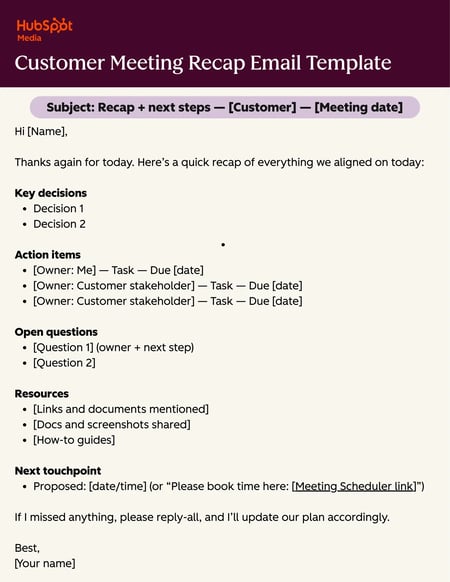
Subject: Recap + next steps — [Customer] — [Meeting date]
Hi [Name],
Thanks again for today. Here’s a quick recap of everything we aligned on today:
Key decisions
- Decision 1
- Decision 2
Action items
- [Owner: Me] — Task — Due [date]
- [Owner: Customer stakeholder] — Task — Due [date]
- [Owner: Customer stakeholder] — Task — Due [date]
Open questions
- [Question 1] (owner + next step)
- [Question 2]
Resources
- [Links and documents mentioned]
- [Docs and screenshots shared]
- [How-to guides]
Next touchpoint
- Proposed: [date/time] (or “Please book time here: [闭”)
If I missed anything, please reply-all, and I’ll update our plan accordingly.
Best,
[Your name]
Share resources mentioned
Don’t forget to share all resources mentioned during a customer meeting. Resources may include help articles, screenshots, how-to videos, and pricing docs. Share resources directly in the recap email or in a separate follow-up within 24 hours.
When I’m tour managing for my band, I always include day-of-show resources in an email to the whole team. If I don’t, my bandmates will ask “What’s the wifi password?” no less than eight times in the backstage green room.
Pro tip: Use to associate resources directly to a customer record. That way, all team members can access the docs they need for future meetings.
Complete your commitments early
Teams should strategically agree on deadlines to deliver on customer commitments ahead of schedule. Early delivery builds trust, keeps momentum high, and makes future asks (renewals, expansion, stakeholder time) much easier with earned credibility.
At HubSpot, our team always said, “Under promise, over deliver.” It’s a strategic practice of managing expectations by setting SMART goals and consistently surpassing them. For example, if I’d promised a customer I’d share resources with them by EOD, I’d just knock it out within 15 minutes of getting off the phone.
Pro tip: Schedule a 30-minute calendar block immediately after important customer meetings. Use it to complete quick commitments (sending links, updating notes, looping in an internal teammate) before they get buried.
Schedule the next touchpoint
Businesses should quickly schedule follow-up customer touchpoints to capitalize on momentum and demonstrate their commitment to customer success. The exact date may not always be agreed upon immediately after a customer meeting, but teams can agree on milestones at which they can plan the next meeting.
Pro tip: Use to let customers book a time whenever is convenient for them.
Next Touchpoint Follow-Up Email Template
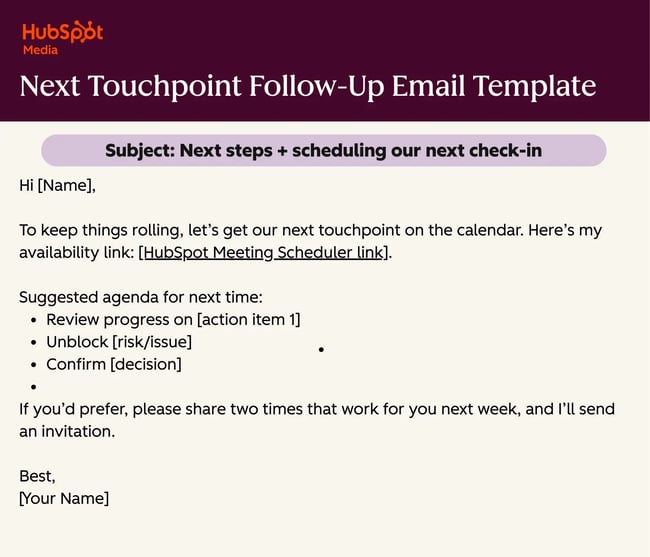
Subject: Next steps + scheduling our next check-in
Hi [Name],
To keep things rolling, let’s get our next touchpoint on the calendar. Here’s my availability link: .
Suggested agenda for next time:
- Review progress on [action item 1]
- Unblock [risk/issue]
- Confirm [decision]
If you’d prefer, please share two times that work for you next week, and I’ll send an invitation.
Best,
[Your Name]
Align the internal team
After a customer meeting, essential for internal teams to align on goals and action items. For effective follow-through, avoid silos and make sure meeting notes are shared with the whole team.
The key is to capture essential details in a shared platform, such as and . Since CRM and Service Hub are natively linked, team members can log meeting notes and assign tasks directly on the customer record. Sales, support, and success then have complete visibility into the information they need.
Internal Team Update Email Template
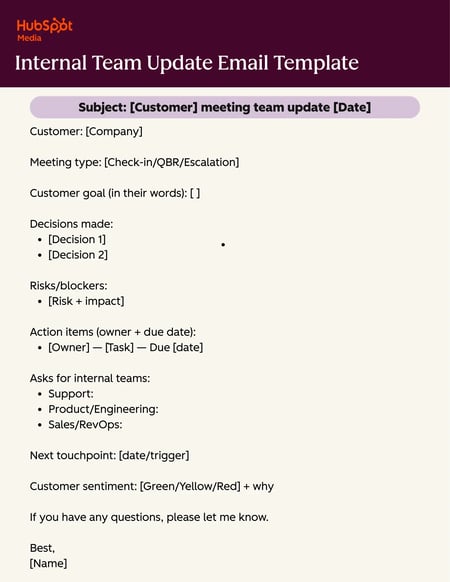
Subject: [Customer] meeting team update [Date]
Customer: [Company]
Meeting type: [Check-in/QBR/Escalation]
Customer goal (in their words): [ ]
Decisions made:
- [Decision 1]
- [Decision 2]
Risks/blockers:
- [Risk + impact]
Action items (owner + due date):
- [Owner] — [Task] — Due [date]
Asks for internal teams:
- Support:
- Product/Engineering:
- Sales/RevOps:
Next touchpoint: [date/trigger]
Customer sentiment: [Green/Yellow/Red] + why
If you have any questions, please let me know.
Best,
[Name]
Build ongoing relationships
The time between customer meetings shouldn’t be radio silence. Teams should nurture customer relationships through small touchpoints that demonstrate they are thinking about the customer beyond the next agenda item.
Relationship-building touchpoints can be small gestures, but they should be specific, not just a quick “checking in!” note.
Here are some examples of small, high-value touchpoints teams can share with customers between meetings to show they care:
- Share a relevant article or study related to their goals.
- Congratulate them on a recent launch, promotion, or company milestone.
- Introduce them to helpful peer customers.
- Flag risks early (drops in feature usage or adoption) instead of waiting for the next meeting.
- Share product updates and new features that directly support their workflows.
Pro tip: Every between-meeting customer touchpoint should connect to one of three things: their goals, their blockers, or their success metrics. If it doesn’t, skip it.
Value-Added Email
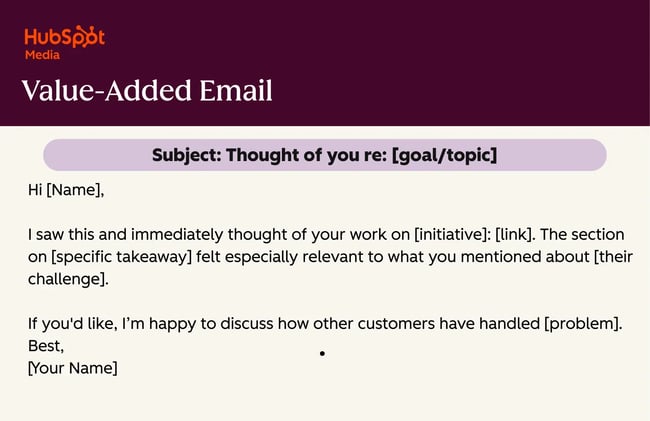
Subject: Thought of you re: [goal/topic]
Hi [Name],
I saw this and immediately thought of your work on [initiative]: [link]. The section on [specific takeaway] felt especially relevant to what you mentioned about [their challenge].
If you'd like, I’m happy to discuss how other customers have handled [problem].
Best,
[Your Name]
Customer Meeting Agenda Template
No single customer meeting agenda fits every situation. Agendas depend heavily on the customer’s context and the type of meeting. Below is a customer meeting agenda template that teams can customize and use as a framework for crafting agendas across meeting types.
Template 1: Customer-Facing Agenda
Subject: Agenda: [Customer meeting type] — [Date]
Hi [Name],
Looking forward to our meeting on [date/time]. Here’s the agenda so we can use the time well:
Meeting objective:
- [One sentence that describes decisions and alignment that must be reached]
Agenda:
- Welcome + confirm objective (5 min)
- Progress + key updates (10 min)
- [Update 1]
- [Update 2]
- Timeline + upcoming milestones (5 min)
- Priority discussion: [topic] (20 min)
- [Question/decision we need to answer]
- Training/product updates (if relevant) (10 min)
- Next steps + owners (10 min)
- Wrap (5 min)
If there’s anything you’d like to add, please reply here, and I’ll make adjustments.
Best,
[Your name]
Making the Most of Customer Meetings
Great customer meetings are the result of thoughtful preparation and follow-through that keeps the ball rolling. When customer meetings are smooth, trust builds quickly, and the quality of customer relationships improves over time, which has profound benefits to the bottom line.
To streamline customer meetings, try HubSpot’s Free Meeting Scheduler to eliminate the back-and-forth of finding a time that works for everyone. Since it connects to HubSpot CRM and Service Hub, meeting notes never get lost in translation. Information stays tied to each record, so teams can start every meeting with a complete understanding of the customer’s history.
HubSpot's Free Meeting Scheduler
Schedule meetings faster and forget the back-and-forth emails. Your calendar stays full, and you stay productive.
- Let prospects book a meeting time
- Book more meetings and appointments
- Sync with Google and Office 365 Calendar
- And more!
customer relationships





![What Is Customer Goodwill? [Definition + Examples]](https://53.fs1.hubspotusercontent-na1.net/hubfs/53/Customer%20Goodwill.png)