Building a website can feel overwhelming. Beginners often struggle with blank-page syndrome, confusing design choices, technical setup, and the pressure to “get it right” without knowing what actually matters.
AI website builders aim to remove those roadblocks. By using guided prompts and simple questions, they help beginners generate layouts, content, and structure in just a few minutes. Beyond just generally offering a faster setup process, they also do a great job of giving beginners a solid foundation for business success.
This guide will break down the best AI website builders for beginners, explain what makes each one stand out, and help businesses choose the right platform based on their goals.
Table of Contents
- What makes a great AI website builder for beginners?
- Best AI Website Builders for Beginners
- How to Choose the Best AI Website Builder for Beginners
- How I Tested and Scored These AI Website Builders
- When to Upgrade From an AI Website Builder to a CMS
- Frequently Asked Questions About AI Website Builders for Beginners
What makes a great AI website builder for beginners?
A great AI website builder helps beginners go from “I need a website” to “my site is live” with as little friction as possible. The best tools don’t just generate a layout — they guide users through decisions, reduce technical overwhelm, all while still making it easy for users to customize their websites and manage day-to-day operations. It also removes the need for a developer.
An AI website builder uses artificial intelligence to automate parts of the website creation process. Instead of starting from a blank canvas, users answer a few questions about their business, goals, and style preferences.
Based on those prompts, the AI generates outputs such as:
- A website layout and structure.
- Page content like headlines, body copy, and CTAs.
- Design elements like colors, fonts, and images.
For beginners, this means the AI does the heavy lifting upfront, while the user can focus on tweaking and adjusting the generated design and website copy.
AI website builders have both pros and cons, so it’s important to consider both sides before making a decision.

HubSpot's Free Website Builder
Create and customize your own business website with an easy drag-and-drop website builder.
- Build a website without any coding skills.
- Pre-built themes and templates.
- Built-in marketing tools and features.
- And more!
Here’s a quick summary of some of the main pros and cons of AI website builders:
Best AI Website Builders for Beginners
The best AI website builders for beginners are HubSpot’s website builder, Wix, Squarespace, and Durable.
Keep reading for the full AI website builder comparison.
– Best Overall AI Website Builder & Best Free AI Website Builder
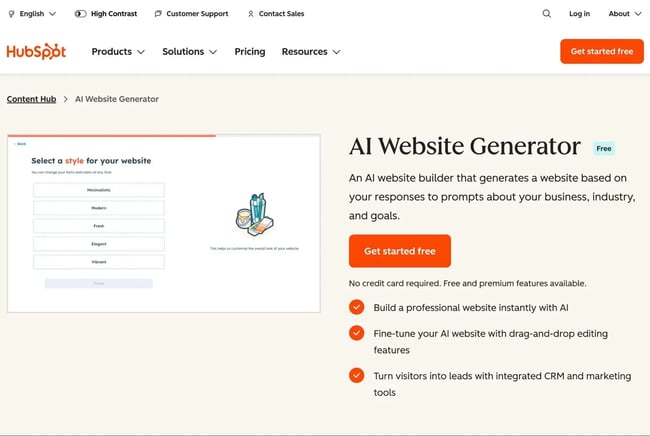
is designed for beginners who want an AI-assisted setup without sacrificing long-term growth and functionality. Unlike many standalone AI builders, HubSpot combines website creation with built-in marketing, analytics, and CRM tools.
AI Website Generation
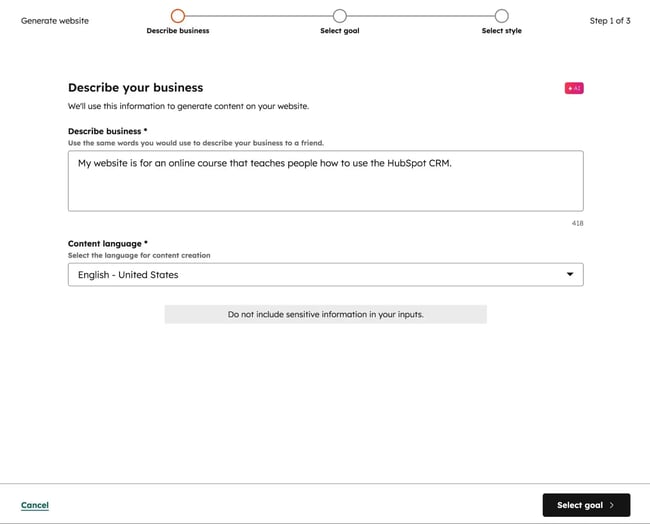
helps beginners create a complete website by answering a short set of prompts about their business, industry, and goals. Based on this input, the AI generates a multi-page site with suggested layouts, structure, and starter content.
This eliminates the need to choose templates, themes, or page structures from scratch (though users do have the option to start from a premade template, if desired).
Once the site is generated, users can customize it using a drag-and-drop editor. The design controls help beginners avoid breaking layouts while still allowing them to adjust sections, images, and page flow as their site evolves.
AI Content Creation
HubSpot includes AI content creation tools directly inside its page and content editors. Beginners can generate headlines, page copy, CTAs, and supporting text using simple prompts, then refine that content with rewrite options for tone, clarity, or length.

What sets HubSpot apart is that are connected to SEO and conversion goals. Instead of generating content in isolation, the platform encourages users to create content that supports discoverability, lead capture, and consistency across pages — making it easier for beginners to produce usable, goal-oriented copy.
HubSpot also includes to help beginners rank their content in search engines and AI answer engines. For example, can help users understand how AI engines view their brands. The system can even make suggestions when users are creating content.
Higher-tier plans also include an , which can help beginners easily repurpose content in different channels, such as converting blog posts into social media content or email copy.
Integrated CRM With AI
One of HubSpot’s biggest differentiators is its , which is included alongside the website builder. Every visitor interaction — form submissions, page views, or CTA clicks — can be tied to a contact record automatically, without additional setup.
AI-powered features within the CRM help organize and surface insights from this data, making it easier for beginners to understand who’s visiting their site and how those visitors are engaging. For users building a website to support marketing, sales, or lead generation, this tight integration removes the need for separate tools and complex integrations.
Beginners can also easily use this CRM data to personalize website content for visitors, which can improve user experience and conversion rates. can help beginners create text copy. HubSpot even has to handle the entire process automatically.
Built-In Hosting and Custom Domain Support
HubSpot’s website builder includes , including its free plan. The hosting is optimized for performance and capable of scaling for as many visitors as needed.
Beginners can also easily connect a custom domain name with just a few steps, which allows for improved branding and professionalism.
Pricing
HubSpot offers a fully functional free AI website builder, which includes hosting, basic AI tools, forms, and CRM functionality. This makes it accessible for beginners who want to launch quickly with minimal upfront cost.
As needs grow, users can upgrade to to unlock advanced customization, additional AI features, more powerful SEO tools, analytics, and team collaboration options. Here are the starting prices for those paid plans:
- Content Hub Starter — from $9 per month/seat.
- Content Hub Professional — from $450 per month, which includes three seats. Additional seats from $45/month.
- Content Hub Enterprise — from $1,500 per month, which includes five seats. Additional seats from $75/month.
What I Like
HubSpot offers the simplicity of an AI-powered website builder without needing to sacrifice functionality, which can sometimes be a problem with other website builders.
The AI website generator can help users launch a unique website in just a few minutes, which I think is great for beginners. At the same time, the all-in-one nature of HubSpot's customer platform also means that beginners can access tons of marketing and SEO tools, which is great for helping them achieve business success.
A lot of AI website builders for beginners force users to choose between “simplicity” and “power,” but HubSpot Content Hub offers both.
– Best AI Website Builder for Growth
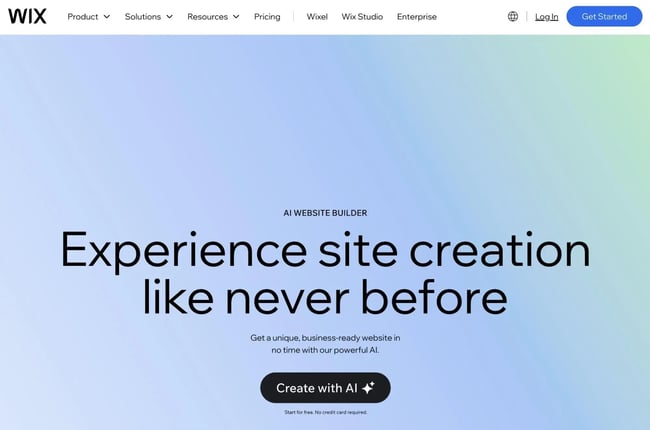
Wix is one of the most well-known website builders for beginners, and it has steadily evolved into a strong AI-powered platform. It’s designed for users who want to get online quickly without committing to a rigid structure or learning technical website concepts upfront. Wix appeals to a wide range of beginners, from personal site owners to small businesses, by combining automation with hands-on design flexibility.
Its AI tools help beginners more easily launch a website (via Wix ADI), while its broader feature set supports everything from basic websites to fully functional online stores. This balance makes Wix a popular choice for beginners who want AI guidance early on, but also want the freedom to customize their site as their needs and confidence grow.
Key Features
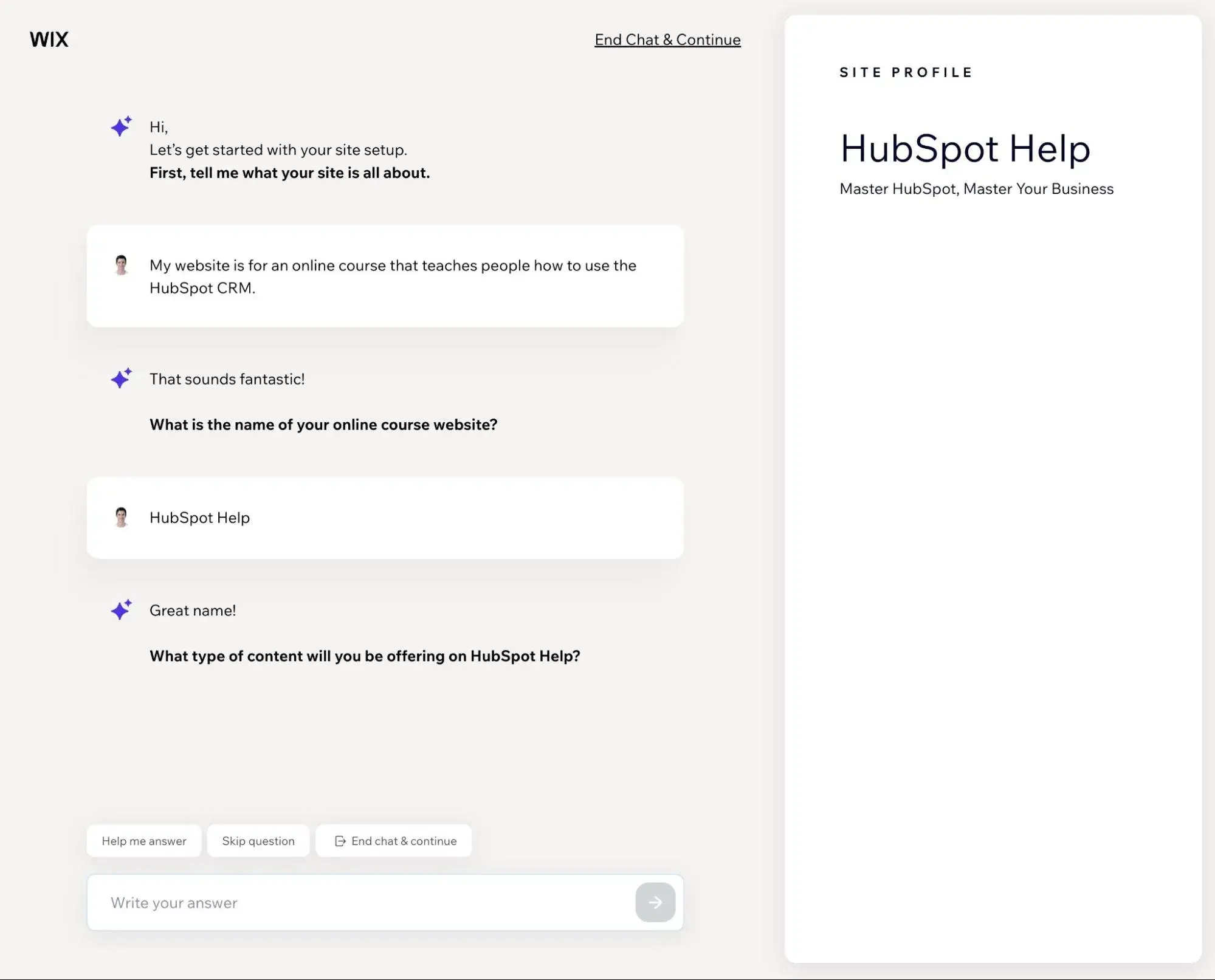
- AI Website Generator (Wix ADI) – This guided setup process helps users create a full site based on answers to simple prompts.
- AI-generated copy and images – Users can generate text copy and images for pages, blog posts, and other key areas.
- Drag-and-drop editor – Once users generate their websites with AI, Wix’s drag-and-drop editor offers non-technical customization.
- Large template library – For users who prefer starting without AI, Wix also offers a large template library. However, it’s important to note that users must choose between using a premade template or using Wix ADI. There’s not currently an option to combine the two approaches.
- Built-in SEO tools – Wix’s AI tools can also help beginners generate unique SEO titles and meta descriptions.
- Full ecommerce functionality – For beginners who need to create an online store, Wix offers built-in ecommerce functionality, along with support for bookings and appointments.
- App marketplace – Pre-made Wix apps make it easier for beginners to add functionality and integrate with other tools. For example, the makes it easy for users to connect their Wix websites to the .
Pricing
Wix offers a basic free plan, but its limitations make it unsuitable for most serious business use cases. The free plan does allow beginners to generate a website with AI, but the website will include Wix ads, and users cannot set up a custom domain name. Instead, the website will only be available on a Wix subdomain.
Wix’s paid plans remove those limitations, while also giving users access to more storage and a deeper set of features.
Wix’s paid plans start at $17 per month for the Light plan, but most beginners will want to go with at least the $39 per month Business plan.
What I Like
What I like most about Wix is how you can use it for so many different use cases.
It can work for small business websites, blogs, ecommerce stores, appointment booking sites, membership websites, and more. It might not offer deep functionality in every single area, but it can do at least a little bit of everything.
I think this can be useful for beginners who might want to add new website functionality in the future. For example, a person who is starting with a blog might want to add an ecommerce store or an online course in the future.
While there might be stronger website builders in specific areas, there aren’t a lot of website builders that can be the “jack of all trades” like Wix (even if that also means Wix is the “master of none”).
– Best AI Website Builder for Small Business
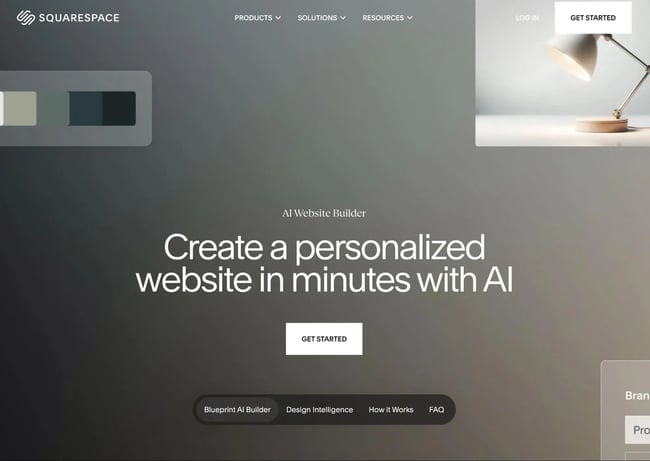
Squarespace is known for its polished templates and design-first approach, and with the introduction of Blueprint AI, it now offers a more guided, AI-assisted way for beginners to create a website. Blueprint AI helps users generate a complete site by asking questions about their business, goals, and brand preferences, then assembling pages, layouts, and starter content automatically.
This approach appeals to beginners who want AI help creating a cohesive site without giving up Squarespace’s signature design quality. Compared to more open-ended builders, Squarespace emphasizes structure and consistency, which reduces decision fatigue and helps users publish faster.
Key Features
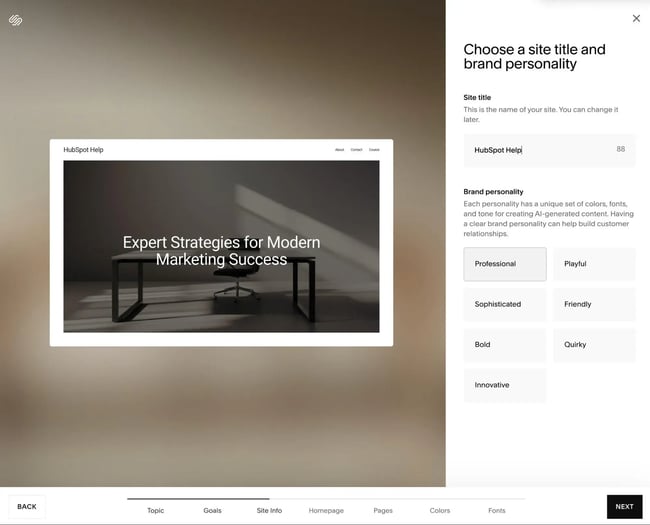
- Blueprint AI website generator – This helps beginners create a multi-page site from guided prompts.
- AI-generated content tools – Beginners can use AI to write or refine page copy, product descriptions, and headlines.
- Design-focused templates – In addition to using Blueprint AI to create a website, beginners can also choose a pre-made template and refine it using Squarespace’s drag-and-drop editor.
- Built-in basic SEO tools – Squarespace includes all of the tools beginners need for basic on-page SEO.
- Ecommerce support – Squarespace includes built-in ecommerce support, which can work well for simple online stores.
- Other business tools – Squarespace also includes tools for appointments, memberships, blogging, and other essential features.
- Integrated analytics dashboard – Squarespace helps beginners see basic performance insights without needing to install a third-party analytics tool.
Pricing
Squarespace does not offer a free plan, but all plans include hosting, templates, and access to Blueprint AI. Pricing tiers are based on the type of site you’re building, with higher plans unlocking ecommerce features, advanced analytics, and marketing tools.
Paid plans start at $14/month for the Personal plan, but many beginners will probably want to go with at least the $20/month Business plan.
For users who want to create an ecommerce store, Squarespace’s Basic Commerce plan starts at $24 per month, and the Advanced Commerce plan goes for $44 per month.
What I Like
I like how Squarespace has adopted the principle of simplicity across its entire product. While it’s not as powerful as HubSpot’s website builder or Wix, it does a great job of keeping every part of the website-building experience as simple as possible, which is something that I know a lot of beginners value.
Of course, this does come with tradeoffs and limitations. In my experience, though, beginners who just want to create a basic website or blog are unlikely to run into issues. It also still offers more flexibility than Durable, which is the last option I chose to feature in this list.
– Simplest AI Website Generator
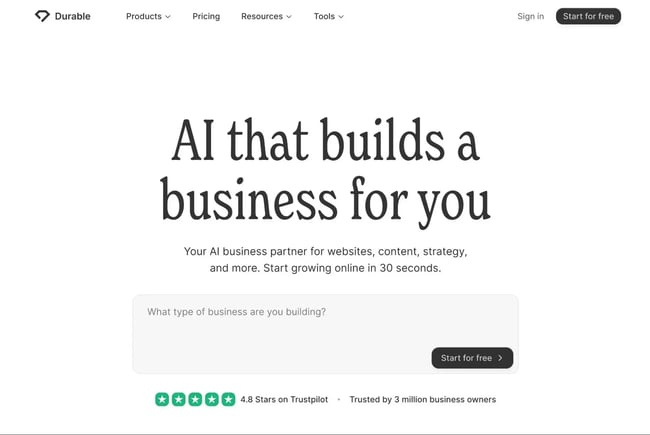
Whereas all of the other website builders on this list existed before the AI boom (and later added AI features to their offerings), Durable was built to be an AI website maker from day one when it launched in late 2022.
While Durable does not offer nearly as much functionality as a website builder like HubSpot Content Hub (or even Wix and Squarespace), it does excel at offering a very simple way to build a small business website with AI.
Its core promise is speed: Users can generate a complete website — including copy, design, and basic business functionality — in just a few clicks. This makes Durable especially appealing to solo founders, freelancers, and service providers who want an online presence without spending time on setup or customization.
Unlike more design-centric builders, Durable prioritizes automation over flexibility. It can be a good option for beginners who want to get up and running as quickly as possible and are willing to sacrifice flexibility to achieve that.
Key Features
- AI website generator – Durable claims that it can create a full business website from a single prompt in under 30 seconds, which seems to be an accurate claim based on testing.
- AI-generated copy – Durable can help beginners automatically generate copy for headlines, services, and calls-to-action.
- Blog tool – While Durable doesn’t offer a lot of flexibility for going beyond a basic small business website, it does have a blogging tool that beginners can use for both human and AI-written content.
- Built-in CRM for managing contacts and leads – The CRM is very basic, though. Beginners who want a more powerful CRM should consider a website builder like , which has an integrated .
- Simple editor for making quick text and layout changes – Durable does not offer as many customization opportunities as the other AI website builders on this list, but it does let beginners make basic layout tweaks.
- Basic business tools – Durable offers some basic tools for businesses, such as invoicing. Again, it does not offer as many tools as the other builders on this list.
- Built-in hosting – All Durable plans include built-in managed web hosting.
Pricing
Durable does not offer a free plan, but it includes a free trial so users can test the platform before committing. Paid plans are required to publish a site, connect a custom domain, and access features like the CRM and invoicing tools.
Plans start at $15 per month for the Starter plan and range up to $99 per month for the Scale plan.
What I Like
I think Durable can be a good option for beginners who want the absolute quickest and simplest way to build a website with AI. Durable makes it super easy to get up and running with a basic business website.
However, it’s essential to understand that Durable is not anywhere near as flexible as an AI-powered website builder like the other options on this list. Durable is great for small businesses or individuals looking to quickly launch a very basic online presence, but beginners who are serious about marketing and growth should consider a more powerful builder like HubSpot Content Hub or Wix.
How to Choose the Best AI Website Builder for Beginners
To choose the right AI website builder, beginners should focus on the following items:
- Ease of creating a website
- AI content creation tools (text, images, etc.)
- Search engine optimization (SEO)
- Forms
- Analytics
- Customer relationship management (CRM)
- Ecommerce
- Accessibility
- Pricing
I factored in all of these elements while curating the list above, but I recommend paying special attention to these areas when you’re choosing the AI website builder for your business.
Ease of Creating a Website
For beginners, ease of use starts with how quickly the AI can turn an idea into a working website. The best AI website builders offer guided prompts and setup interfaces instead of technical setup steps. From there, a beginner-friendly AI website builder should generate a complete starting site — pages, layout, and content included.
Once the website builder has generated the basic website, beginners should be able to tweak and manage the site design and content using a non-technical editor. Customizing the AI for website design can be especially helpful for beginners to have access to a visual, drag-and-drop editor.
HubSpot’s AI website builder starts with a short series of prompts about the business type, industry, and goals. From there, it generates a multi-page website with suggested copy and structure. Beginners can then refine the site using a drag-and-drop editor that doesn’t require design or coding experience.
The AI-generated foundation speeds up launch, while HubSpot’s editor makes it easy to tweak content without starting over.
AI Content Creation Tools
For beginners, creating website content is often harder than designing the site itself. AI content creation tools help by generating draft text for essential elements, including the following:
- Home pages
- Calls-to-action (CTAs)
- About pages
- Product descriptions
- Blog posts
The best website builders include AI tools that work inside the editor, so users can write, rewrite, and refine content without switching tools.
Beginner-friendly AI content tools should focus on structure and clarity first — helping users say the right things in the right places — rather than just producing large amounts of generic copy. Editing controls, tone adjustments, and SEO-aware suggestions are especially important.
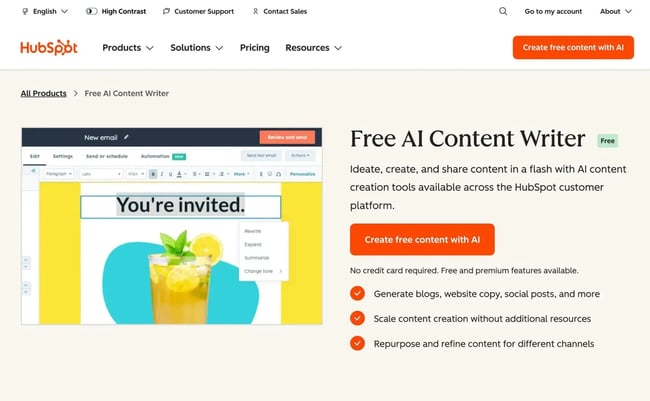
that are built directly into its website and content editors. Beginners can generate page copy, headlines, and CTAs based on simple prompts, then refine the content using rewrite options for tone, length, or clarity.
Search Engine Optimization (SEO)
SEO can be intimidating for beginners, so AI website builders should make optimization feel approachable. Look for tools that handle technical basics automatically — like clean URLs and mobile responsiveness — while also providing guidance for on-page SEO elements such as headings, meta descriptions, and internal links.
Some AI website builders can even go further and automatically generate unique SEO titles and meta descriptions, which can save a lot of time when it comes to on-page SEO best practices.
that analyze content and offer practical recommendations. Instead of expecting beginners to know SEO rules upfront, the platform flags issues and suggests improvements directly within the editor. Because SEO is tied into HubSpot’s broader content tools, users can track how individual pages contribute to overall visibility and performance over time.
Forms
Forms are one of the most important features for all websites, especially for small business websites, where the form might be the only way for potential customers to engage. A good AI website builder should make it easy to create the following types of forms without plugins or custom code:
- Contact forms
- Lead generation forms
- Booking/reservation forms
- Email newsletter signup forms
- Event registration forms
Customization matters too: Beginners should be able to adjust fields, labels, and confirmation messages while keeping forms visually consistent with the rest of the site.
that integrates directly with its website pages. Beginners can create forms using a visual editor, embed them anywhere on the site, and immediately start collecting submissions. Because forms are connected to HubSpot’s CRM, every submission is automatically stored as a contact, eliminating the need for manual exports or third-party tools.
Analytics
Analytics help beginners understand whether their website is actually working. At a minimum, an AI website builder should show the following metrics:
- Traffic
- Page views
- Bounce rate
- Time on site/page
- Key actions such as conversions, form submissions, or file downloads
Ideally, analytics are built in and easy to interpret, so users don’t have to configure external services just to answer simple questions.
HubSpot’s website builder includes built-in website analytics that track traffic, page performance, and visitor behavior. Because analytics are part of the same platform as the website and CRM, beginners can see how visitors move through the site and which pages generate leads, without needing to install separate analytics tools.
This unified view also makes it easier for beginners to see how visitor behavior connects to real business outcomes like sales and leads.
Customer Relationship Management (CRM)
A CRM isn’t required for every beginner, but it becomes valuable quickly once a site starts generating leads. AI website builders with CRM integration help users track contacts, manage follow-ups, and avoid losing information across disconnected tools.
For beginners, the key is automation — contacts should be captured and organized automatically, without manual data entry.
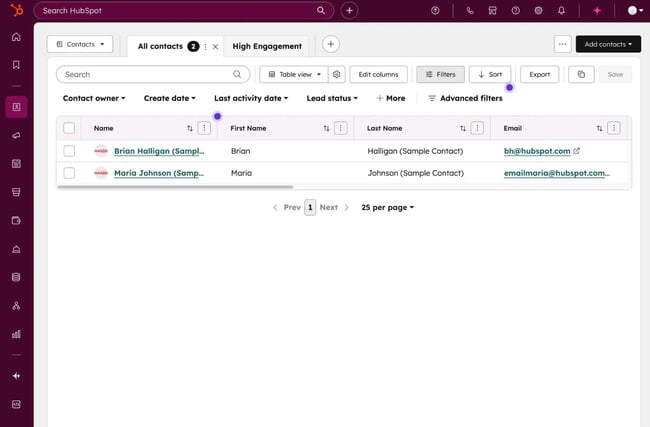
HubSpot’s website builder is natively connected to , which is one of its biggest differentiators. Every form submission, live chat interaction, or tracked visit can be tied to a contact record automatically. Beginners don’t have to think about integrations or syncing data, which can be an issue with some other website builders.
Ecommerce
If selling online is a priority, beginners should check how well an AI website builder supports ecommerce. Some platforms offer native product listings, payments, and checkout, while others rely on integrations. The right choice depends on how complex the store needs to be and how quickly the user wants to launch.
HubSpot’s website builder is not a full-featured ecommerce platform on its own. Instead, it supports ecommerce through integrations with third-party tools. This approach works well for beginners who want to focus on content, lead generation, or services first, but users planning a large or complex online store may prefer a more ecommerce-focused AI website builder such as Wix or Squarespace.
Accessibility
Accessibility ensures that a website can be used by all different kinds of people, including those who rely on:
- Screen readers
- Keyboard navigation
- High-contrast visuals
Beginner-friendly builders should follow modern web standards like Web Content Accessibility Guidelines (WCAG) and make it easy to add accessibility essentials like:
- Image alt text
- Clear headings to break up content
- High-contrast design
While a quality AI website builder can help beginners nail the fundamentals of accessible web design, some aspects of web accessibility will always require human input.
HubSpot’s CMS uses responsive, standards-compliant templates that support accessibility best practices out of the box. The editor allows users to add alt text, semantic headings, and readable content easily. For beginners, this provides a solid foundation while leaving room to improve accessibility as their knowledge grows.
How I Tested and Scored These AI Website Builders
To put together this list of beginner-friendly AI website builders, I focused on the key elements that I discussed above, along with my 10+ years of experience building websites and teaching others how to build their own websites.
While there are a lot of website builders that offer AI functionality these days, my experience has shown me that not all of them are beginner-friendly. To be honest, poorly implemented AI functionality can make it more difficult to build a website, which is the opposite of what I was searching for when building this list.
In addition to the criteria above, my definition of a beginner-friendly AI website builder is a tool that makes it easy for non-technical users to handle every aspect of building a website, including the following:
- Initial website creation. This is where most AI website builders put their focus. They offer non-technical prompts and interface options to help beginners generate a unique website design.
- Website tweaking/customization. I’ve never found an AI website builder that generates a 100% perfect design right away. For this reason, I think that it’s essential for a website builder to also offer a beginner-friendly way to tweak and customize the initial AI design, which is where I’ve found some builders to fall short.
- Day-to-day management. My final point of emphasis for beginner-friendliness is what it’s like for users to manage their websites on a day-to-day basis. This is another area where I find that some of the newer AI website builders fall short, and is a big part of why I chose to focus on more established tools like HubSpot's website builder, Wix, and Squarespace.
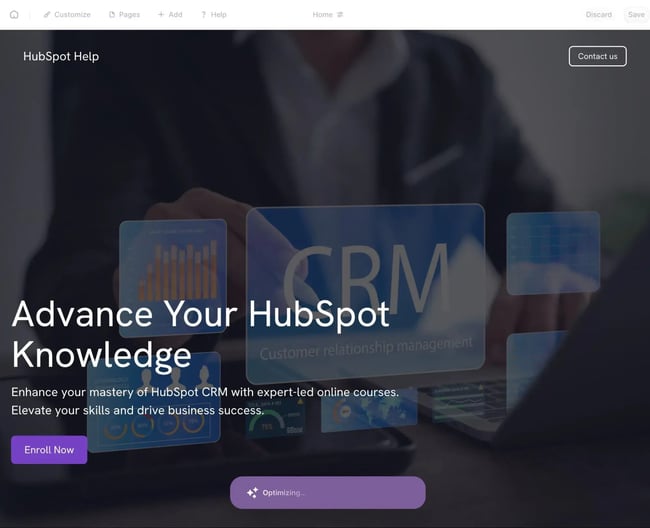
To assess these details, I signed up for all of these tools myself and used AI to generate a website with each builder. As you can see in the screenshots above, I used the AI to generate a website designed for a fictional course where I teach people how to use HubSpot’s CRM.
My overall choices of the website builders are:
- HubSpot’s website builder – Best overall AI website builder thanks to its robust AI functionality, drag-and-drop editor, integrated CRM, and tools for marketing and sales. Its free plan is also the best free AI website builder.
- Wix – Best AI website builder for growth, thanks to its support for a broad variety of use cases (including ecommerce).
- Squarespace – Best AI website builder for small businesses, thanks to its simple interface and small business tools.
- Durable – Simplest AI website generator, but much more limited than other tools on this list.
When to Upgrade From an AI Website Builder to a CMS
AI website builders excel when it comes to quickly launching a basic website. This can make them especially well-suited to small businesses or solopreneurs who are looking to quickly get online, without hiring an expensive website design agency or spending lots of time learning how to make a website.
However, some businesses might need to consider a more robust content management system (CMS), especially in situations where custom content structures or publishing workflows are required.
Here’s a quick checklist to help decide whether it’s time to upgrade from an AI website builder to an AI content management system:
- Hitting customization limits. If a user finds themself fighting the editor, working around design constraints, or wishing they could change layouts, templates, or functionality more deeply, they may need a CMS that offers full control over structure and styling.
- Content strategy is getting more complex. When a site grows beyond a handful of pages — blogs, landing pages, resource libraries, or multi-language content — basic AI website builders can start to feel restrictive. A CMS is better suited for organizing, reusing, and scaling content over time.
- Need advanced SEO control. Beginner builders often cover SEO basics, but they may limit control over schema, site architecture, redirects, or large-scale optimization. If organic search becomes a core growth channel, a CMS provides more precision.
- Multiple people need to manage the site. As soon as content creation, approvals, and updates involve more than one person, a business will want roles, permissions, and workflows. Most beginner builders aren’t built for collaborative publishing at scale.
- Need to scale and adapt in the future. AI website builders optimize for speed and simplicity. A CMS optimizes for longevity. If the website is becoming a core business asset — not just a digital placeholder — it may be time to upgrade.
For users who want to move beyond a beginner AI website builder, or other free website builders can act as a natural next step.
Content Hub combines AI-assisted website creation with the structure and control of a full CMS, including the following:
- Advanced content modeling, including custom content structures and custom fields.
- More flexible SEO tools, built-in analytics, and deep CRM integration.
- Easy content personalization, including using CRM data to personalize users’ content.
- Deep analytics to track content performance at all levels.
- Content approvals to help teams manage publishing workflows.
These features make HubSpot Content Hub well-suited for teams that have outgrown simple AI website builders but still want an intuitive editing experience, especially if lead generation, personalization, and marketing automation are becoming central to the website’s role.
Frequently Asked Questions About AI Website Builders for Beginners
Are AI website builders good for SEO?
AI website builders are generally good for SEO basics, especially for beginners. Most platforms handle technical fundamentals automatically, such as mobile responsiveness, clean URLs, site speed, and basic metadata. Many also include AI-assisted SEO suggestions to help users optimize page titles, headings, and content without needing deep SEO knowledge.
However, for more advanced SEO strategies with complex site architecture, a more flexible CMS could be better for SEO. Most beginners will not need this level of control, though.
Can I start free and switch later?
Yes, many AI website builders offer free plans or trials, making it easy to start without upfront cost. Free plans are useful for testing the interface, generating an initial site, and validating an idea before committing. Paid plans are typically required to connect a custom domain, remove platform branding, or unlock advanced features.
That said, switching between completely different platforms later is tricky. While content can often be reused, layouts, designs, and AI-generated structures usually don’t transfer directly. If you expect to grow quickly, it’s worth choosing a builder that can scale into a full CMS to reduce future migration effort.
Which AI website builder is best for ecommerce?
For ecommerce-focused beginners, platforms with native ecommerce features tend to work best. Builders like Wix, Squarespace, or Wix alternatives include built-in product listings, payments, inventory management, and checkout flows, making them easier for launching small to mid-sized online stores.
HubSpot’s website builder includes tools to get paid via invoices or payment links, which can work for lightweight ecommerce implementations. However, beginners looking for more in-depth ecommerce functionality should consider one of the other options.
Do AI website builders include hosting and a domain?
All AI website builders include built-in hosting, as this is one of the fundamental aspects of a website builder. AI website builders also make it easy to connect a custom domain name, which allows businesses to use a unique domain.
However, not all AI website builders offer a free domain name as part of their plans. Some AI website builders offer a free domain name as part of their annual packages, while others don’t offer it at all. The best option for beginners is to purchase a domain name from a separate domain registrar and then connect that domain name to the AI website builder.
How do I connect my site to a CRM for lead capture?
The easiest way for a beginner to connect their website builder to a CRM is to choose an AI website builder with a built-in CRM. automatically integrates with the and helps beginners easily create lead generation forms and pop-ups.
Other website builders will often require an app or API integration to connect to a CRM, which can sometimes be too technical for beginners.
Try an AI website builder for your next project.
AI website builders make it easier than ever for beginners to get online without technical complexity. By combining guided prompts, automated design, and built-in content tools, these platforms help users launch faster while still covering essentials like SEO, forms, analytics, and hosting.
The right choice comes down to a business’s goals — whether it values design flexibility, ecommerce features, or a simple path from idea to live site — and how much room it wants to leave for future growth.
If you’re looking for an AI website builder that doesn’t box you in as your needs evolve, HubSpot Content Hub is worth considering. It pairs AI-assisted website and content creation with a full CMS, built-in CRM, and analytics, making it a strong option for beginners who want to start simple and scale confidently.
HubSpot's Free Website Builder
Create and customize your own business website with an easy drag-and-drop website builder.
- Build a website without any coding skills.
- Pre-built themes and templates.
- Built-in marketing tools and features.
- And more!
Artificial Intelligence