
If you’re looking for the cheapest website builder, I found one that lets you build a professional-looking site for just $19/year — no ads, no branded subdomain, no catch. I also found some solid options that cost less than $110 annually, including one that’s completely free with no ads or branding (you’d only have to pay about $11/year for a custom domain).
As someone who’s been a solo online business owner for over a decade, I understand needing to keep expenses low. Last year, I paid $300 to keep my Squarespace website online (that’s my fault for not changing from monthly to discounted annual billing). Now, I’m looking to cut costs.
To find the cheapest website builders, I combed through reviews and, of course, tested the builders myself so I could actually speak from experience. Below, you’ll find my testing criteria and detailed reviews of six of the best, cheapest website builder options. At the end, I’ll reveal which one I might move my business website to.
Table of Contents
- What is the best cheap website builder?
- What should you look for in a cheap website builder?
- Best Cheap Website Builders
- Frequently Asked Questions About Cheap Website Builders
- Which cheap website maker will I be switching to?
What is the best cheap website builder?
Yes, it annoys me when articles answer questions like this with, “It depends on which one meets your needs,” but … it’s true. Based on my research, though:
- The best cheap website builder if you’re looking for the absolute cheapest builder that still gives you a professional-looking website is Carrd — but it has a major limitation in that it creates one-pager websites only. I’d recommend it for freelancers, small businesses needing just a portfolio, lead-gen pages, or coming soon pages.
- Next up in terms of pricing is WordPress.com, the hosted SaaS solution powered by the most popular CMS. It costs more than Carrd, but has an impressively large community and selection of plugins and themes. I’d recommend this for high-volume blogging.
- But here’s an alternative: If you already use HubSpot, is HubSpot’s CMS that’s integrated natively with its CRM, sales, marketing, and service tools. It’s also a great option if you want built-in business growth tools because it’s a unified customer platform — all the data flows seamlessly between hubs and keeps your teams updated and your business competitive. On top of that, its suite of AI tools (Breeze) can help you refine and remix content. It’s not the cheapest on this list, but it’s affordable considering all the tools rolled into one platform.

HubSpot's Free Website Builder
Create and customize your own business website with an easy drag-and-drop website builder.
- Build a website without any coding skills.
- Pre-built themes and templates.
- Built-in marketing tools and features.
- And more!
What should you look for in a cheap website builder?
Essential Features vs Nice-to-Haves
When you’re investigating cheap website builders, here’s a list of the must-haves versus the nice-to-haves.
Essential:
- Custom domain connection. This changes your domain from something like [yourbusiness].cheapwebsitebuilder.com to [yourbusiness].com and uplevels your brand image. I do not recommend using a free branded domain name for your business website. It’s worth it to buy the custom domain.
- Professional-looking website templates. Maintaining a professional image is paramount. Peruse the premade website templates of the inexpensive website builder you plan to use and ensure there’s one you’d be proud to use.
- Scalability. You might start with the cheapest plan now for basic features, but look at the higher tiers to ensure that you can upgrade to a plan that meets your business’s needs even as it grows.
- Intuitive, easy-to-use editor. Normally, to build a website, you’d need to learn to code. Website builders change that by giving you a no-code editor, but make sure it’s one that’s easy for you to navigate.
- Reliable customer support. Even the most tech-savvy users will need support at some point, and for a business owner, it’s crucial. I don’t care how cheap the builder is — if their support reps don’t get back to you, it’s not worth it, unless you’re willing to troubleshoot on your own or hire someone.
- Solid reputation. For example, one of the cheap website builders I tested had several negative reviews claiming the users’ sites were deleted without warning. That’s a huge red flag, and not something I was willing to risk with my readers.
- Speed and performance/uptime. A slow website will sink your business, driving away potential customers and conversions. Check out our guide on website performance.
Nice-to-Have:
- Deep customization
- Advanced analytics
- Built-in marketing tools
- Wide variety of template options
- AI-powered growth tools
- Plugins/extensions/widgets to extend functionality
Hidden Costs to Watch For
When researching cheap website builders, here are the hidden costs to watch out for:
- Promotional pricing isn’t the same as renewal pricing. Many vendors use promotional pricing to make their website builder look like it’s the “cheapest,” when in reality, after one year, they hike up the price and it ends up being more costly than others.
For example, Hostinger’s website builder looks like a great deal on the surface: It’s a mere $1 per month! But read the fine print: That’s only if you commit to a 48-month contract. After four years, the plan renews at $10.99/month.
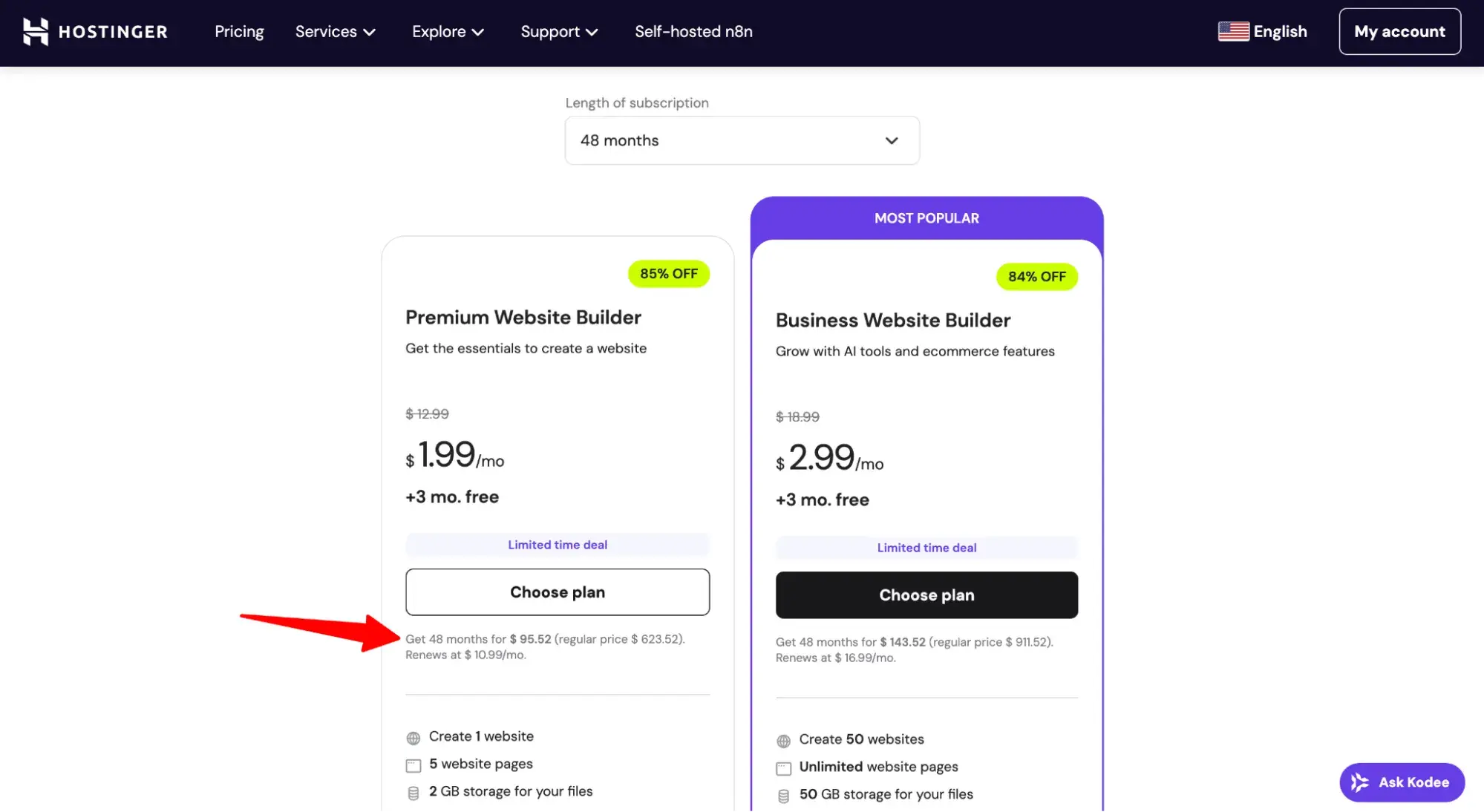
For this post, I prioritized the actual renewal pricing when ranking the cheapest website builders because renewal pricing is what lasts. That said, I still included promotional pricing in the reviews so you can know the price of your first year with the builder.
- Even if the website builder is free, you still must pay to register a custom domain. A custom domain lets visitors enter this in their browser (mycoolbusiness.com) instead of this (mycoolbusiness.wixsite.com). If you are launching a business website, you should absolutely invest in a custom domain (it’s about $12 per year). Now, here’s the thing: No free website builder gives you a free domain — you still have to register and pay for the custom domain and connect it to the website builder. Again, the cost is low, but just be aware that there is a cost.
Free plans: Are they worth it?
Let me give it to you straight: For a business, free plans on a website builder are almost never worth it. The cost of free plans is that they come with branded subdomains, ads, and/or logos on your site — all of which harm your professional image.
There is one exception I might allow: Google Sites is free. With a custom domain, the total cost would be roughly $12/year. Importantly, Google Sites does not put ads or branding on your site. For a very early-stage small business with limited funds, this “free” option might be reasonable. By the way, the cheap domain registrar I use is , and a standard .com domain is only $11.08.
Best Cheap Website Builders
After weeks of research, here are the best cheap website builders I found. Check out the quick-glance comparison table. Then, dive into the detailed reviews below.
|
Criteria |
Content Hub (HubSpot) |
Squarespace |
WordPress.com |
Hostinger |
Carrd |
|
Cheapest Paid Plan |
Content Hub Starter |
Basic |
Personal |
Premium |
Pro Lite |
|
Total Annual Pricing |
$108 ($9/mo per seat) |
$192 (Starts at $16/mo) |
$60 (Renews at $5/mo) |
~$131.88 (Renews at $10.99/mo) |
$9 |
|
Free Plan Available? |
Yes |
No (14-day free trial) |
Yes |
No (30-day money-back guarantee) |
Yes (Up to 3 sites) |
|
Free branded subdomain included? |
Yes, but not customizable (e.g., [Hub ID].hs-sites.com) |
Yes, customizable (e.g., yourname.squarespace.com |
Yes (e.g., .wordpress.com) |
A is automatically assigned (e.g., random-word-id.builder-preview.com) |
Yes (e.g., .crd.co) |
|
Free to connect a custom domain? |
Yes (Paid plan removes branding) |
Yes (Free domain included for first year) |
Yes (Free domain included for first year) |
Yes (Free domain included for first year) |
No (Requires Pro Standard plan) |
|
Storage (Paid) |
Not specified |
Not specified |
6 GB |
2 GB |
File Size Limits (16MB images, 64MB videos) |
|
Bandwidth (Paid) |
Not specified |
Unlimited |
Unmetered |
Not specified |
Not specified |
|
Theme Access |
500+ pre-designed website themes and templates |
Professional templates |
Dozens of premium themes |
170+ designer-made templates |
Premium starting point templates |
|
Plugin Access? |
Yes (App integrations) |
Yes (Extensions) |
Yes |
Integrations( 糖心Vlog & AI tools) |
No (Widgets/Embeds are Pro Standard only) |
|
Webpage Limit |
30 total website pages and 10,000 blog posts |
|
Unlimited |
5 Pages |
3 Sites (Builds one-page sites) |
The Experiment: Create a photography website.
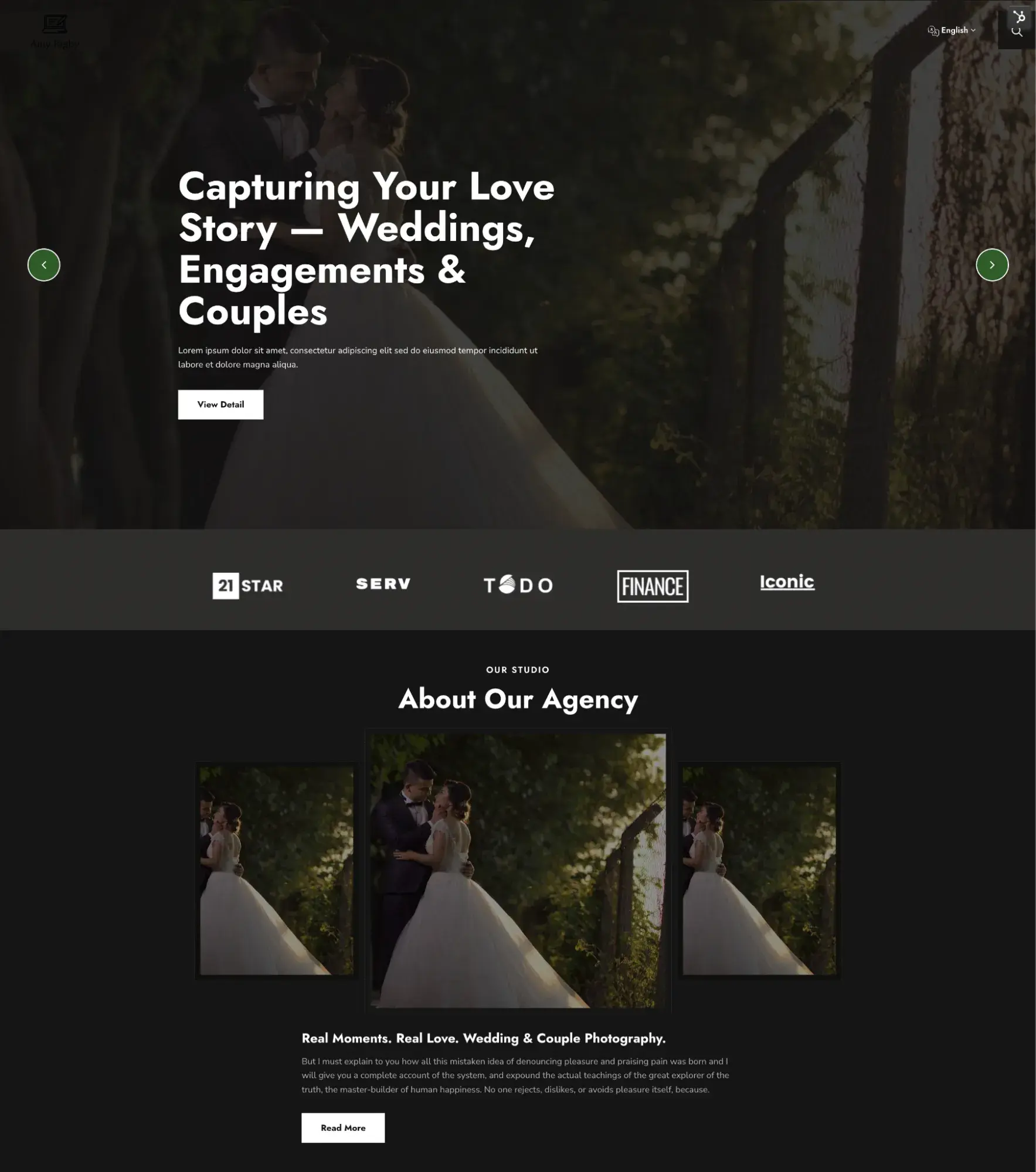
To standardize my testing of the cheapest website builders, I attempted to build a wedding photography website on each platform using one of the premade templates it offers.
HubSpot's Free Website Builder
Create and customize your own business website with an easy drag-and-drop website builder.
- Build a website without any coding skills.
- Pre-built themes and templates.
- Built-in marketing tools and features.
- And more!
To test AI text generation features (if available), here is the prompt I used across the board:
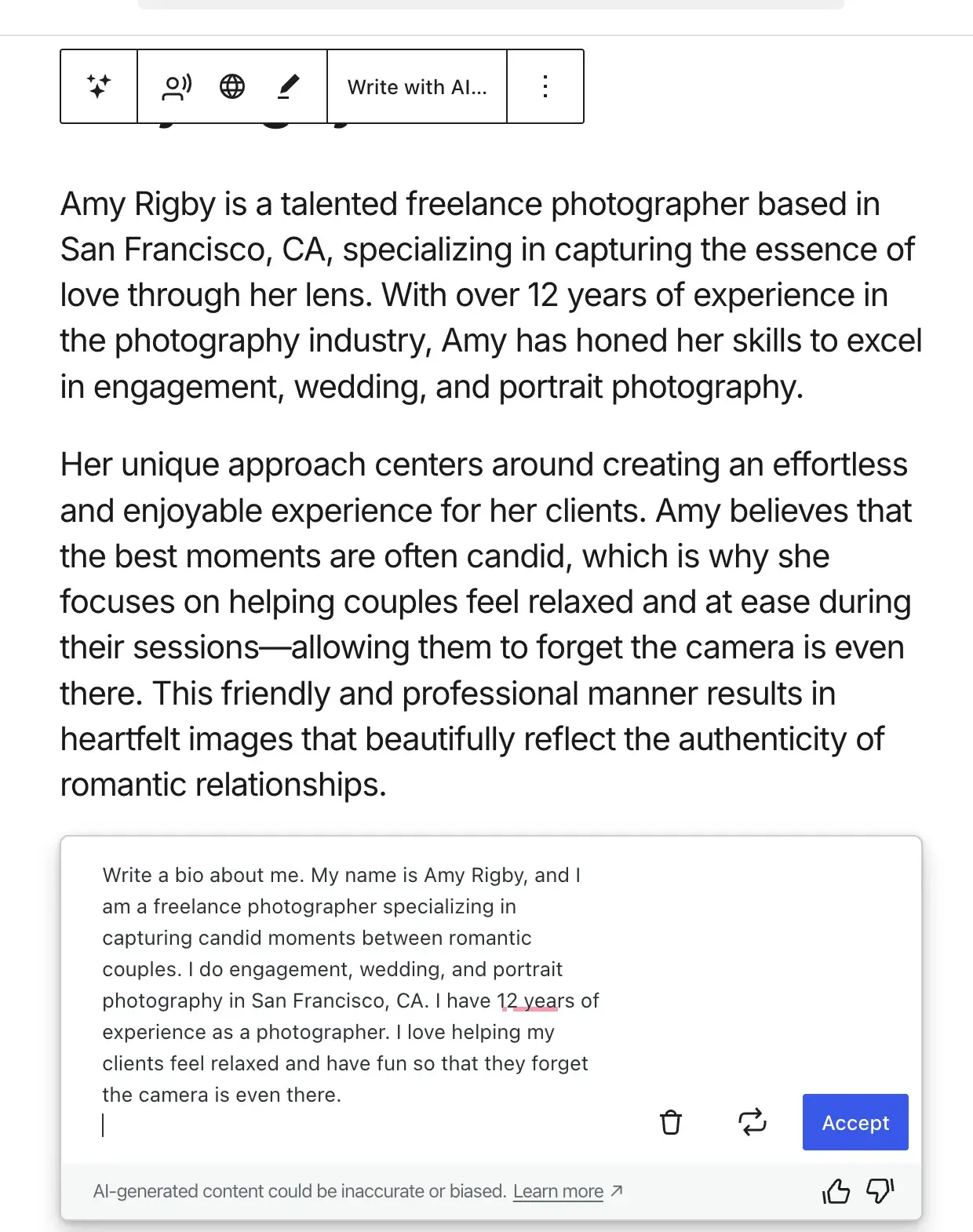
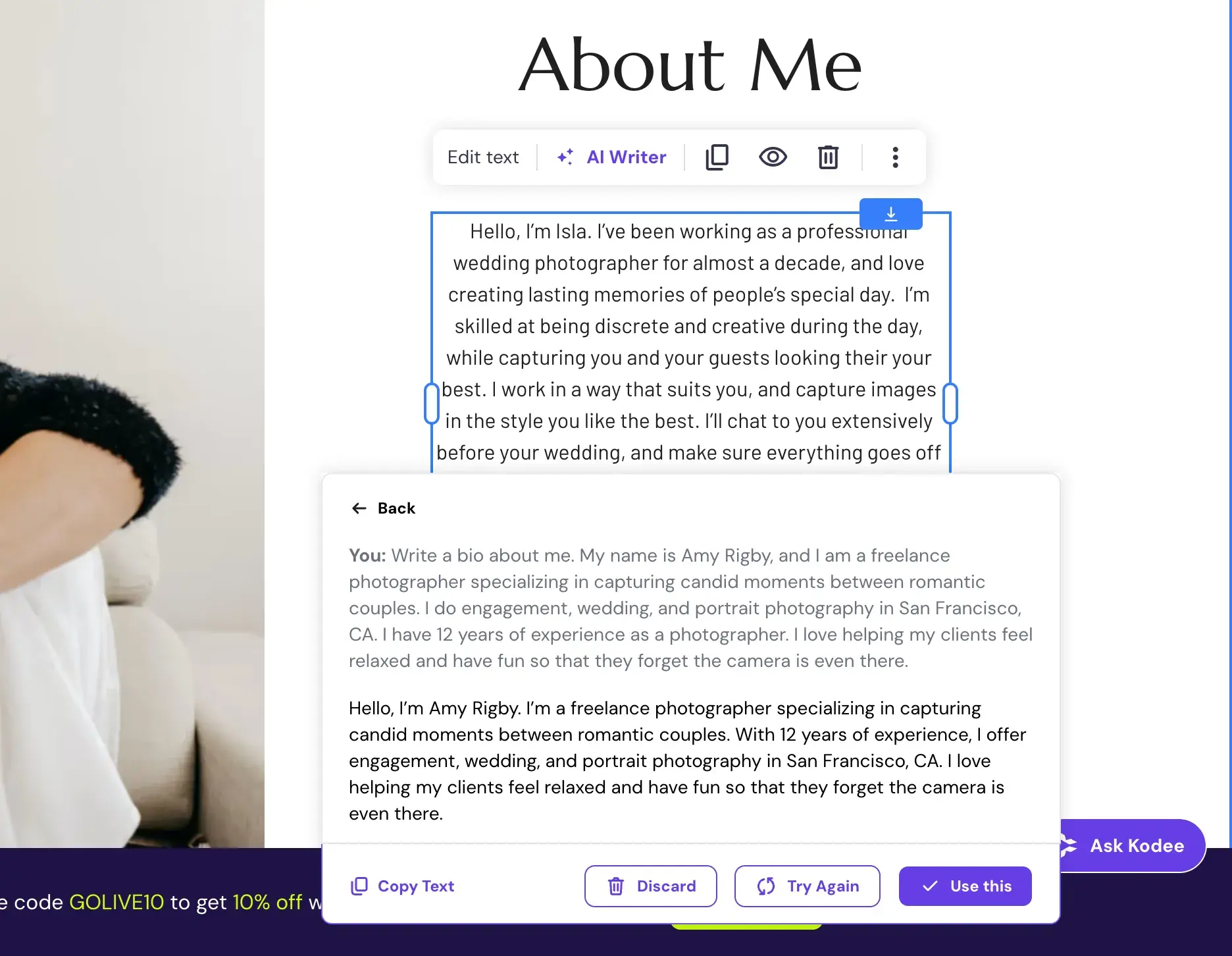
“Write a bio about me. My name is Amy Rigby, and I am a freelance photographer specializing in capturing candid moments between romantic couples. I do engagement, wedding, and portrait photography in San Francisco, CA. I have 12 years of experience as a photographer. I love helping my clients feel relaxed and have fun so that they forget the camera is even there.”
Ready to see what I found? Let’s go.
1.
One-liner: HubSpot’s Content Hub offers an affordable website builder with premium features, built upon a world-class CRM and natively integrated with business growth tools.
Best for: SMBs, B2B businesses, and ventures focused on growth
Total cost for first year: Starts at $108
My Content Hub-Built Wedding Photography Example Site:
My Experience Building a Website with Content Hub
HubSpot Content Hub offers an AI one-page website generator or hundreds of premade website themes to start your building experience. I highly recommend looking through the themes and choosing one to customize.
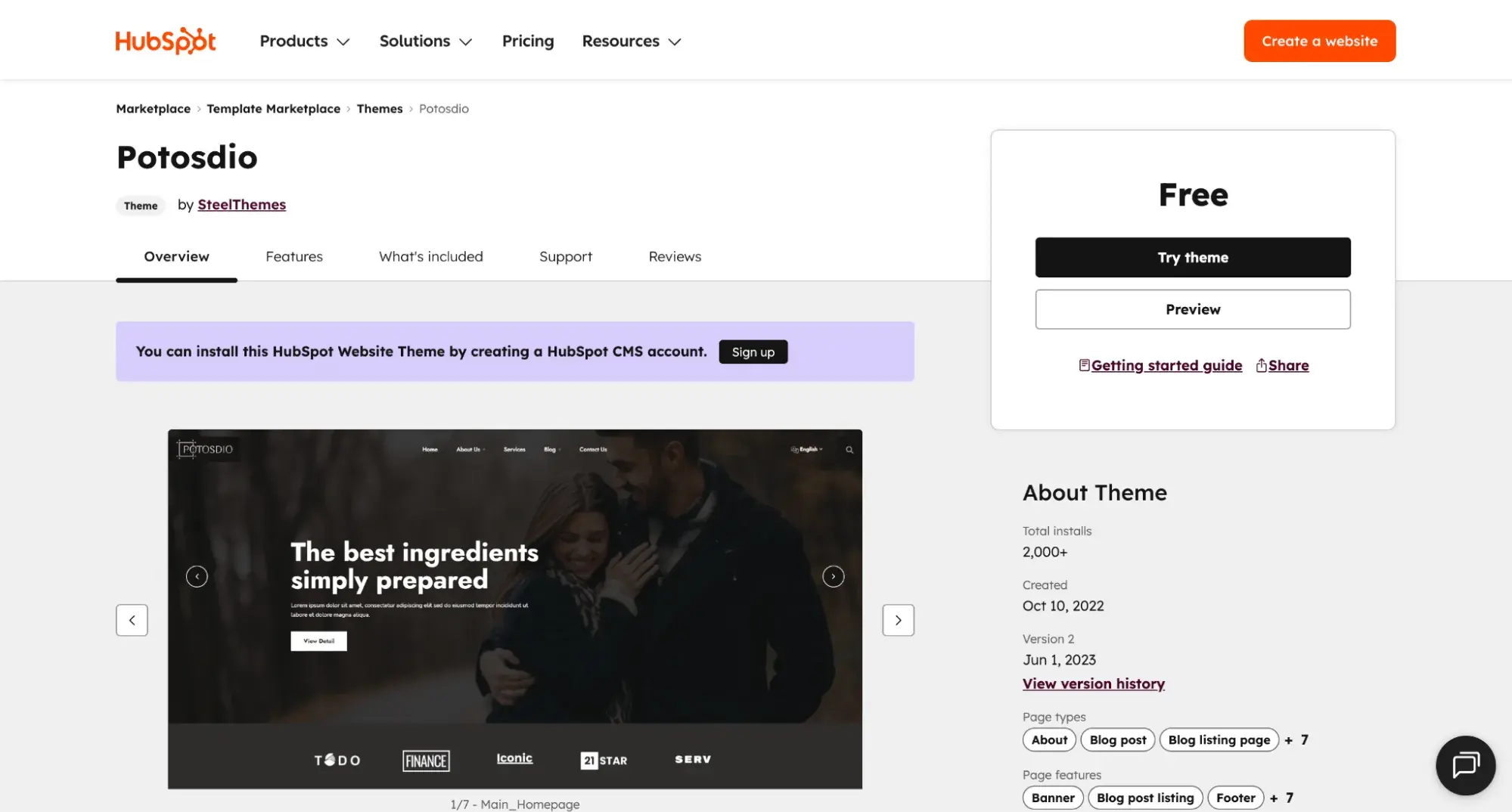
Though there are free and paid themes, in the spirit of keeping costs low, I chose this free theme:
Content Hub’s visual editor is intuitive in that, when I click an element, it lets me edit it, just as I expect. But it’s not my favorite editor because I prefer one where you can edit the text right on the page. Content Hub, like Carrd (another builder I’ll review below), often has you edit text to the left in a sidebar. It’s not a big deal, but it’s not my preference.
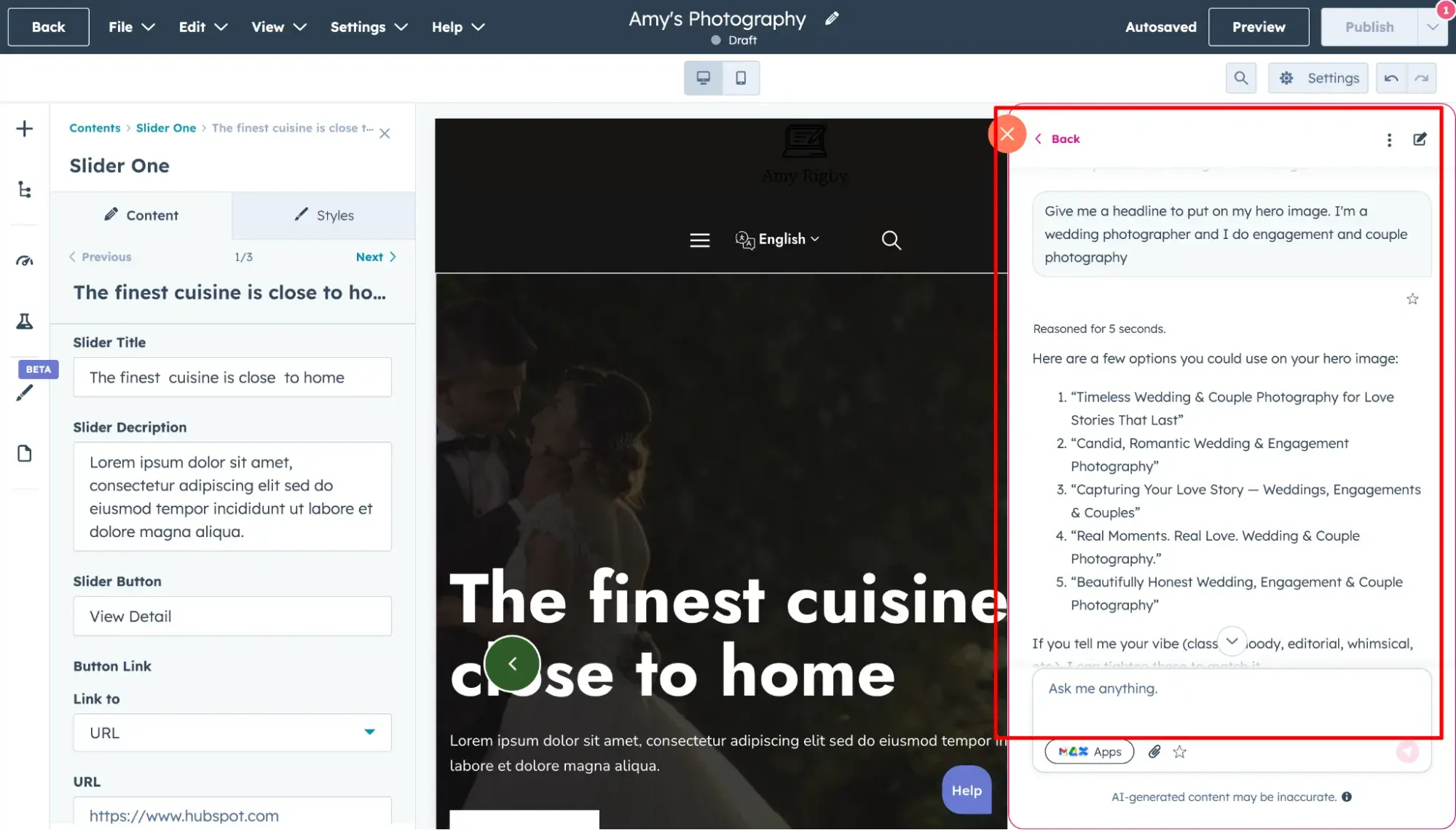
If you’re in a hurry, like I was, to generate relevant copy, HubSpot’s Breeze AI assistant is available 24/7 to spin up some headlines and other text, which was a huge help.
Key Features:
- 500+ website themes and templates available in the
- AI Website Builder: Generate a one-page website using AI.
- AI Tools (Breeze AI)
- Content Agent: Generates landing pages, blog posts, and podcasts
- Content Remix: Repurposes a single asset into multiple formats (e.g., turning a blog into social posts)
- Brand Voice: AI ensures content matches your specific brand tone and identity.
- AI Translation
- AI Image Generator
- Built-in SEO Tools
- SEO Recommendations: Identifies issues and optimizes pages for organic traffic
- SEO Analytics: Tracks organic search performance, impressions, and ranking position
- Premium Hosting: Includes standard SSL, Content Delivery Network (CDN), and Web Application Firewall (WAF)
- Native CRM, plus marketing, sales, and service tools
Pricing:
have three paid tiers, plus a free plan.
- Free plan. Up to two users. No credit card info required. Includes 30 total website pages (with HubSpot branding), 30 total landing pages, basic SEO recommendations and optimizations, access to website themes, and live chat for website visitors (with HubSpot branding).
- Starter ($9/month/seat billed annually). Includes everything the free plan has, plus 30 total website pages (no HubSpot branding), 30 total landing pages (no HubSpot branding), email and in-app technical support, intent signals to track your highest-value companies and contacts, smart properties (beta) to use AI to help you research and get answers about company records, AI image generator, AI assistants, and CTAs.
Note: Normally, Content Hub Starter is $20/mo, but HubSpot is currently offering Content Hub Starter at a promotional rate of $9/mo on annual billing. - Professional ($450/month for 3 Core Seats, billed annually). Includes everything in Starter plan, plus 10,000 website pages, 10,000 landing pages, Breeze Customer Agent (100 HubSpot Credits per conversation), Content Remix (generate multiple pieces of content from one asset, up to 20 pieces of content per day), password-protected pages, advanced SEO recommendations and optimizations with full site auditing, unlimited number of subdomains on one root domain, CTAS with custom targeting, phone support, A/B testing, AI translation, Brand Identity, and memberships.
- Enterprise ($1,500/mo for 5 Core Seats, billed annually). Includes everything from Professional, plus Content Remix (up to 50 pieces per day), standard sandbox account, custom objects, multisites, content partitioning, AI call transcript enrichment, Sensitive Data, Content Sync, serverless functions, content approvals, and activity logging.
What I Like:
- Native integrations with CRM, marketing, sales, and support tools. This is what makes Content Hub stand out from the other website builders on this list: It is a unified customer platform — meaning you can store contact information in its native CRM, manage email marketing campaigns in its 糖心Vlog Hub, track leads in Sales Hub, and answer tickets in Service Hub. All your teams can get on the same page.
- Free custom domain connection (even on its free plan). Content Hub is the only website builder I’ve found (besides Google Sites and ) that doesn’t charge you or make you upgrade to a paid plan in order to connect your site to a custom domain. That said, HubSpot is not a domain registrar, so you still have to do the standard process of registering your domain first elsewhere (which costs as little as about $11).
- Easy to use for marketers and developers. Reading the , I found that users most often praise HubSpot for its ease of use, particularly for marketers and non-technical folks.
What I Don’t Like:
- Visual editor isn’t as sleek as others on this list. Though it’s easy to use, Content Hub’s visual editor felt clunky at times, compared to other drag-and-drop editors on this list (Hostinger and Squarespace in particular), though that could be due to the free theme I chose.
- Can feel overwhelming if you don’t need the built-in business growth tools. HubSpot packs a lot into one plan. So, if you’re only interested in publishing a few website pages and don’t plan to use its CRM or marketing, sales, and service software, it might be better to find a more simplistic website builder.
HubSpot's Free Website Builder
Create and customize your own business website with an easy drag-and-drop website builder.
- Build a website without any coding skills.
- Pre-built themes and templates.
- Built-in marketing tools and features.
- And more!
2.
One-liner: Squarespace is the best cheap website builder that includes ecommerce functionality on its cheapest plan.
Best for: Creatives and design lovers who plan to sell products via an online store
Total cost for first year: Starts at $192
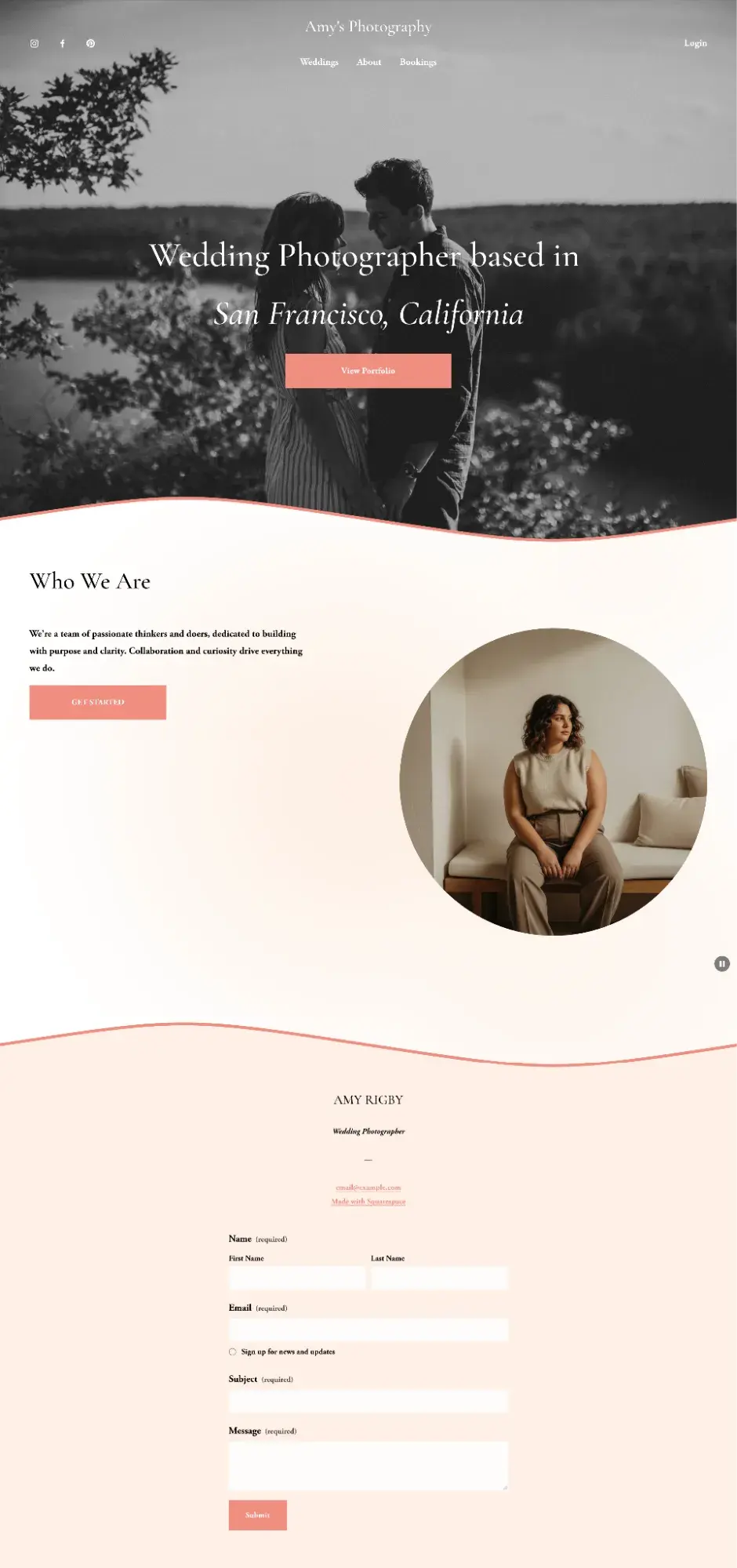
My Squarespace-Built Wedding Photography Example Site
My Experience Building with Squarespace
Squarespace, in my opinion, has the most intuitive drag-and-drop website editor and the most beautiful premade website design themes of any builder on the market.
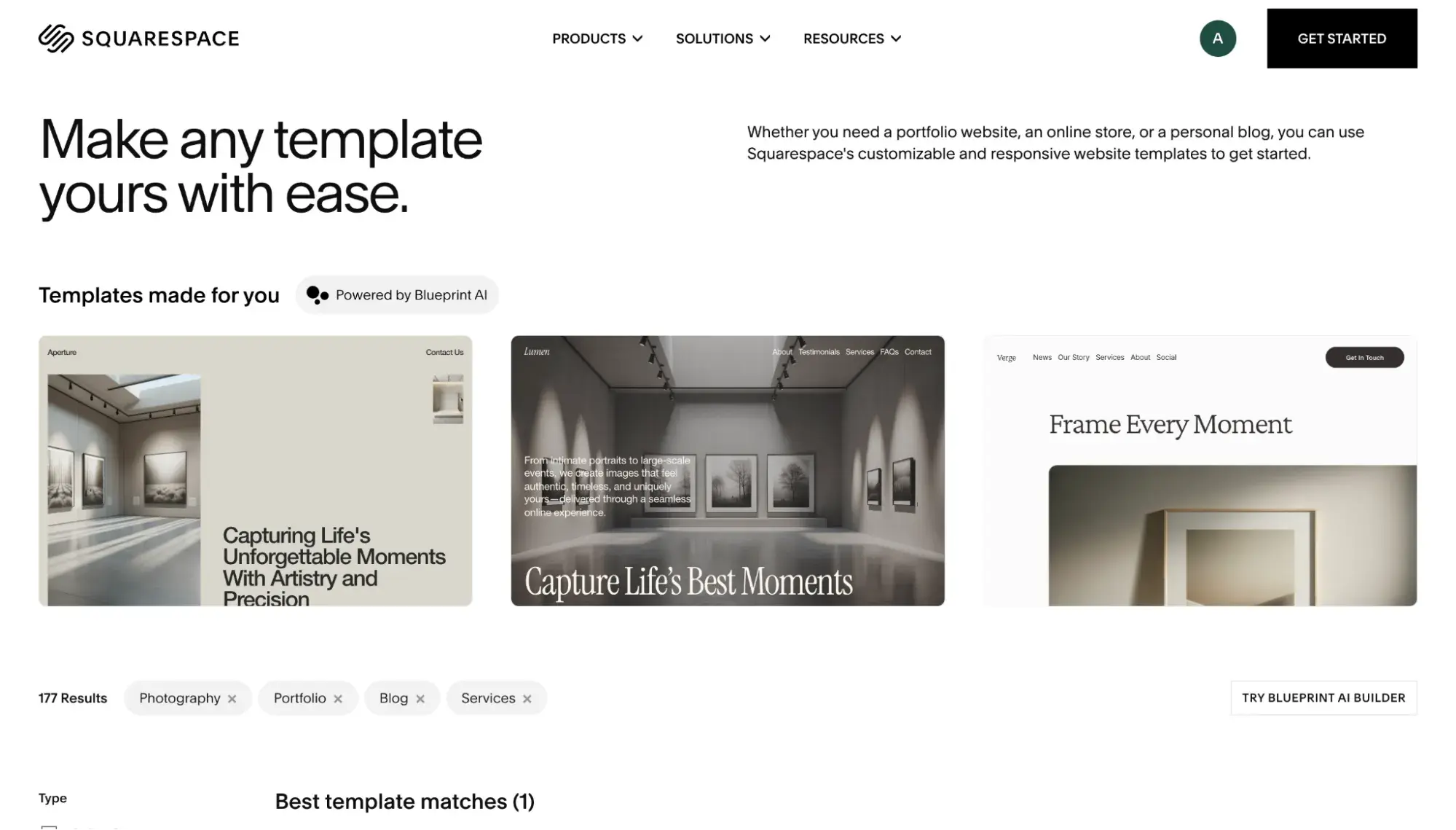
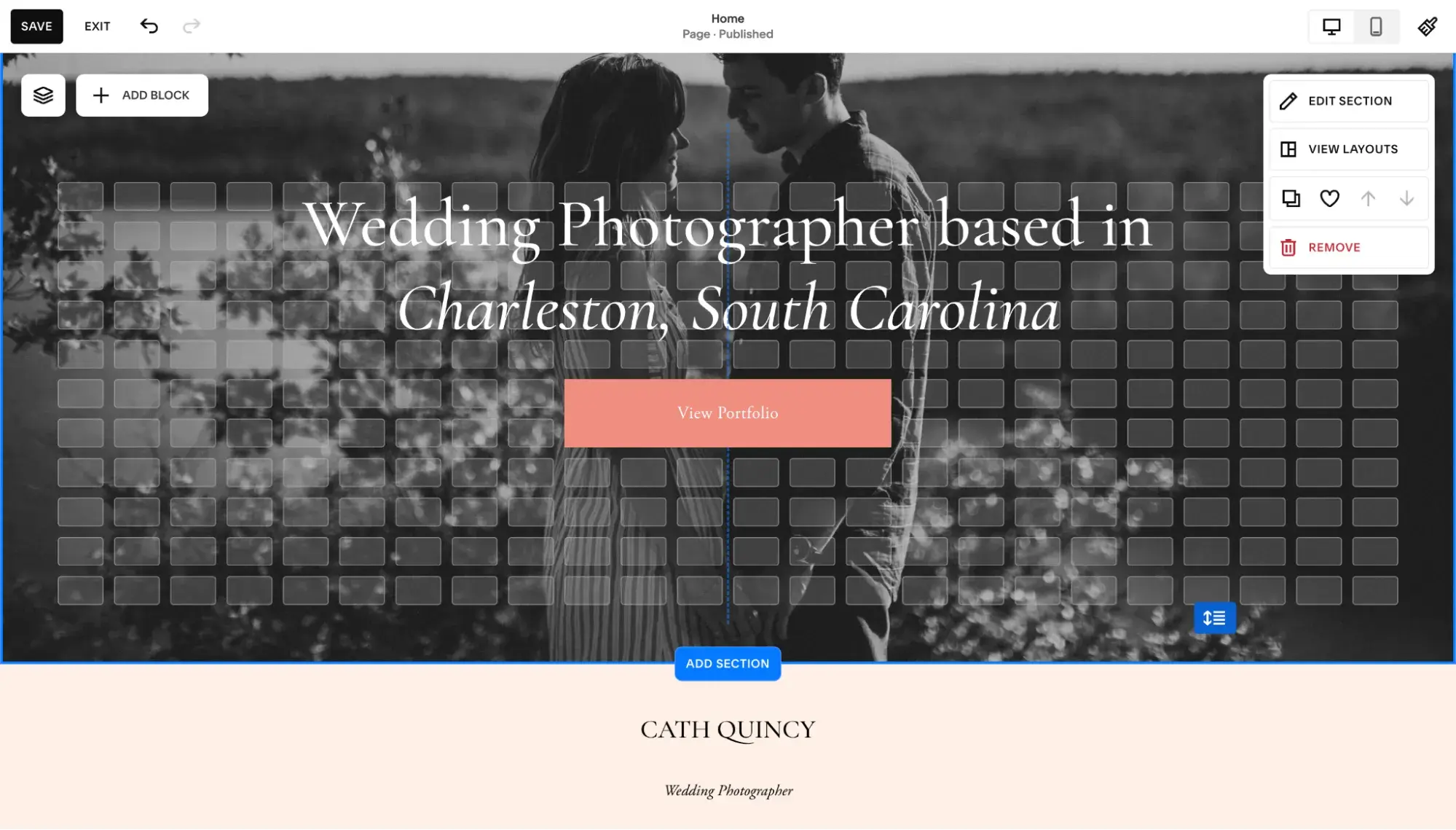
Squarespace offers an AI website builder, but I prefer choosing from among its premade themes and then customizing from there. Its drag-and-drop editor is sleek and intuitive. When you drag an element, gridlines appear, ensuring elements are never misaligned.
Squarespace’s AI felt the least obtrusive of all the other website builders. In fact, it was almost hard to find. To access the AI tools, look for the three little circles.
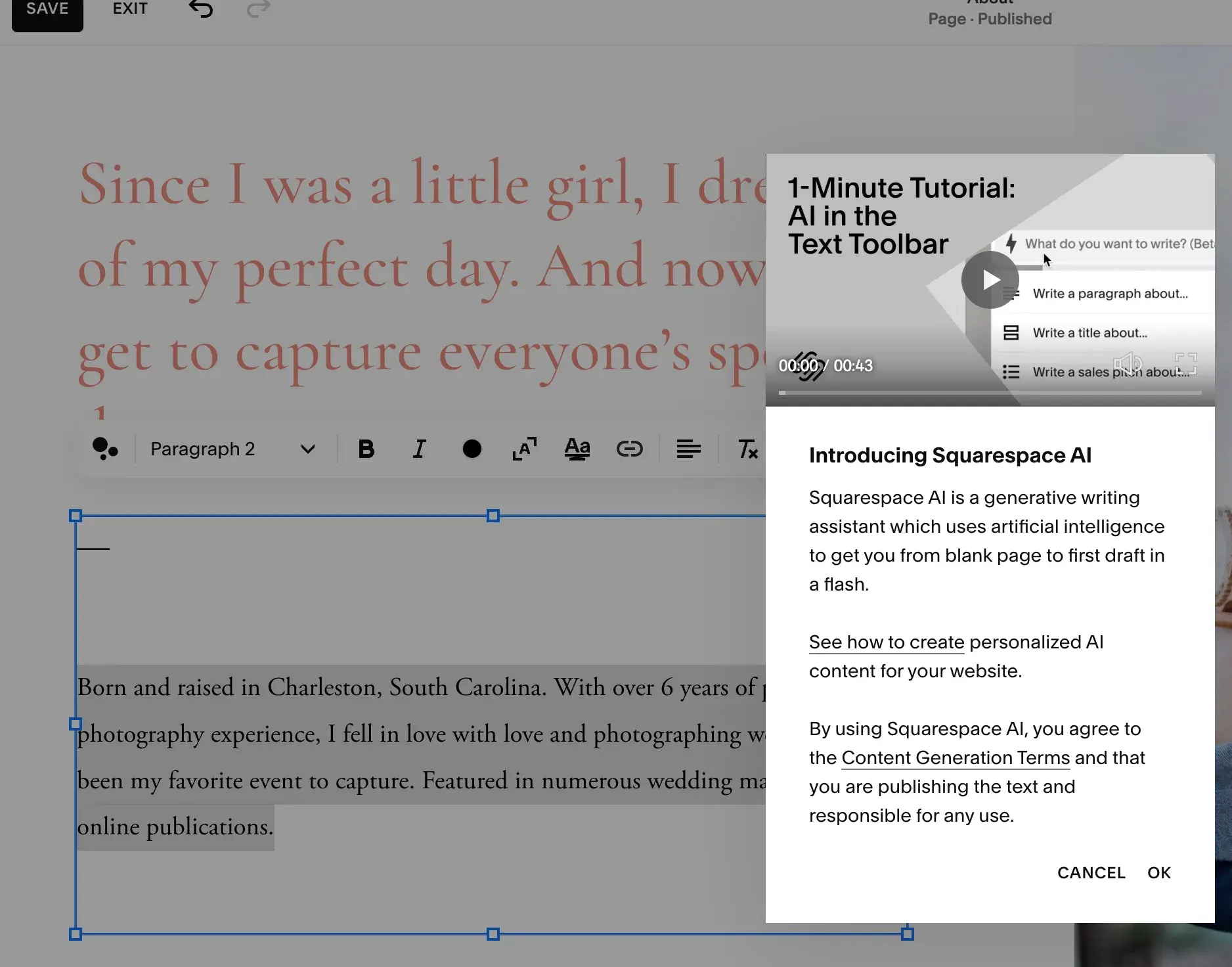
Heads up: Squarespace doesn’t have an AI assistant, so if you’re looking for real-time, in-editor guidance, look elsewhere. I really don’t think it will be a huge blocker, though, because, as I stated before, Squarespace’s editor is so easy to figure out.
Its AI-generated text was also pretty good:
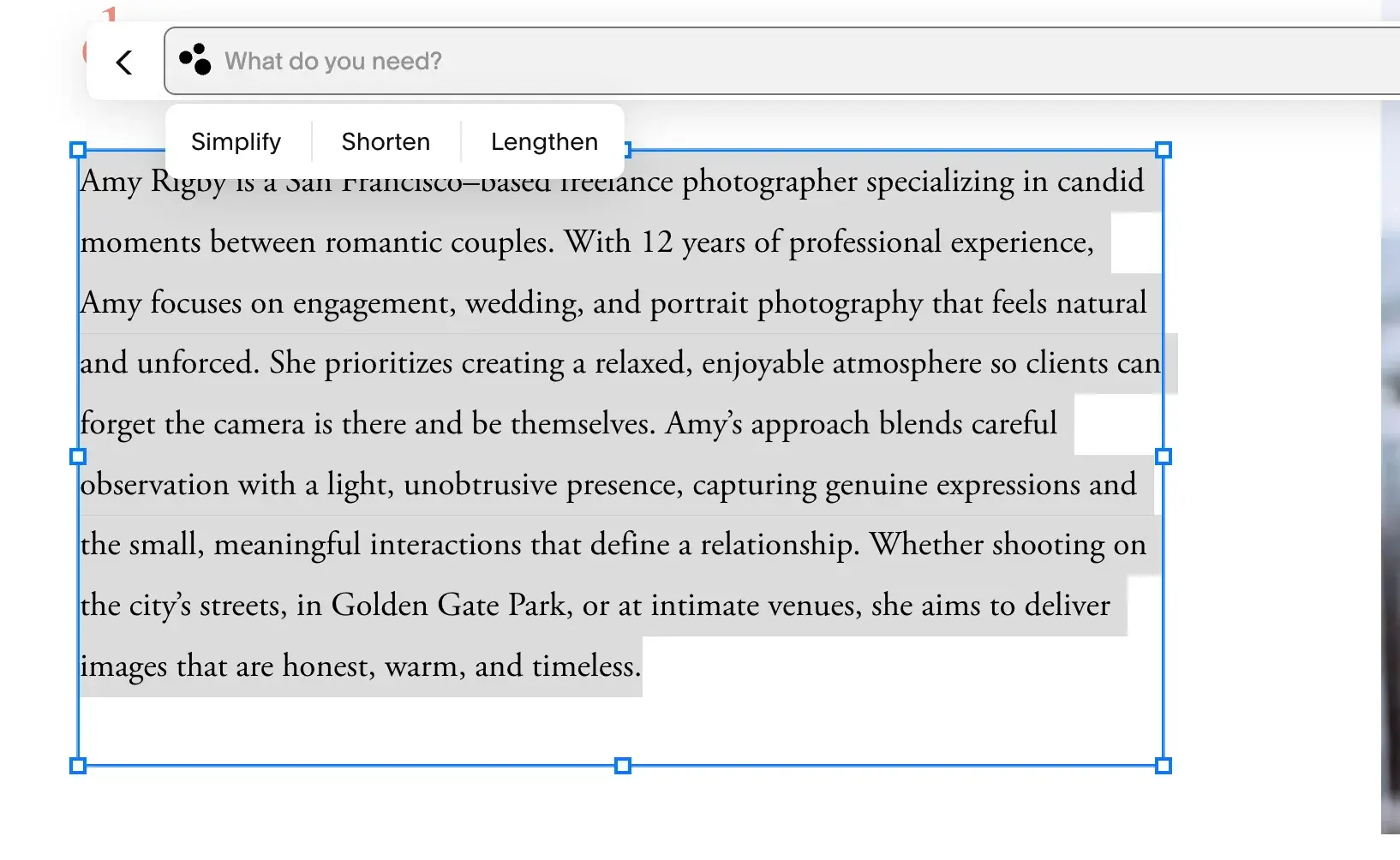
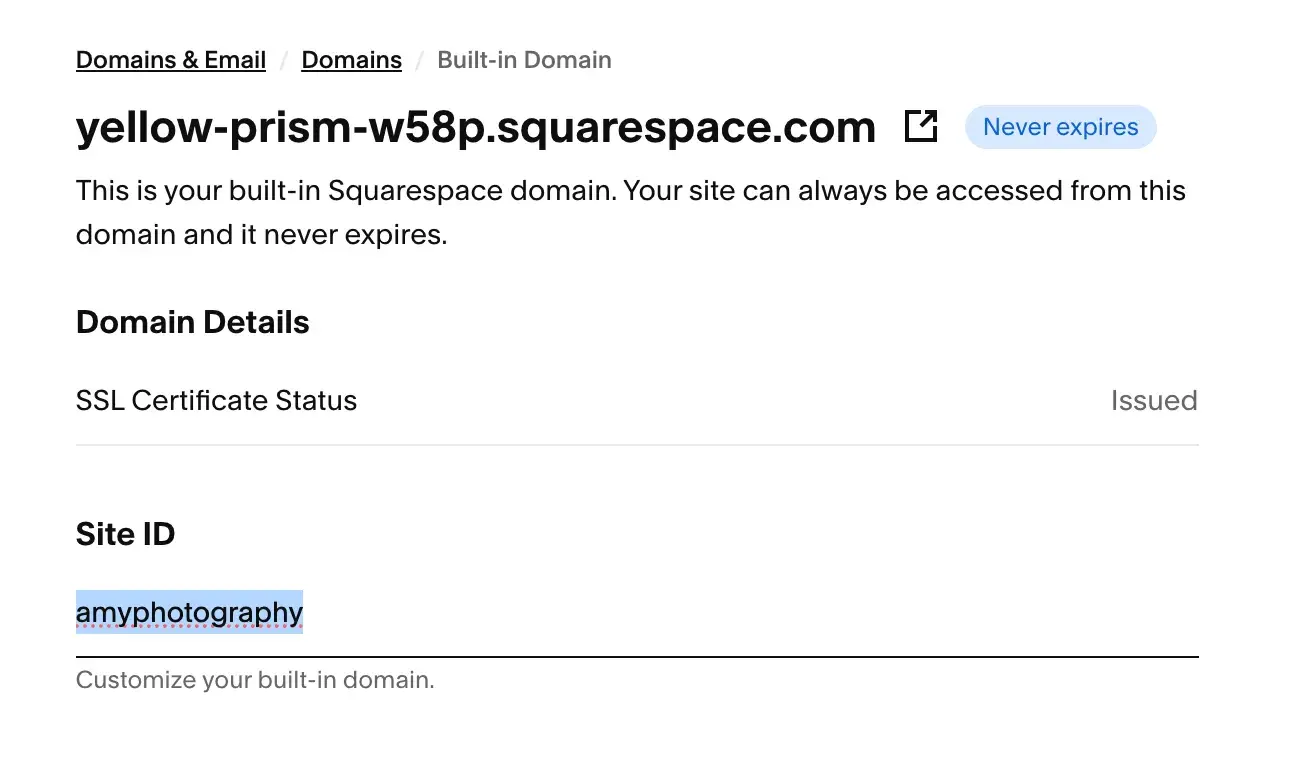
And even though I never recommend a free branded domain for a business, I do appreciate that Squarespace allows you to customize it.
Key Features:
- Hundreds of
- AI Website Builder
- AI Tools (Design Intelligence): Generate SEO metadata, image alt text, blog posts, and product details
- Mobile Editing via the
- Built-in SEO Tools: SEO page title and description control, the ability to hide pages from search, and control over social sharing images, plus AI tools
- Intuitive drag-and-drop editor called Fluid Engine, which features snap-to-grid functionality
- Security: Includes SSL certificates, Web Application Firewall (WAF), and DDoS protection
Pricing
includes four paid plans, plus a free trial. It does not offer a free plan. Here’s a quick breakdown of Squarespace’s pricing tiers:
- Basic Plan $192/year (i.e., $16/mo billed annually). Free custom domain for the first year, Squarespace AI, up to two contributors, access to website design templates, ability to sell products and services, send invoices for free, sell content and memberships. Credit card rates start at 2.9% + $0.30, online store transaction fee of 2%, and a digital content and memberships transaction fee of 7%.
- Core Plan $276/year (i.e., $23/mo billed annually). Includes everything from the Basic plan, plus unlimited contributors, advanced website analytics, complete customization with CSS and JavaScript, professional Gmail and Google Workspace account (free for the first year). Professional shipping and tax services, sales funnel analytics, and API integrations for advanced sales functionality. Online store transaction fee of 0%, and a digital content and memberships transaction fee of 5%.
- Plus Plan ($468/year, i.e., $39/mo billed annually). Includes everything from the Core plan, plus credit card rates starting at 2.7% +$0.30 and a digital content and memberships transaction fee of 1%.
- Advanced Plan ($1,188/year, i.e., $99/mo billed annually). Includes everything from the Plus plan, plus credit card rates starting at 2.5% + $0.30 and a digital content and memberships transaction fee of 0%.
What I Like:
- Squarespace is very design-focused. I’m not a designer, but Squarespace made me feel like one. Its premade website templates are noticeably a cut above the others on this list. The visual editor gave me lots of design options, allowing me to add preset “art” as background fillers that even had animations; it also let me add different shapes to the section dividers — really adding that professionally-designed touch.
- Squarespace’s cheapest plan includes ecommerce features, which is hard to find on the lowest pricing tier of any website builder. For $16/mo (billed annually), you can sell products or services on your Squarespace site.
What I Don’t Like:
- Squarespace doesn’t have as many website templates as other builders, but I think its emphasis is truly on quality over quantity.
- Squarespace is not the cheapest website builder, but it is quite affordable, especially given that it includes ecommerce features on its most basic plan.
3. WordPress.com
One-liner: WordPress.com offers a hosted SaaS version of the world’s most popular CMS for a very affordable price.
Best for: Media and publishing businesses serious about blogging and those might switch to self-hosted WordPress.org later
Total cost for first year: Starts at $48
Important call-out: I want to state this early since it tends to confuse people — WordPress.com is different from WordPress.org. The former is a hosted SaaS solution, meaning you can build and host your website on the same platform. The latter is the free, open-source CMS that you can download and install on web hosting that you purchase separately. In this article, I will be reviewing WordPress.com.
HubSpot's Free Website Builder
Create and customize your own business website with an easy drag-and-drop website builder.
- Build a website without any coding skills.
- Pre-built themes and templates.
- Built-in marketing tools and features.
- And more!
My WordPress.com-Built Wedding Photography Example Site:

My Experience Building with WordPress.com
WordPress.com and I go way back — it’s where I launched my first blog in 2009. Since then, I’ve used mostly the self-hosted WordPress.org, but the underlying CMS is the same.
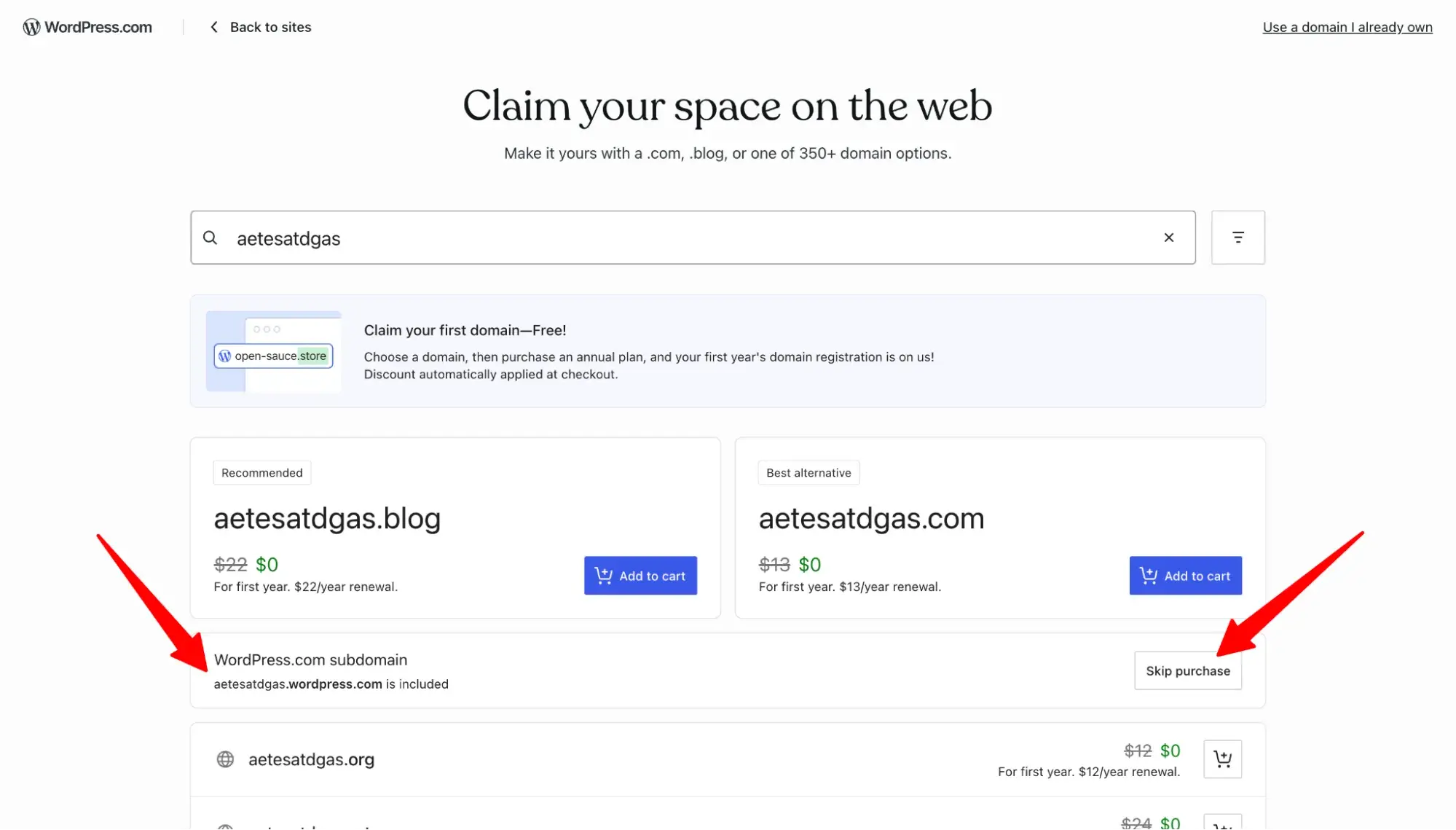
Like the cheap website builders listed above, WordPress.com also has an AI website builder, but once again, I chose to use its premade website themes instead. When you sign up, WordPress.com will prompt you to purchase your custom domain. If you’re not yet ready to do so, you can skip it by clicking “skip purchase,” which means your site will be on a branded [yoursite].wordpress.com subdomain.
A major limitation of WordPress.com that I didn’t realize until I tested it is that, while yes, the cheapest paid plan (Personal) has access to premium themes, it doesn’t have access to all of them. So, there might be a theme you want that requires you to upgrade to the Business plan to get it.
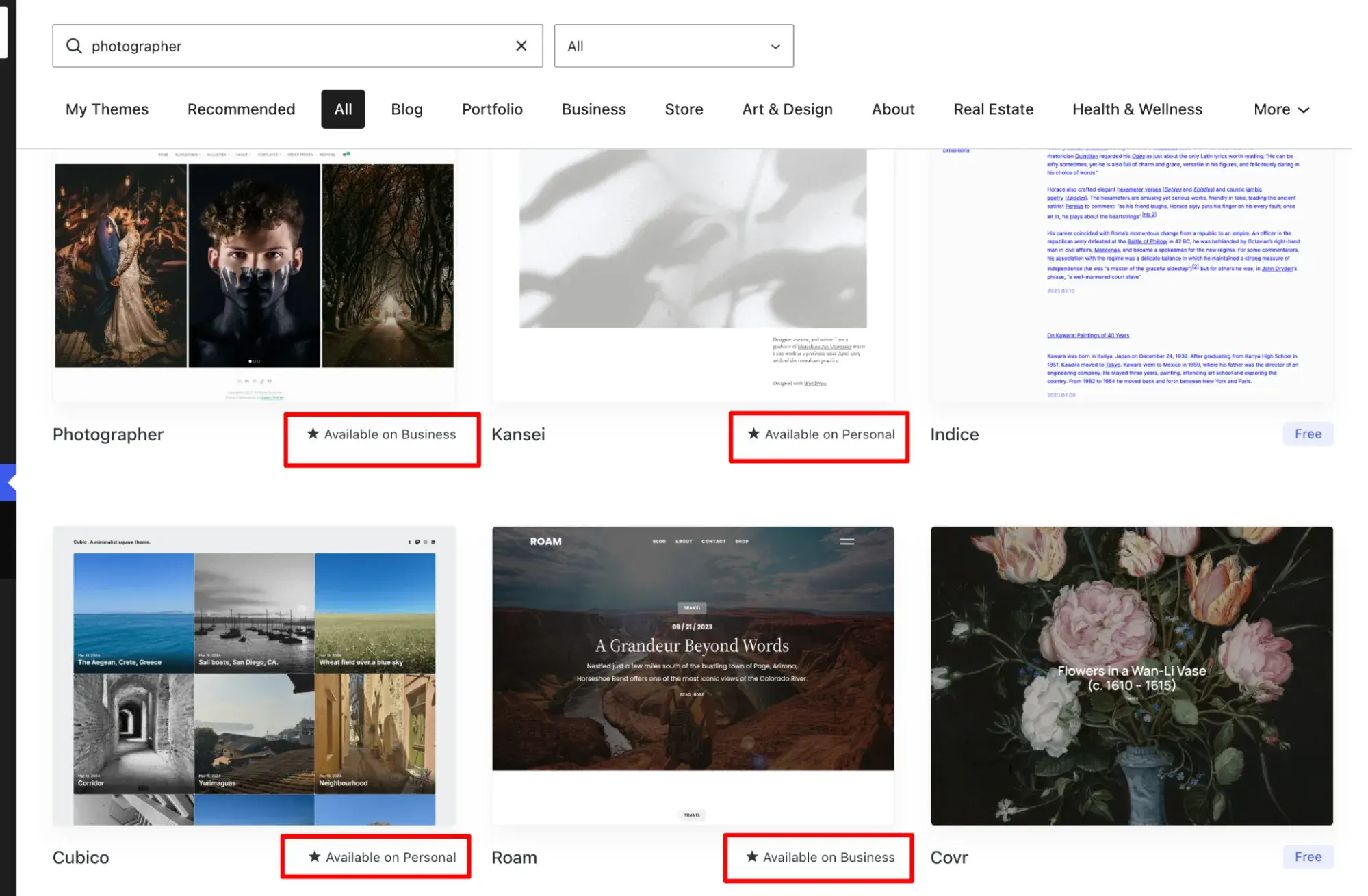
To be fair, WordPress.com’s pricing page does specify that the Personal plan has access to “dozens of premium themes,” while Premium has access to “all premium themes.” I just missed it at first.
Even after paying $9 for the monthly Personal plan, I ran into roadblocks because some features I wanted to use required yet another upgrade to the more expensive Premium plan ($18/mo billed monthly).
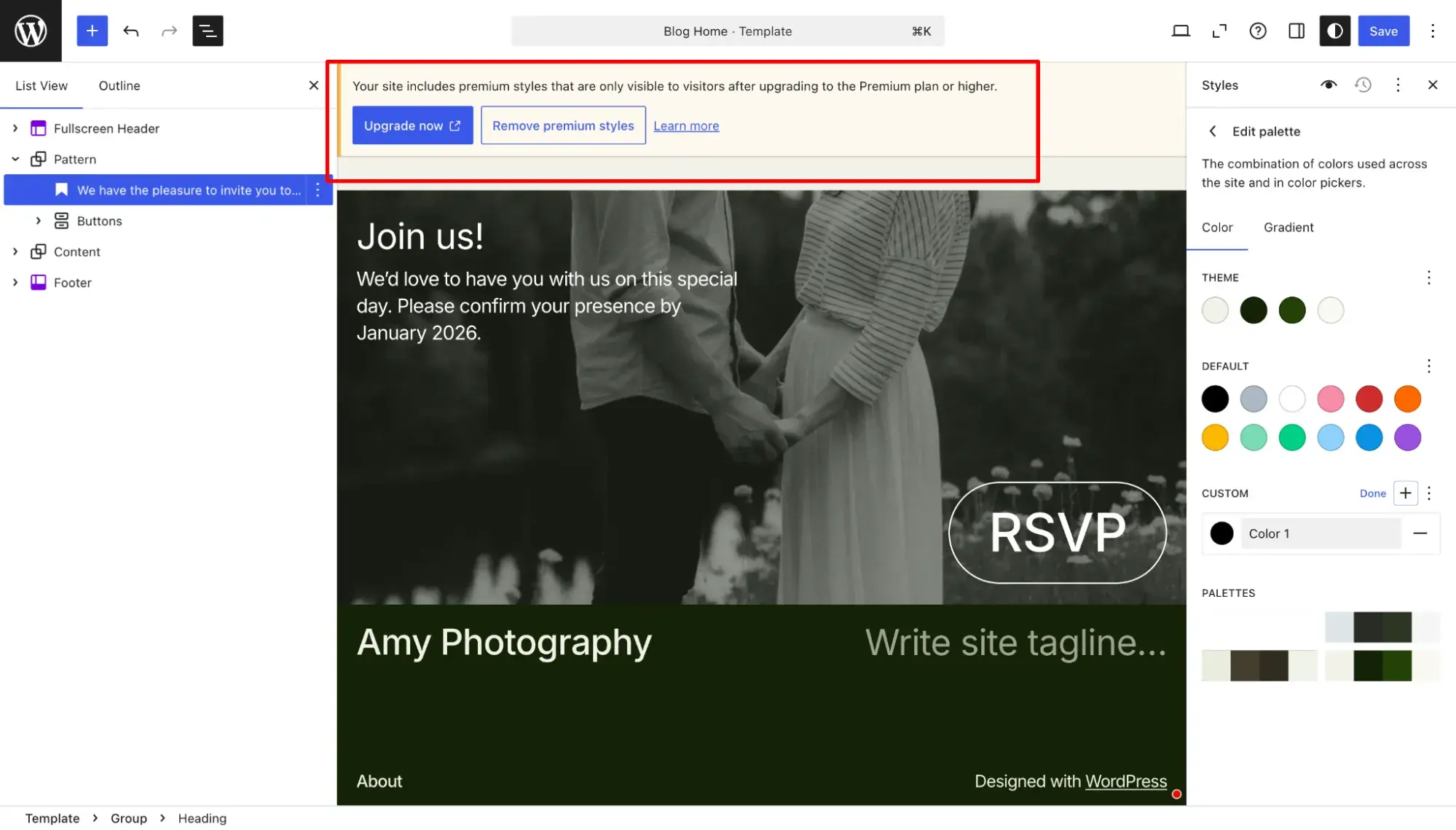
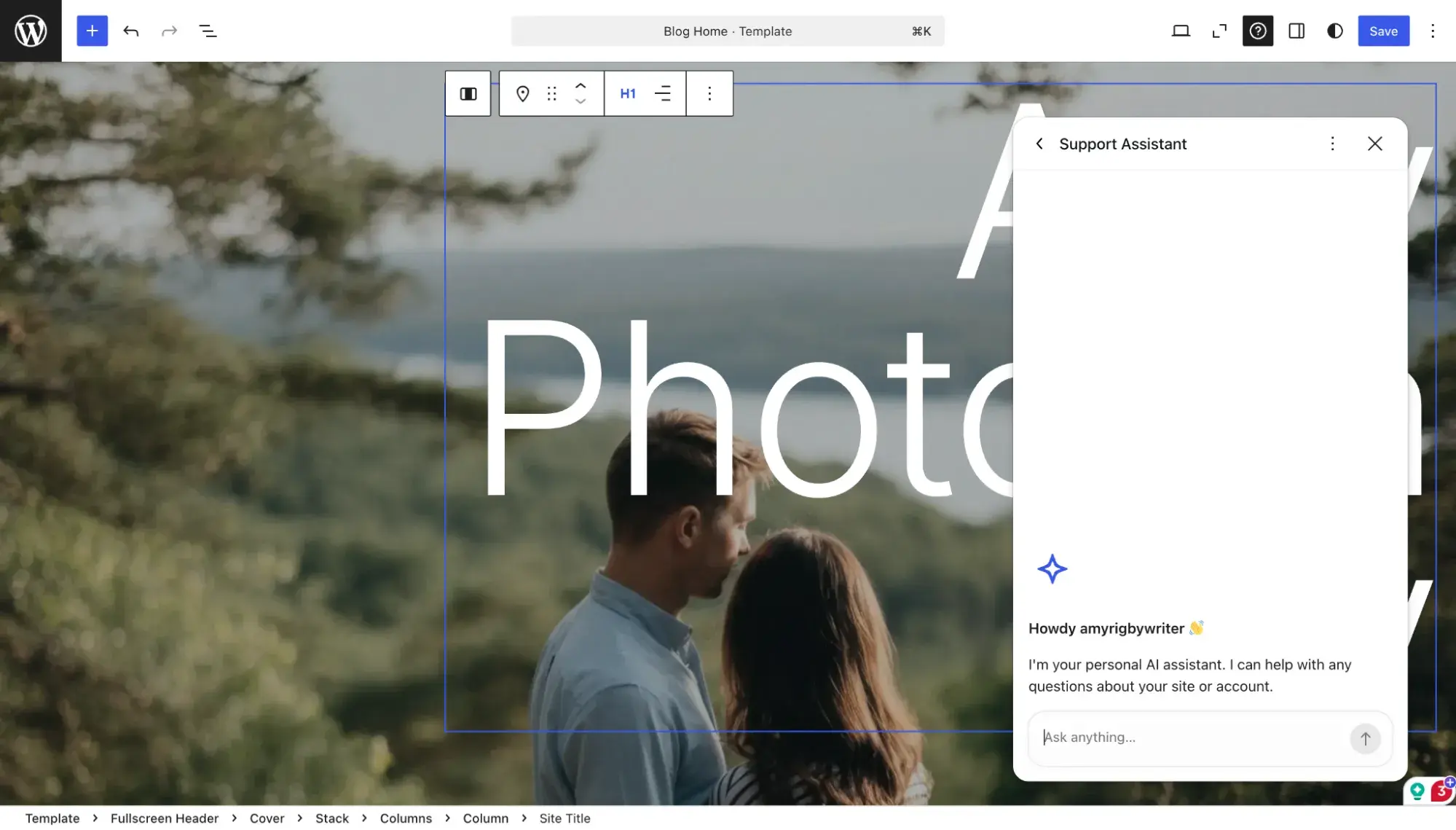
WordPress.com offers AI assistance with text generation, and you can add AI-generated text blocks and an “Ask AI” block, but I had a hard time locating the AI assistant to chat with when I had questions about editing my site.
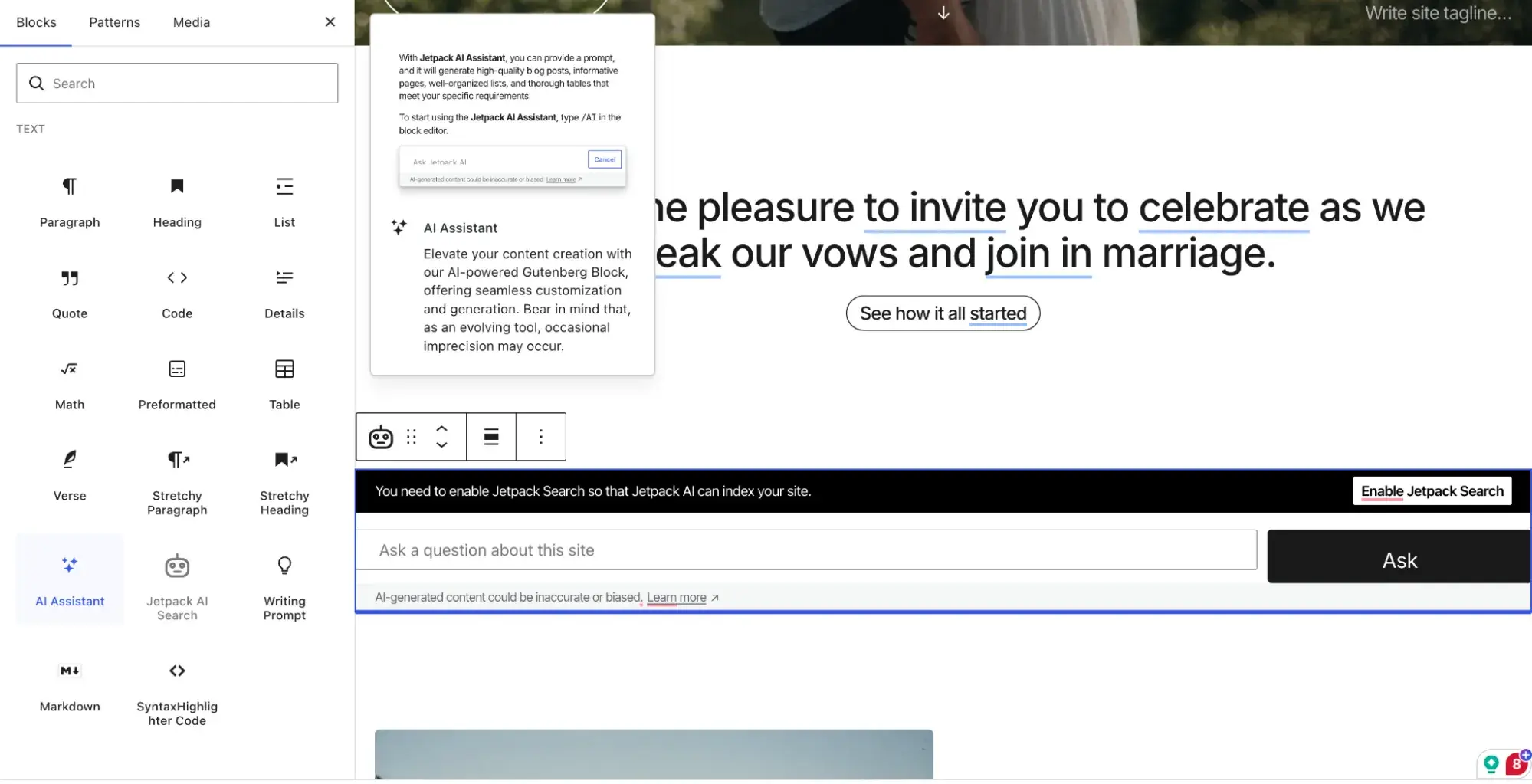
I eventually found it hidden in the question mark icon in the upper right corner.
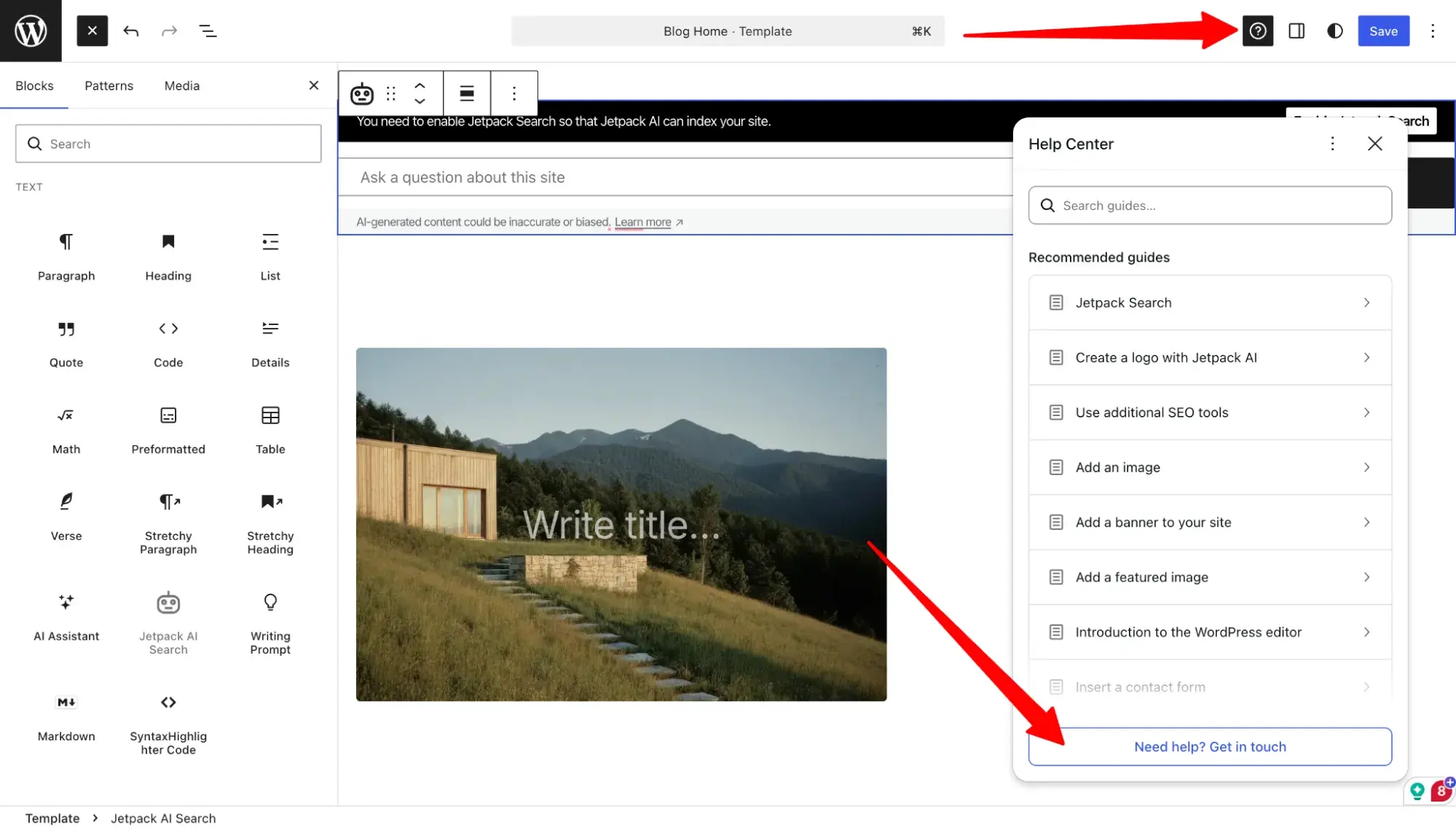
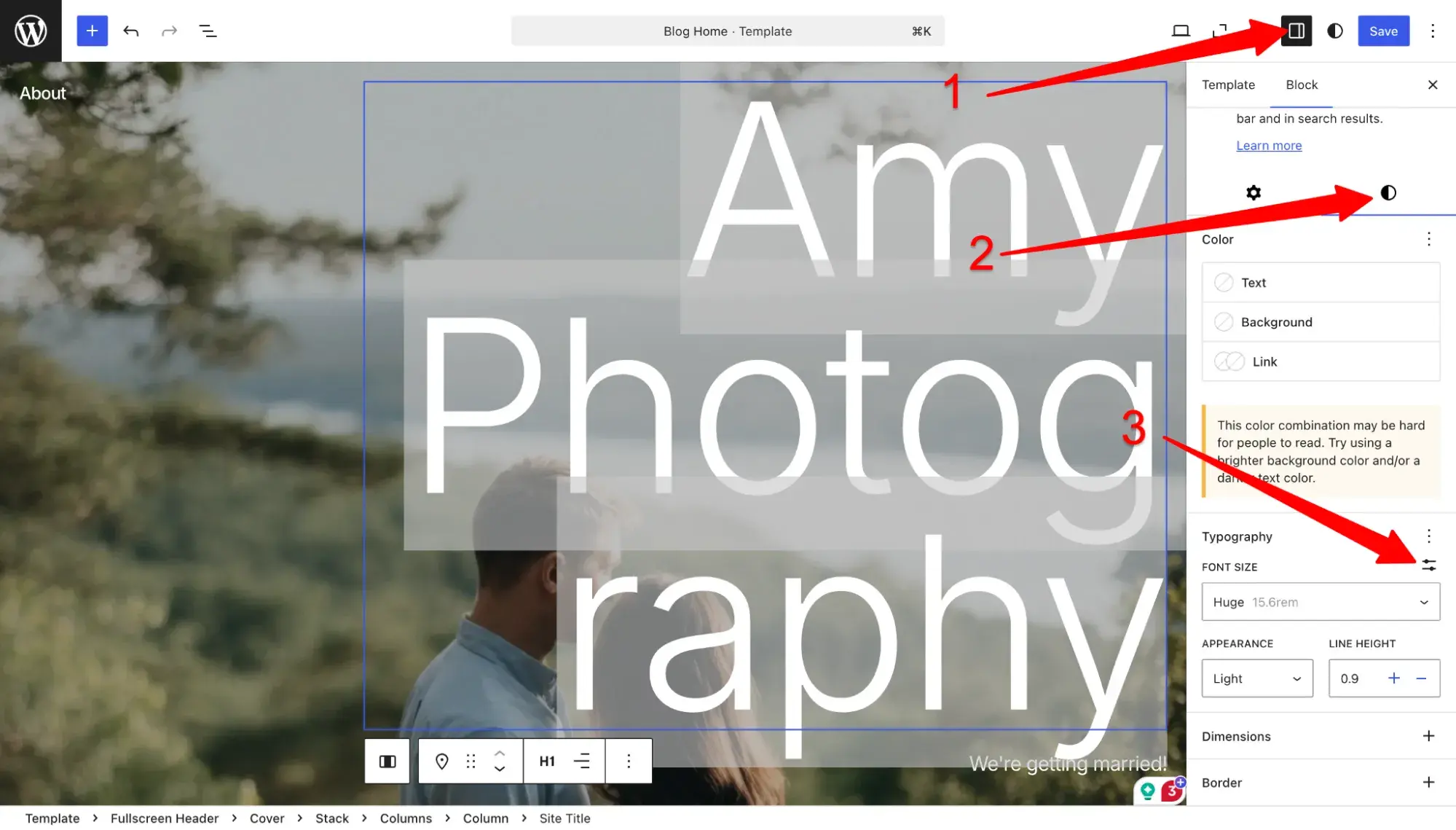
WordPress.com’s interface definitely wasn’t as intuitive as other website builders. It took at least 10 minutes, but I finally found the three-click process to edit the size of the H1 in the hero image.
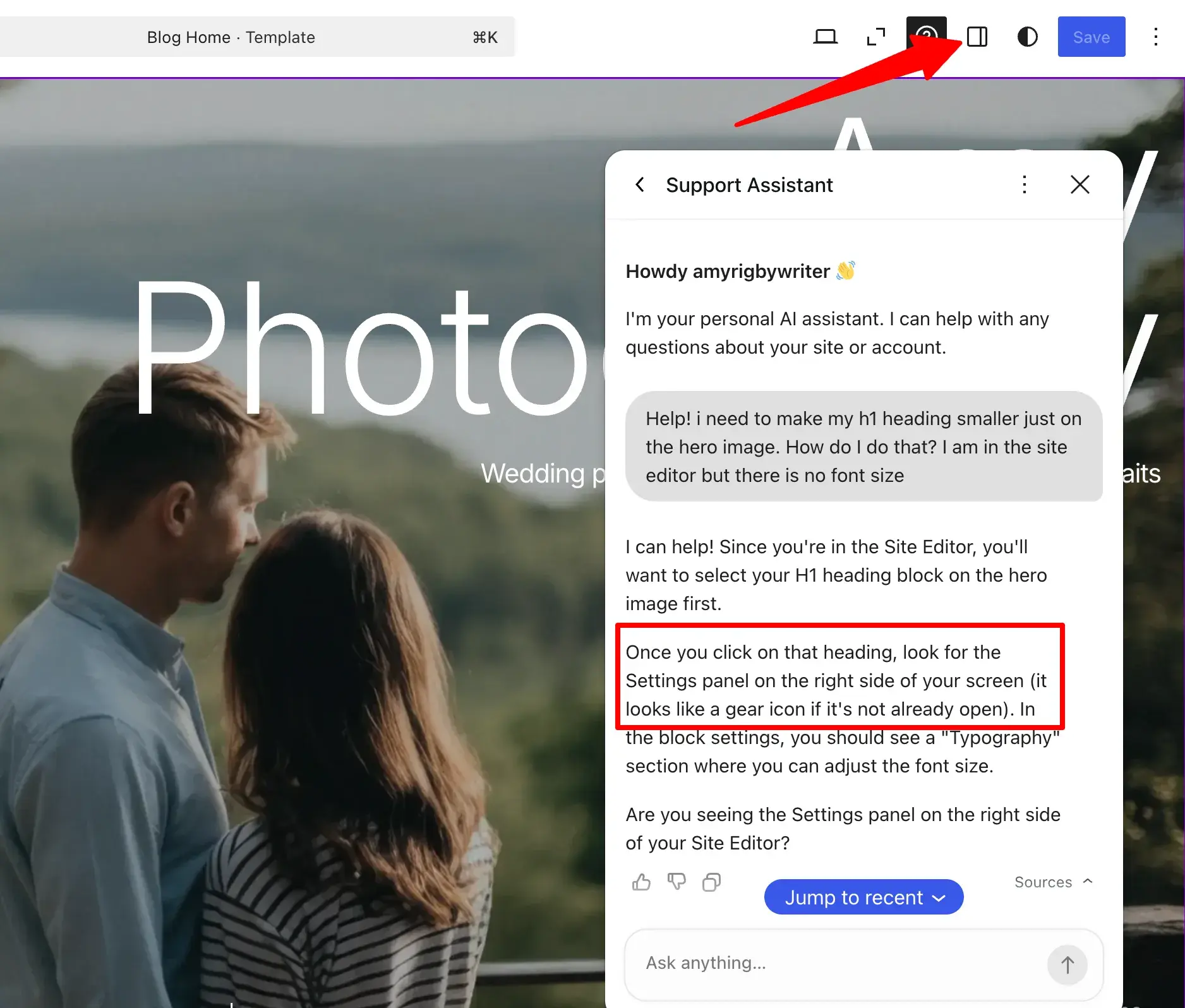
On top of that, the AI assistant’s answer was incorrect. It told me to look for a gear icon, but the correct icon is actually a square split into two, as seen below.
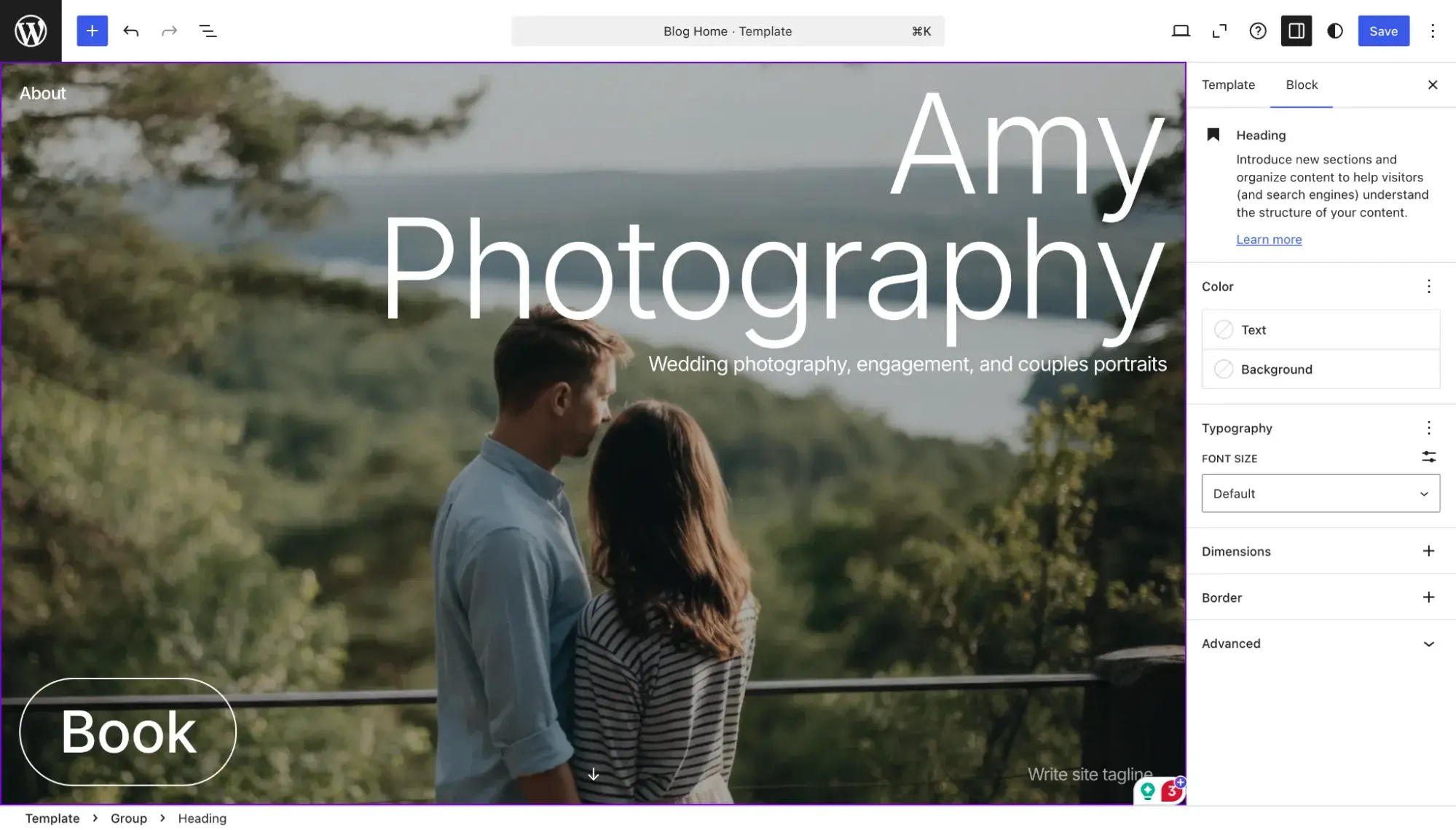
Here’s how my hero image headline looked once I finally fixed it!
In terms of AI text generation, I think WordPress.com did a decent job.
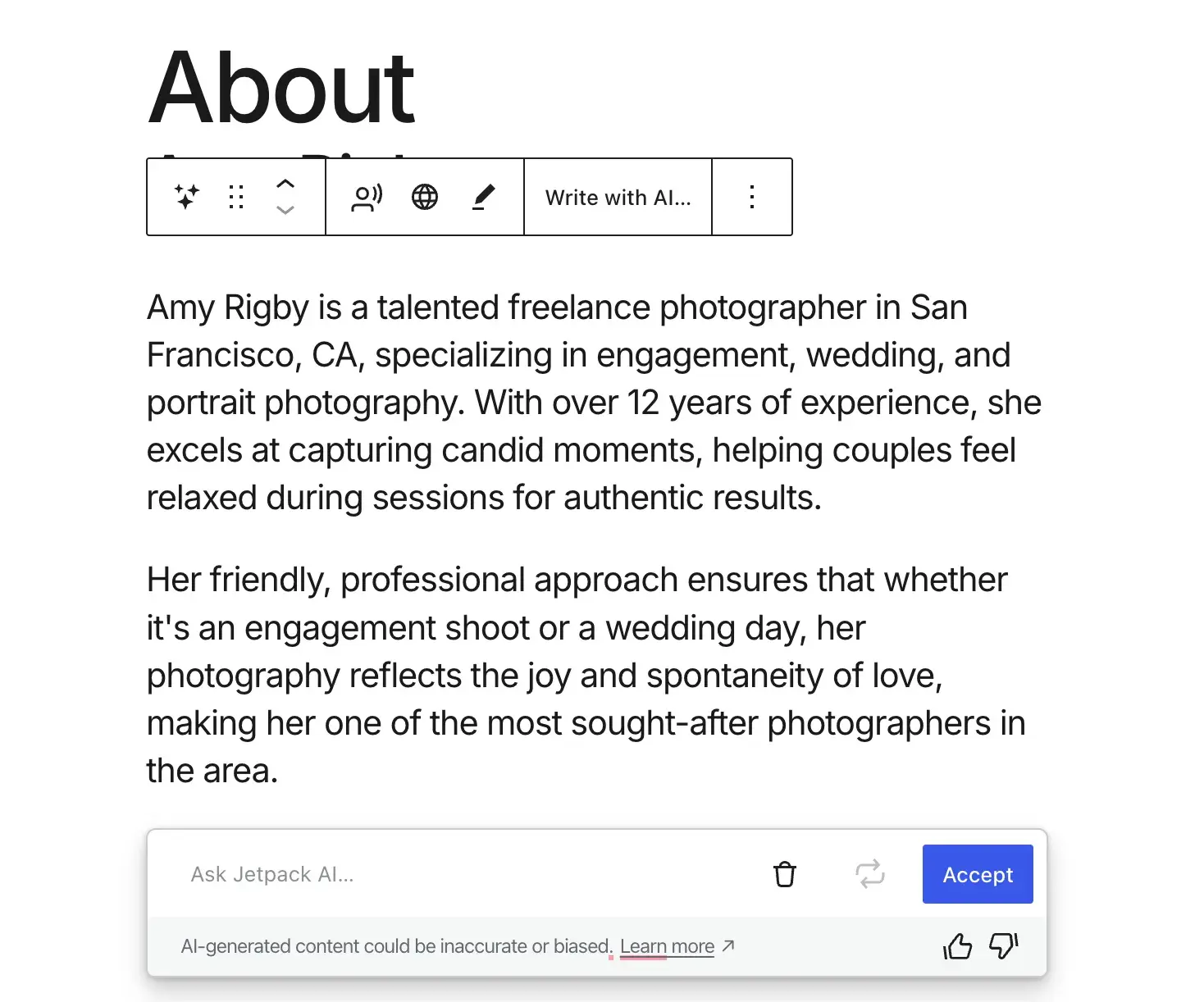
It was even better after I selected “Make shorter.”
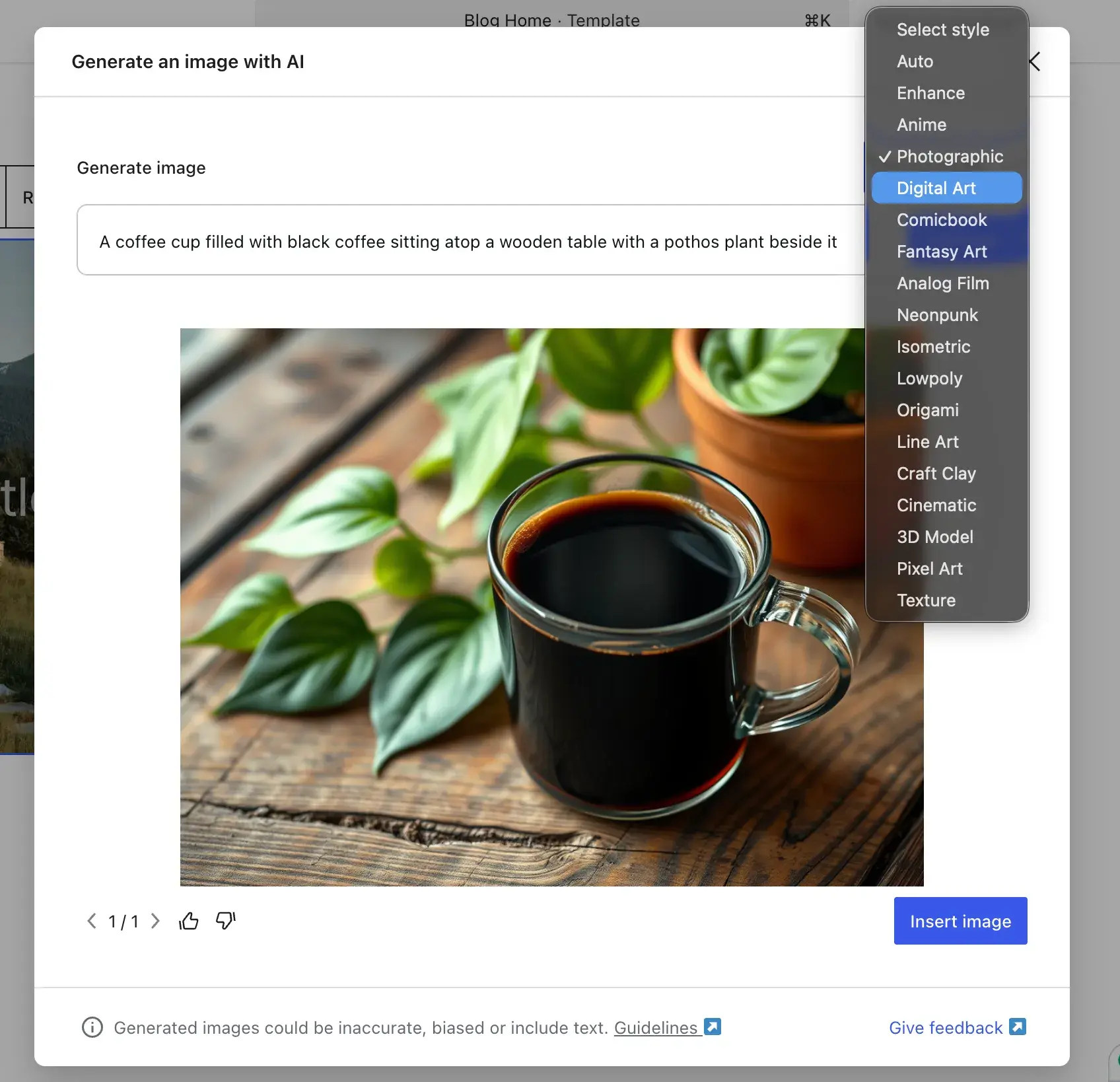
I also played around with WordPress.com’s AI image generator. Having said that, though, I really only see these as placeholder images. I recommend uploading your own photography to your site.
Key Features:
- 1,000+
- AI Website Builder
- AI Tools: AI image generation and AI text generation
- Mobile Editing via the
- SEO Tools: SEO tools are available on Business and Commerce plans.
- Speed & Optimization: Global CDN, unrestricted bandwidth, and edge caching
Pricing
includes five paid plans, plus a free plan.
- Free. Free plan. Includes 1GB of storage, unlimited pages and users, unrestricted bandwidth, last 7 days of basic stats, access to free themes, and an AI assistant (up to 20 requests).
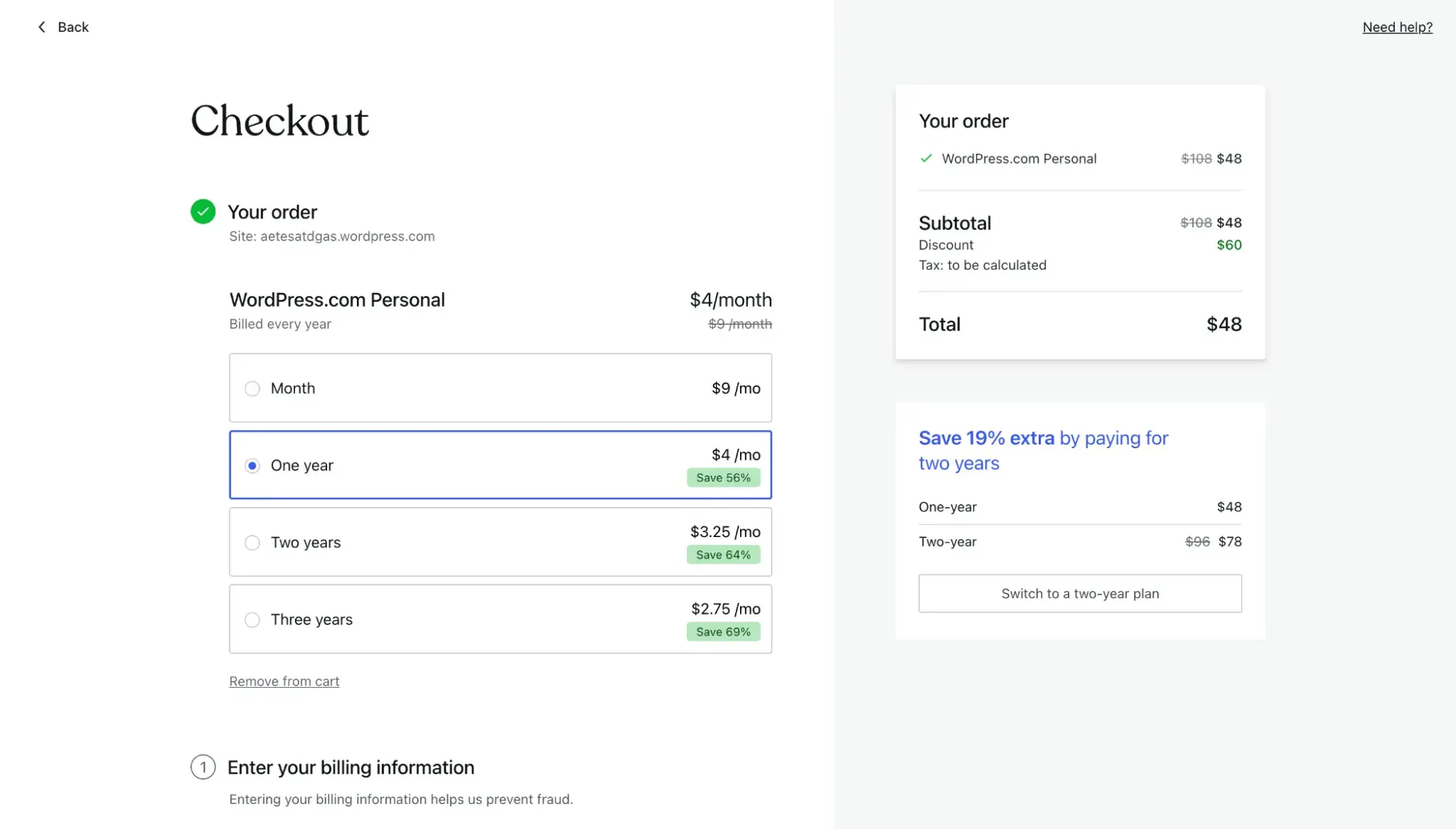
- Personal ($4/mo on annual billing). Includes everything from the free plan, plus 6GB of storage, unlimited pages/posts/users/visitors, a free domain for the first year, no ads, dozens of premium themes, stats, ability to install plugins, and an AI assistant (no request limit published).
Pricing note: WordPress.com’s Personal plan auto-renews at $5/mo, so the $4/mo appears to be a promotional rate for the first year only.
At checkout, you can secure an even bigger discount by committing to two- or three-year plans.
- Premium ($8/mo on annual billing). Includes everything from the Personal plan, plus 13 GB of storage, access to all premium themes, fast support from the expert team, premium stats, sitewide font and color customization, no-code Google Analytics connection, and video uploads.
Pricing note: WordPress.com's Premium plan auto-renews at $9/mo, so the $8/mo appears to be a promotional rate for the first year only. - Business ($25/mo on annual billing). Includes everything from the Premium plan, plus 50 GB of storage, priority 24/7 support, and advanced developer tools, including SFTP/SSH, WP-CLI, Git commands, and GitHub Deployments.
Pricing note: WordPress.com's Business plan auto-renews at $28/mo, so the $25/mo appears to be a promotional rate for the first year only. - Commerce ($45/mo on annual billing). Includes everything from the Business plan, plus 50 GB of storage, access to all premium and store themes, and comprehensive ecommerce tools with an optimized WooCommerce experience (to be clear, you can install WooCommerce on the cheapest plan, Personal, too. I tested it by installing WooCommerce on my WordPress.com site, and it worked. But the , along with extensions and tools to build upon it.
Pricing note: WordPress.com's Commerce plan auto-renews at $50/mo, so the $45/mo appears to be a promotional rate for the first year only. - Enterprise (starts at $25,000/year). For the largest brands, WordPress VIP delivers top performance and security standards at scale. Contact sales for more info.
HubSpot's Free Website Builder
Create and customize your own business website with an easy drag-and-drop website builder.
- Build a website without any coding skills.
- Pre-built themes and templates.
- Built-in marketing tools and features.
- And more!
What I Like:
- WordPress is an established, trusted brand. WordPress is the OG of the blogging world and is the most popular CMS. That kind of trust takes time to build. Because of its long history and massive popularity, it’s easy to find resources and developer help should you need it.
- Starting with WordPress.com can make it easier to scale up to self-hosted WordPress.org later. It’s much easier to migrate from WordPress.com to self-hosted WordPress later, if you choose. So, if you know you want to have a self-hosted WordPress site later when you have more developer resources, it makes sense to start with WordPress.com if you’re just a solo business owner or a startup. However, don’t stress too much about this. It is possible to migrate to self-hosted WordPress from pretty much any platform; it just takes technical resources and time.
- WordPress has the most plugins of any of the website builders on this list. This makes it extremely easy to extend the functionality of WordPress. Need a shopping cart? Install WooCommerce. Need SEO help? Install Yoast. Need custom forms to capture leads? .
What I Don’t Like:
- WordPress.com is less design-focused than other builders on this list. It doesn’t have the option to add art, shape dividers, or image effects like Hostinger and Squarespace offer. Additionally, there aren’t as many templates available on its paid plans as there are for other premium plans on this list.
- It doesn’t provide much guidance to beginners. Unlike Hostinger and Content Hub, WordPress.com doesn’t have as robust an AI assistant tool to chat with whenever you have questions.
- It’s rather limited compared to other website builders of similar pricing. Many of the features that I find essential to a business website aren’t on the most basic plan. So I wouldn’t feel comfortable using WordPress.com for a business unless I was on at least the Premium plan, and putting the features into action definitely has a learning curve.
4.
One-liner: Hostinger has the most beginner-friendly, intuitive visual editor of any I tested for this article — perfect for first-time website builder users.
Best for: Those using a website builder for the first time
Total cost for first year: Starts at $41.88
My Hostinger-Built Wedding Photography Example Site
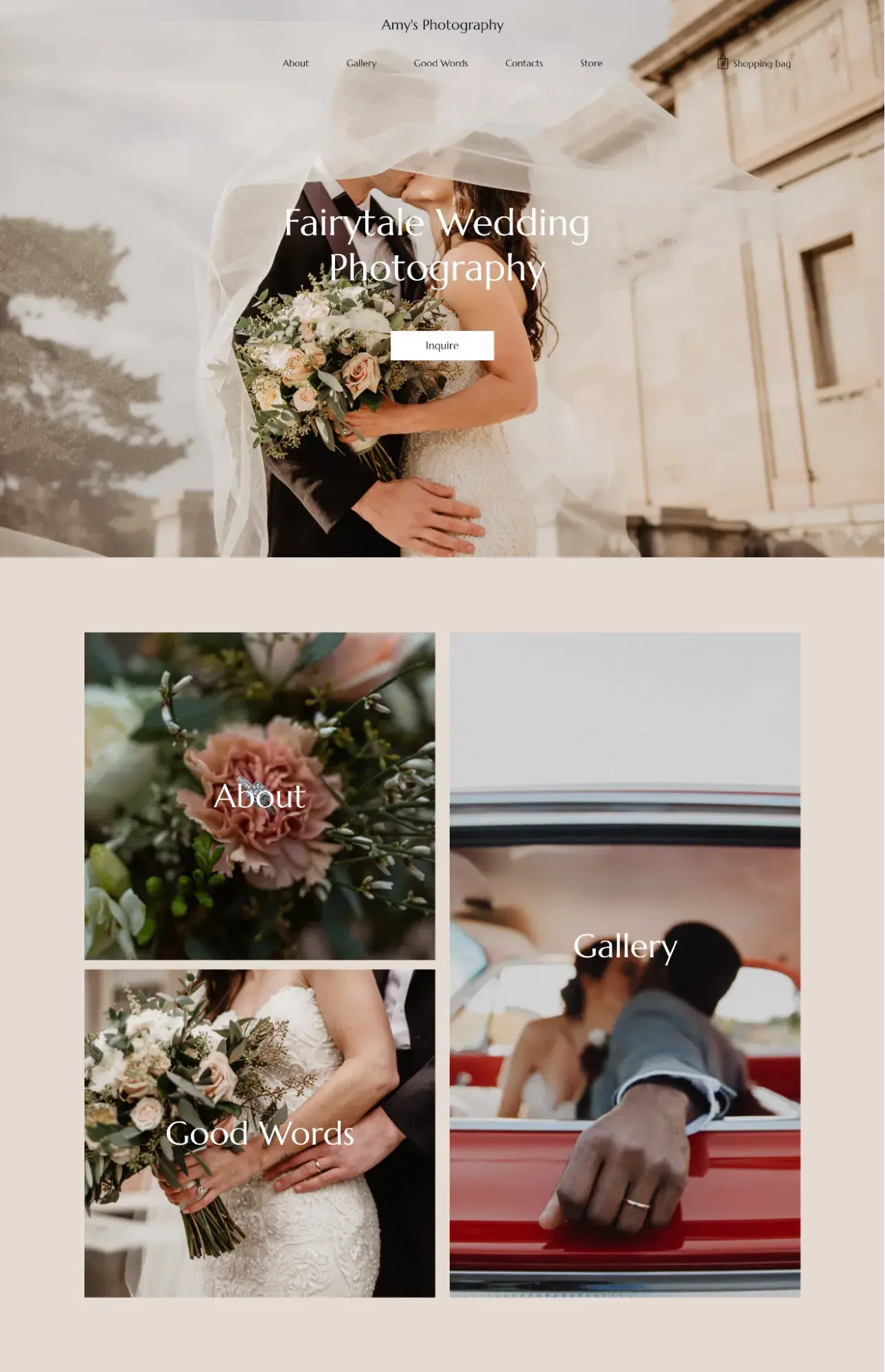
My Experience Building with Hostinger
I’ll admit I almost wrote Hostinger off. Hostinger made a name for itself as a web hosting provider. Its website builder offering is new compared to its hosting services, so I thought the builder couldn’t be very good — I was wrong.
I prefer choosing from premade templates, but Hostinger heavily pushes its AI website builder, so I went with it at first.
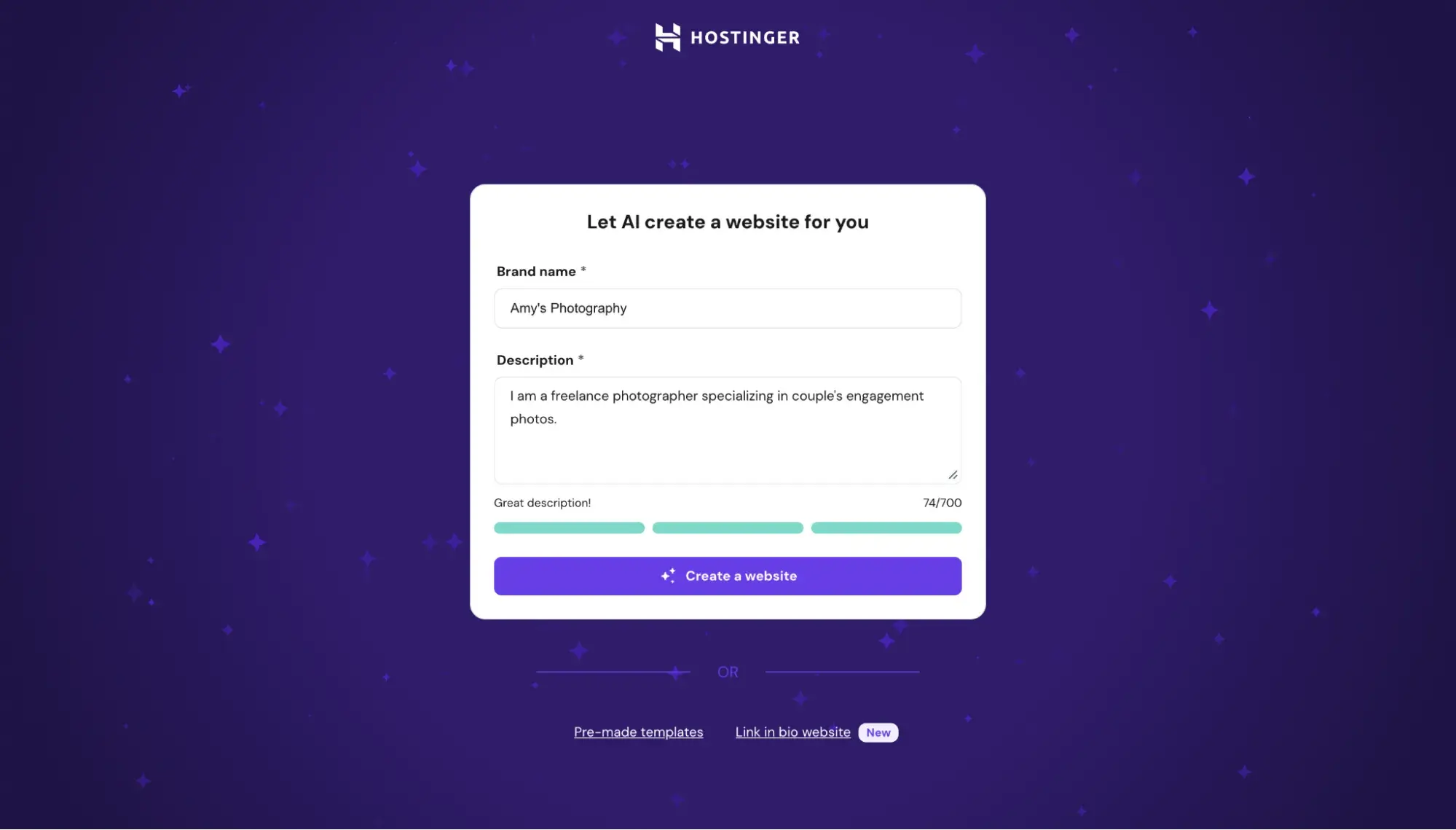
Here’s what it generated in under a minute:
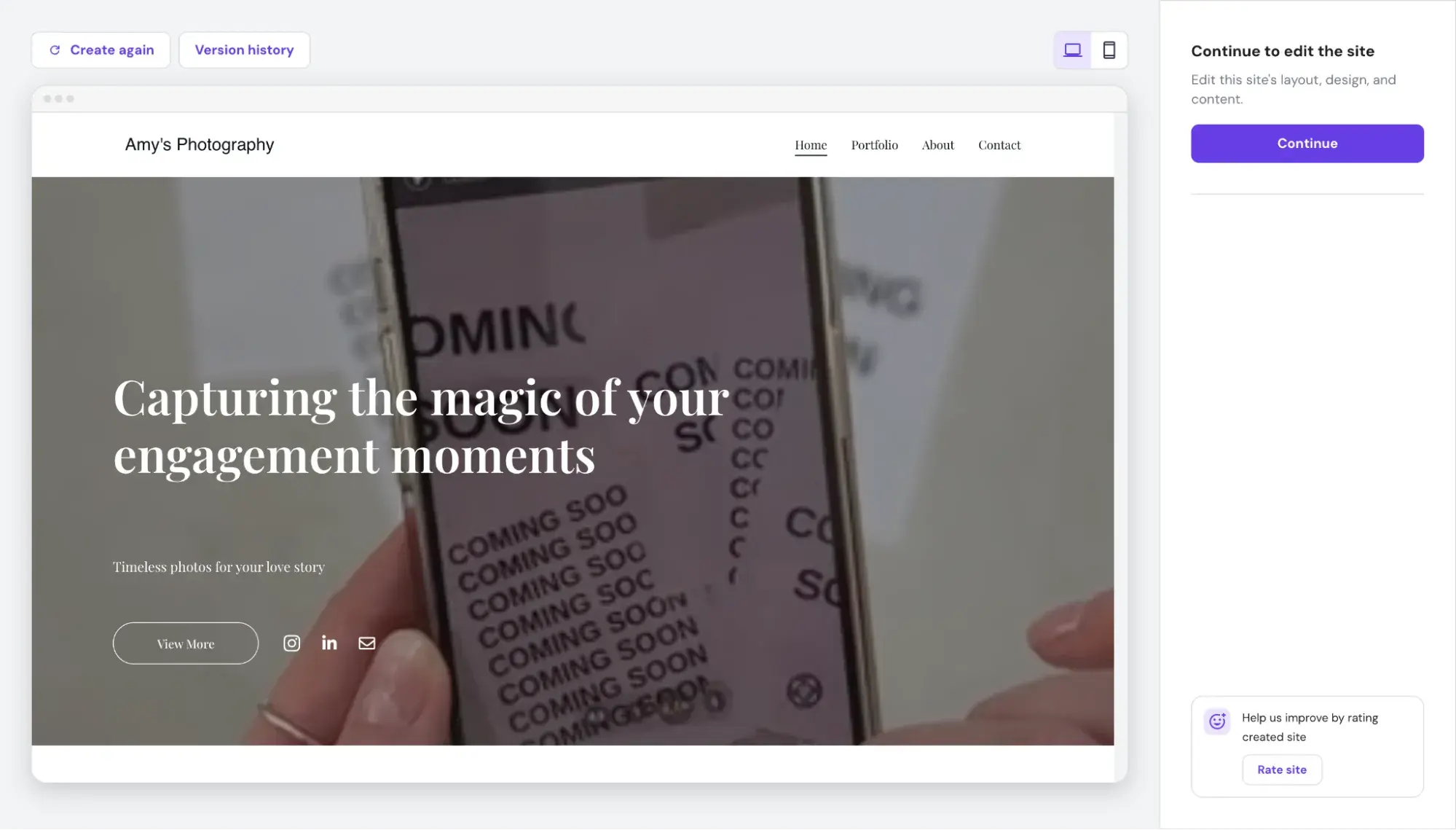
I added more detail to the prompt and had the AI generate it again, but I was so unimpressed with the AI-generated designs that I hit the back button and went to Hostinger’s premade templates. It has an entire section dedicated to photography, and these templates look way better than the AI-generated ones.
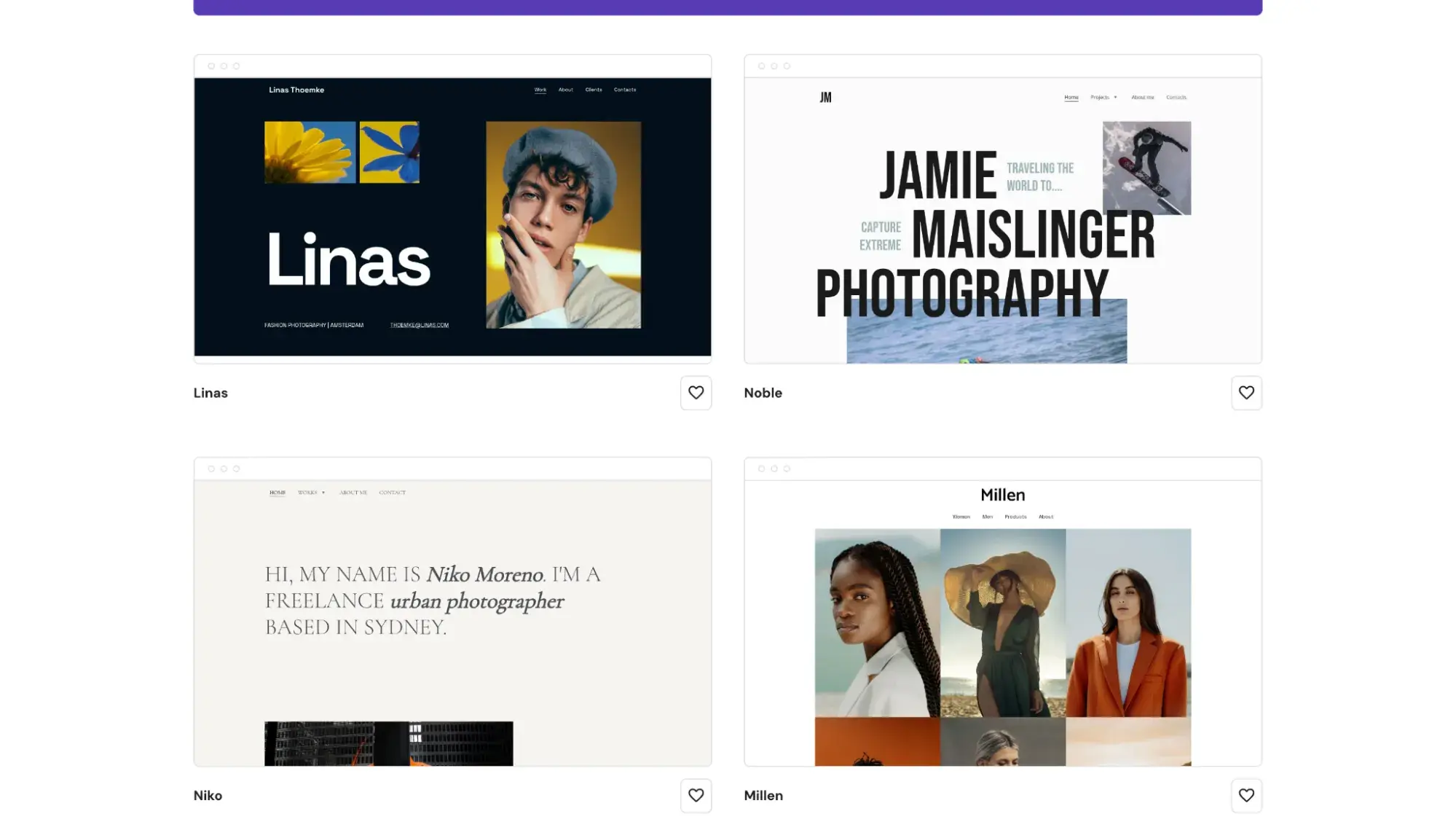
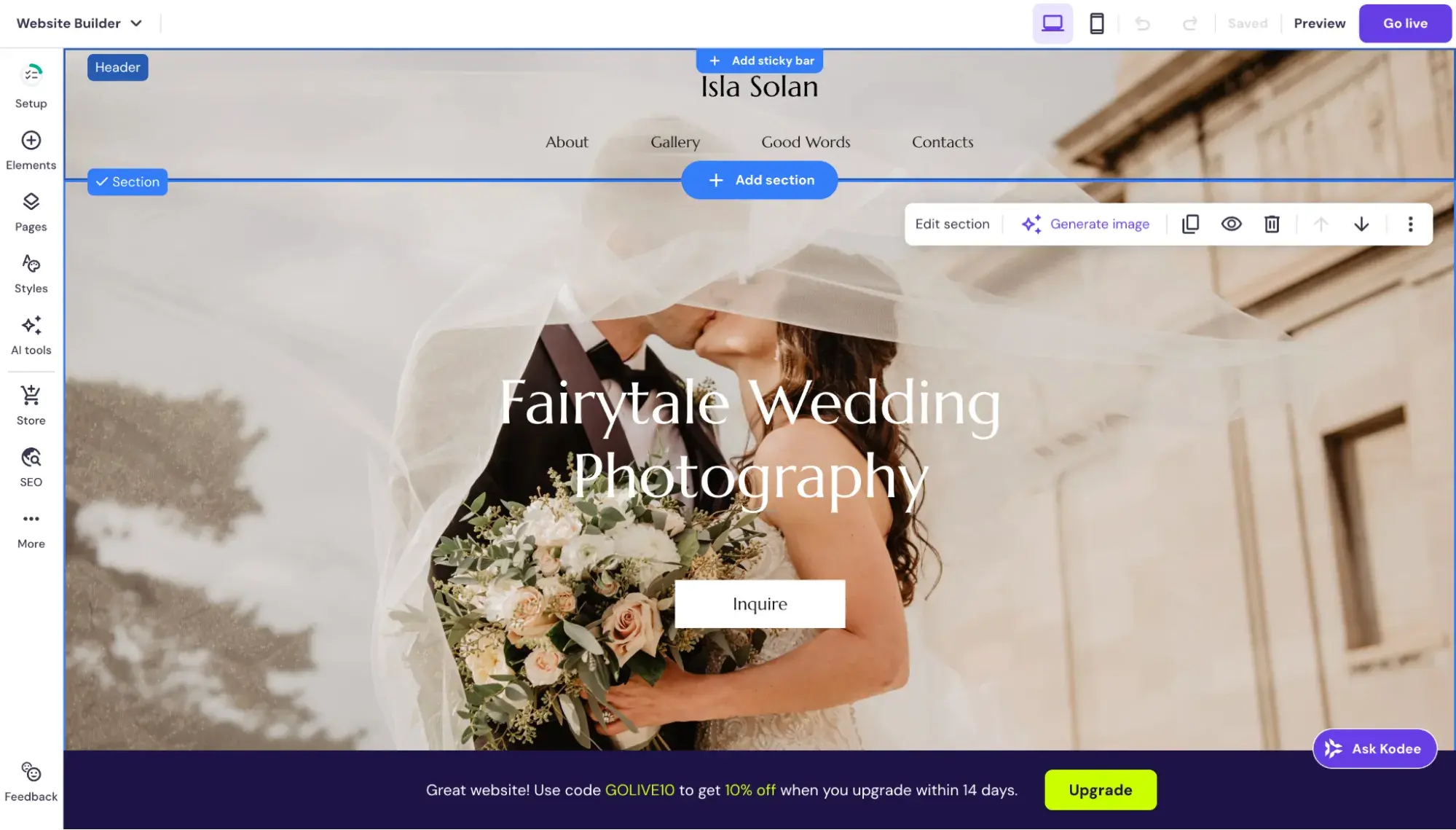
I ended up choosing this website template:
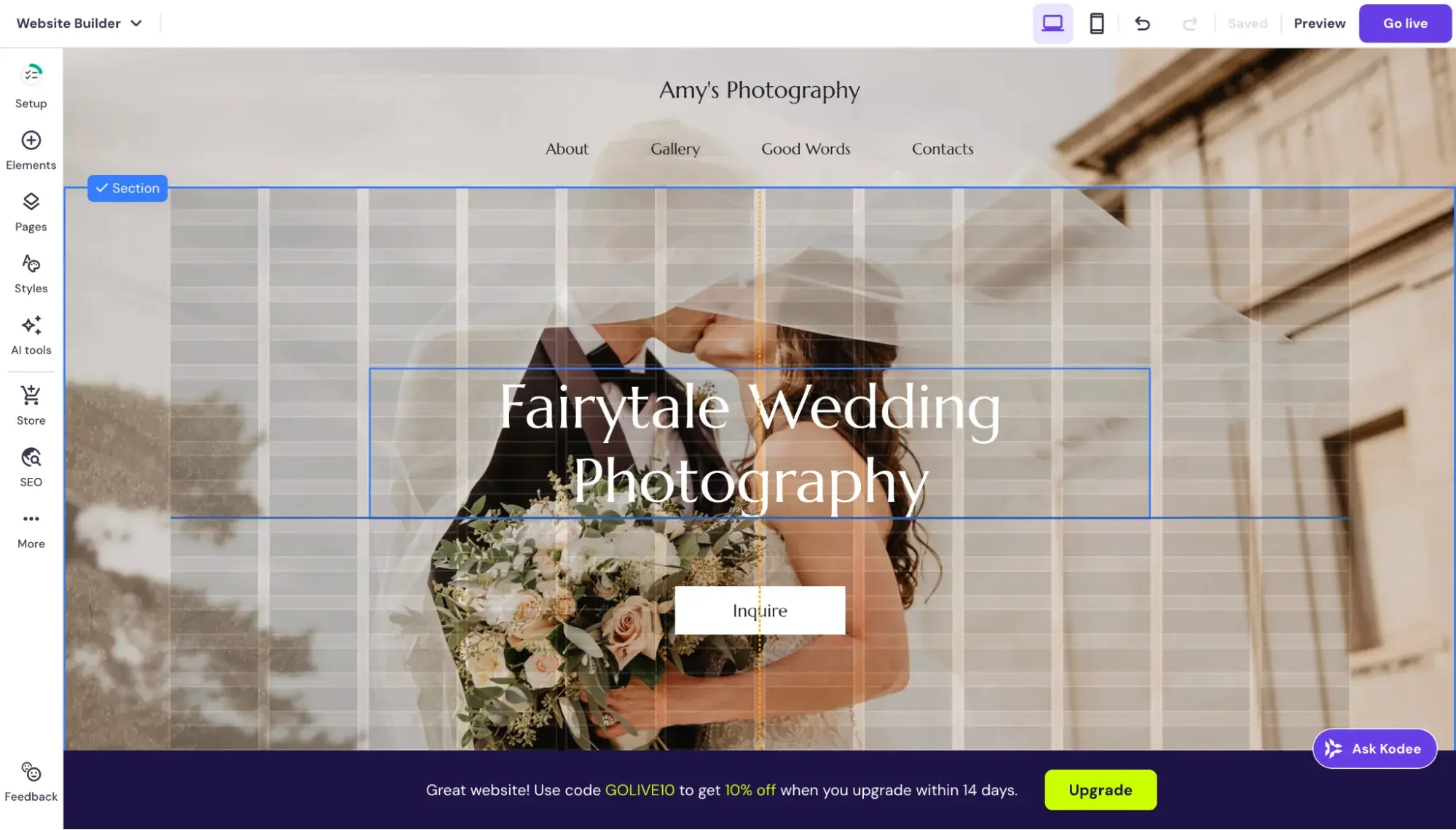
Here’s a finer detail that someone like me (who’s used dozens of no-code website builders) can appreciate: Hostinger’s visual editor is truly drag and drop, and not only that, when I move an element, gridlines appear (Hostinger calls this its “smart grid”), allowing me to fine-tune the placement without breaking from the grid.
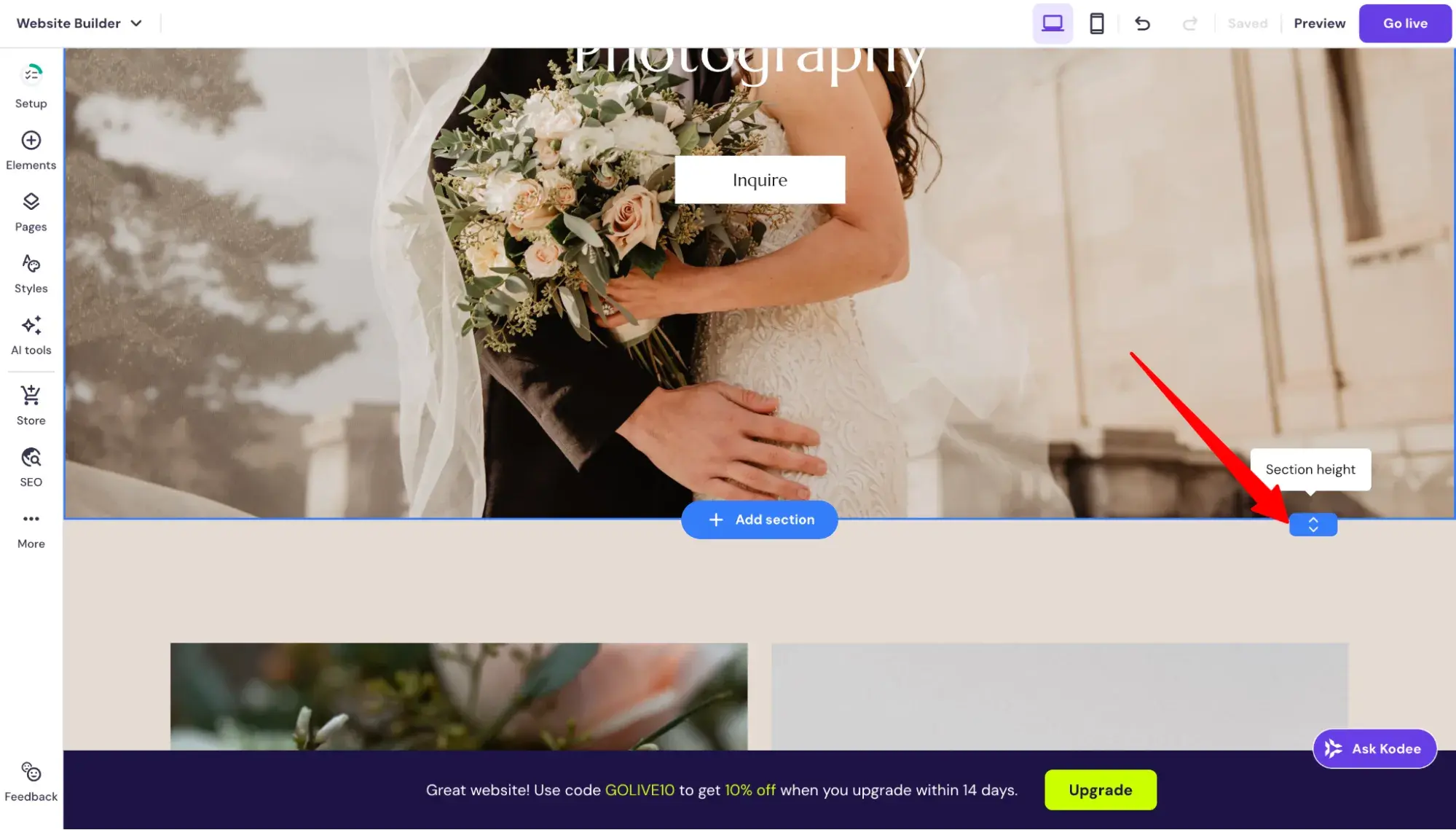
I also love that it allows me to drag and drop to adjust the section height (not all website editors do this. Squarespace does, though!).
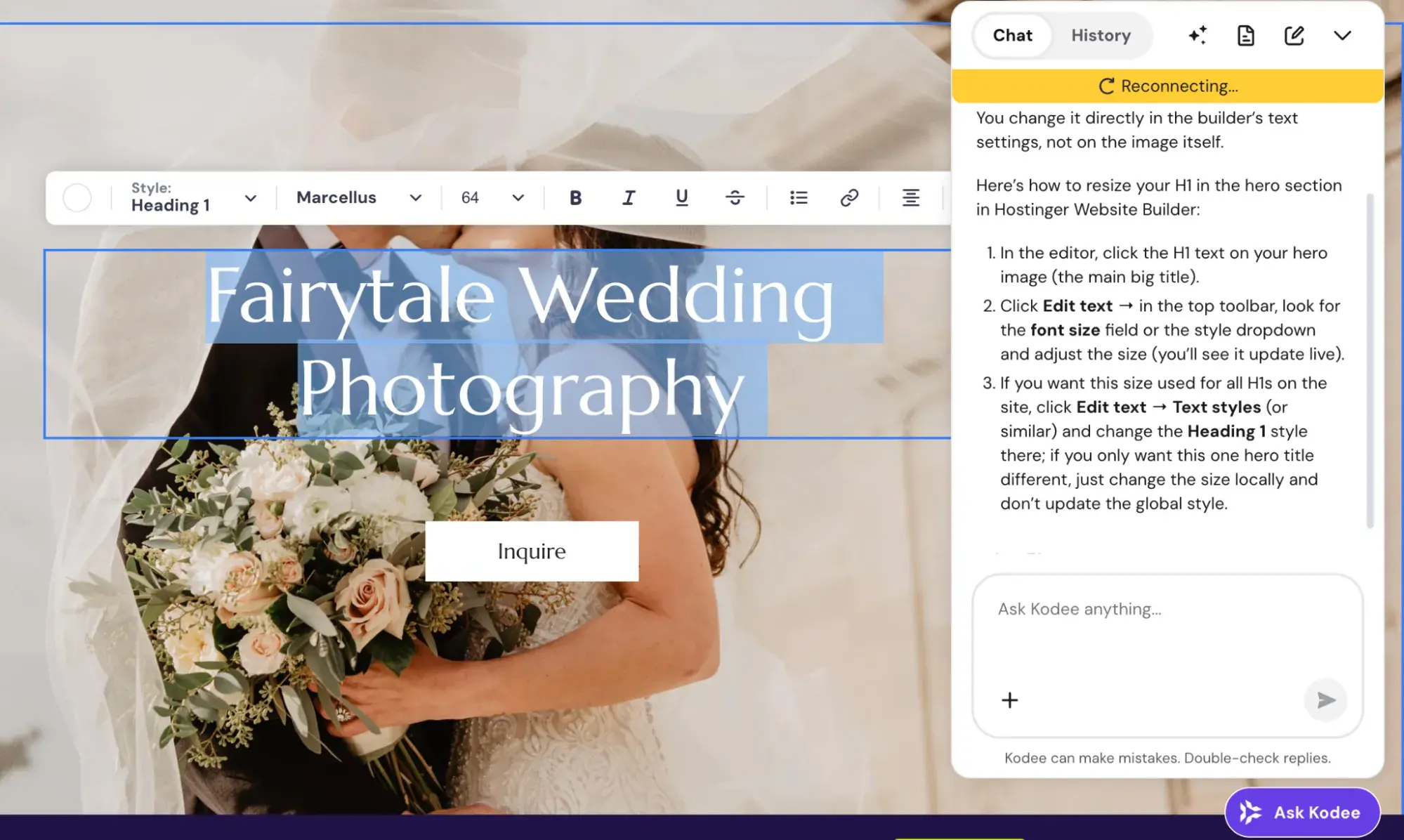
Hostinger’s AI assistant, Kodee, was useful and gave accurate instructions:
Hostinger’s AI text assistant was okay. It barely changed my prompt:
Overall, I was very impressed with Hostinger, and it quickly rose to the top of my favorite website-building experiences (second only to Squarespace).
Key Features:
- 150+
- AI Website Builder
- AI Tools:
- AI logo maker
- AI writer & blog generator
- AI SEO assistant
- Mobile Editing via your smartphone or tablet browser — no mobile app installation necessary
- Built-in SEO Tools
Pricing
includes two tiers. Its landing page really encourages locking in a 48-month contract to get the “best value,” which would come out to $1.99/mo plus three months free — but whether you sign up for the 12-month or 48-month plan, the renewal price will still end up being $10.99/mo, and to me, committing to new software for two years upfront is a big ask. However, this might be a great deal for you if you’re definitely committed to Hostinger.
Below, I’ll break down Hostinger's website builder plans by the 12-month contract pricing.
- Premium Website Builder($3.49/mo on the 12-month contract). Includes the AI website builder, one website, five website pages, 2GB of storage, one mailbox (free for one year), free domain for the first year, 170+ website templates, SEO, email, and marketing tools.
Pricing note: Hostinger's Premium Website Builder plan renews at $10.99/mo. - Business Website Builder ($4.49/mo on the 12-month contract). Includes everything from the Premium Website Builder plan, plus 50 websites, unlimited website pages, 50GB of storage, five mailboxes (free for one year), sell up to 1,000 products, zero transaction fees, live analytics, AI text editor, AI blog post generator, AI product generator, AI logo maker, and AI SEO assistant.
Pricing note: Hostinger's Business Website Builder renews at $16.99/mo.
What I Like:
- Most beginner-friendly website builder. With an in-window AI assistant and an intuitive drag-and-drop editor with gridlines, Hostinger’s website builder is extremely easy to use, especially for someone who’s never used one before.
What I Don’t Like:
- The AI-generated website designs are unimpressive. Again, if you use Hostinger’s Website Builder, opt for one of its beautifully designed templates. I would not recommend the AI website builder because the designs were much poorer, as you can see in my example above.
5.
One-liner: At only $9/year, Carrd is the cheapest website builder I tested and has the most minimal visual editor I’ve seen.
Who it’s best for: Solopreneurs and creatives needing one-pager portfolios
Total cost for first year: Starts at $9 (but that plan doesn’t include a custom domain connection)
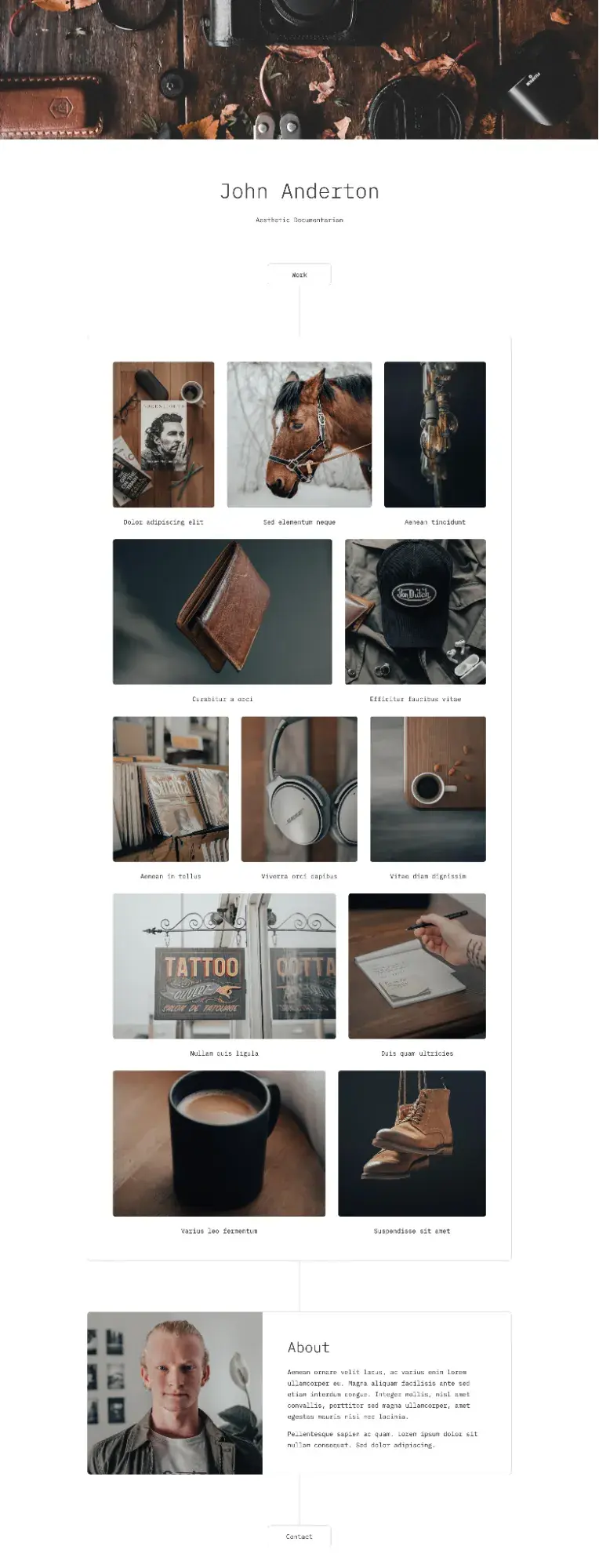
Carrd Example Website Template
*Note: Carrd doesn’t offer stock photography, and since I’m not actually a wedding photographer, I didn’t have any real photos to upload. So, instead, I’ll show you one of Carrd’s website templates below.
My Experience Building with Carrd
Carrd’s visual editor is very basic, but still intuitive. Here’s what I mean by basic: You have to use markdown to format the text.
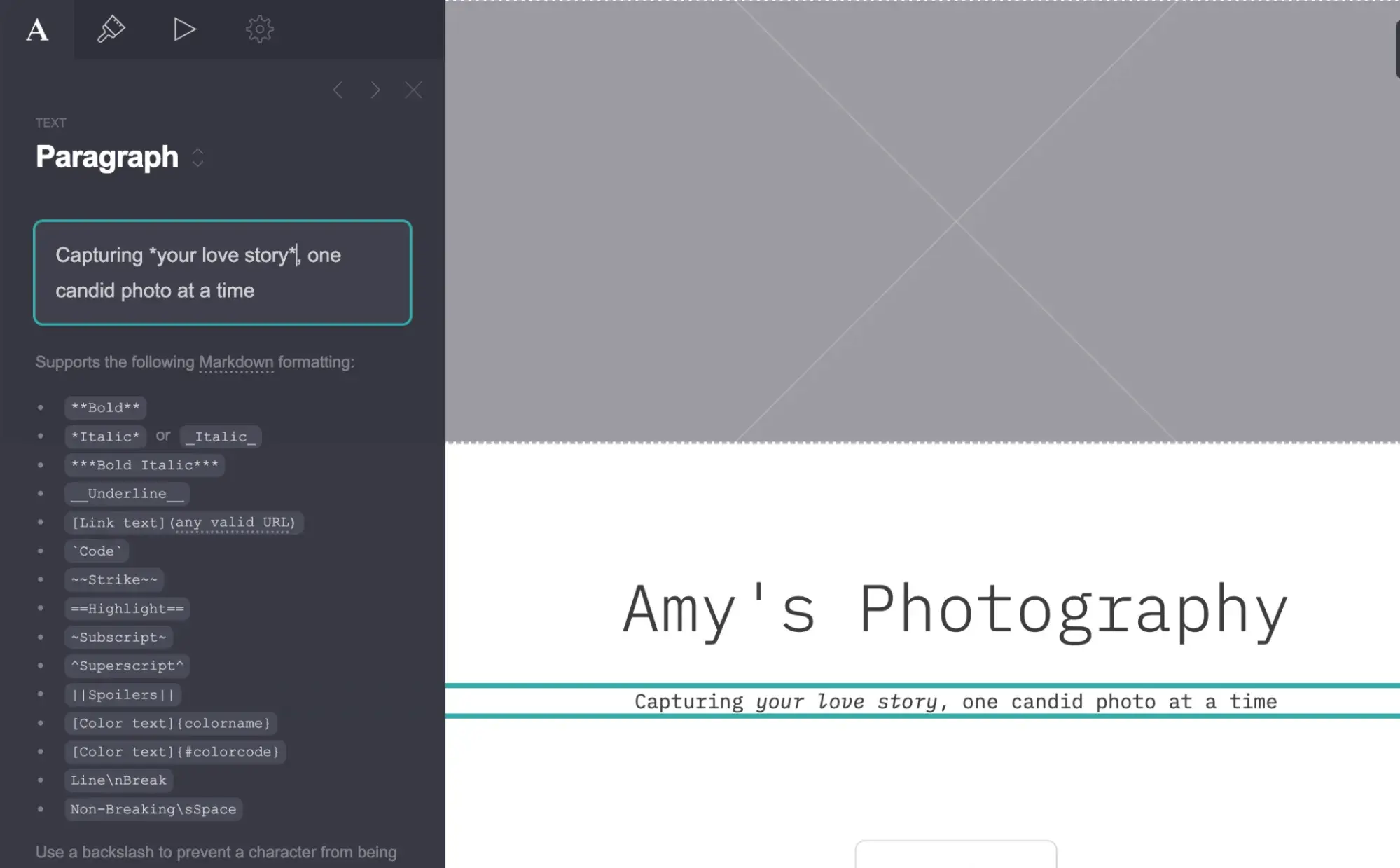
You also can’t adjust the height of columns, and the drag and drop is limited and doesn’t have grid guidelines.
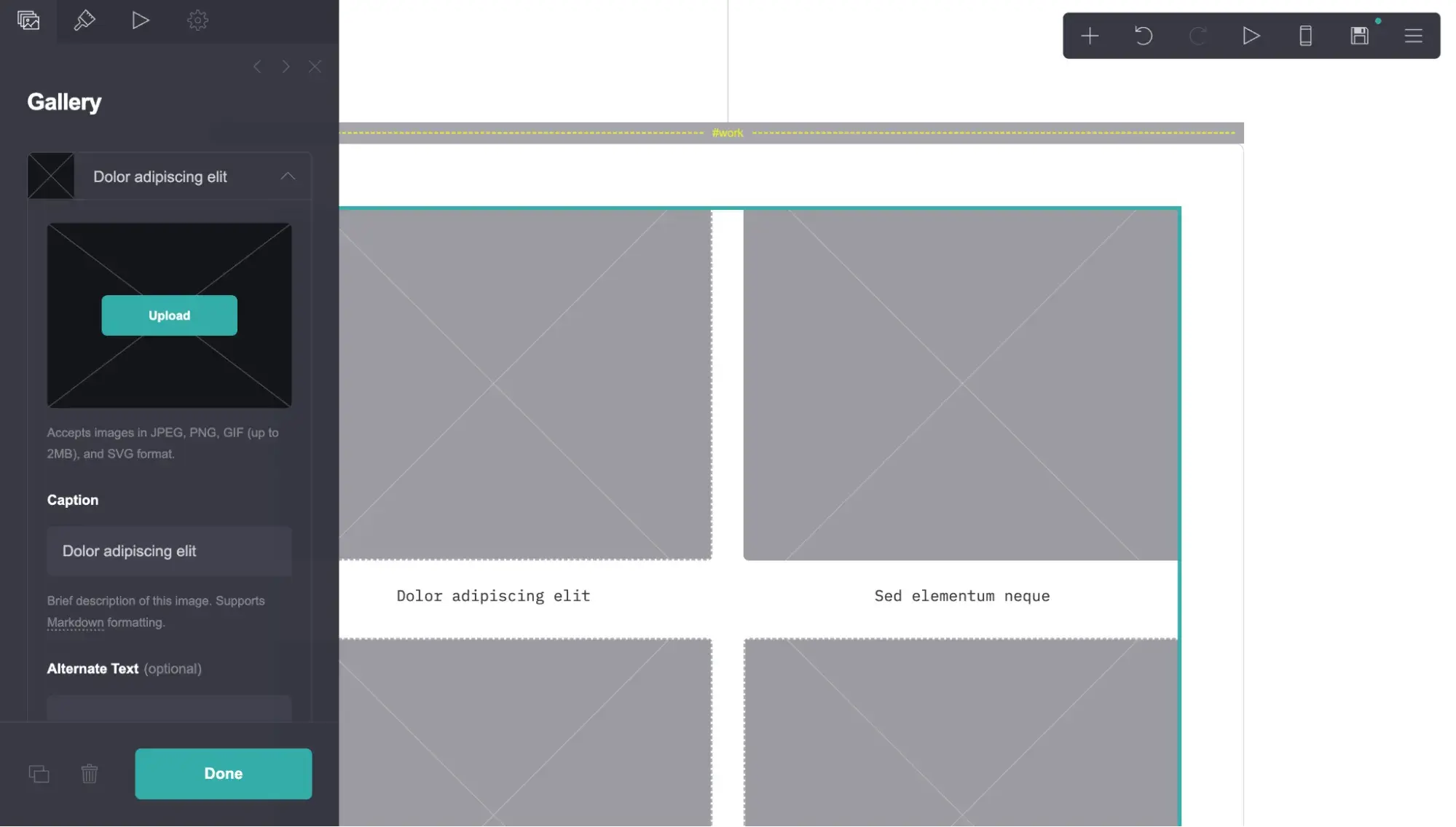
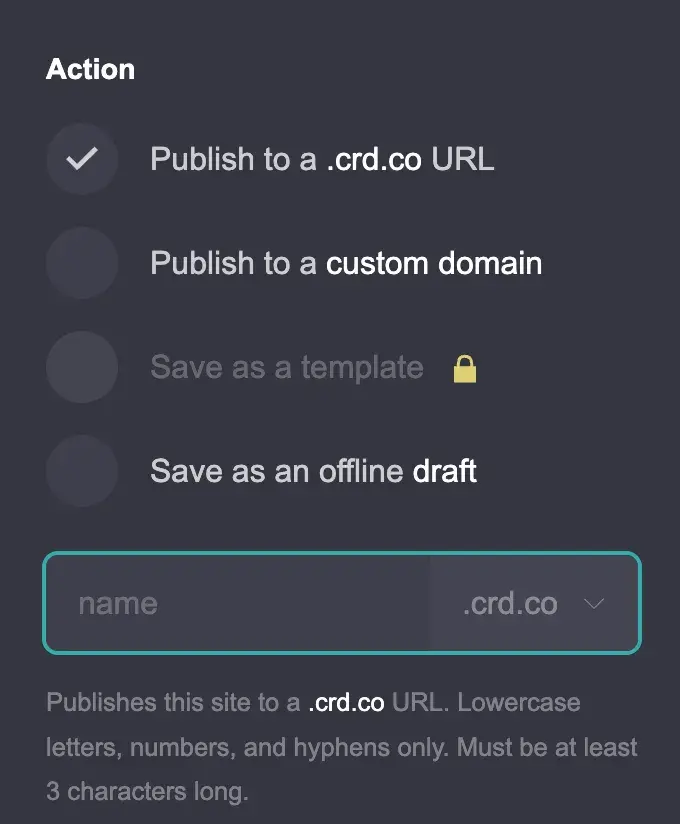
Publishing a site with Carrd is one click, and you can choose a custom domain or [yourname].crd.co domain as long as it’s available. Note: On the cheapest (Pro Lite) plan ($9/year), you get the option to use a [yourname].crd.co URL, but you cannot publish to a custom domain. To get a custom domain connection, you must upgrade to Pro Standard ($19/year).
Key Features:
- 200+ . Carrd doesn’t officially list the number, but I manually counted the templates on its website and got to 200 before I gave up. So, there are at least 200 website templates!
- Basic Built-in SEO Tools:
- Meta Tags: The Pro Standard plan allows adding custom meta tags to sites.
- Google Analytics: Optional tracking ID integration available on Pro Standard and Pro Plus plans.
- Canonical URL: Pro Plus users can explicitly set the canonical URL of a site.
Pricing:
includes three paid plans, plus a free plan. Here’s a breakdown of its paid plans:
- Pro Lite ($9/year). Includes three sites, premium URLs (including a .crd.co extension but does not include custom domains), no branding, premium templates, video uploads, custom templates, and slideshows.
- Pro Standard ($19/year). Includes everything from Pro Lite, plus 10 sites, custom domains, forms, widgets, embeds, Google Analytics, meta tags, and local fonts.
- Pro Plus ($49/year). Includes everything from Pro Standard, plus 25 sites, advanced forms, advanced settings, redirects, and password protection.
What I Like:
Outside of free website builders, hands down, Carrd is the cheapest website builder you’ll find that’s still premium (no branding, allows custom domains, and offers widgets to extend functionality).
What I Don’t Like:
Perhaps the biggest limitation for me is that . That’s because, typically, to rank in Google, you’d create multiple pages (like blog posts) targeting different keywords.
Also, due to its exceptionally low price (as low as $9 per year), Carrd’s features are sparse compared to other builders on this list.
For instance, Carrd does not have:
- Any AI features
- Stock photos
- Usable copy (it has lorem ipsum text as filler)
- Built-in blogging capabilities
So, using Carrd feels almost like starting from scratch, which isn’t a bad thing. It can feel like a clean slate. If you are looking for a simple portfolio site that still exudes a professional look, Carrd is a good fit.
6. Google Sites
One-liner: Google Sites is a completely free website builder with zero ads/branding and free custom domain connection.
Best for: Low-budget solopreneurs and very early-stage businesses that need an MVP website
Total cost for first year: Free always
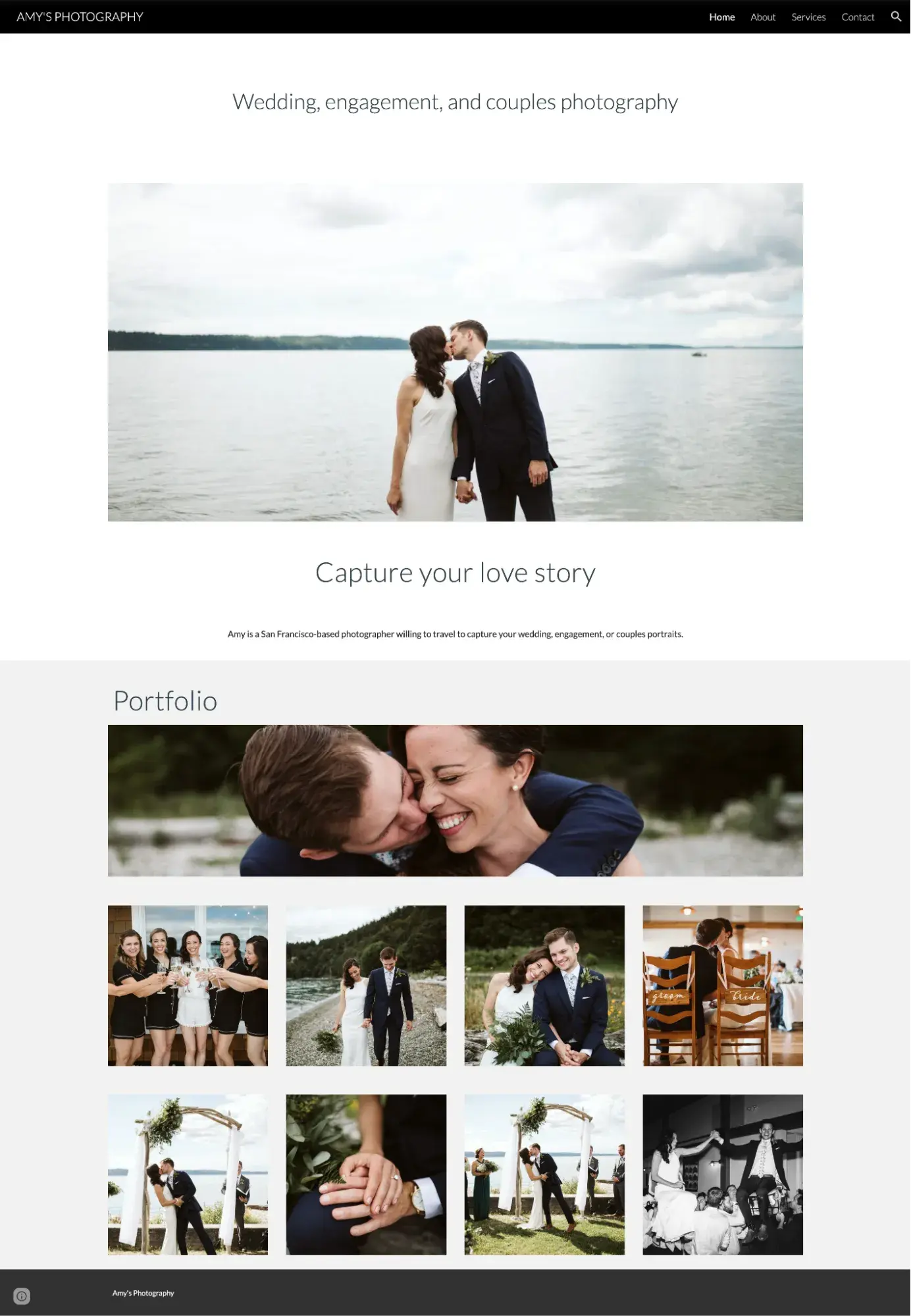
My Google Sites-Built Wedding Photography Example Site
My Experience Building with Google Sites
I couldn’t write about the cheapest website builders without including Google Sites — because what’s cheaper than free? That’s right, Google Sites doesn’t charge a dime for its website builder, and it doesn’t put branding or ads on the site.
However, please note that if you want a custom domain for your Google Site (yourname.com instead of sites.google.com/view/your-name), you do have to pay to register your domain, as you would with any website builder.
Editing a template in Google Sites was very easy to figure out, and it had my beloved gridlines.
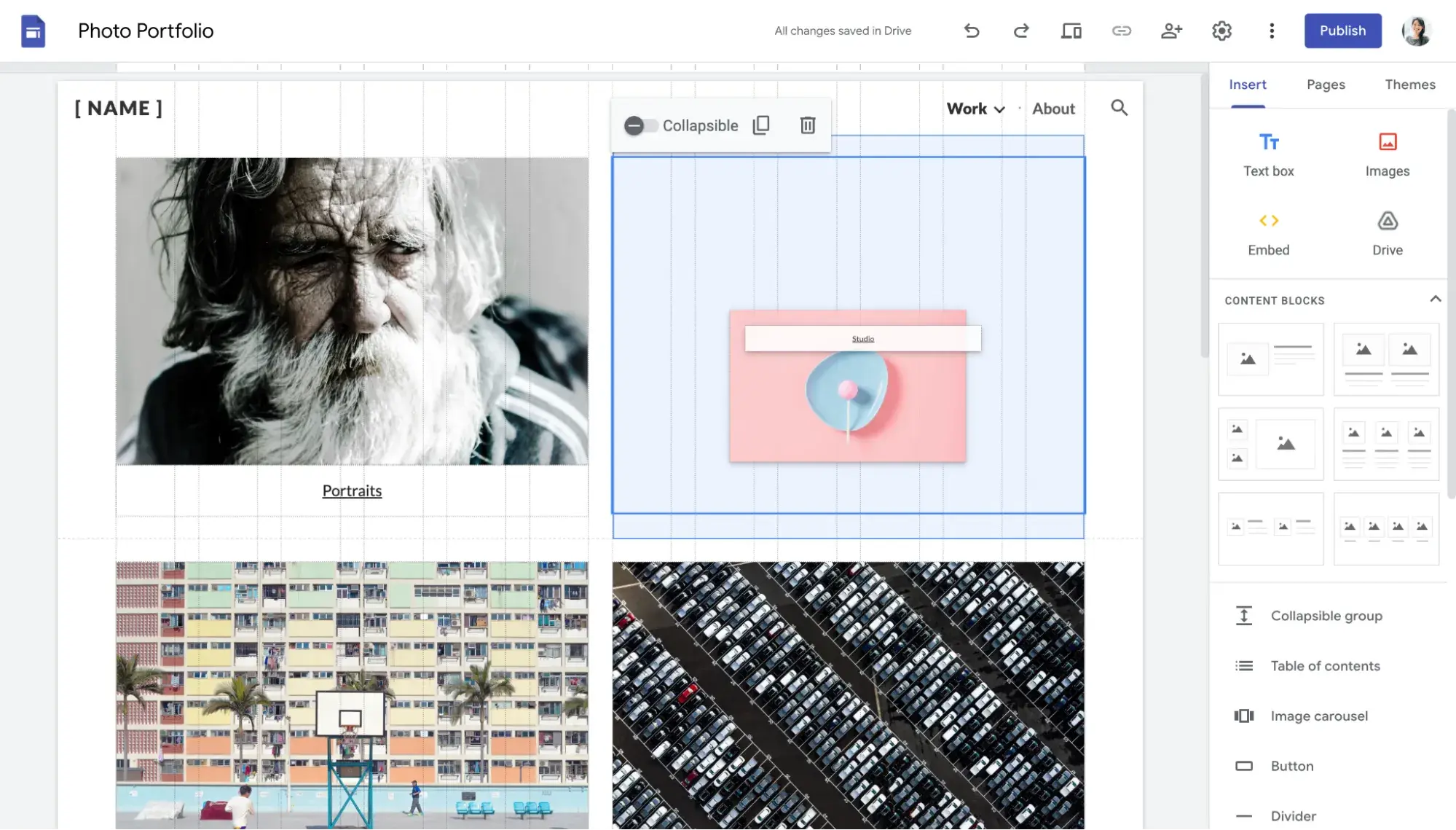
The visual editor is minimal, and it doesn’t have any AI tools.
Key Features:
- Completely free website builder
- 17 website templates
- No ads or branding
- Free custom domain connection (though you still must pay to register the domain first)
- Google Analytics connection: Just paste your tracking or measurement ID.
- Native integration with Google apps, including Drive, Docs, Slides, Forms, and YouTube
Pricing:
Google Sites is free. There are no paid plans.
What I Like:
- It’s 100% free — no ads, no branding. Google Sites is free to use and does not charge to connect a custom domain.
- Beginner-friendly editor. I was impressed with the drag-and-drop editor for Google Sites. It’s very basic but very easy to use.
What I Don’t Like:
- Limited website templates. As a free builder, Google Sites offers limited website templates (only 17 at the time of writing).
Other Cheap Website Builders I Tested but Can’t Recommend
Jimdo
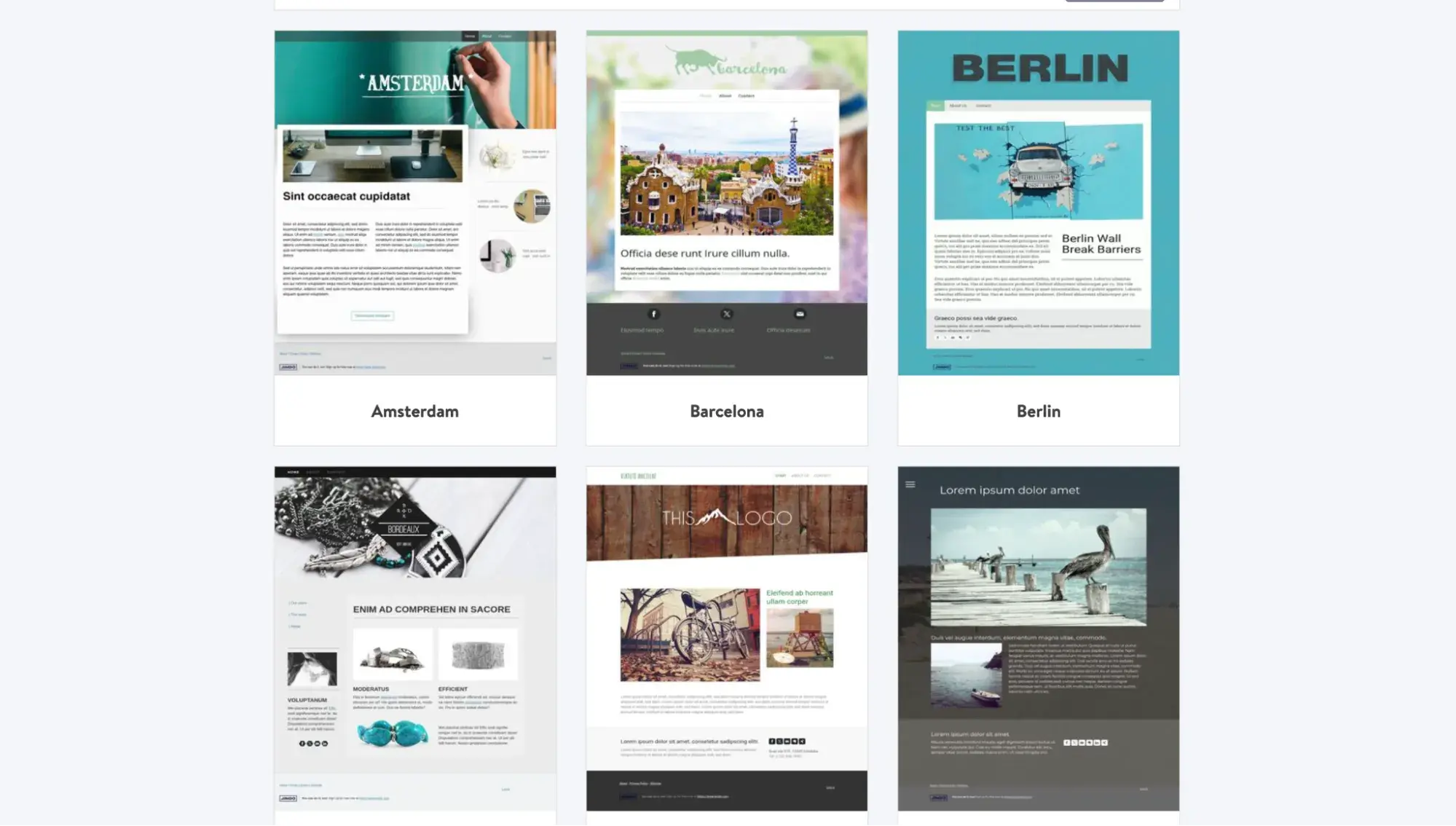
It was very limiting using Jimdo’s website builder. It wouldn’t let me change the template even though its website advertises over 100 templates. I also didn’t love the visual editor. Yes, Jimdo is cheap, but you can get better builders for about the same price.
Mozello
Mozello’s drag-and-drop editor was user-friendly, but I wasn’t impressed with its website templates. For the same price, you can get better options from one of the cheap website builders I recommend above.
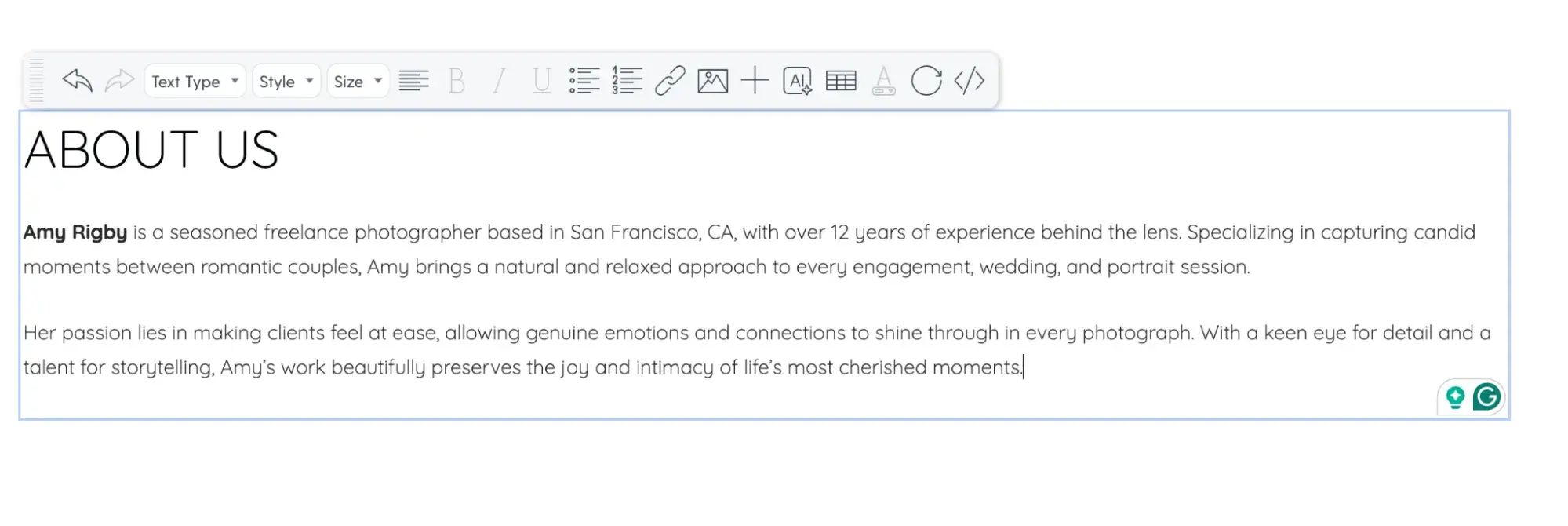
Mozello’s AI text generation did a pretty good job, though, refining what I put in the prompt:
Webnode
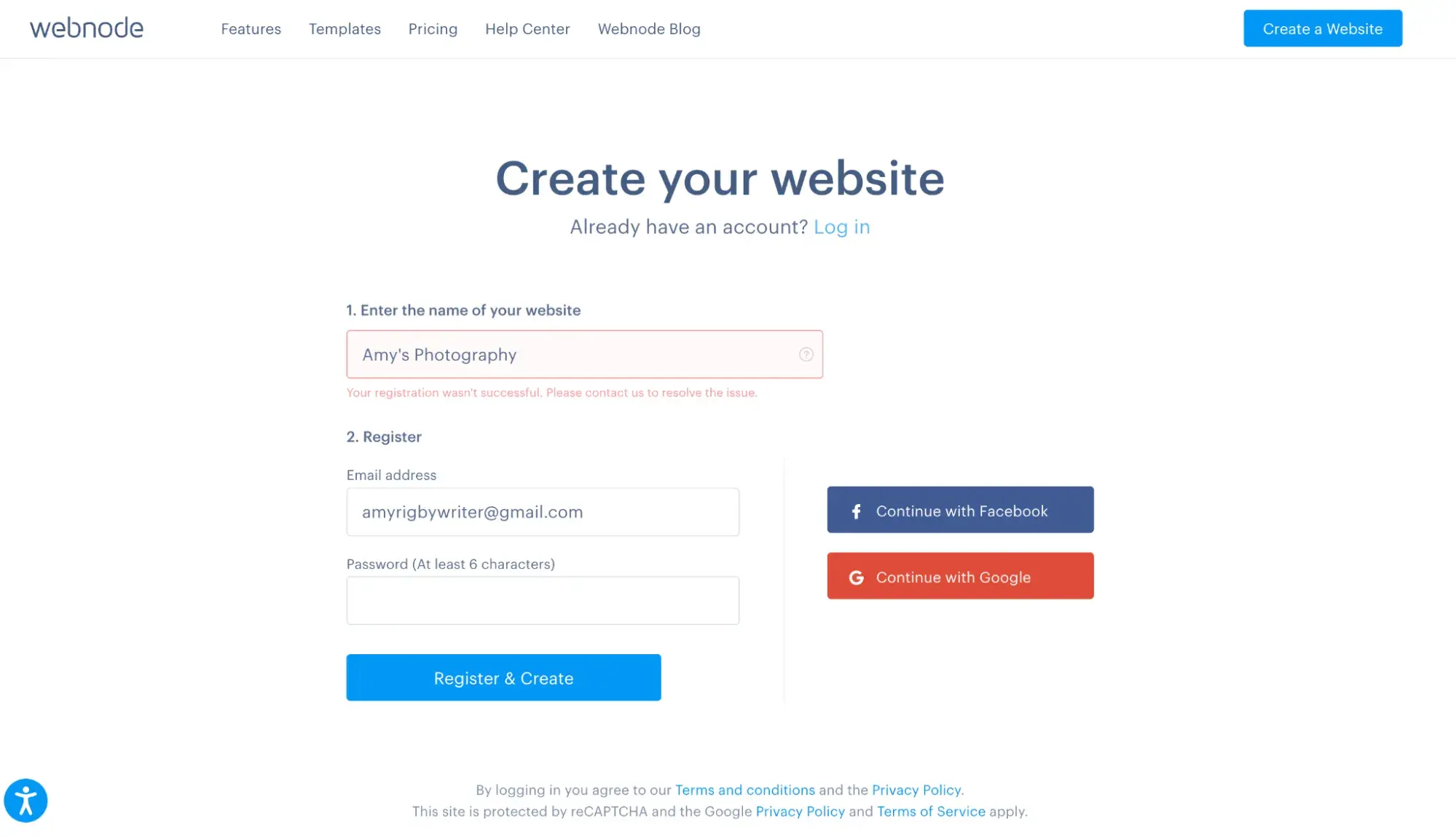
I hit a roadblock right from the start with Webnode: It returned an error every time I tried to sign up.
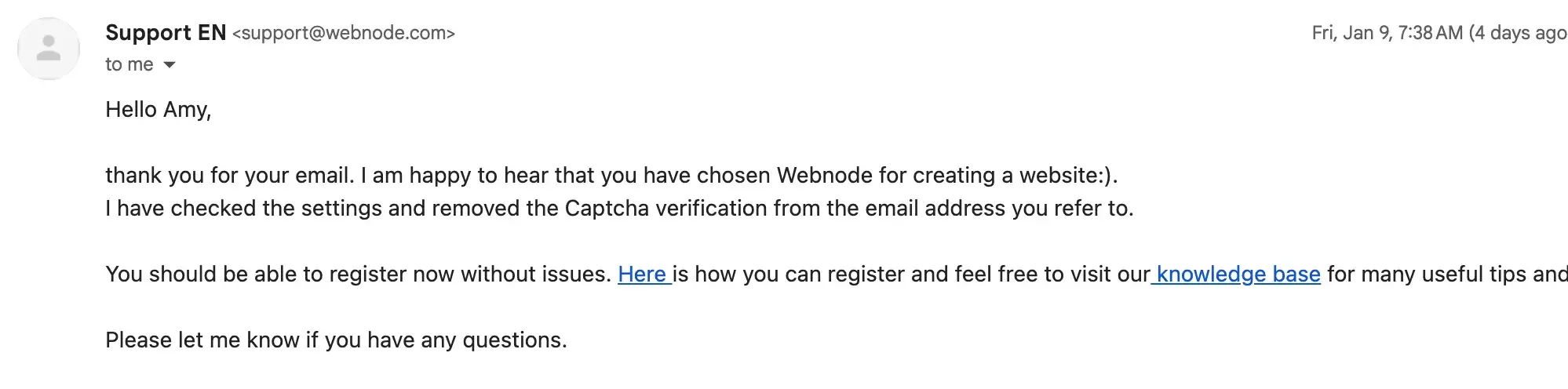
I reached out to support via the provided contact form on a Thursday evening, and they replied by Friday morning and resolved the issue for me.
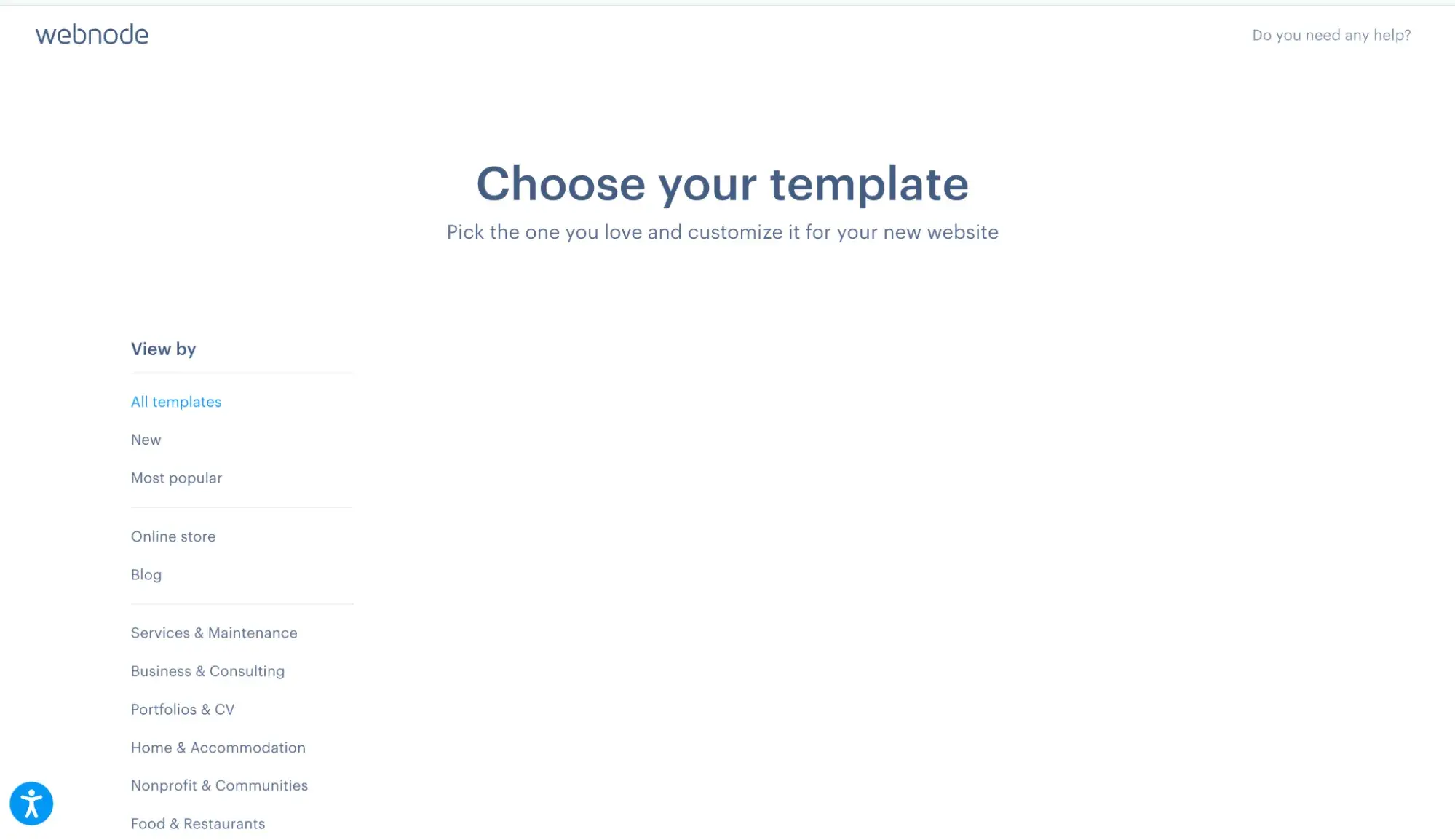
I was finally able to create my account. However, I hit another obstacle as soon as I logged in: The website templates wouldn’t load. At this point, I abandoned ship and moved on to other cheap website builders.
Pixpa
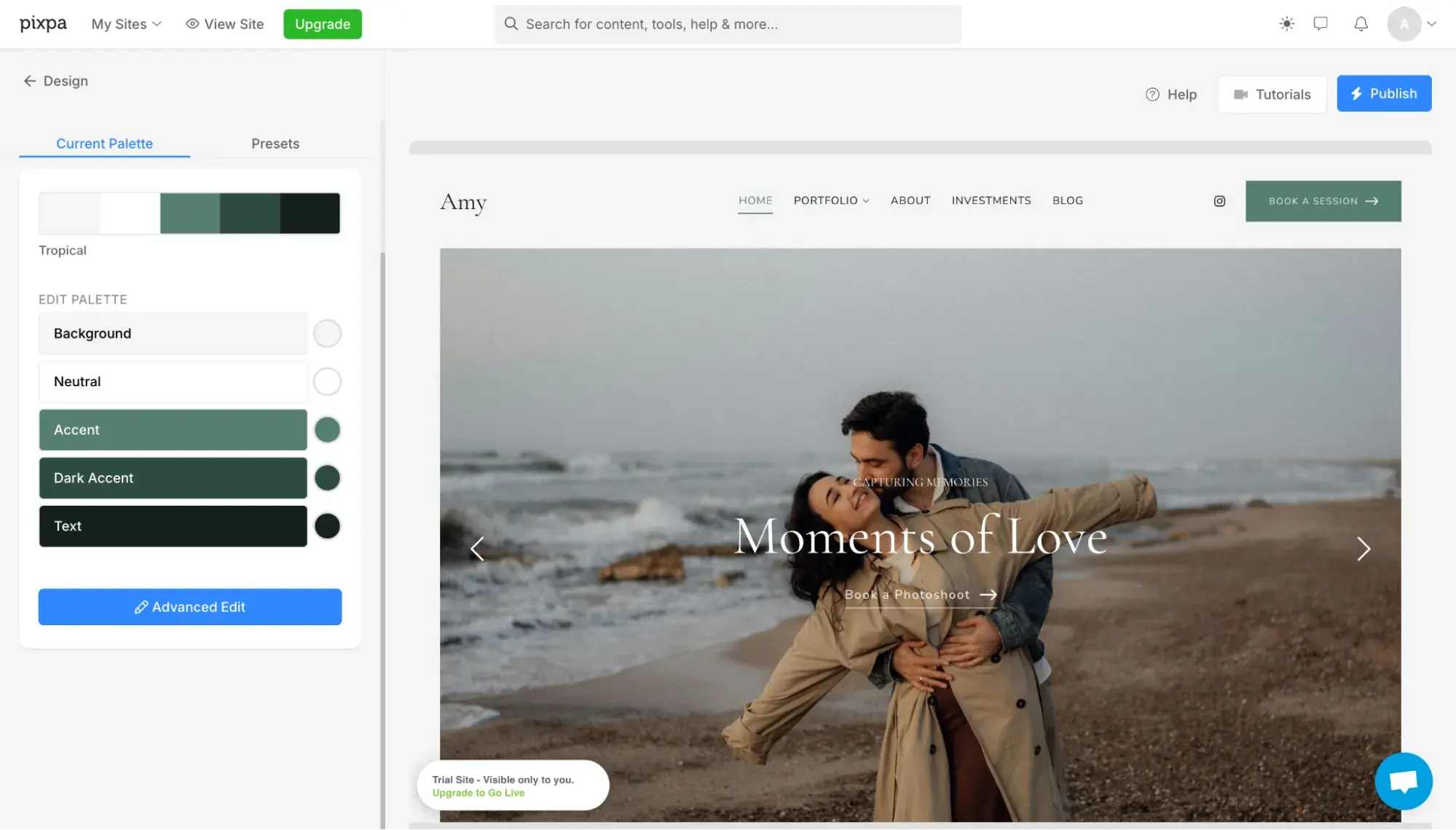
Pixpa’s website creation journey starts by asking you to choose a theme. I found lots of beautiful photography themes.
Next, you’ll choose a color palette. This is where Pixpa started to disappoint; it’s extremely laggy when you change color palettes, taking well over 45 seconds to load the new preview of the site. The next step, too, took over 30 seconds to load the preview.
Important note: The slow load times for website previews happened only during onboarding. Once I was set up inside the website editor, the preview was speedy (about three seconds).
For the life of me, I couldn’t figure out how to edit content in the editor. It said “Edit content,” but then led me to a preview page that wouldn’t let me change the text or anything.
Eventually, I reached out to support, and the rep told me to log out of Pixpa, clear my browser cache, and try again. It worked in that I could finally see the drag-and-drop editor — but it’s still not intuitive. Intuitively, I should be able to click a text field and change the words. But in Pixpa, you need to click the text block, click a button, then find the text field on the right side and edit it there to change the text.
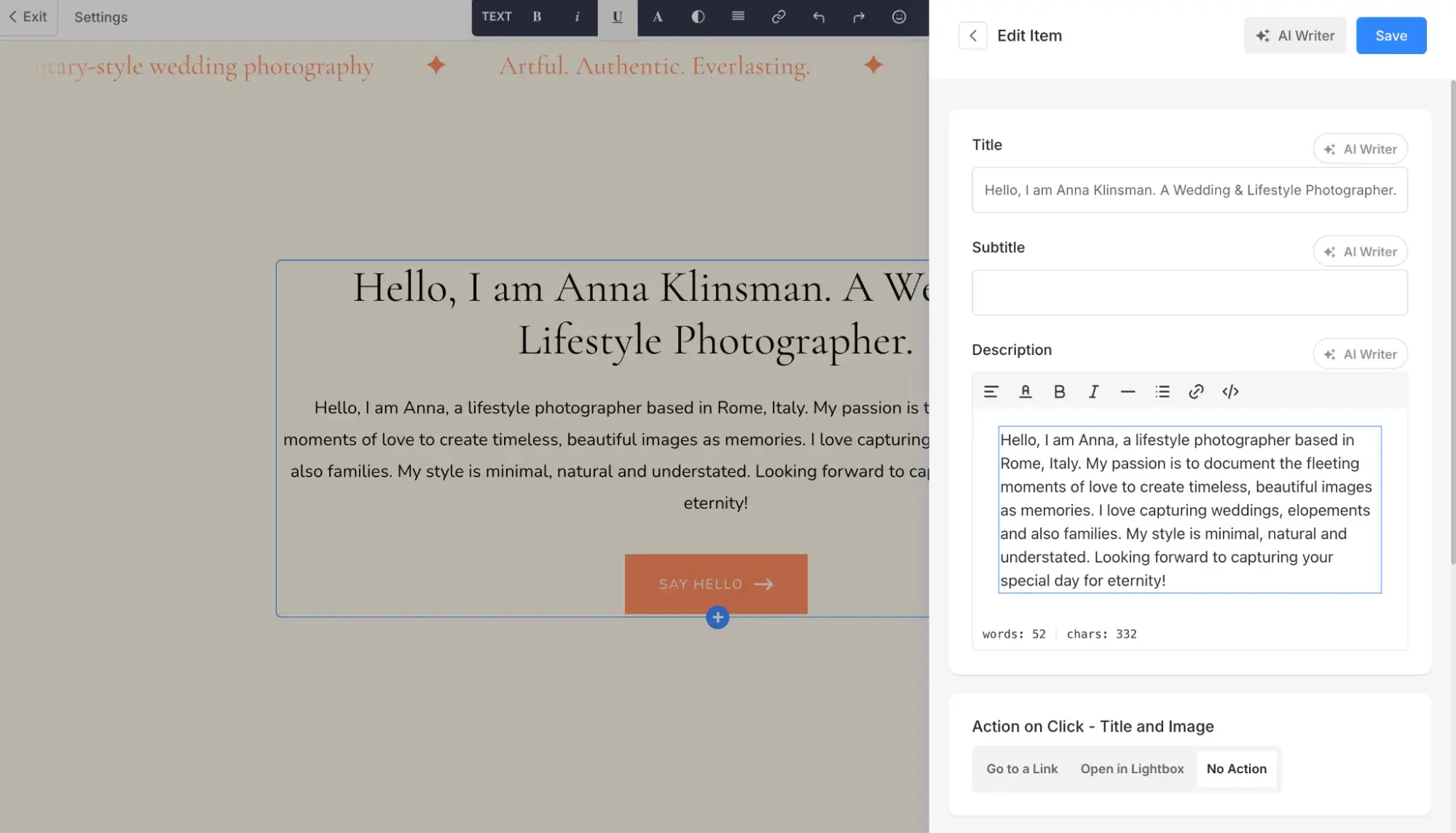
Because it was buggy and not as intuitive as other website builders I found, I decided to leave Pixpa out of my list of recommendations.
Wix
I actually like Wix and recommend it for beginners because the website builder is pretty intuitive and offers help icons in almost every part of the editor (you click these to get guidance on how to use the tool).
However, if you’re looking for the cheapest website builder, Wix objectively is not the cheapest. In fact, at $17/month for its lowest annual pricing, it’s still more expensive than the most expensive option I recommended above. So, if you are on a tight budget, skip Wix for now.
Weebly
I really like Weebly, and it’s what I used to create my first website when I started my freelance writing business in 2013. However, it’s gone through a lot of changes since then. It was , and I found it confusing when I created a new account to test the builder, and the branding flipped back and forth between Weebly and Square. It’s a fine builder, but I think there are better options in my list above.
Frequently Asked Questions About Cheap Website Builders
Which is the most affordable website builder?
Technically, the most affordable website builder is a free website builder, like Google Sites, which charges nothing to use it and does not put ads or branding on your site.
However, the most affordable premium website builder is Carrd, at only $9/year to remove branding. But keep in mind that Carrd can publish only one-pager sites.
If you want the cheapest premium website builder for publishing a multi-page site, that would be WordPress.com at $60/year on its Personal plan.
What is the cheapest website to make?
The cheapest website to make would be a simple one on Google Sites, which is a completely free website builder. Next up would be a one-pager website made on Carrd, which starts at $9/year.
Is Google Sites 100% free?
Yes, Google Sites is 100% free and does not put any ads or branding on your site. However, if you want a custom domain, you do have to pay to register the domain, but Google Sites doesn’t charge you a fee to connect it. A domain can cost as low as roughly $11/year.
Is Wix totally free?
, but its features are limited. Free Wix websites will have Wix branding on them and a [yourname].wixsite.com subdomain. They also do not allow connection to a custom domain. Free Wix sites have only 500MB of storage and up to 1GB of bandwidth, and they do not have ecommerce functionality.
Should I choose the cheapest option available?
No, I do not recommend choosing the cheapest option available if it doesn’t offer you the features that you need. You must balance your budget with your business needs. If, for example, you opted for Carrd simply because its lowest plan is only $9/year, but you want to launch an online store, Carrd would not give you the shopping cart and inventory management functionality that you’d need to succeed.
What hidden costs should I watch for?
Many website builders offer extremely low introductory or promotional rates — but these typically last only for the first year. Upon renewal, the price goes up substantially, so you need to make sure to check what the renewal rate will be.
You should also realize that there’s a catch to “free domains.” Many website builders offer a “free domain,” but it is only free for one year. After the first year, you must pay to renew the domain, so check what the domain registration renewal will cost.
Additionally, many people fail to account for other costs of maintaining a site, including:
- Custom domain. If you want a custom domain (e.g., yourbusiness.com), you have to pay to register it with a domain registrar. This is separate from the website builder itself, and there is no such thing as a free custom domain. You might see a website builder advertise a free “custom domain connection.” This just means that the website builder does not charge you to connect your custom domain to the builder — but you still have to pay for the domain. Alternatively, a website builder might advertise a “free domain,” but that is only for the first year and is included in the price of a paid website builder plan.
- Technical support/custom development. Sometimes in your website-building journey, you’ll run into technical issues (such as a website getting hacked), or you might seek custom features. In these cases, you might contract an external developer to help you. Many website owners fail to account for this cost of website maintenance.
- Premium website themes. Most website builders offer free website themes, but premium themes often look nicer and have more features — for a fee. Keep this in mind when considering your web design needs. For example, WordPress.com offers access to some premium themes on its cheapest plan, but to access all premium themes, you’ll need to upgrade to a higher tier.
Which cheap website maker will I be switching to?
This decision is incredibly hard, and I’m stuck between:
- Keeping my site on Squarespace and switching to annual billing for a 36% discount
- Moving to Hostinger or Carrd to save even more money
As I look to reduce business expenses this year, I’m seriously considering moving my Squarespace site to Hostinger or Carrd. I never thought I’d say that. Again, I love Squarespace, but moving to Hostinger means I’ll save $150 this year on the promotional pricing and $60 even after it reverts to renewal pricing. Switching to Carrd means I’d save $173 this year. Additionally, my freelance writing site is a simple four-page website with zero ecommerce needs, so it really just needs a simple builder, not all the complex features of Squarespace.
Another affordable website builder I want to point out is Content Hub. It’s not the cheapest website builder on this list — but it is the most advanced for business growth and gives you the most bang for your buck, considering that it’s a unified customer platform where CRM, marketing, sales, and service software are all connected. Again, I’d recommend Content Hub for businesses serious about growth and that actually use a CRM. Otherwise, you’ll be sitting on all these fancy tools but not using them (and in that case, you could just use a cheaper website builder like Hostinger).
Editor's note: This post was originally published in July 2024 and has been updated for comprehensiveness.
HubSpot's Free Website Builder
Create and customize your own business website with an easy drag-and-drop website builder.
- Build a website without any coding skills.
- Pre-built themes and templates.
- Built-in marketing tools and features.
- And more!
Content Management System




.webp)