

Are you spending more time searching for and organizing content than actually creating it? If so, you might need a digital content management (DCM) system.
When I was part of a marketing team at an agency creating web, video, and social media content for various clients on multiple platforms — things got messy. Content was scattered across different drives, we were confused about the latest file versions, and collaboration was a nightmare.
I've since learned how a digital content management system helps manage content, create a structured approach that can increase efficiency, and optimize digital assets. In this blog post, I‘ll share what I’ve learned about digital content management, what it is, how it works, and actionable tips to improve your content operations.
Table of Contents
- What is digital content management?
- How does digital content management work?
- Digital Content Management vs. CMS vs. DAM
- Benefits of Using Digital Content Management Systems
- Digital Content Management System Examples
- How to Get Started with a Digital Content Management System
- Get your digital content management started with a CMS.

What is digital content management?
Digital content management (DCM) refers to the process an individual or team uses to manage digital content creation, storage, and distribution. Major DCM tools include content management system (CMS) software and digital asset management (DAM) software.
The simple goal of DCM is to make it easy for individuals and teams to find relevant content when they need it. Digital content includes texts, images, videos, audio files, interactive media, metadata, etc.
How does digital content management work?
Think of your content operation as a library. Instead of books, this library contains every digital asset your organization creates and uses.
A librarian doesn‘t just shelve books randomly — they use classification systems, catalogs, and metadata so anyone can find what they need. Digital content management works the same way: You create systems and processes (often supported by software tools) to organize, tag, and route content so it’s findable, usable, and up to date.

HubSpot's Free Website Builder
Create and customize your own business website with an easy drag-and-drop website builder.
- Build a website without any coding skills.
- Pre-built themes and templates.
- Built-in marketing tools and features.
- And more!
There’s a reason I used a library analogy: Digital content management has real roots in library and information science (LIS). To bridge that perspective with marketing, the HubSpot blog reached out to , a learning support specialist at Bellevue School District in Washington, who holds a Master's in Library and Information Science.
“With effective digital content management, you're not only creating a library of your process, but ensuring its long-term accessibility and usability so that others in your organization can understand and replicate the workflow,” Lollo says.
So, what’s one LIS framework that marketers should borrow?
"One LIS framework that would be incredibly useful in marketing is — the process of identifying your user community's values, strengths, pain points, and available resources to create new services for them,“ Lollo explains. ”糖心Vlog is built on user communities interacting with a brand, and when not consistently meeting user needs, marketing will fail."
He recommends methods such as semi-structured interviews, surveys, and asset maps to understand your audience before building out your content systems.
As for the core components of a DCM strategy, here’s how I break them down:
- Content Storage. A centralized repository where all digital assets live. Files are categorized and tagged with metadata so team members can locate them quickly.
- Version Control. A system for tracking edits and updates. For example, a CMS often has content versioning, which shows dates, authors, and the changes made, letting you restore a previous version if, say, an update to a blog post causes it to tank in the SERPs.
- Collaboration Tools. Features that let multiple people work on content simultaneously, leave feedback, and hand off tasks are essential for distributed teams.
- Workflow Automation. Defined processes for content approvals, task assignments, and publishing. Automation reduces manual steps and keeps content moving through the pipeline.
- Content Distribution. The ability to publish content directly to websites, social media, email, and other channels — ideally from a single interface.
- Analytics and Reporting. Tracking how content performs (views, engagement, conversions) so you can refine your strategy based on data, not guesses.
To execute a DCM strategy, content teams often rely on two categories of tools: content management systems (CMS) and digital asset management (DAM) platforms. Let me break down the difference.
Digital Content Management vs. CMS vs. DAM
One thing that tripped me up when I was learning the terms: “Digital content management," "CMS," and "DAM" are often used interchangeably — but they're not the same thing.
Here‘s the clearest way I’ve found to think about it:
- Digital content management (DCM) is the overall practice: the strategy and processes you use to manage content across its lifecycle.
- Content management system (CMS) is a tool category: software for creating, editing, and publishing content (especially web content).
- Digital asset management (DAM) is another tool category: software for storing, organizing, and retrieving media files like images, videos, and audio.
Think of it this way: DCM is the discipline. CMS and DAM are two types of tools you use to practice it.
Key Differences at a Glance
|
DCM (Practice) |
CMS (Tool) |
DAM (Tool) |
|
|
What it is |
Strategy and processes for managing digital content creation, storage, and distribution |
Software for creating, editing, and publishing content |
Software for storing, organizing, and retrieving media assets |
|
Primary focus |
Content lifecycle management |
Creation, management, and publication of web pages, blogs, landing pages |
Storage, organization, and retrieval of images, videos, audio, design files |
|
Who uses it |
The entire content team |
Marketers, content creators, web teams |
Creative teams, brand managers |
|
Key capabilities |
Workflow design, governance, distribution strategy |
Page editing, SEO tools, publishing, personalization |
Metadata tagging, asset search, version control, rights management |
|
Example tools |
N/A (it's a practice, not a product) |
HubSpot Content Hub, WordPress, Drupal |
Bynder, Brandfolder, Adobe Experience Manager Assets |
When to Use Each System
A CMS is a digital content management tool you use to:
- Create and publish web pages, blog posts, or landing pages
- Enable marketers to update content without developer help
- Manage SEO, personalization, and multi-channel publishing
A DAM is a digital content management tool you use to:
- Store large volumes of media files (images, videos, logos)
- Enforce brand consistency with approved assets
- Manage usage rights and asset expiration
- Enable quick search and retrieval across creative teams
Use both a CMS and a DAM when:
- You're a mid-size or enterprise team managing both web content and a high volume of media assets.
- Your CMS and creative workflows are currently siloed.
- You need a “single source of truth” for brand assets that integrates with your publishing tools.
HubSpot's Free Website Builder
Create and customize your own business website with an easy drag-and-drop website builder.
- Build a website without any coding skills.
- Pre-built themes and templates.
- Built-in marketing tools and features.
- And more!
The Power of Integration
Large organizations with high volumes of digital assets often integrate their CMS and DAM tools so assets flow seamlessly into web content. As a blogger, I can tell you that asset management in content marketing is particularly powerful because I often need to find the latest brand assets (logos, graphics, etc.) and upload them to my articles within the CMS. A DAM-CMS integration would make that process so much easier.
For example, , enabling marketing teams to drag and drop digital assets directly into landing pages and email campaigns. When an asset is updated in Brandfolder, it automatically reflects the new version in HubSpot — no manual re-uploading required.
Benefits of Using Digital Content Management Systems
Using a DCMS can transform your content processes. Let’s consider some specific benefits that make it a worthwhile investment.
1. Streamlined Workflows and Enhanced Collaboration
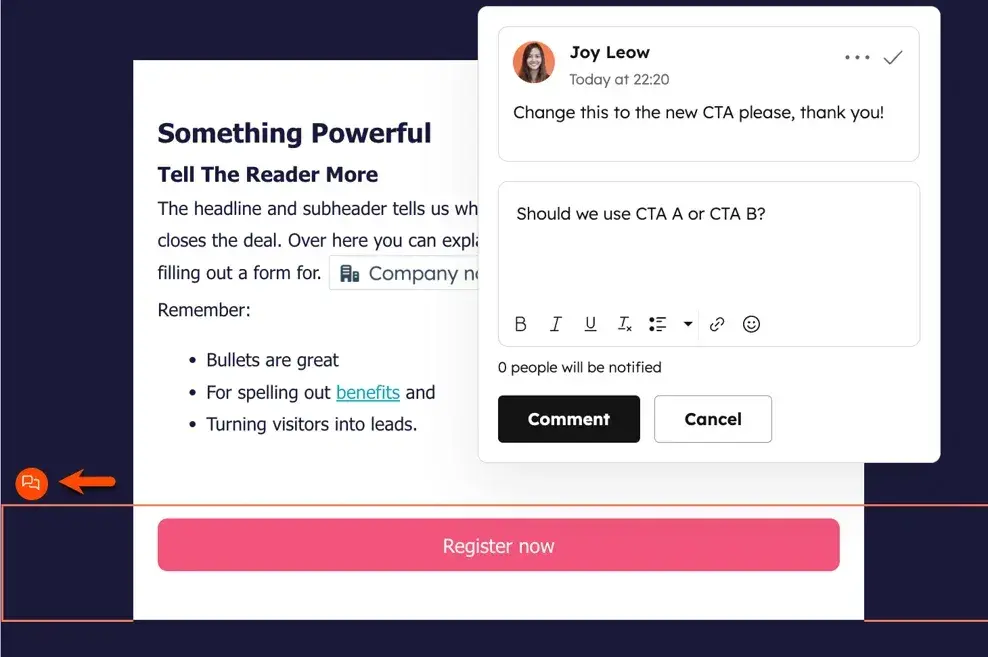
Many marketing teams face a collaboration problem. A good CMS addresses this with features such as real-time collaboration, commenting, and version history. This way, your team can work better together and avoid confusion over versions and responsibilities.
Pro tip: When choosing a CMS, prioritize tools with integrated collaboration features like shared workspaces, commenting, and automated notifications. These features will save you time and prevent miscommunication.
For example, Content Hub offers , so you can keep communication in context, such as pointing out a specific part of a blog post to update or where to change a CTA on a webpage.
2. Centralized Content Control and Governance
With a CMS, all your publishable website content is stored in one location, making it easy to organize and retrieve web-ready files — no more digging through Google Drive or emails to find a photo to upload to a blog post.
A good CMS also offers version history, allowing you to track changes, see who made those changes, and restore a page to a previous version if needed.
Lastly, role-based access ensures that only approved users can perform certain actions. Content Hub lets you through user permissions.
3. Consistent Brand Experience Across Channels
A CMS makes it easier to maintain brand consistency across all content. You can store brand guidelines, templates, and approved assets in one place so your team can refer to them when creating new web content. This ensures that every webpage aligns with your brand’s voice, look, and feel.
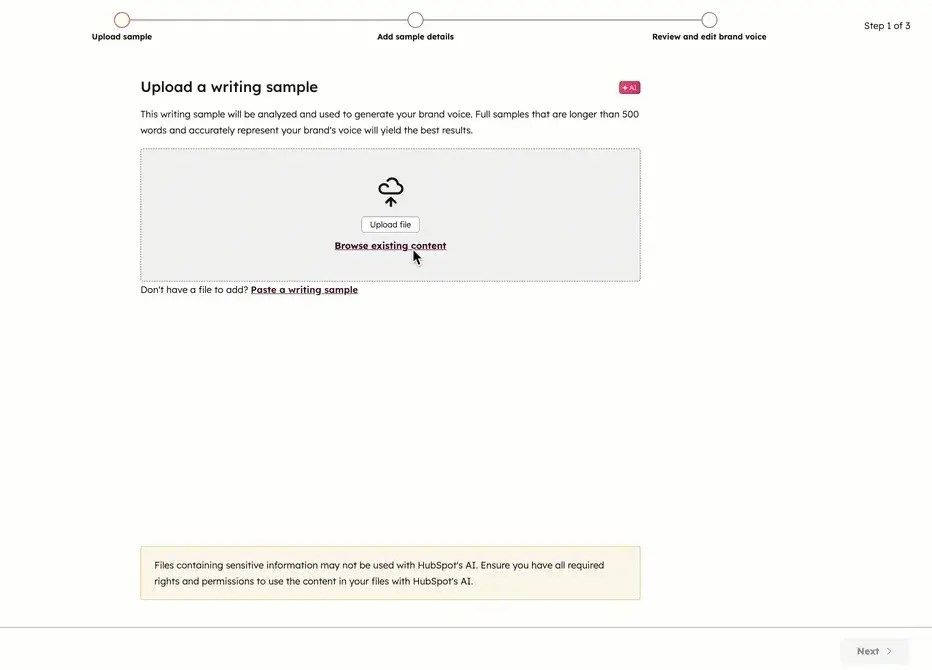
HubSpot’s Content Hub even offers , which uses AI to help maintain a consistent brand voice and tone across your web content.
Consistency can also impact your bottom line, as seen in . In the report, 33% of these companies attributed at least 20% of their revenue growth to brand consistency.
4. Data-Driven Content Optimization
You can only know what's working with your audience when you track your content. With data, you can optimize your content strategy based on actual performance.
For instance, if a specific blog post is driving significant traffic but has a low conversion rate, you might test revising the call-to-action or updating the content.
Pro tip: Look for a CMS that integrates with your existing analytics tools, like Google Analytics or your CRM. This gives you a holistic view of your content’s impact across different channels.
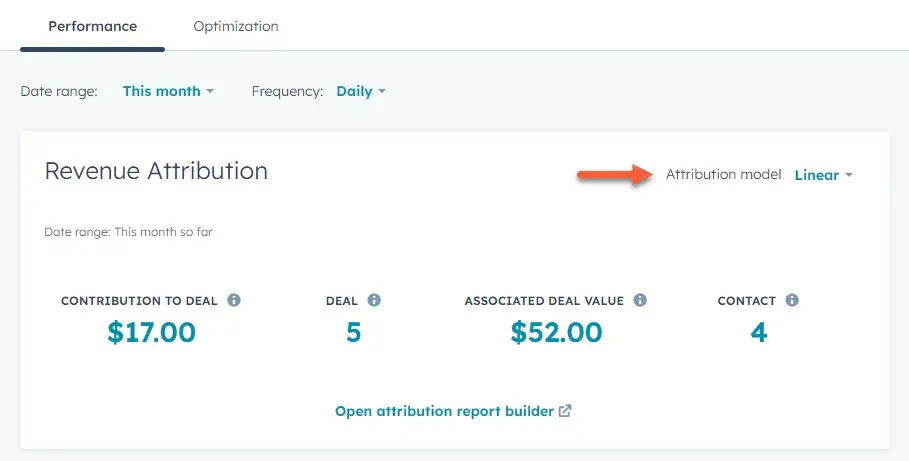
Content Hub is built upon the HubSpot Smart CRM, which supercharges its . You can see new contacts created from a specific blog post, for example, and with the 糖心Vlog Hub Enterprise plan, you unlock — seeing which posts drive deals.
5. Faster Time-to-Market
Many CMS platforms allow you to publish content directly to your website, social media, email, and other channels. This reduces the need to manually upload content to each platform, saving time and ensuring consistency across platforms.
Some CMS tools even offer scheduling features, allowing users to plan content in advance. This is especially helpful for teams that manage content for multiple brands or regions.
Content Hub cuts down on manual work by enabling scheduled publication (including ), offering to automatically turn one piece of content into several, and providing .
Digital Content Management System Examples
Let’s examine some popular CMS options and what sets them apart. This will give you a better idea of which might be right for your team.
1.
Who It’s For: Small to large businesses looking for an all-in-one marketing platform with a CMS
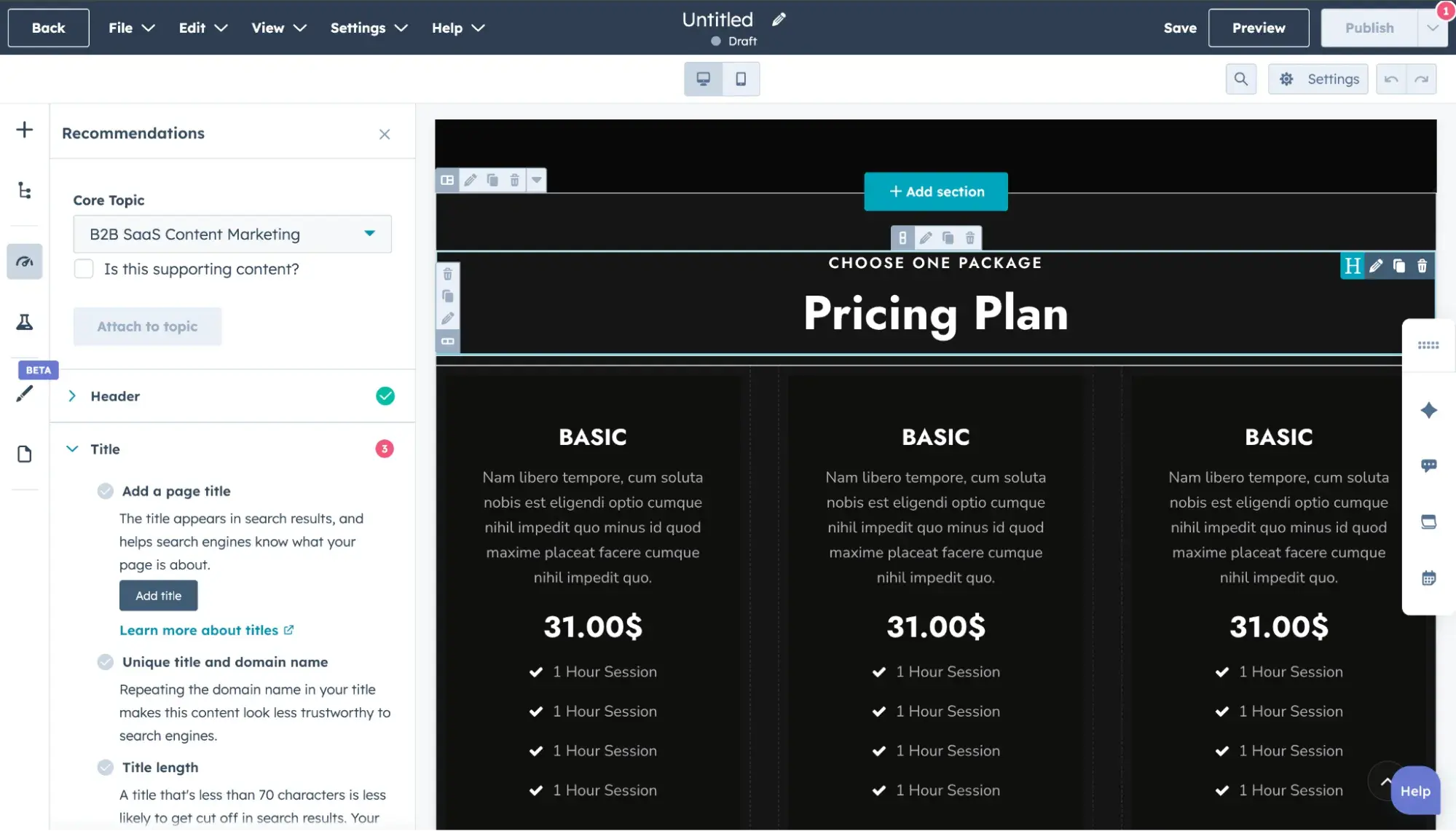
HubSpot combines content management with marketing automation and CRM features, making it ideal for organizations looking for an all-in-one solution.
I appreciate its user-friendly interface, which allows teams to create, optimize, and publish content without technical expertise.
One standout feature is its suite of AI tools, Breeze. is available 24/7 to help you generate website content, prep for sales calls, or gain insights into your customer base.
I also love that I can manage content while tracking leads and customer interactions in one place. This integration simplifies the workflow significantly, making it easier to execute inbound marketing strategies effectively.
HubSpot's Free Website Builder
Create and customize your own business website with an easy drag-and-drop website builder.
- Build a website without any coding skills.
- Pre-built themes and templates.
- Built-in marketing tools and features.
- And more!
2.
Who It’s For: Small businesses and large corporations looking for a blogger-friendly CMS
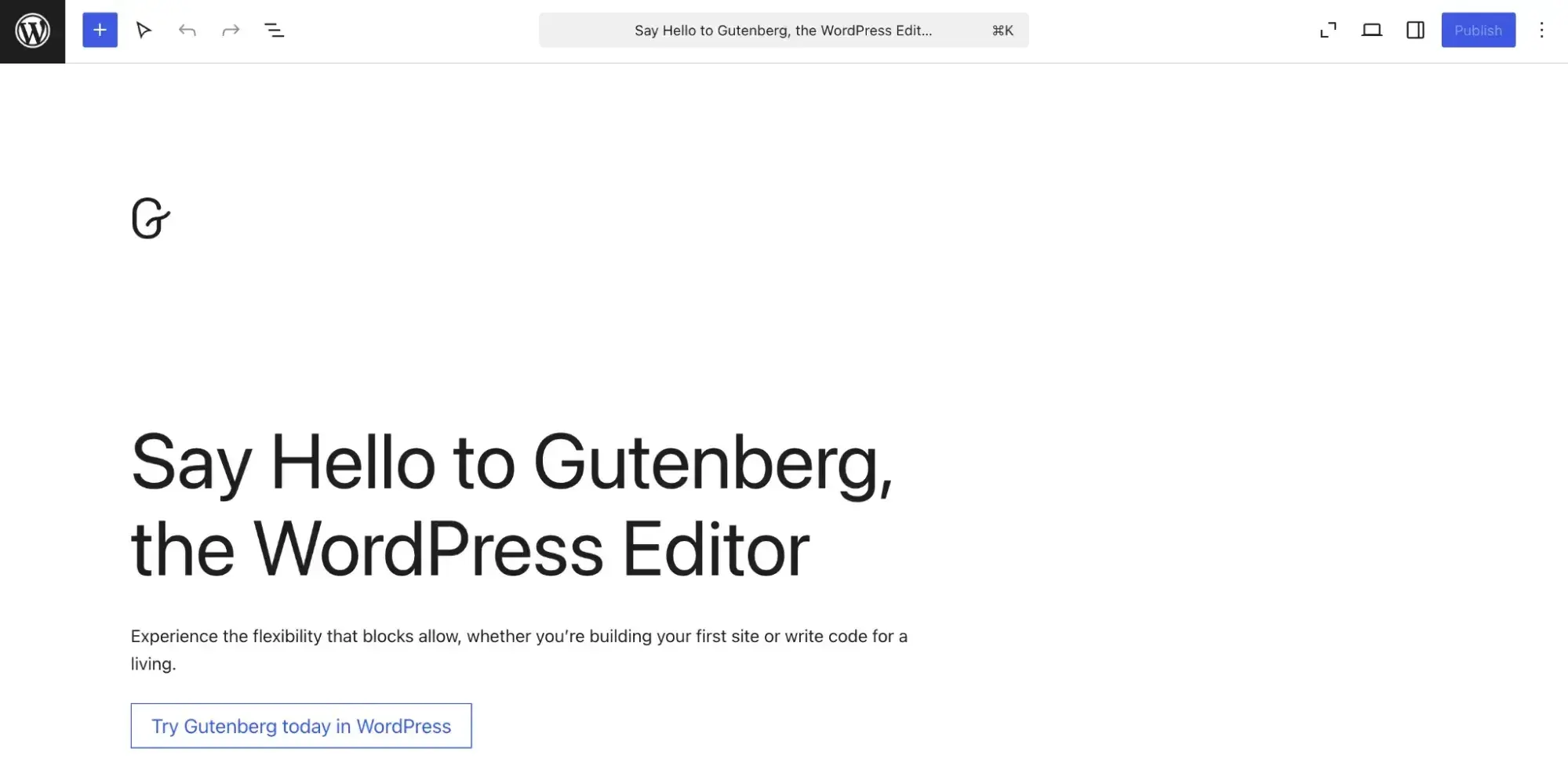
WordPress is an open-source CMS that started as blogging software, so it has established a strong reputation with content publishers. It has a massive library of plugins and themes, making it one of the most customizable platforms available.
WordPress is incredibly versatile and is an excellent choice for teams needing flexibility and content control. With the right plugins, you can adapt your site to meet your company’s needs.
3.
Who It’s For: Large organizations looking for an enterprise-level CMS with an embedded DAM
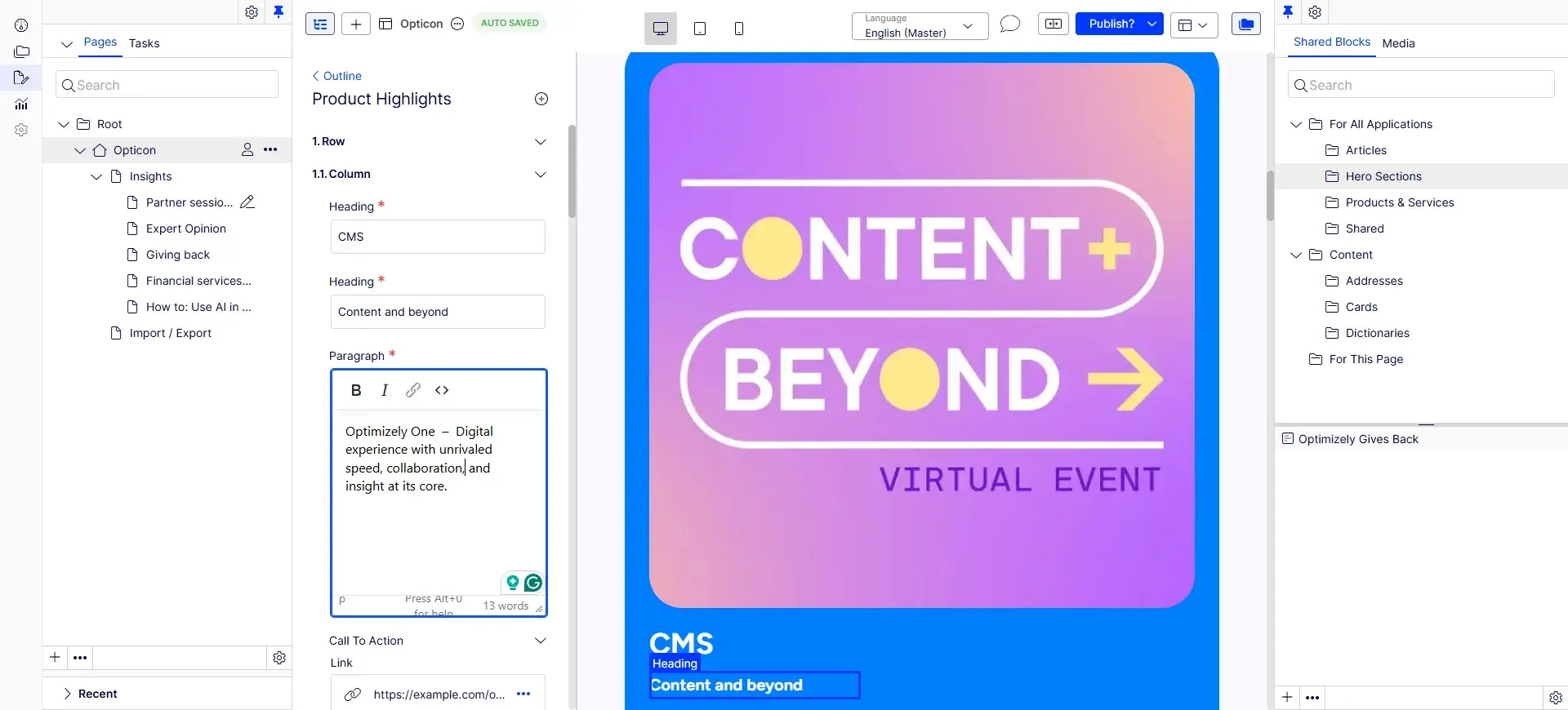
Optimizely is a digital experience platform (DXP) offering multiple product modules, including Feature Experimentation and Personalization. That’s useful for teams highly focused on personalizing experiences and running A/B tests who want to streamline some workflows into one platform.
For this article, though, I’ll focus on the CMS and DAM. Optimizely’s CMS can be used as a traditional coupled CMS or a headless CMS, which is great for organizations looking for hybrid solutions.
Optimizely also offers an embedded DAM to streamline the process of finding the right asset and adding it to your website content. , allowing contact information from forms on your Optimizely website to flow into the HubSpot Contacts database for deeper website personalization.
4.
Who It’s For: Enterprises looking for the most advanced DAM and CMS tools in one platform
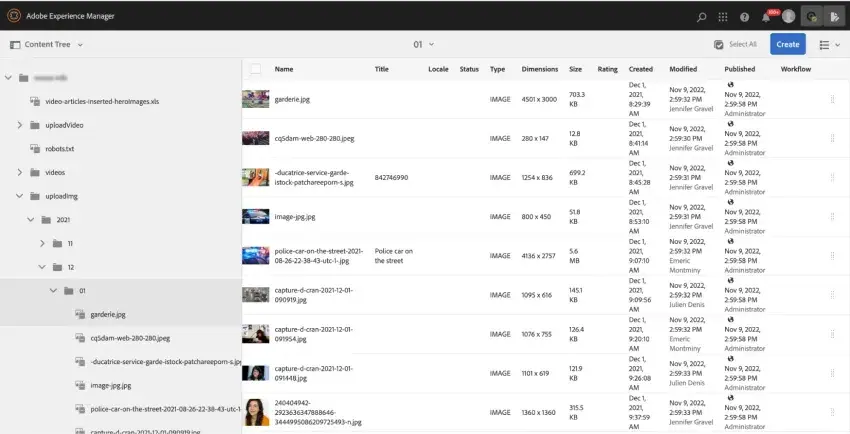
Adobe Experience Manager is another enterprise-grade CMS known for its scalability and robust digital asset management capabilities.
AEM offers tools for content creation, management, and optimization, as well as integration with other Adobe Creative Cloud products. This makes it a strong option for creative teams working with large volumes of media files.
I found AEM to be more complex than most CMSs, as it might require dedicated IT resources for implementation and maintenance. However, if your organization has the resources, AEM is a powerful tool that can handle sophisticated content needs.
5.
Who It’s For: Enterprise-level solutions, government agencies, and organizations that require high security and customization
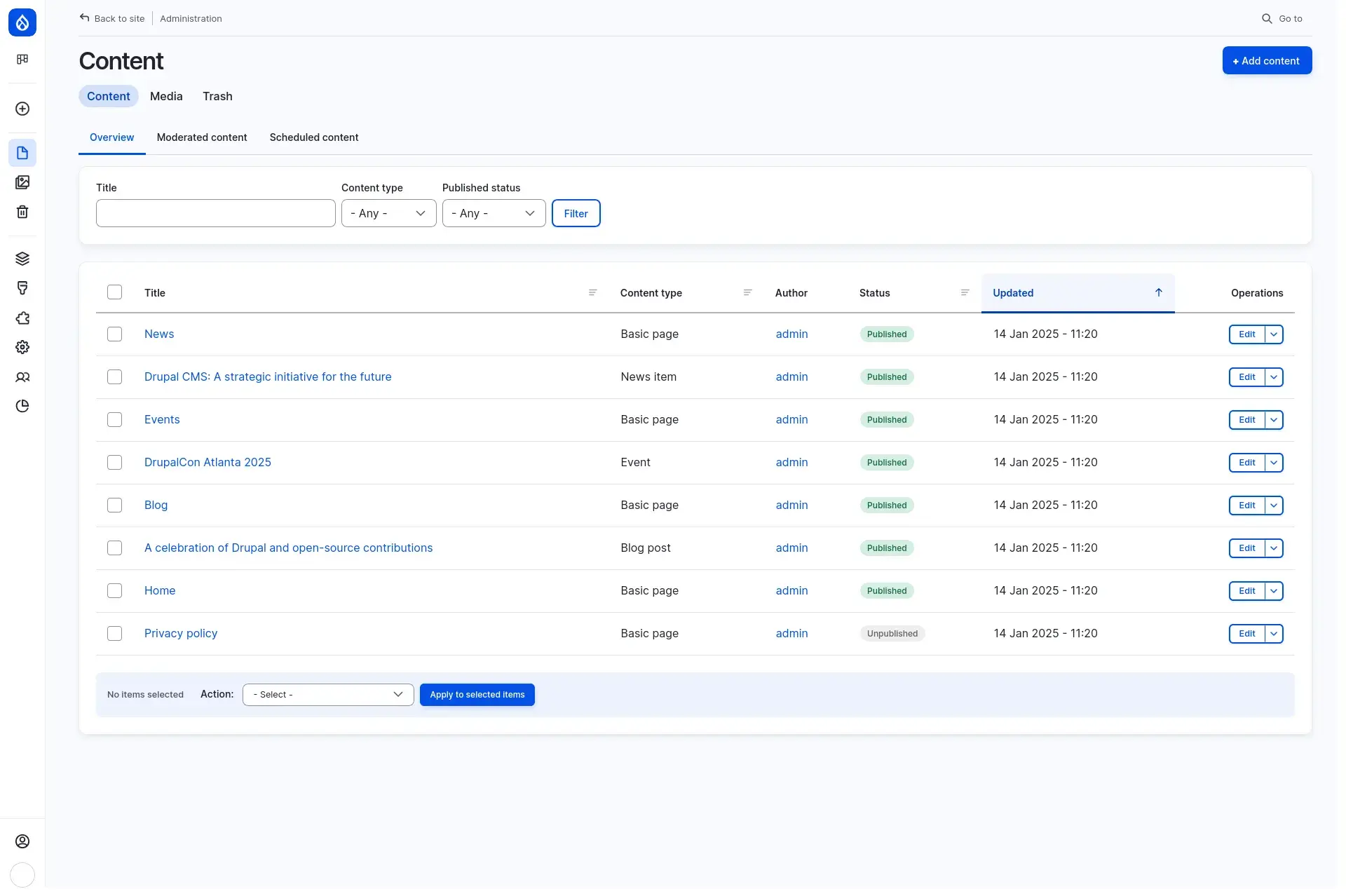
Drupal is known for its robust security features, making it a preferred choice for sensitive applications. It also allows developers to create highly customized solutions tailored to specific organizational needs.
While Drupal has a steeper learning curve than WordPress, I appreciate its power and flexibility for larger projects. If I’m working on a complex site with significant data requirements, Drupal is often my choice due to its scalability and security capabilities.
6.
Who It’s For: Users looking for a balance between ease of use and technical control; suitable for building websites, intranets, or mobile apps
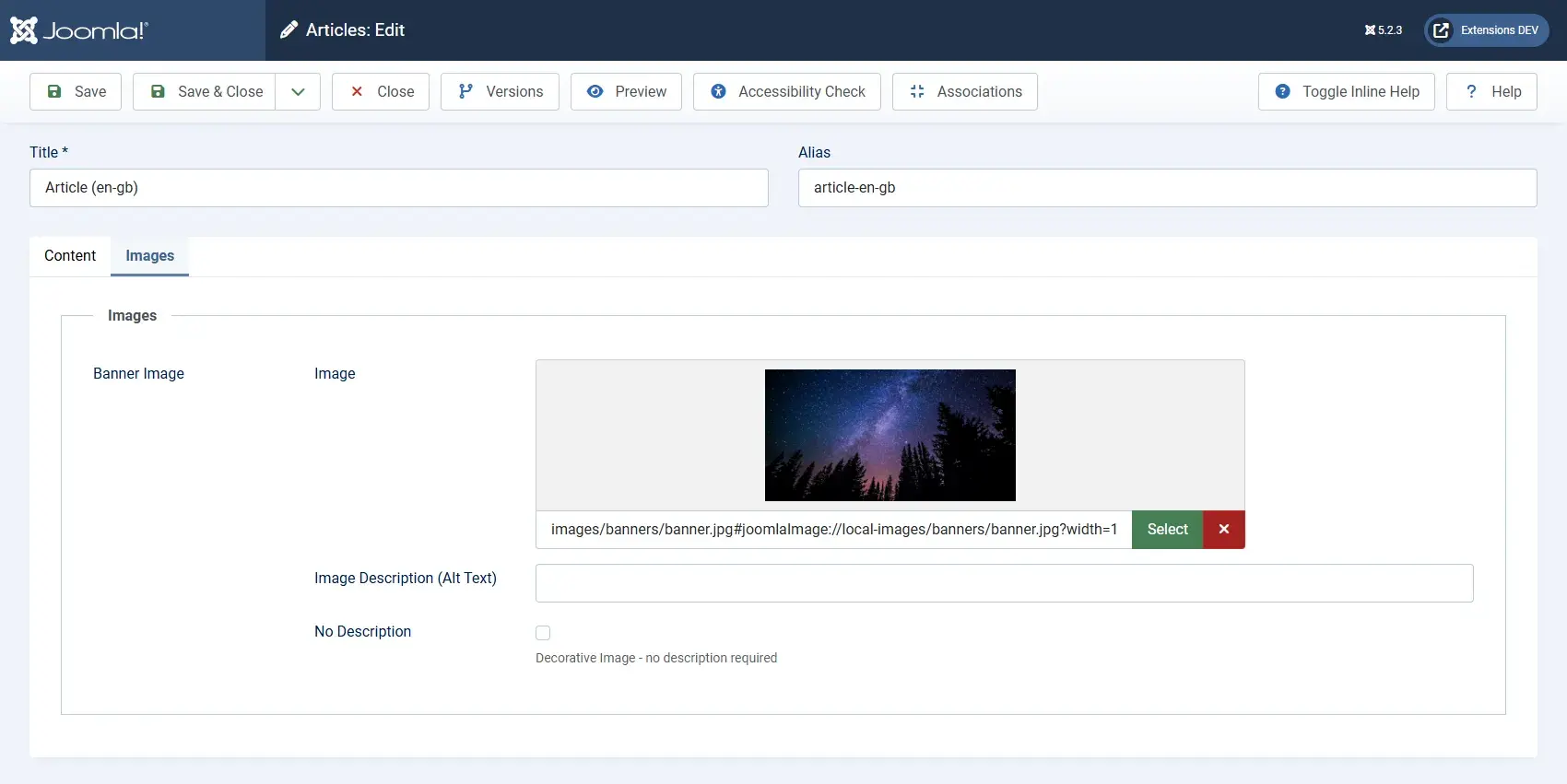
Joomla offers a flexible framework that allows developers to create complex sites without starting from scratch. This CMS has a robust community that provides extensive resources and extensions.
Joomla strikes a nice balance between user-friendliness and technical capability. While it may not be as intuitive as WordPress for beginners, I appreciate the control it gives me as a developer when building more intricate applications or websites.
How to Get Started with a Digital Content Management System
Whether you’re experiencing fragmented digital content management tools and need to streamline workflows, or you’re currently on a basic website builder and need a more sophisticated CMS, I’ll walk you through steps to improve your digital content management, including how to choose the best CMS for workflow efficiency and business growth.
Step 1: Audit your current processes.
Before you decide what to improve, first take a baseline measurement of your current digital content management and document what’s working and what isn’t.
Be sure to track across the entire content lifecycle, starting with ideation and ending with archival.
- How is your marketing team currently storing and organizing digital content?
- What publishing roadblocks do you often run into?
- How do you gauge digital content performance?
- Is there any sort of governance or oversight of digital content?
- What frustrations do you frequently experience?
Step 2: Define your goals for digital content management.
Examples of DCM goals include:
- Make it easy to store, tag, and find the right digital assets.
- Track authors and content changes.
- Control who gets access to specific content.
- Optimize existing content.
- Streamline fragmented DCM tools.
Step 3: Map those goals to CMS, DAM, and other software features.
- Make it easy to store, tag, and find the right digital assets → DAM tool with smart tagging using AI
- Track authors and content changes → CMS tool with content versioning
- Control who gets access to specific content → CMS tool with role-based permissions
- Optimize existing content → CMS tool with performance analytics and AI suggestions
- Streamline fragmented DCM tools. → Software with integrations, such as CMS and DAM integration.
Step 4: Sign up for demos and trials.
Most of the digital content management system examples I gave above are either free to use, offer free plans, or provide software demos. Sign up for one of those options and test it out for yourself. Be sure to ask questions of the sales team as well.
Step 5: Consult with your engineering team.
Even when a CMS is marketer-friendly, it usually takes engineering resources to implement it smoothly. Touch base with your engineering team about timeline, resources, and a phased rollout plan.
HubSpot is marketer-friendly software, and its Content Hub is designed to make it easy for marketers to publish and update web content. However, in my opinion, HubSpot does a fantastic job in creating a developer-friendly environment, too, with and APIs for custom development.
Pro tip: HubSpot also offers for businesses that want the stress of migration taken off their hands. Its replatforming experts will recreate your website in Content Hub, unlocking your access to HubSpot’s business growth tools.
Step 6: Implement, measure, and refine.
Once your new CMS and other DCM tools and processes are implemented, expect there to be a learning curve. Consider a 30-60-90 day phased check-in, where you check in every month to see if your new DCM system is meeting the goals you defined in step two.
Don’t be alarmed if your goals aren’t getting met at first. Remember that your team is still learning the new tools and processes. After three months, you can do a deeper dive into any remaining hurdles and implement changes as needed.
Get your digital content management started with a CMS.
As I researched and wrote this post, I was reminded of the importance of having a structured digital content management strategy, complete with a reliable CMS.
A good CMS isn’t just about storing files. It’s about creating a seamless experience for your team, enhancing collaboration, and ensuring your content reaches the right audience at the right time.
If you’re managing digital content and feeling overwhelmed, consider investing in a CMS. The right system can save you time, improve your workflow, and help you create more impactful content. Evaluate your team’s needs, explore your options, and choose a platform that aligns with your goals.
Editor's note: This post was originally published in October 2024 and has been updated for comprehensiveness.
HubSpot's Free Website Builder
Create and customize your own business website with an easy drag-and-drop website builder.
- Build a website without any coding skills.
- Pre-built themes and templates.
- Built-in marketing tools and features.
- And more!
digital marketing