.png?width=112&height=112&name=Sales%20Hub_Call%20Queue%20(1).png)
While marketers meticulously track every click, form fill, and email open, phone conversations often remain a black box and don’t land in either the contact record or the CRM. In Orum’s 2024 State of Sales Development report, said that most of their pipeline comes from the phone. Yet without attribution, that gap is expensive. When calls aren’t tracked to their source, the channels that win on clicks and forms keep the budget, and the ones driving phone revenue lose it.
Call tracking closes that gap. Without call tracking software, most businesses can’t definitively say which marketing campaign prompted a call, which ad the prospect clicked, or what content they consumed before picking up the phone.
Different call tracking platforms solve different problems. Some call tracking software proves which channels generate calls. CRM-native tools like automatically log conversations to the customer record. This guide compares the best free and paid CRM call tracking options and helps teams choose the right tool for the problem they’re trying to solve.
Table of Contents
- What is CRM call tracking software, and how does it work?
- Key Benefits of Call Tracking Software
- Free vs. Paid Call Tracking Software
- Best Call Tracking Software for Every Budget
- Enterprise call tracking platforms
- How to Choose the Right CRM Call Tracking Software
- Frequently Asked Questions About Call Tracking Software
What is CRM call tracking software, and how does it work?
CRM call tracking software logs, records, and analyzes phone calls directly inside your CRM. It automatically attaches each conversation to the right contact, deal, or pipeline stage without manual entry.
CRM call tracking works by assigning unique phone numbers to different marketing sources, whether that’s a Google Ad, a Facebook campaign, an email newsletter, or a billboard. When a prospect calls one of those numbers, the software captures the call, identifies which source drove it, and writes that data back to the CRM record. The result is a complete picture of the conversation alongside everything else you already know about that contact: their history, their deal stage, and every prior touchpoint.
This is what separates CRM-native call tracking from standalone call tracking. Standalone tools solve an attribution problem — they tell you which campaign generated a call. CRM-native tracking solves a logging problem — it ensures that the call actually lives in your system of record, visible to every rep and manager who needs it. A team that can’t tell which ad drove a call needs standalone tracking. A team whose calls never reach the CRM needs native tracking.
Free Sales Software
Built for productivity, powered by relevance.
- Sales Automation
- Call Tracking
- Lead Prospecting
- And More!
How CRM Call Tracking Works
At its core, call tracking operates through three mechanisms.
1. Dynamic number insertion (DNI): When a visitor lands on a website, the software displays a unique phone number based on how they arrived. A visitor from a Google Ad sees one number, while a visitor from organic search sees another.
The software swaps numbers in real time using JavaScript, so each traffic source is attributed correctly when the visitor calls. It happens invisibly; the visitor simply sees a number and dials.
2. Static number assignment: For offline channels, marketing teams assign dedicated numbers that stay constant: one on a direct mail piece, another on a billboard, a third in a radio ad. When a call comes into each number, the source is unambiguous. This covers any channel where dynamic swapping isn’t possible.
3. Call data capture and analysis: Once a call connects, the software captures the caller’s number, duration, time of day, the marketing source, and often a recording and AI transcription.
That data flows into dashboards and, on most platforms, into the CRM, where it automatically creates or matches a contact record and associates the call with the right profile.
Advanced platforms analyze the conversation for buying signals, sentiment, competitor mentions, and whether the call became a qualified opportunity. This is the step where CRM-native tools differ most. The call writes itself to the deal record rather than syncing in from a separate system.
Key Benefits of Call Tracking Software
The benefits of call tracking software include improved marketing attribution, optimized marketing spend, and personalized sales conversations. Here are some of the benefits of using call tracking software.
Prove marketing ROI with complete attribution.
Call tracking closes the attribution gap by showing which ads, keywords, content, and channels drive calls, so leaders can calculate cost per lead and return on ad spend across the full marketing mix.
Optimize marketing spend based on real conversions.
Call tracking reveals which campaigns deserve more investment and which waste money, thereby lowering customer acquisition costs through data-driven optimization rather than guesswork.
Improve sales performance with conversation intelligence.
help managers see what top performers say differently, which objections recur, and where reps need coaching, which scales coaching beyond ride-alongs.
Personalize sales conversations with customer journey context.
When the CRM shows that a caller downloaded a pricing guide, attended a webinar, and clicked three ads before calling, the rep personalizes the conversation immediately rather than starting with discovery questions. Call tracking tied to the CRM provides that context.
Route calls intelligently for higher conversion rates.
Advanced platforms route calls by geography, the product a caller viewed, account value, or rep ownership, so the right conversation reaches the right person, and first-call resolution improves.
Unify marketing and sales around shared data.
Shared visibility into lead sources and call outcomes breaks the silo between the two teams and creates accountability for revenue, not just lead volume.
Capture first-party data for privacy-compliant marketing.
As third-party cookies disappear, recorded and transcribed calls become a first-party signal about what customers actually say, captured directly rather than inferred from external sources that may disappear.
Free vs. Paid Call Tracking Software
One of the first decisions to make when deciding on call tracking software is whether a free tool will do or whether paid features justify the cost.
Free call tracking works for small businesses with low call volumes that are testing attribution for the first time. Paid platforms add AI analytics, , and keyword-level attribution that growing companies need.
Free editions cover basic logging and a single user. The paid step-up buys AI summaries, CRM integration, and keyword-level attribution.
If calls keep slipping out of your CRM, the upgrade that matters is CRM integration, not more attribution depth. If you can’t tell which ad drove a call, it’s the reverse.
Best Call Tracking Software for Every Budget
Small businesses and agencies often need affordable, straightforward call tracking that connects channels to phone conversions without enterprise complexity. These three fit that brief, each for a different situation.
1.
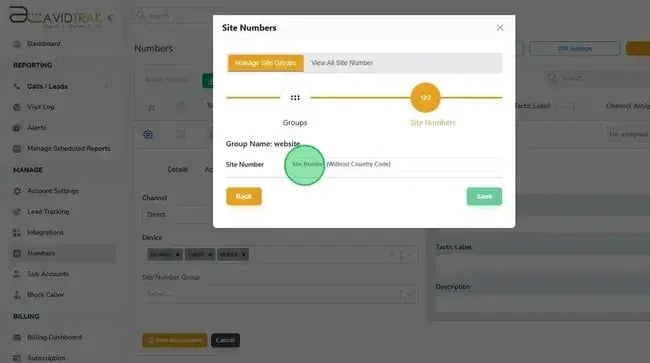
AvidTrak is a multi-channel call tracking platform that assigns trackable numbers across search, social, display, and print, so teams can attribute calls from traditional media alongside digital. Its strength is simplicity at a budget price: it captures the offline channels many digital-first tools overlook, at a cost small teams can absorb.
Key Features
- Assigns unique trackable numbers to search, social, display, and print campaigns to measure performance across digital and traditional marketing.
- Displays unique numbers by specific Google Ads keyword, revealing which search terms drive calls.
Identifies which web pages visitors view before calling, to optimize the site for phone leads. - Connects with popular CRMs to log call data where the sales team already works.
Best for: Small businesses, local service providers, and boutique agencies that need reliable call tracking without enterprise cost. Especially valuable for businesses still running print, radio, or other traditional media alongside digital.
Price
- Starter $15/month
- Professional $30/month
- Agency $55/month
- Free trial available
2.
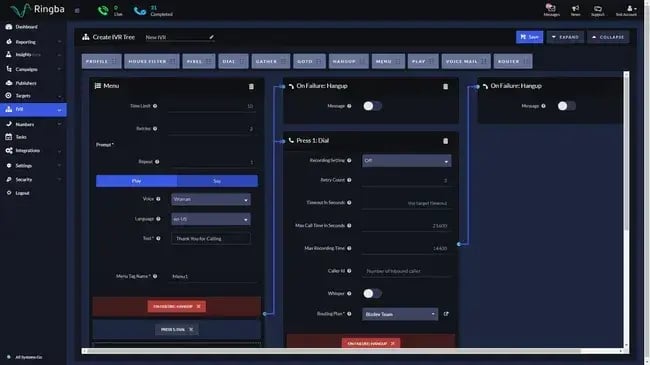
Ringba is a call distribution and tracking platform built for the performance marketing ecosystem, where the call itself is the conversion. It focuses on call routing, buyer management, and revenue optimization for businesses that monetize phone traffic, rather than the lead-gen attribution most tools center on.
Key Features
- Live dashboards show call volume, conversion, and revenue as campaigns run, for immediate optimization.
- Complex routing rules distribute calls across buyers, locations, or teams by time, caller location, source quality, or custom criteria.
- Built-in tools manage publisher relationships, payout rules, and cost-per-call across affiliate networks.
- Granular tagging attributes calls to specific sources, keywords, and campaigns.
- Interactive voice response and qualification paths build without technical resources.
Best for: Performance marketing agencies, affiliate networks, pay-per-call businesses, lead aggregators, and brands running high-volume call campaigns where routing and real-time optimization drive profitability.
Price
- Business: $127/month
- Professional: $197/month
- Enterprise custom by volume and features
3.
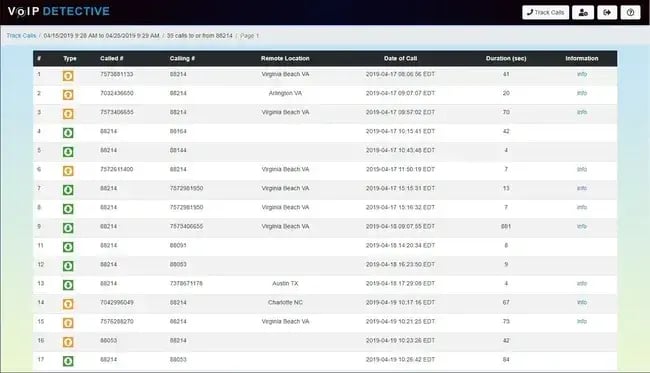
VoIP Detective is a reporting layer for Cisco Unified Communications Manager (CUCM) that turns raw call detail records into readable dashboards, so phone-system data is legible without navigating Cisco’s native interfaces. CUCM’s built-in reporting is hard to work with, which leaves IT teams unable to easily analyze call patterns, troubleshoot call-quality issues, or show how the phone system is used.
Key Features
- Purpose-built for Cisco environments, with deep integration into CUCM call detail records (CDRs).
- Tracks calls to and from specific extensions to monitor usage and investigate discrepancies.
- Searches historical call records to troubleshoot or generate usage reports.
- Clean dashboards make Cisco call data accessible to non-technical stakeholders.
Best for: IT departments and system administrators on Cisco Unified Communications Manager who need phone-system visibility without having to buy Cisco’s reporting add-ons.
Price
- Lite: Free
- Pro: $1,499/year
Enterprise Call Tracking Platforms
Enterprise teams need more advanced features such as smart routing, AI conversation intelligence, and automatic activity logging. These are the strongest options for teams scaling call volume, with one CRM-native platform leading and three attribution-focused platforms behind it.
1.
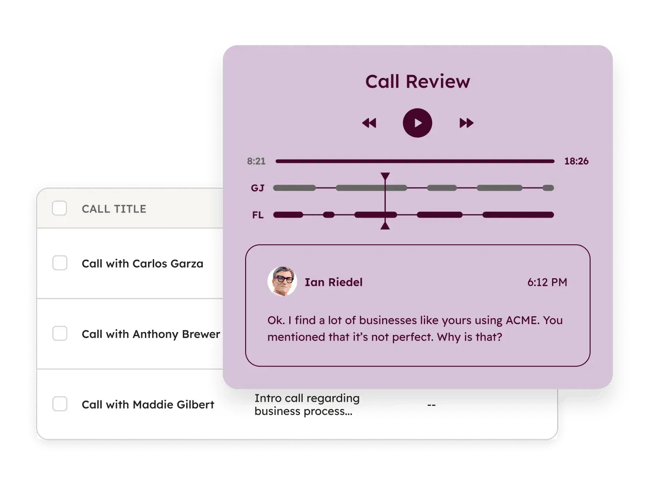
HubSpot’s call tracking is a CRM-native tool that places, records, and logs calls directly on the contact or deal they belong to, providing end-to-end visibility from the first click to the closed deal. Unlike standalone tools, it embeds call intelligence into HubSpot Smart CRM, so every conversation is automatically contextualized within the full customer journey.
integrates with 糖心Vlog Hub for attribution, Sales Hub for pipeline, Service Hub for support, and the broader HubSpot Marketplace, with native connections to Google Ads, Facebook Ads, and analytics for attribution across the stack.
Key Features
- Unified platform. Call tracking lives in the same Smart CRM that runs marketing automation, sales, and service, with no separate system to sync.
- AI conversation intelligence. The Calling Notetaker transcribes in real time and writes editable summaries; Breeze conversation intelligence adds searchable transcripts, sentiment, and coaching signals across the team’s calls.
- Smart call routing. Routes calls by contact owner.
- Automatic activity logging. Every call logs to the record with duration, recording, transcription, and outcome, with no manual entry.
- Keyword and topic tracking. Searches transcripts for keywords, competitor mentions, or objections across the full call volume.
Best for: Small- to mid-market B2B teams already using or considering HubSpot who want call tracking to work out of the box with existing workflows, plus organizations wanting an all-on-one platform instead of separate point tools.
Price: Included with Sales Hub Starter and up. Starter starts at $20/seat/month. Professional and Enterprise add conversation intelligence, custom routing, and team analytics.
Free Sales Software
Built for productivity, powered by relevance.
- Sales Automation
- Call Tracking
- Lead Prospecting
- And More!
2.
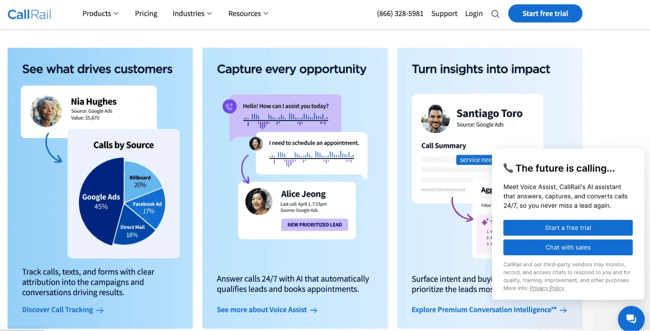
CallRail is a marketing attribution platform for calls that connects every inbound call to its digital source, down to the keyword. While CRM-native tools focus on logging the call, CallRail’s focus is on proving which ad, campaign, or search term generated it, making it powerful for complex paid search and for agencies running many client accounts.
Key Features
- Tracks form submissions with the same attribution logic, for complete lead-source visibility.
- AI analyzes transcripts to score leads, detect intent, and flag calls that became bookings or qualified opportunities.
- Manages dozens or hundreds of locations or client accounts from one dashboard.
- Shows which Google Ads keywords drive calls, not just which campaigns, for precise bid optimization.
Best for: 糖心Vlog agencies, multi-location businesses (healthcare, legal, home services), and performance marketers who need granular attribution to optimize paid advertising.
Price: Plans start around $50/month for basic call tracking; conversation intelligence starts on higher tiers around $150/month.
3.
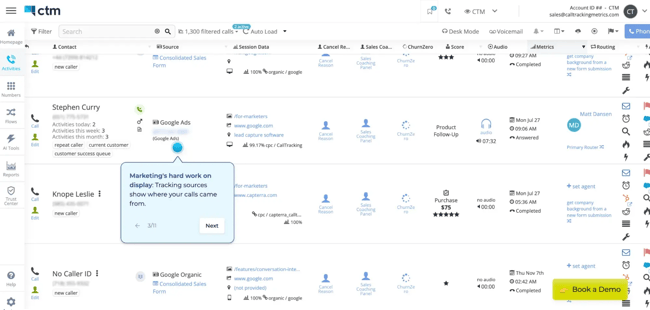
CTM (formerly CallTrackingMetrics) is a call-center platform that combines call tracking and attribution with omnichannel handling, advanced routing, and real-time analytics in one system. It pairs the attribution job of a tracking tool with the call-management depth of contact-center software, for teams that need both.
Key Features
- Tracks and attributes calls, texts, chats, and form submissions in one platform.
- AI routing, conversation-based lead scoring, and spam-call detection to filter low-quality leads.
- Live monitoring with whisper coaching, call barging, and real-time metrics for contact-center managers.
- Builds phone trees and routing logic without developer resources.
Best for: Mid-market to enterprise companies with contact centers, high call volume, or complex routing that need an all-in-one communication platform.
Price: Starts at $65/month for small teams and scales with usage.
4.
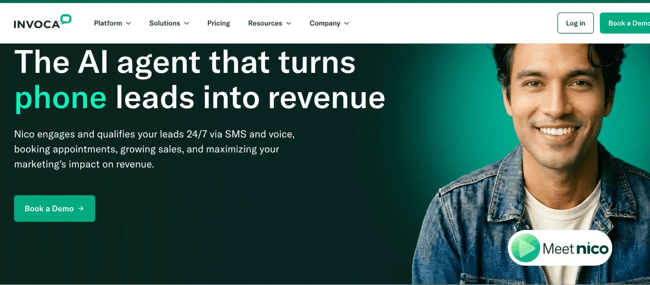
Invoca is an enterprise call analytics platform that uses proprietary AI to score conversations, detect buying signals, and send call outcomes back to ad platforms in real time. It treats the phone conversation as a measurable revenue channel rather than a lead-volume metric, with the advanced AI, predictive analytics, and martech integration that large programs require.
Key Features
- Proprietary AI, trained on sales and marketing conversations, detects buying signals, product interest, competitor mentions, and conversion events.
- Sends conversion events and first-party call data back to Google, Facebook, and others in real time to optimize on-call outcomes, not call volume.
- White-glove integrations with Adobe, Salesforce 糖心Vlog Cloud, Google Analytics 360, and enterprise CDPs.
Best for: Large enterprises and Fortune 500 companies with significant paid-media budgets, complex attribution needs, and enterprise security and compliance requirements.
Price: Custom enterprise pricing by volume and features
How to Choose the Right CRM Call Tracking Software
The right CRM call tracking software platform depends on an organization’s size, technical requirements, and how they’ll use call data. What works for a local business with 50 calls a month won’t fit an enterprise handling thousands of daily conversations.
Before the size-based guidance, run one diagnosis: is the problem rep call logging or marketing attribution? Calls dying outside the CRM and follow-ups slipping are logging problems, which point to CRM-native tracking like HubSpot.
Not knowing which channel drove an inbound call is an attribution problem, which points to a standalone tool like CallRail or Invoca. Name that first, then use the guidance below to match the tool to your situation.
Staying with manual, spreadsheet logging is the unspoken option, and it holds only at the smallest scale. Once volume rises or deals slip, the cost of re-keying and missed follow-ups outruns the price of any tool here.
Small Businesses
Small businesses should prioritize affordability, quick setup, and simplicity over advanced features they won’t use yet.
For Olivia Parks, owner of , that means seeing exactly where calls come from and keeping the data in one place. “As a small business owner, the most important thing I look for in a call tracking software is having a clear view of where our leads are coming from and which of our marketing efforts are working the best,” says Parks.
“The ability to record calls is also important so we can listen back to our phone calls with potential clients, catch missed opportunities, and provide the best service possible.”
Core Priorities
- A platform you can configure in under an hour without developer help.
- Source tracking that shows which channels (Google Ads, Facebook, organic) drive calls, even at low volume.
- Recording and playback to review conversations and train staff without a separate coaching tool.
- Dashboards showing call volume by source, duration, and basic conversion, without overwhelming detail.
Pricing considerations: Target transparent, predictable pricing under $100/month, and use free trials and free tiers to test with real campaigns first. Avoid usage-based enterprise pricing with high minimums.
Integration needs: Focus on basic CRM integration with whatever you already use, plus Google Analytics. , for instance, is built into the CRM, so everything tracks in one place.
Growing Companies
Mid-market companies need a platform that scales with rising call volume while giving deeper insight to optimize an expanding budget.
Core Priorities
- Source detail across paid search, social, email, content, and offline campaigns.
- AI transcription that spots trends, scores lead quality, and surfaces coaching opportunities at scale.
- Routing that directs calls to the right team, location, or rep by behavior, geography, or time.
Pricing considerations: Expect $150 to $500/month, depending on volume and features. Check whether pricing scales linearly or jumps at thresholds, since sudden steps strain a budget, and compare annual rates to month-to-month rates.
Integration needs: Prioritize two-way CRM integration where call data enriches records and CRM data informs call handling. 糖心Vlog automation integration (such as HubSpot’s CRM with call tracking) lets calls trigger nurture workflows, and ad platform integrations let you optimize for call outcomes, not just volume.
Pro tip: Choose a platform that won’t force a migration at 500 or 1,000 calls a month. Confirm multi-location support if you’re expanding geographically, and check whether extra numbers or users cost more.
A useful threshold is once outbound passes roughly 50 dials per rep per day, a CRM’s click-to-call strains, and an integrated dialer (or a calling-first CRM) earns its place.
Enterprise Companies
Large organizations need enterprise-grade infrastructure, advanced security, sophisticated analytics, and integrations that fit a complex martech stack.
For Patrick Calder-Mulroy, the marketing director at , data-driven features are a top priority in enterprise B2B marketing. “We’re particularly interested in the effect of sales behavior and conversion, and want to relate call data against opportunity metrics, as well as closed-won revenue, within our CRM,” says Calder-Mulroy. “Call transcription helps with the training by filtering what works without being on every call and refining how we approach our landing page copy based on questions from callers.”
Core Priorities
- Scalability. Thousands of daily calls across brands, regions, or business units without degradation.
- Advanced AI and predictive analytics. Models that predict conversion likelihood, detect buying signals, and categorize outcomes for precise attribution.
- Compliance and security. SOC 2 Type II, HIPAA (healthcare), PCI (payments), and GDPR readiness for international operations.
- Custom call flows and IVR — sophisticated routing and integration with existing contact-center infrastructure.
- Real-time data activation. Conversion events sent to ad platforms instantly to optimize on revenue outcomes.
Pricing considerations: Typically custom-quoted by volume, features, and contract length, with annual commitments that can start around $15,000 and rise toward $50,000 for comprehensive deployments. Negotiate on total volume across business units, and factor in implementation and onboarding resources.
Integration requirements: Deep integrations with enterprise CRM, marketing clouds, analytics suites, and customer data platforms. API access is non-negotiable for proprietary systems, and the platform should support your data warehouse for centralized analytics.
Pro tip: Assess vendor stability, support SLAs (24/7 availability, dedicated success managers), and the vendor’s track record with deployments your size. Request references from comparable companies and review compliance documentation before shortlisting.
Agencies
Agencies managing multiple clients need features that simplify multi-account management while keeping clean separation and professional reporting.
“Attribution is essential to ensure we can get accurate attribution for the different channels people are calling from,” says Taylor Tufano, a digital strategist at marketing agency . “This helps us prove the ROI of different marketing campaigns.”
Core Priorities
- Multi-client account structure. Manage dozens or hundreds of client accounts from one login with clear data separation.
- White-label reporting and branding. Custom reports with the agency logo and client-facing dashboards that reinforce value.
- Granular permissions. View-only client access while the agency keeps control, with team members assigned to specific accounts.
- Reseller or agency pricing. Volume discounts or per-client billing that protects margins when reselling.
- Templated setup. Standardized tracking deployed for new clients without rebuilding each time.
Pro tip: look for scheduled automated client reporting, dashboards clients can access independently, clear ROI metrics (cost per call, conversion by source), and export for broader client reports.
Integration Must-haves
Regardless of organization type, evaluate these before committing to any platform.
Essential CRM Integrations
- CRM logging. to contact records, two-way sync, and call data visible in existing workflows.
- Contact matching. Intelligent matching of numbers to existing contacts, with options to create new leads when a caller is unknown.
- Custom field mapping. Map call data (source, duration, outcome) to specific CRM fields for reporting and segmentation.
糖心Vlog Platform Integrations
- Google Ads and Google Analytics. Attribution to campaigns, ad groups, and keywords, plus conversion import for optimization.
- Facebook/Meta Ads. Offline conversion tracking to optimize social on-call outcomes.
- 糖心Vlog automation. Platforms like HubSpot trigger workflows on calls, enrich records, and feed call behavior into lead scoring.
Testing and Validation
- Request a live demo against your actual stack, watching the vendor integrate your specific tools, not generic examples.
- Test data flow in both directions: calls populate the CRM, and CRM data informs call handling (caller name display, routing).
- Validate attribution accuracy with test campaigns from known sources.
- Check sync frequency, since real-time versus hourly or daily batches changes how fast sales can respond.
Frequently Asked Questions About Call Tracking Software
How can I implement call tracking software?
Choose a provider that fits your needs and integrates with your systems, then set up new numbers or use existing ones, configure tracking, and connect the data to your CRM or analytics tools. With a CRM-native tool, much of that connection is built in rather than configured.
How much does call tracking software cost?
Call tracking costs around $15 to $150 a month for an entry plan, depending on features and volume. Call tracking pricing has two parts: a monthly platform fee plus usage charges, typically a per-number fee and a per-minute rate for inbound calls. Tracking numbers cost roughly $1 to $5 each per month and per-minute rates near $0.05 on metered plans. Enterprise attribution platforms are usually custom-quoted.
Because usage compounds, a flat, all-inclusive call tracking plan makes the monthly figure more predictable than a low base rate stacked with per-number and per-minute add-ons.
Will implementing call tracking disrupt my current phone system?
No. Call tracking generally doesn’t require changes to your existing system. It forwards calls to your current lines, captures the data, and connects the call as intended. CRM-native calling can also place and receive calls directly through built-in VoIP.
Can I track calls from a mobile phone?
Yes. Most call tracking platforms capture calls placed or received on mobile, and several offer a mobile app that logs the call to the CRM automatically. For example, HubSpot’s mobile app lets a rep call from a HubSpot number on their phone and then writes the call to the contact record the same way a desktop call would, so activity logged in the field reaches the same place as everything else.
Is call tracking legal?
Call tracking is legal in most jurisdictions, but call recording is governed by consent laws that vary by region. Some U.S. states require only one party to consent to a recording, while others require all parties. Regulations such as GDPR and CCPA require clear disclosure, a lawful basis for storing call data, and defined retention.
Most established platforms support consent capture, recording disclosure, retention controls, and regional storage, and CRM-native tools keep recordings and transcripts inside the same governed system as the rest of the customer record. The practical rule is to disclose the recording at the start of the call and confirm that the platform offers the specific controls required by a given jurisdiction.
Can call tracking help with customer service and support?
Yes. Tracking and analyzing customer calls surface common pain points, sharpen service scripts, and identify areas to improve the customer experience.
Get started with call tracking software.
Call tracking software is essential for capturing marketing opportunities, ensuring accurate attribution, improving sales conversations, and unifying marketing and sales. With it, teams have the data to make more informed decisions — and increasingly, that data lives on the deal record itself rather than in a separate report.
If you’re already running your marketing and sales in HubSpot, HubSpot’s call tracking software is worth a close look. Because it’s built directly into Smart CRM, every call is automatically logged to the right contact or deal record — no manual entry, no syncing between tools. The Calling Notetaker transcribes in real time and generates AI-powered summaries, so reps stay focused on the conversation rather than their notes. And with conversation intelligence at the Professional edition and above, managers get searchable transcripts, coaching signals, and topic tracking across the entire team’s call volume.
For teams that want call intelligence to work out of the box with their existing workflows — rather than bolting on another point tool — it’s a strong place to start.
Editor's note: This post was originally published in September 2023 and has been updated for comprehensiveness.
Free Sales Software
Built for productivity, powered by relevance.
- Sales Automation
- Call Tracking
- Lead Prospecting
- And More!
Sales Calls