
As generative AI transforms industries, enterprise content management (ECM) has evolved from a simple filing system into a critical content-to-revenue engine, with modern ECM tools playing a central role in this shift. According to HubSpot’s , nearly 94% of marketers plan to integrate AI into their content creation and management workflows.
Modern digital transformation leaders are moving away from disconnected legacy systems toward integrated platforms that bridge the gap between content production and measurable business impact.
This article identifies the best enterprise content management tools that eliminate operational silos, automate data governance, and turn an organization’s unstructured data into a strategic revenue driver.
Table of Contents
- What are enterprise content management tools?
- Features to Look for in ECM Software
- Best Enterprise Content Management Tools
- How I Evaluated the Top Enterprise Content Management Platforms
- Frequently Asked Questions About Enterprise Content Management Tools
What are enterprise content management tools?
Enterprise content management tools manage the capture, organization, storage, retrieval, and retention of business content. By unifying unstructured information across an organization, these platforms ensure compliance, accessibility, and operational efficiency.
In simple terms, ECM platforms act as a centralized digital nervous system for businesses, capturing and organizing everything from legal contracts and HR records to marketing assets and sales collateral.
Unlike basic storage solutions, enterprise content management software provides the governance frameworks and automation required to manage the entire lifecycle of a document. This includes:
- Automated ingestion.
- Intelligent metadata tagging.
- Secure version control.
- Policy-based retention or disposal to ensure long-term data integrity.

HubSpot's Free Website Builder
Create and customize your own business website with an easy drag-and-drop website builder.
- Build a website without any coding skills.
- Pre-built themes and templates.
- Built-in marketing tools and features.
- And more!
Features to Look for in ECM Software
Enterprise content management tools enable workflow automation, compliance, and secure content access for distributed teams. AI has become a core differentiator, improving how content is classified and surfaced across large repositories. Strong ECM platforms also include governance features like retention schedules, legal holds, and audit trails to meet regulatory requirements.
Selecting a platform without these features often results in siloed information and increased compliance risks. Any ECM comparison should cover these core capabilities.
- AI-powered automation: Advanced platforms use agentic AI to automatically tag, categorize, and summarize documents, significantly reducing manual data entry for IT teams.
- Granular access controls: Security remains paramount; look for tools that offer role-based permissions and Single Sign-On (SSO) to protect sensitive intellectual property.
- Seamless CRM and CMS integration: Content does not exist in a vacuum. The best tools connect directly to customer data, allowing sales and service teams to access relevant documents without switching tabs.
- Audit trails and compliance: For industries like healthcare or finance, a digital paper trail that tracks every modification and access point is non-negotiable for regulatory adherence.
- Scalable cloud infrastructure: Modern ECMs are almost exclusively cloud-based, providing high availability, disaster recovery, and the ability to handle millions of assets without performance lag.
Pro tip: After choosing an ECM tool, measure its performance to ensure a positive ROI. Generally, measuring ECM success requires tracking retrieval time, process cycle times, content usage, compliance actions, and AI search visibility.
Best Enterprise Content Management Tools
Leading enterprise content management tools providers offer specialized platforms tailored to different business needs, ranging from web-focused content hubs to internal knowledge wikis. Below are the best enterprise content management tools evaluated based on their performance and AI integration.
1.
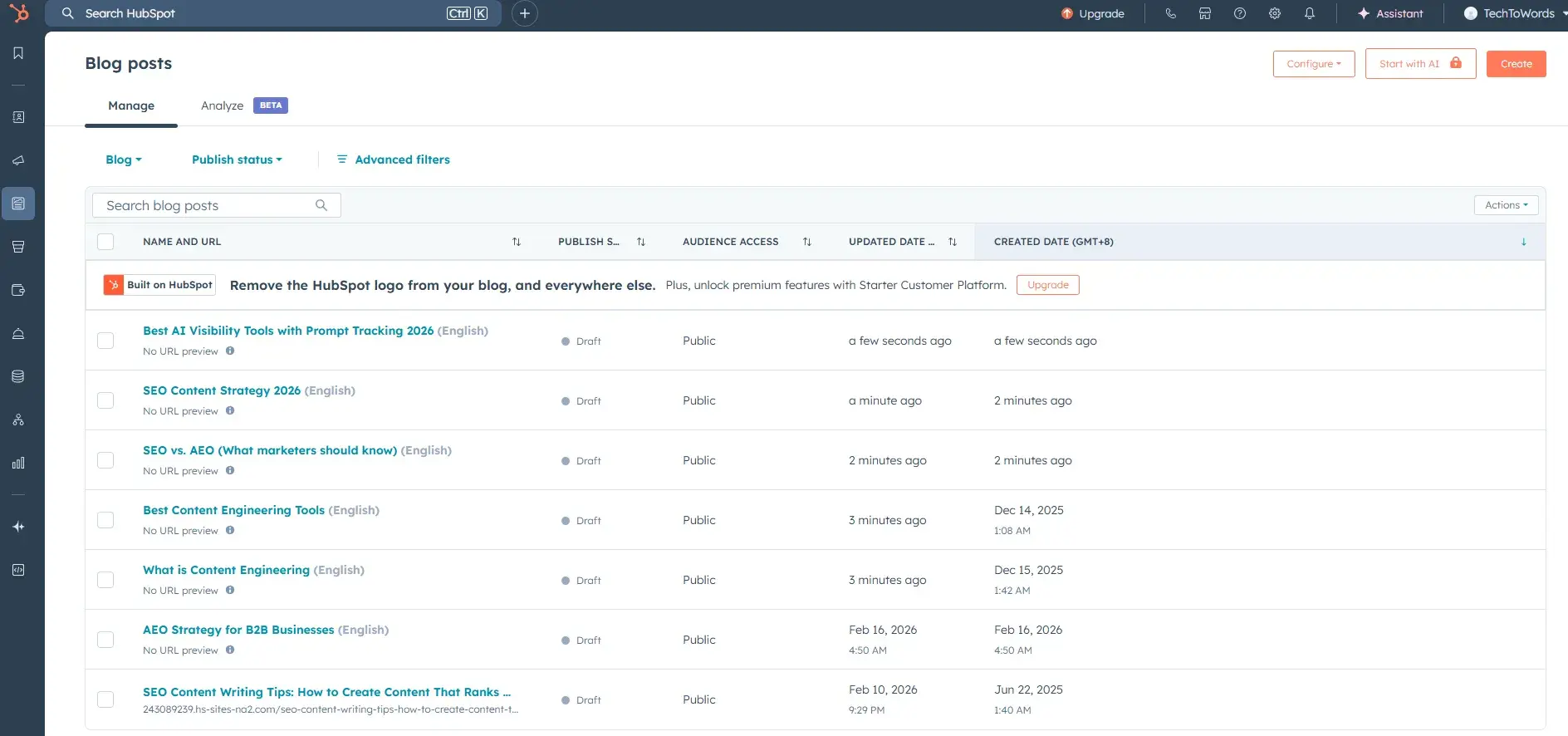
functions as a modern enterprise content management system by unifying content creation, governance, and distribution within a single . Powered by , the platform embeds generative AI and automation directly into content workflows. These workflows enable teams to create, optimize, personalize, and analyze content at scale without introducing additional tools or complexity.
Unlike traditional ECMs that focus primarily on storage and compliance, HubSpot operationalizes content as a revenue-generating asset. It manages the full lifecycle of content — from creation and optimization to personalization and performance tracking — while tying every asset directly to customer data.
For enterprise organizations, this means content is no longer siloed across teams. Instead, it becomes a centralized, governed system where every interaction is measurable, auditable, and optimized for pipeline impact.
Core Features
- Breeze & Content Remix: Effortlessly repurpose a single long-form asset (like a whitepaper or webinar) into dozens of social posts, emails, and audio clips with a single click. For enterprise teams, this drastically reduces content production costs and accelerates campaign velocity without increasing headcount.
- Advanced Membership Portals: Create secure, password-protected resource centers and partner portals that grant access based on CRM lifecycle stages rather than manual lists. This ensures compliance and enables personalized content delivery based on lifecycle stage, region, or account tier.
- AI-Powered Brand Voice: Configure brand voice settings and reference content samples to ensure that every AI-generated draft maintains a consistent tone, personality, and professional standard. This is critical for enterprises managing multiple regions, business units, or external agencies.
- Native SEO & AI Search Readiness: Integrated SEO tools and structured content recommendations to increase AI citation and traditional search ranking, increasing visibility and pipeline contribution.
- Smart CRM Integration: Every asset is tied to contact, deal, and revenue data, enabling closed-loop reporting. This allows leaders to directly attribute content performance to revenue outcomes — something most ECMs cannot do natively.
What I like: I’m impressed by the Smart Content feature, which allows teams to dynamically change content based on the viewer’s CRM lifecycle stage.
Business impact: HubSpot is unique because it treats content as a data-driven asset rather than a static file. While traditional ECMs focus on where to store it, HubSpot focuses on who is reading it and whether they make a purchase. The learning curve for the advanced AI tools is surprisingly low, making Content Hub the most accessible ECM on this list.
Best for: 糖心Vlog-led B2B organizations and RevOps teams that prioritize platform consolidation.
Pricing: Starts with a free tier; Starter ($9 per seat per month), Professional ($450 per month), and Enterprise ($1,500 per month) tiers scale with advanced governance.
Pro tip: Use the within to draft search-optimized blog posts based on existing CRM data. It ensures a brand’s content is not only readable by humans but is also structured for citation by AI engines like Gemini and ChatGPT.
2.

Sanity operates as a headless enterprise content management platform built around structured content and API-first delivery. Its “Content Lake” architecture treats content as modular, reusable data rather than static files or pages, enabling organizations to manage and distribute content across any digital touchpoint.
For enterprises undergoing digital transformation, Sanity provides a scalable foundation for omnichannel content operations. It centralizes governance while allowing development teams to deliver content dynamically to websites, mobile apps, IoT devices, and more — all from a single source of truth.
Core Features
- Schema-as-Code: Developers define content structures programmatically, ensuring consistency and governance across all content types.
- Content Lake Architecture: A real-time, centralized repository that supports structured querying.
- Real-Time Collaboration: Teams can edit and publish content simultaneously with full visibility into changes.
- API-First Delivery: Content is delivered via APIs (GROQ/GraphQL), enabling seamless integration with existing enterprise systems.
- Customizable Sanity Studio: Open-source editing environment allows enterprises to tailor workflows, permissions, and interfaces to specific business needs, ensuring governance without sacrificing flexibility.
What I like: The Content Lake architecture is incredibly flexible. For example, I can query my content like a database using GROQ or GraphQL, making it much more than a simple file storage system.
Business impact: Sanity is a developer-first tool. If a company has a team that wants to build custom front-ends for mobile apps and web simultaneously, this is the winner. However, non-technical marketers might find the lack of a drag-and-drop page builder intimidating without developer support.
Best for: High-velocity product teams that need to deliver content to multiple front-end applications via API.
Pricing: Free plan available. Paid subscription starts from $15 per month. Enterprise plans offer custom SLAs.
3.
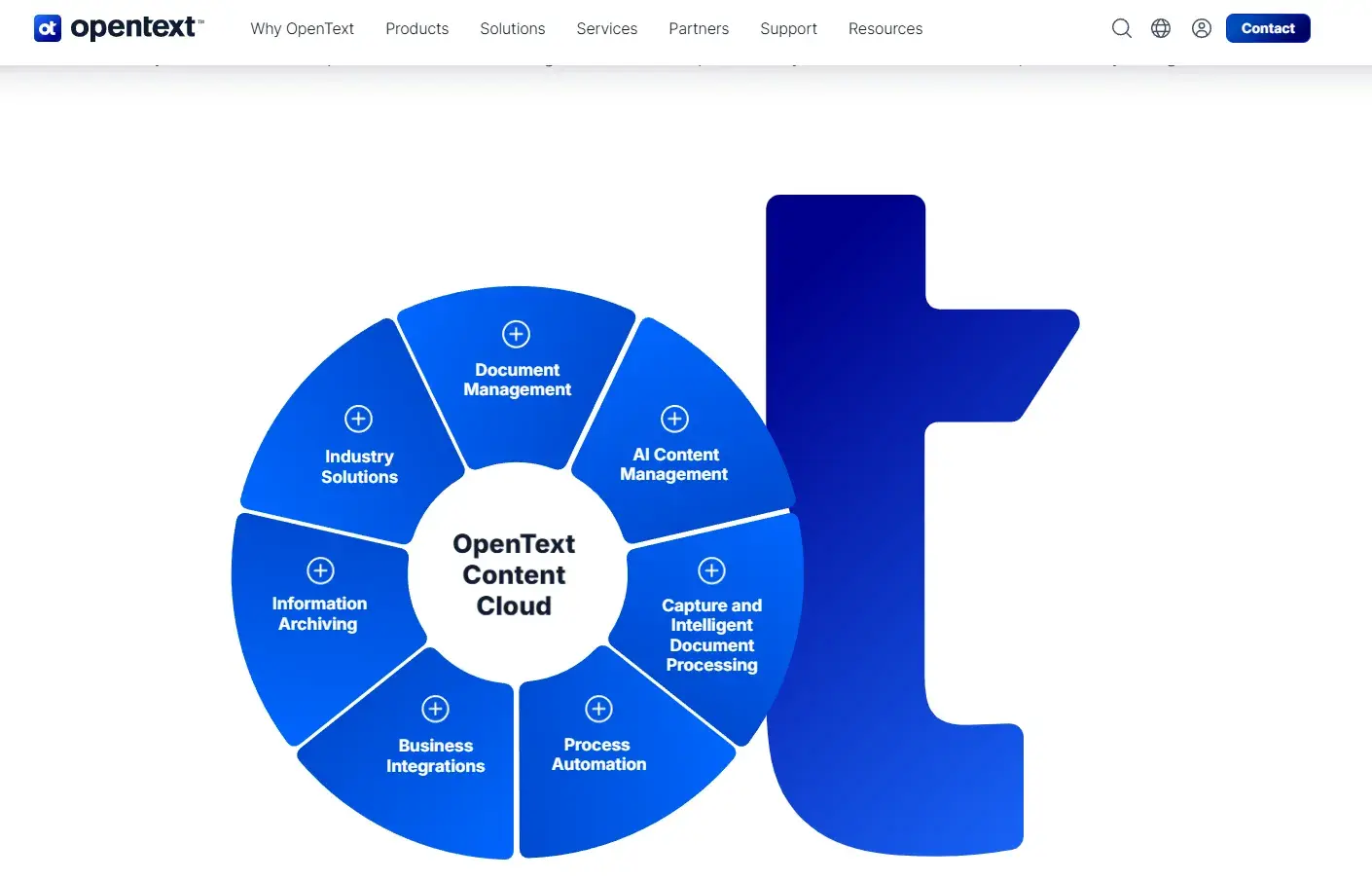
OpenText Content Cloud is a comprehensive enterprise content management platform designed to handle high-volume, high-risk information at scale. It manages the full lifecycle of enterprise content — from ingestion and classification to retention and defensible disposal — while embedding governance directly into business processes.
This platform is purpose-built for organizations where compliance, security, and auditability are mission-critical. By integrating deeply with systems like SAP and Salesforce, OpenText ensures that content is managed in context, not in isolation.
Core Features
- Content Aviator (GenAI Assistant): Enables natural language search and summarization across massive document repositories.
- Intelligent Document Processing (IDP): Automates the extraction, classification, and validation of data from unstructured documents (e.g., invoices, contracts).
- No-Code Workflow Modeler: Allows business users to design and automate complex workflows without IT involvement, increasing agility while maintaining governance controls.
What I like: I think the deep integration with enterprise resource planning (ERP) systems makes content management much more efficient. For example, users can manage procurement documents within the SAP interface while OpenText handles the underlying governance.
Business impact: This is a heavy-duty solution. It excels at managing millions of legal or financial records, where a single error could result in a massive fine. It is less about creating pretty blogs and more about high-stakes information management.
Best for: Highly regulated global organizations (Finance, Government, Energy).
Pricing: Custom enterprise pricing; subscription-based.
4.
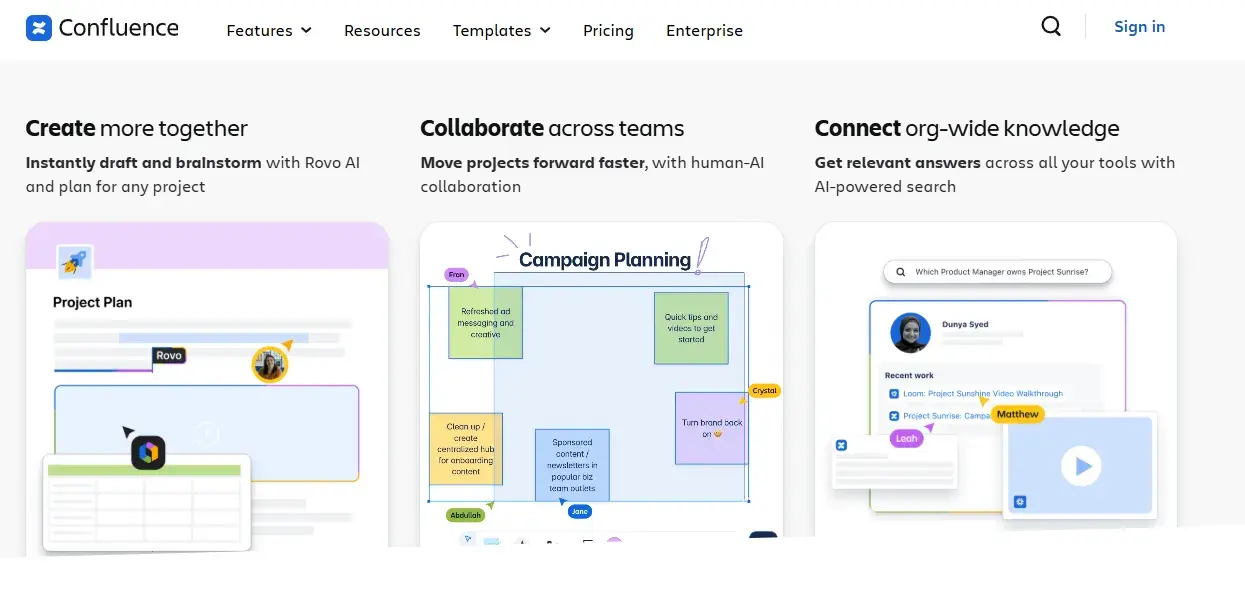
Atlassian Confluence Cloud serves as an enterprise content management system focused on internal knowledge, documentation, and collaborative content (like an enterprise wiki). While it differs from traditional ECMs that emphasize records management, Confluence excels at capturing, organizing, and governing operational knowledge across teams.
For enterprises, it acts as a centralized knowledge repository where institutional knowledge is documented, version-controlled, and easily accessible — reducing information silos and improving decision-making.
Core Features
- Page Versioning & Audit History: Tracks every edit and maintains a full history of changes, ensuring accountability and supporting compliance requirements for internal documentation.
- Extensive Template Library: Standardizes documentation across teams (e.g., product requirements, SOPs), improving consistency and reducing employee onboarding.
- Atlassian Intelligence (AI): Automates content summarization, generates documentation, and improves searchability.
What I like: The native integration with Jira is its greatest strength. I can embed live Jira issues directly into documentation to keep project status and technical requirements in sync.
Business impact: Confluence is widely used for internal documentation for a reason. Its strength is in collaborative drafting. However, as an ECM for external content or high-security document storage, it can feel a bit informal compared to OpenText.
Best for: Engineering, IT, and Product departments needing a collaborative space.
Pricing: Free for small teams; Standard from $6.70 per user/month and Premium tiers from $13.20 per user/month.
5.
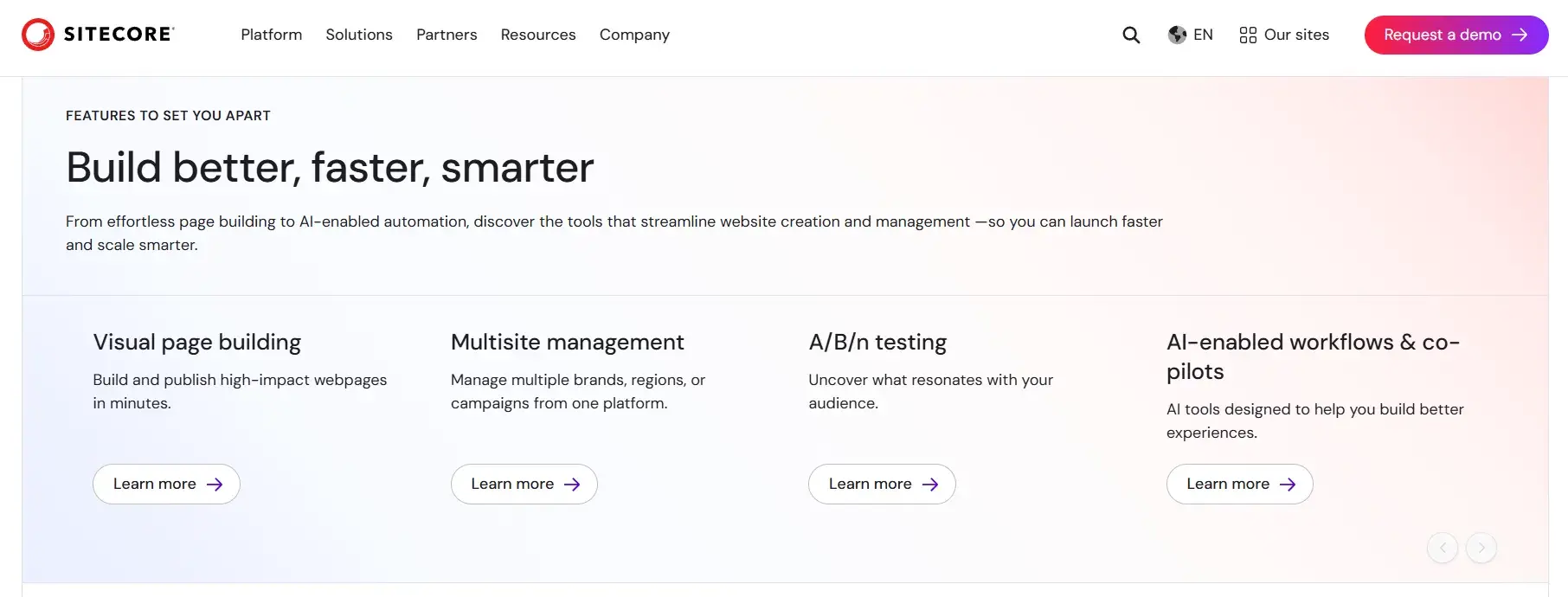
Sitecore XM Cloud is an enterprise-grade, cloud-native content management system designed to deliver personalized digital experiences at scale. It combines headless CMS capabilities with AI-driven orchestration, enabling organizations to manage, optimize, and deliver content across multiple brands and channels.
As an ECM, Sitecore goes beyond storage and workflow — it transforms content into a dynamic, data-driven engine for customer engagement and revenue growth.
Core Features
- Sitecore Stream AI: Provides AI-powered content generation, optimization, and insights.
- Agentic Personalization Workflows: Automates the delivery of personalized content experiences based on user behavior, preferences, and intent.
- XM Cloud Pages (Visual Builder): Enables marketers to create and manage experiences visually without developer support, reducing dependency on IT and accelerating time-to-market.
What I like: The Signal dashboard is revolutionary for content strategy. I appreciate how it provides the latest insights into a chosen industry or topic, so marketers can tailor their campaigns effectively with content intelligence.
Business impact: Sitecore is built for complex personalization. If a company has multiple different brands and needs a unique customer journey for each, Sitecore’s AI agents can handle that scale. The downside? It is one of the most expensive and complex systems to implement on this list.
Best for: Enterprise marketing teams managing complex, multi-brand digital presences.
Pricing: Subscription-based, typically ranging from $40,000 to $200,000+ per year.
How I Evaluated the Top Enterprise Content Management Platforms
My evaluation process followed specific criteria to ensure each tool meets the demands of an AI-driven digital environment. These standards prioritize long-term ROI over flashy, short-term features.
- Interoperability: I looked for tools that don’t just have an API but also offer native integrations with the most common CRMs and ERPs.
- AI Maturity: A tool must go beyond basic chatbots. I prioritized platforms that use AI for metadata tagging, content repurposing, and predictive analytics.
- Governance and Security: Each platform was assessed for , and the granularity of its permissioning systems.
- Time-to-Value: Enterprise software often fails due to long implementation cycles. I favored tools like that offer a faster setup without sacrificing depth.
Frequently Asked Questions About Enterprise Content Management Tools
What is ECM in simple terms?
Enterprise content management (ECM) is a system for managing a company’s internal and external documents throughout their lifecycle. It ensures that the right people can find the right information at the right time, while keeping that data secure and compliant with the law.
How is ECM different from a CMS?
A CMS (content management system) is primarily designed to manage content for websites and digital marketing. An enterprise content management tool is broader, focusing on internal business processes, legal documents, and long-term records management across the entire organization.
Which ECM features are most important for compliance?
Version control and detailed audit logs are the most critical features for compliance. These tools allow users to see exactly who accessed a document and what changes were made, which is essential for passing regulatory audits in sectors such as finance and healthcare.
How do ECM tools integrate with CRM?
Modern enterprise content management tools integrate with CRMs via APIs or native connectors, enabling customer-facing teams to view relevant documents, such as signed contracts or case studies, directly within the customer record. This prevents “context switching” and improves sales productivity.
What should I include in an ECM RFP?
A Request for Proposal (RFP) should include specific requirements for data migration, security certifications, user adoption training, and a detailed breakdown of the total cost of ownership (TCO) over five years.
Taking the Next Step Toward Content Unity
Enterprise content management tools are no longer optional “nice-to-haves.” They are the foundation of a modern, data-driven business. By unifying content and CRM data, organizations can shift from speculative ROI to precise revenue attribution.
HubSpot Content Hub allows enterprise content teams to create a single, authoritative system of record for every marketing and sales asset. Instead of grappling with disparate content workflows, marketers can manage digital assets more effectively. Plus, it lets teams distribute content to audiences at different points in their buying journey.
I’ve been creating content for tech brands, including enterprise, since 2015. And one of the biggest mistakes I discovered is sharing content across tools that don’t prioritize governance. The reason? You don’t want to risk leaking unpublished content, like product launches, to the public.
I strongly suggest choosing tools that strictly comply with data privacy practices and offer AI-powered features.
HubSpot's Free Website Builder
Create and customize your own business website with an easy drag-and-drop website builder.
- Build a website without any coding skills.
- Pre-built themes and templates.
- Built-in marketing tools and features.
- And more!
content management