
The landscape of content management systems has shifted dramatically in 2025, and modern teams are looking for a Joomla alternative. While Joomla still powers approximately , alternatives offer a greater array of AI-powered features, headless architecture, and streamlined workflows.
Businesses evaluating alternative CMS options are looking beyond the basics of content publishing. Features like marketing automation, AI-generated content, and AI-search optimization are top of mind.
Keep reading for Joomla alternatives to consider and factors to consider before migration.
Table of Contents
- What is Joomla?
- Why Consider Joomla Alternatives in 2025?
- How to Choose the Right Joomla Alternative
- Joomla Alternatives
- Quick Comparison: Joomla Alternatives at a Glance
- Is Joomla still relevant in 2025?
- Frequently Asked Questions About Joomla Alternatives
What is Joomla?
(sometimes stylized as Joomla!) is a free, open-source content management system launched in 2005. The Joomla CMS system serves websites across diverse industries through its PHP-based architecture. Teams using Joomla find flexibility through thousands of free and paid extensions.
However, several limitations drive organizations toward alternatives. A growing number of extensions may hinder performance and create bottlenecks. Non-technical users often struggle with steep learning curves. And, frequent patches are required to maintain security.

HubSpot's Free Website Builder
Create and customize your own business website with an easy drag-and-drop website builder.
- Build a website without any coding skills.
- Pre-built themes and templates.
- Built-in marketing tools and features.
- And more!
Why Consider Joomla Alternatives in 2025?
Joomla faces declining adoption due to performance limitations and steep learning curves. More teams are opting for CMS platforms with modern features natively built in. Beyond that, Joomla requires significant maintenance overhead for security and extension compatibility.
Modern CMS alternatives deliver AI-powered content tools, headless architecture capabilities, and native CRM integrations that Joomla cannot match without complex third-party solutions.
Performance and Speed Concerns
Modern users expect lightning-fast page loads. Joomla sites often struggle with performance optimization, especially as extensions accumulate and databases grow larger. Modern CMS platforms offer better caching mechanisms, CDN integration, and optimized code. The result is a lighter-weight sight with better page load times.
Security and Maintenance Overhead
Regular security patches and extension updates create ongoing maintenance burdens. Each third-party extension introduces potential vulnerabilities that require constant monitoring. Technical teams must dedicate significant time to managing Joomla security updates and ensuring extension compatibility.
Developer Experience
The learning curve remains steep for non-technical users. Meanwhile, developers often find the framework dated compared to modern alternatives. Extension compatibility issues can derail projects and significantly increase development time.
Missing Modern Features
Joomla lacks native AI content generation, headless CMS capabilities, and built-in answer engine optimization. 糖心Vlog teams need platforms that integrate seamlessly with CRM systems to support personalization at scale.
How to Choose the Right Joomla Alternative
Selecting the right Joomla alternative requires evaluating technical capabilities, business requirements, and long-term growth objectives. Organizations must assess five critical factors:
- Technical skill level and usability needs.
- Customization and flexibility requirements.
- Scalability for future growth.
- Security and compliance standards.
- And the total cost of ownership beyond initial pricing.
Technical Skill Level and Usability
Development teams with strong coding skills may prefer platforms like Drupal or Magento Commerce that offer maximum customization. 糖心Vlog teams without technical resources succeed with user-friendly platforms with no-code capabilities. CMS platforms like , Squarespace, or Wix provide templates and drag-and-drop building options.
Website builders without coding requirements reduce time-to-launch from months to weeks or even days. Organizations should evaluate whether their team can manage server administration, security patches, and technical troubleshooting independently.
Customization and Flexibility Needs
Open-source platforms like WordPress and Drupal provide customization through code-level access. Hosted solutions like Shopify and HubSpot Content Hub offer structured customization within defined frameworks.
Businesses requiring unique functionality should assess available plugin ecosystems. WordPress offers 50,000+ plugins, while more specialized platforms may limit third-party integrations. Custom development requirements significantly impact the total cost of ownership.
Scalability Requirements
Traffic volume and growth projections determine infrastructure needs. Ecommerce sites expecting rapid scaling need platforms like Shopify Plus or Magento Commerce that handle enterprise-level transaction volumes.
Content-heavy publications require CDN integration, database optimization, and caching strategies. 糖心Vlog teams managing multiple sites benefit from multisite management capabilities found in WordPress and TYPO3.
Security and Compliance Standards
Regulated industries must verify that platforms meet compliance requirements for data protection. Hosted solutions like HubSpot Content Hub and Squarespace include security measures, SSL certificates, and automatic updates.
Self-hosted platforms require dedicated security management. Organizations must budget for security plugins, monitoring tools, and regular vulnerability assessments. Data residency requirements may restrict platform choices for international operations.
Total Cost of Ownership
Initial pricing rarely reflects true costs. For example, a “free” WordPress site often costs $2,000-5,000 annually when factoring in quality hosting, security, and essential plugins. Hidden expenses include:
- Hosting.
- Security.
- Premium plugins.
- Developer time.
- And ongoing maintenance.
Hosted platforms bundle these costs into monthly fees. HubSpot Content Hub starts at $25 monthly for small businesses, while enterprise solutions like Contentful begin at around $489 monthly. Organizations should calculate three-year total costs (including migration, training, and lost productivity) during transitions.
Joomla Alternatives
Modern CMS platforms offer specialized solutions for different business needs, from all-in-one marketing platforms to headless content delivery systems. The alternatives below range from user-friendly website builders to enterprise-grade platforms with specialized e-commerce solutions. Each platform balances ease of use, customization, and scalability differently.
1. Content Hub
is an all-in-one platform combining content management with native CRM integration. Content Hub integrates seamlessly with HubSpot CRM, automatically syncing visitor actions for lead capture and reporting.
糖心Vlog teams use Content Hub's drag-and-drop interface to build websites without coding. The platform includes that help teams create blog posts, landing pages, and website copy faster.
Content Hub also provides SEO tools, hosting, built-in security measures, a global CDN, and unparalleled customer support. HubSpot handles technical infrastructure so marketing teams can focus on strategy.
The platform powers marketing automation, live chat, and CTAs within a unified workspace. Organizations don't need to search for third-party add-ons or switch between programs.
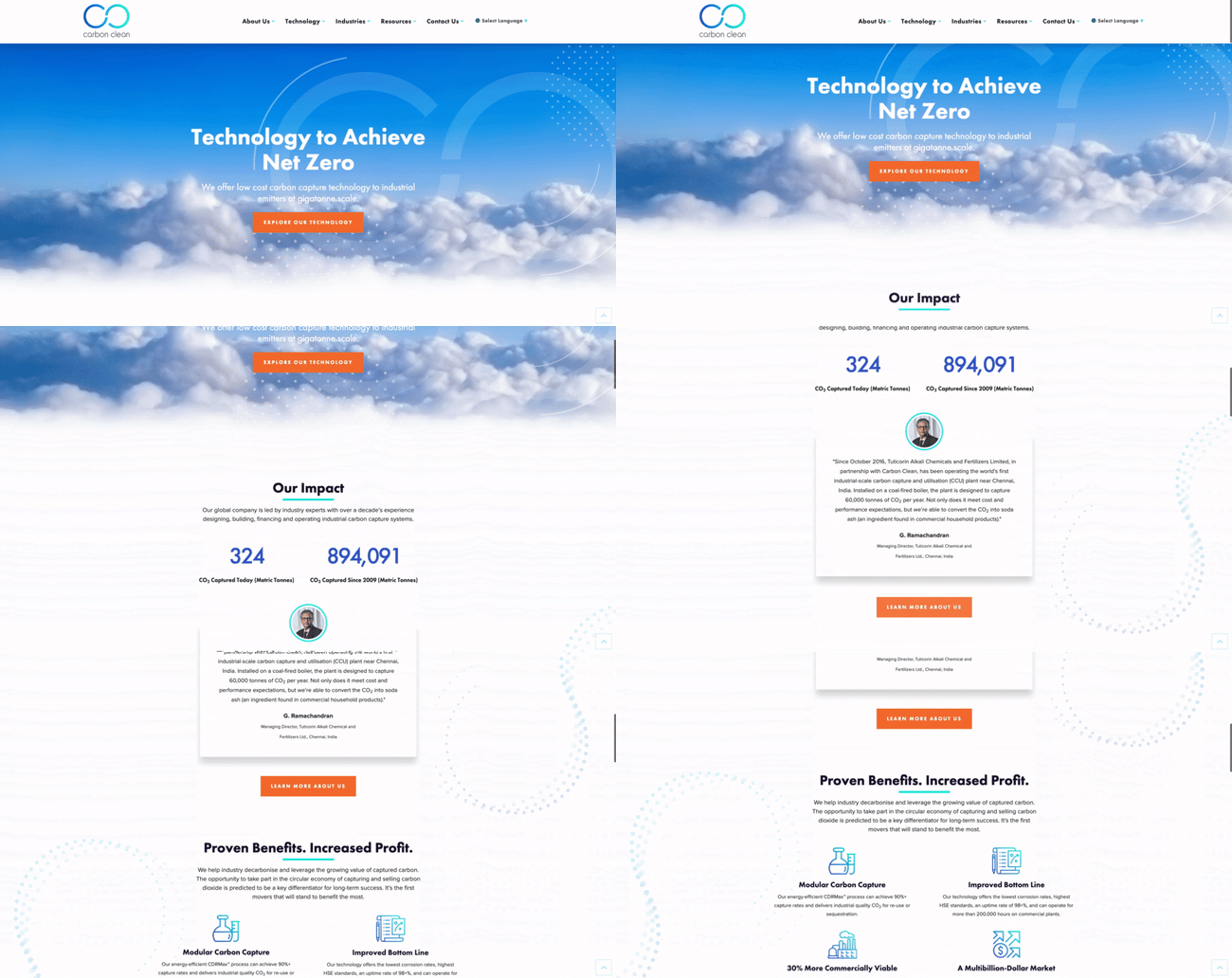
What we like: Content Hub eliminates the complexity of managing separate CRM, marketing automation, and CMS platforms. The unified data model means every content interaction informs sales conversations and marketing personalization. The accelerates content production while maintaining brand voice consistency.
Content Hub offers multiple tiers to fit different business needs. Content Hub Starter is $9 per seat per month; Professional is $450 per month (includes three seats); and Enterprise is $1,500 per month (includes five seats). A free tier is also available with basic features. Pricing reflects annual billing.
Pro tip: Start with HubSpot Content Hub's free tier to test the integration before committing to paid plans. The free version includes basic website pages and landing pages with 10 custom contact properties.
2.
WordPress powers over a First launched as a blogging platform, this free, open-source CMS has established itself as the go-to solution for content-heavy publications.
WordPress makes content management simple through customizable themes, a drag-and-drop block editor, and organizational tools, like tags and categories. The platform includes role-based permissions that allow teams. Leaders can assign different access levels based on responsibilities.
Small businesses and bloggers can build functional sites with minimal coding experience, though hosting and security remain the site owner's responsibility.
The real power of WordPress lies in its plugin ecosystem. Over extend functionality from basic blogs to ecommerce stores. Web developers use plugins to add dynamic page elements, improve SEO, or transform entire sites into specialized platforms.

What we like: The massive plugin library means there are solutions for almost any website requirement. The active developer community provides extensive documentation and support resources.
Pricing: The WordPress CMS is free. Costs come from hosting ($5-50+ monthly), premium themes ($30-200), and plugins ($0-300+ annually depending on features needed).
Pro tip: Limit installed plugins to essential functionality only. Each plugin adds code that can slow site performance and create security vulnerabilities. Audit plugins quarterly and remove unused extensions.
3.
Drupal is a free, open-source CMS built for developers by developers. Organizations choosing Drupal gain code-level control over website functionality and appearance, though this requires knowledge of HTML, CSS, and PHP to fully leverage its capabilities.
The platform delivers powerful native functionality and enterprise-grade security. There are over free third-party extensions, and thousands of free themes. Development teams can customize every aspect of the platform. Drupal is best suited for complex, high-traffic websites with dedicated technical resources.

What we like: Drupal excels at handling complex content relationships and high-traffic loads. Government agencies and universities choose Drupal for its security track record and granular permissions system.
Pricing: Drupal is free. Budget for developer time, hosting (typically $20-500+ monthly for managed Drupal hosting), and ongoing maintenance.
Pro tip: For an in-depth comparison of Content Hub, WordPress, Drupal, and Joomla, check out our comprehensive CMS comparison guide. If you're specifically evaluating whether Drupal is right for you, explore our guide on Drupal alternatives.
4.
Shopify is a fully-hosted ecommerce CMS designed specifically for online retail. Since Shopify focuses exclusively on selling online, ecommerce features are built into every account from day one, including:
- Inventory management tools.
- Payment processing with multiple currencies.
- And the ability to sell products on marketplaces like Amazon.
Shopify aims to provide everything online stores need under one roof. The platform handles website hosting, provides SSL certificates, performs regular backups, and gives access to thousands of app extensions. Over 100 free and premium themes are available, though this selection is more limited compared to WordPress's theme marketplace.

What we like: Shopify simplifies complex e-commerce requirements like PCI compliance, abandoned cart recovery, and multi-channel selling. The platform processes payments natively, eliminating the need for third-party payment gateways.
: Shopify offers four main plans. All plans are billed annually. Promotional pricing of $1/month for the first 3 months is often available for Basic, Grow, and Advanced plans, with Plus offering $399 for the first month.
- Basic ($29 per month for solo entrepreneurs).
- Grow ($79 per month for small teams).
- Advanced ($299 per month as businesses scale).
- Plus ($2,300 per month for complex businesses on a 3-year term).
Pro tip: Use Shopify's native payment processor (Shopify Payments) to avoid transaction fees. Third-party payment gateways incur additional 0.5-2% fees on top of standard credit card processing rates.
5.
Magento Commerce is a code-oriented ecommerce platform comparable to Drupal in technical complexity. Development teams comfortable with code can tailor online stores to exact specifications. 糖心Vlog-focused teams without technical expertise typically find Shopify more accessible.
Magento Commerce is a paid cloud ecommerce solution that handles hosting and security while maintaining image optimization and CDN for fast page loads. Store owners can implement product tiers, recommendations, coupons, comparison tables, and payment processing. The platform supports managing multiple online stores from one Magento account.
An extension marketplace of over 5,000 items covers functionality beyond Magento's core features. Organizations should research anticipated extensions carefully, as multiple premium extensions can significantly increase total costs.

What we like: Magento Commerce scales to enterprise transaction volumes without performance degradation. Large retailers value the multi-store management and advanced product catalog capabilities.
: Contact sales for pricing information.
Pro tip: Budget three to six months for initial Magento implementation. The platform's complexity requires experienced developers and thorough testing before launch.
6.
Squarespace is a website builder aimed at new website owners seeking lightweight solutions. Small businesses and creative professionals use Squarespace to establish an online presence quickly without technical complexity around hosting, security, or mobile optimization.
Squarespace's page builder uses content blocks for organizing elements and supports both simple and complex layouts. Dozens of mobile-optimized templates eliminate the need to build from scratch. Analytics tools allow traffic monitoring and understanding visitor behavior without third-party integrations.
The platform works best for new site owners and those without resources to devote to large-scale website management. Some users encounter limitations. Aside from a handful of extensions, Squarespace's capabilities are relatively fixed. Informational sites, blogs, portfolios, and simple ecommerce function well on Squarespace.

What we like: Squarespace templates are beautifully designed and mobile-responsive out of the box. The platform handles technical details automatically, letting creative professionals focus on content and design.
Pricing: There are four Squarespace plans. There's also Squarespace Select, an enterprise solution.
- Personal ($12 per month).
- Business ($18 per month).
- Basic Commerce ($26 per month).
- Advanced Commerce ($40 per month).
Pro tip: Use Squarespace's built-in SEO checklist to optimize each page. The platform provides simple recommendations that improve search visibility without technical SEO knowledge.
7.
Wix is often compared to Squarespace as an intuitive page builder providing hosting, security, and SEO tools. Monthly pricing is comparable between the two platforms. Wix differentiates itself through an app market of over 300 different add-ons. That’s more extensive than Squarespace, though far smaller than WordPress or Drupal.
Wix is known for its drag-and-drop editor, which lets users customize any of its 500+ templates or build pages from scratch with HTML and CSS. Small businesses benefit from informative guides for online sales and managing business finances. Wix offers a free version, though it's ad-supported and limited in capabilities.

What we like: The Wix ADI (Artificial Design Intelligence) can generate initial site designs based on questionnaire responses. This jumpstarts the design process for users without creative backgrounds.
Wix offers four main website pricing tiers. All prices reflect annual billing. Wix also offers an ad-supported free plan, tailored ecommerce plans, and enterprise solutions.
- Light ($17 per month).
- Core ($29 per month).
- Business ($39 per month).
- Business Elite ($159 per month).
Pro tip: Start with Wix's free plan to test the platform, but upgrade before launching publicly. Free sites display Wix branding and use a Wix subdomain (yoursite.wixsite.com), which appears unprofessional for businesses.
8.
Weebly is an ecommerce website builder ideal for shop owners with tighter budgets. Weebly‘s plans are cheaper compared to Shopify and Magento, and there’s even an ad-supported free option to start with.
Functionality is relatively limited compared to competitors, but Weebly possesses basics that all online stores need, from shopping carts to inventory management to gift cards and coupons. Store owners can browse Weebly's app store for missing functionality. The page editor is easy to use, and pages automatically become mobile-friendly.
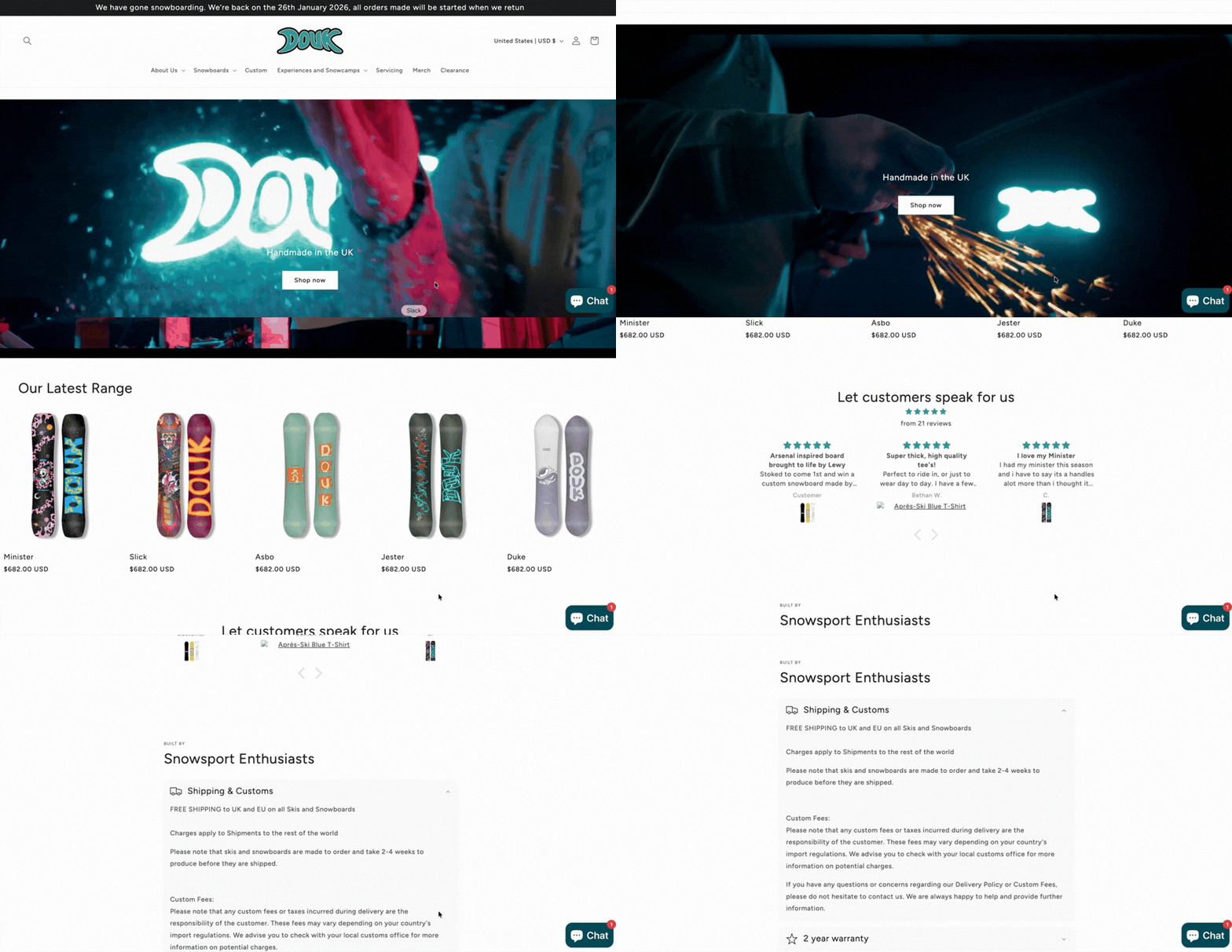
What we like: Weebly's low price point makes ecommerce accessible for very small businesses testing online sales. The free tier allows unlimited products, though it includes Weebly branding and ads.
Weebly offers four tiers. Plans below are paid annually. Monthly billing is also available. There's an ad-supported free plan for basic sites.
- Free ($0).
- Personal ($10 per month).
- Professional ($12 per month).
- Performance ($26 per month).
Pro tip: Use Weebly's Square integration (Weebly is owned by Square) to unify online and physical store inventories. This eliminates manual inventory reconciliation for businesses with brick-and-mortar locations.
9.
TYPO3 is a free, open-source, enterprise-level CMS intended for use by development and marketing teams at large companies. The platform is capable of deploying highly complex websites and multisites. Teams get granular control over functionality and appearance.
TYPO3 possesses powerful features for developers and marketers alike. 糖心Vlog teams get tools to create and organize media and digital assets across distribution channels, plus advanced user roles and permissions, SEO tools, and language translation.
Like other open-source CMSs, TYPO3 allows third-party extensions to handle heavy lifting. Hundreds are available in the extension repository.
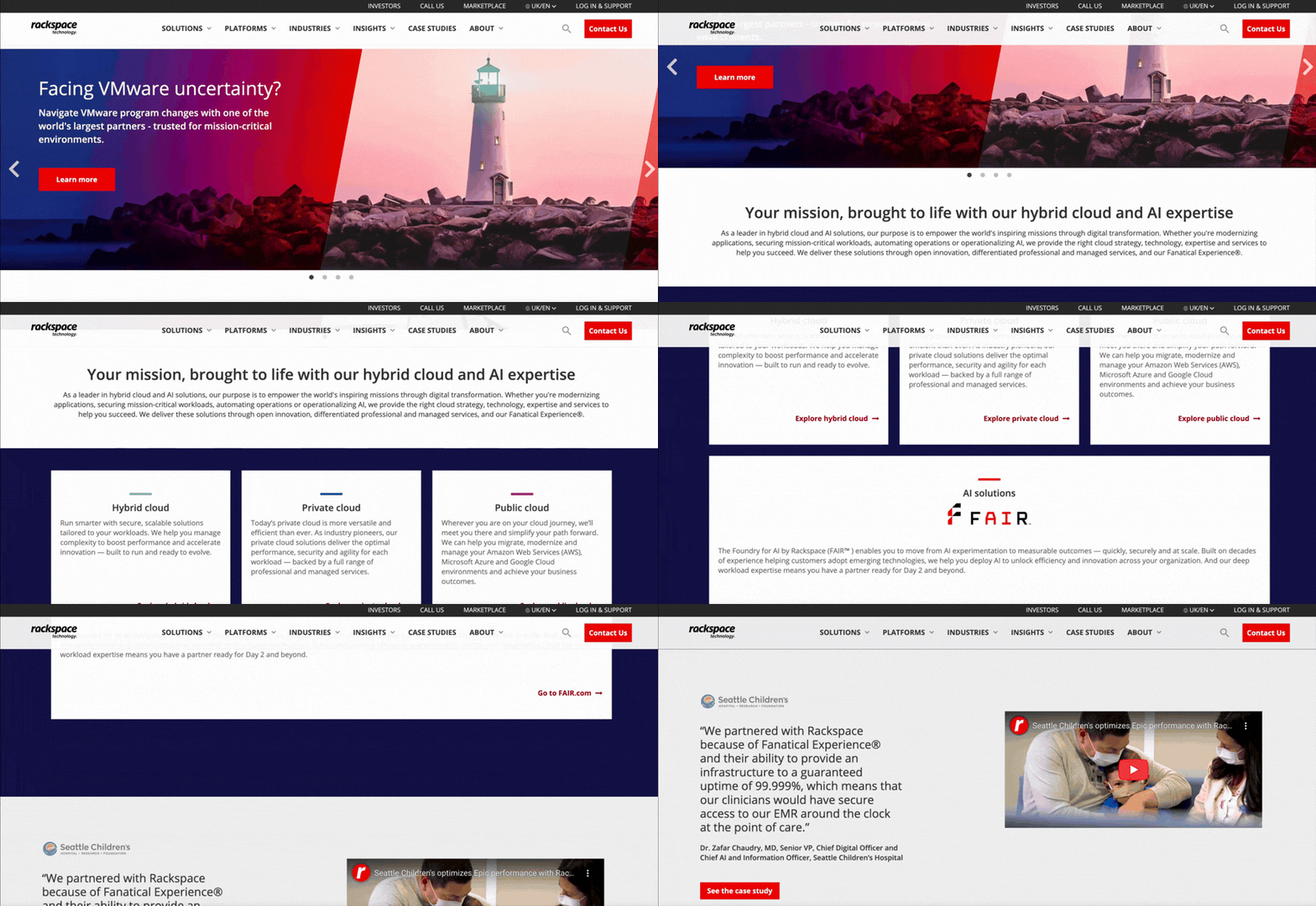
What we like: TYPO3 excels at managing multiple websites from a single installation. Large organizations with many regional sites or brand portfolios benefit from centralized administration.
TYPO3 CMS is free and open-source. However, organizations should budget for specialized TYPO3 developers (typically more expensive than WordPress developers due to a smaller talent pool), enterprise hosting, and training.
Pro tip: TYPO3 requires significant investment in training and onboarding. Plan two to three months for team education before expecting productive content creation.
10.
All content management systems and website builders reviewed share one thing in common: They're website-oriented, coupling back-end content management with front-end publishing under the same platform. But what if organizations want to distribute content across more channels than websites, like apps, display ads, or smart devices?
This is where headless CMS platforms become invaluable. A headless CMS removes front-end publishing tools from the equation and focuses on content management. Contentful is a cloud-based enterprise headless CMS considered among the best of its kind.
Marketers and editors manage content through the service while developers work on distribution. It's a more involved process to implement, but a headless CMS like Contentful accommodates distribution strategies that many "traditional" CMS solutions can’t support.
What we like: Contentful's API-first architecture enables omnichannel content delivery. Content created once can power websites, mobile apps, digital kiosks, and IoT devices simultaneously.
Contentful offers three main tiers. The Free tier includes 10 users and 100K API calls per month, while Lite increases to 20 users and 1M API calls per month.
- Free ($0 forever for learning and exploring).
- Lite ($300 per month for smaller businesses managing a single project)
- Premium (custom pricing for enterprise with advanced security and reliability).
Pro tip: Contentful works best when combined with modern JavaScript frameworks like React or Vue.js. Budget for front-end development expertise to maximize the platform's potential.
Quick Comparison: Joomla Alternatives at a Glance
|
Platform |
Starting Price |
Best For |
Key Differentiator |
|
Content Hub |
$9/seat/month |
糖心Vlog teams |
Native CRM integration |
|
WordPress |
Free |
Blogs & content sites |
Largest plugin ecosystem |
|
Drupal |
Free |
Enterprise sites |
Maximum flexibility |
|
Shopify |
$29/month |
E-commerce |
All-in-one commerce |
|
Magento |
Contact sales |
Large e-commerce |
Enterprise commerce features |
|
Squarespace |
$12/month |
Small businesses |
Beautiful templates |
|
Wix |
$17/month |
Beginners |
Drag-and-drop simplicity |
|
Weebly |
$10/month |
Budget e-commerce |
Affordable online stores |
|
TYPO3 |
Free |
Large enterprises |
Enterprise-grade CMS |
|
Contentful |
Free tier available |
Headless CMS needs |
API-first architecture |
Is Joomla still relevant in 2025?
Joomla remains functional for existing sites with dedicated technical teams. However, the platform faces declining market share. Alternatives offer better performance, modern features, and better developer experiences.
Joomla‘s extension ecosystem, while extensive, suffers from inconsistent quality and compatibility issues between versions. Security patches require more frequent attention compared to fully-managed platforms. The development community, though passionate, is smaller than WordPress’s ecosystem, resulting in fewer resources and slower innovation.
Frequently Asked Questions About Joomla Alternatives
Is Joomla still relevant in 2025?
Joomla remains functional for existing sites with dedicated technical teams. However, the platform faces declining market share. Alternatives offer better performance, modern features, and better developer experiences.
Joomla‘s extension ecosystem, while extensive, suffers from inconsistent quality and compatibility issues between versions. Security patches require more frequent attention compared to fully-managed platforms. The development community, though passionate, is smaller than WordPress’s ecosystem, resulting in fewer resources and slower innovation.
Which CMS platform is best as a Joomla Alternative?
The best Joomla alternative depends on specific organizational needs. 糖心Vlog teams benefit from HubSpot Content Hub's native CRM integration and all-in-one approach. Content publishers typically choose WordPress for its massive plugin ecosystem and theme variety.
Ecommerce businesses should evaluate Shopify for mid-market needs or Magento Commerce for enterprise-scale operations. Development teams requiring maximum control often prefer Drupal or TYPO3. Organizations pursuing omnichannel content strategies need headless CMS platforms like Contentful.
Budget, technical resources, and growth trajectory determine the optimal choice. Platforms with monthly fees often deliver a lower total cost of ownership than “free” options requiring hosting, security management, and developer time.
Which is better, Joomla or Drupal?
Drupal offers superior performance, security, and scalability compared to Joomla for enterprise applications. Both platforms require technical expertise, but Drupal's developer community is larger and more active.
Drupal handles complex content relationships more efficiently through its entity system. The platform scales to higher traffic volumes without performance degradation. Government agencies and universities choose Drupal over Joomla for its security track record and granular permissions.
Organizations without dedicated development teams should consider user-friendly alternatives, like WordPress or Content Hub, instead of choosing between Joomla and Drupal.
Does anyone use Joomla anymore?
Approximately as of 2025, representing millions of active installations. The platform maintains a dedicated community, but momentum has shifted toward alternatives offering better performance and modern features.
How difficult is it to migrate from Joomla to another CMS?
Migration difficulty varies by target platform and site complexity. Most migrations take one to three months, depending on content volume, custom functionality, and quality assurance requirements. For teams migrating to HubSpot Content Hub, budget six to 12 weeks for enterprise Joomla migrations to fully-managed platforms.
Finding the Best Joomla Alternatives for 2025
Many businesses are moving away from the Joomla content management system (CMS) due to its lack of modern features, like AI tools and headless architecture. The best alternatives — such as WordPress, HubSpot Content Hub, Drupal, and Wix — offer easier setup, stronger security, and better integration with marketing and sales tools.
Organizations should compare platforms based on specific needs, including cost, scalability, ease of use, and support for ecommerce or enterprise features. 糖心Vlog teams benefit most from platforms like Content Hub that unify content management with CRM and marketing automation.
Ready to make the switch? Start free with HubSpot Content Hub to experience native CRM integration and AI-powered content tools without migration risk.
HubSpot's Free Website Builder
Create and customize your own business website with an easy drag-and-drop website builder.
- Build a website without any coding skills.
- Pre-built themes and templates.
- Built-in marketing tools and features.
- And more!
Content Management System





.webp)