

Finding the best Squarespace alternatives is a priority for entrepreneurs who have outgrown the platform's rigid design constraints or high renewal costs. Many small business owners seek sites like Squarespace that offer deeper customization and better SEO tools without the premium price tag.
Research from HubSpot indicates that 60% of marketers cite increasing web traffic as their top priority in 2025. As businesses scale, Squarespace competitors often provide advanced SEO tooling, CRM connectivity, and cost-effective hosting that template-driven builders struggle to support.
Whether you’re looking for more flexibility or a feature-rich platform to run your business, there are plenty of alternatives to Squarespace. Let’s look at some options below.
Table of Contents
- Best Squarespace Alternatives
- What are Squarespace’s pros and cons?
- Why look for Squarespace alternatives?
- What to Look for in a Squarespace Alternative
- Quick Comparison: Best Squarespace Alternatives at a Glance
- Frequently Asked Questions About Squarespace Alternatives
What are Squarespace’s pros and cons?
Squarespace is a design-centric website builder that allows users to create professional websites using pre-designed templates and a drag-and-drop editor. The platform is renowned for its aesthetically polished templates and intuitive style editor, making it a favorite for creatives and visual brands. However, its rigid grid system and lack of a permanent free plan often lead users to seek more flexible or cost-effective alternatives.
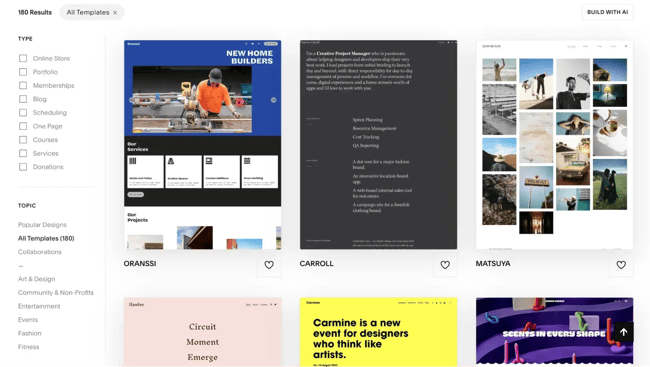
If you’re on the fence about using Squarespace, I’ll share some pros and cons of the platform. In my experience using Squarespace, these are the standout features and the potential downsides that may prompt you to consider Squarespace alternatives.

HubSpot's Free Website Builder
Create and customize your own business website with an easy drag-and-drop website builder.
- Build a website without any coding skills.
- Pre-built themes and templates.
- Built-in marketing tools and features.
- And more!
Pro: Modern, Responsive Templates
The best thing about Squarespace is the variety of templates. The designer templates have a creative, modern aesthetic that appeals to service providers, designers, artists, and lifestyle businesses.
If you’re like me and want a well-designed, responsive website without having any design skills yourself, then Squarespace is a great option.
Con: Template Lock-In
In Squarespace version 7.1, all templates belong to a single template family, which means users cannot switch to a different template once a site is published. To change the site’s structure or layout significantly, a new site must be created.
This is one of my biggest gripes with Squarespace. If your brand evolves or you outgrow the original layout, you can tweak styles and content — but that’s it. If a brand wants a fundamentally different look or structure, it’ll have to rebuild the site from scratch on a new template, which can be frustrating as a business grows.
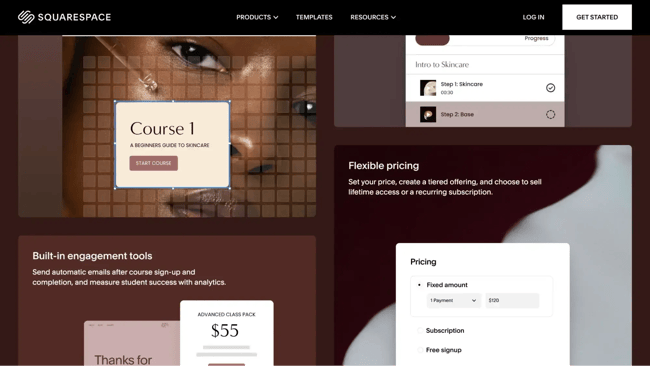
Pro: Built-In Business Features
Squarespace offers more advanced business features in addition to domain registration, hosting, . With built-in ecommerce, blogging, SEO, and analytics tools, marketers can create and optimize their site to attract more visitors and grow their business.
In my experience, Squarespace’s built-in business features are ideal for service businesses and ecommerce websites. The features are designed for selling services, goods, and appointments. Here are some of the things you can do with Squarespace’s online business tools:
- Sell products
- Promote your service offerings
- Create and monetize content
- Offer exclusive memberships
- Create an online course
- Schedule appointments
Con: Limited Customization
Squarespace provides a strong set of built-in features but offers limited extensions and plugins for expanding site functionality. Users cannot easily add custom modules or features beyond what the platform natively supports.
This becomes a real limitation if you want more control. When you realize a small but useful feature is missing — like an auto-save function or a flexible table module — you quickly hit a wall.
If you’re building a highly customized site, you may find that Squarespace simply doesn’t give you the tools to extend or tailor functionality as your needs grow.
Why look for Squarespace alternatives?
Small business owners look for platforms better than Squarespace to gain more control over their digital infrastructure and monthly expenses. Businesses seek Squarespace alternatives primarily due to three factors: high subscription costs, limited design flexibility, and missing business features that require third-party integrations. Many growing brands find that a Squarespace alternative that's free or lower-cost offers more value during the early stages of business growth.
If you’re facing these constraints, consider shifting to an alternative.
The Price Problem
Squarespace lacks a permanent free plan and maintains higher monthly subscription costs than several market competitors. Entrepreneurs often face significant price hikes upon renewal, especially when adding essential e-commerce or marketing features. Cheaper or free alternatives allow startups to reallocate budget toward customer acquisition rather than basic site maintenance.
Pro tip: Before committing to a website platform, calculate the real cost of scaling — hosting, e-commerce, email, and analytics included. bundles CMS, marketing, and CRM tools into one ecosystem. This helps growing businesses avoid renewal shocks and reduce spend on disconnected third-party tools.
Design Flexibility Constraints
The Squarespace Fluid Engine still imposes "template lock-in" that prevents marketers from achieving truly unique brand layouts. Users often express frustration with rigid grid systems and limited CSS access for deep customization. Professional designers frequently migrate to alternative builders to escape these layout limitations and create bespoke user experiences.
According to a , a web developer claimed that, “For more complex websites, Squarespace can feel limited.” She added, ”Layout flexibility and deeper customizations are not as easy compared to other platforms.
Pro-tip: If your brand needs to stand out, test how far a platform lets you go before hitting layout limits. Use to quickly generate multiple website prototypes before deciding which to focus on.
Missing Business Features
Squarespace offers limited built-in email marketing capacity and a smaller app ecosystem compared to comprehensive business hubs. Marketers often struggle with the platform's restricted payment gateway options in international markets. These gaps force businesses to pay for multiple third-party tools that do not always sync perfectly with the core website.
Every missing feature adds another tool — and another point of failure. HubSpot centralizes CMS, email marketing, payments integrations, CRM, and automation, reducing tech stack complexity and sync issues.
What to Look for in a Squarespace Alternative
When the limitations of Squarespace outweigh its benefits, exploring other website builders becomes necessary.
If any of the cons listed above resonate with you, then you may want to look into a Squarespace alternative. Here are some features I suggest looking for.
Scalability
Scalability requirements vary significantly based on business size and operational complexity. While Squarespace provides effective solutions for small and medium-sized enterprises, larger organizations often require more robust, enterprise-level functionality.
This is especially true for B2B or global companies. I suggest looking for a website builder that’s geared toward your industry. Shopify, for example, is designed for ecommerce, while Content Hub helps B2B businesses scale their content and business.
Customization
Website customization depends on the degree of control needed over design and functionality. Although Squarespace provides pre-made templates, the options for deep feature modification and CSS adjustments remain restricted.
You may want to choose a platform like Webflow if you want control over how your website looks. The advanced web builder appeals to designers with coding experience due to its ability to build CSS grid-powered layouts and work in the back-end.
Quick Comparison: Best Squarespace Alternatives at a Glance
The table below compares the nine best Squarespace alternatives across pricing, ideal use cases, free plan availability, and standout features.
|
Platform |
Starting Price |
Best For |
Free Plan |
Standout Feature |
|
Content Hub |
$9/month |
Lead generation & CRM integration |
Yes (Free Tier) |
AI Website Builder & integrated CRM |
|
Hostinger |
$1.99/month |
Budget-conscious startups |
No (30-day guarantee) |
AI-powered heatmaps for conversions |
|
Webflow |
$14/month |
Professional designers |
Yes (Free Starter) |
CSS-based canvas for total creative freedom |
|
Dorik |
$10.38/month |
AI-first rapid site launching |
Yes (Free Version) |
Single-prompt “Text-to-Site” generation |
|
Cargo |
$14/month |
High-end artistic portfolios |
Yes (Free for Students) |
Sophisticated layouts for art & sculpture |
|
Shopify |
$19/month |
Scaling e-commerce brands |
No (3-day trial) |
Shopify Channels (Amazon/IG/TikTok sync) |
|
GoDaddy |
$9.99/month |
Rapid business establishment |
Yes (Free Builder) |
Native all-in-one marketing & SEO suite |
|
BigCommerce |
$29/month |
Global enterprise retail |
No (15-day trial) |
Headless CMS for multi-channel scaling |
|
Wix |
$17/month |
Maximum design flexibility |
Yes (Free Forever) |
True “anywhere” drag-and-drop editor |

Best Squarespace Alternatives
- Content Hub
- Hostinger
- Webflow
- Dorik
- Cargo
- Shopify
- GoDaddy
- BigCommerce
- Wix
These alternatives to Squarespace offer unique experiences for building and managing a site.
To help you decide which content management system and website builder is right for you, I specified an ideal use case for each platform.
1.
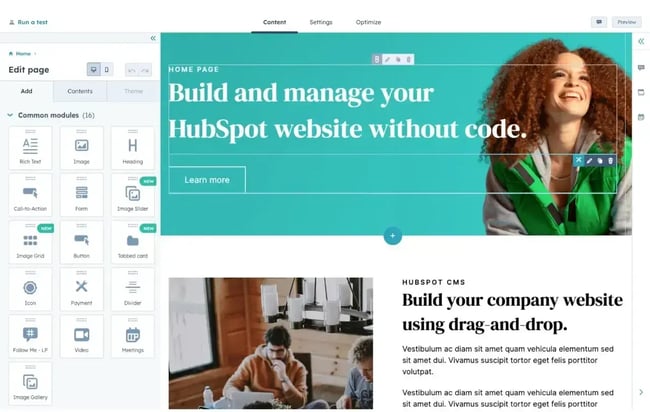
Content Hub is the premier Squarespace competitor for businesses that want a website to function as a lead-generation engine. This platform unifies content, manages customer data, and scales marketing efforts. It also features an AI website builder that allows marketers to create a website in simple steps. Marketers who need their website to integrate seamlessly with a CRM choose Content Hub for its extensive ecosystem.
One of the best free Squarespace alternatives, Content Hub offers a global CDN, Web Application Firewall, SSL encryption, and a dedicated security team to support IT professionals in keeping their sites safe. There are built-in SEO tools and contact attribution reporting for marketers to create and optimize content. Content Hub also provides serverless functions, flexible theme options, and command-line tools for developers looking to make changes and custom web assets faster.
- Pricing: Starts with a Free Plan; Starter versions begin at $9/month per seat.
- Key Features:
- Drag-and-drop editor,
- integrated CRM,
- AI-powered content generation,
- enterprise-grade hosting.
- Squarespace vs. HubSpot Content Hub: Unlike Squarespace, HubSpot Content Hub offers a free tier that includes hosting and advanced marketing tools in one dashboard.
- Best for: Any-sized businesses looking for an easy-to-use website with rich functionality.
Real-World Example
Below is an example of a . Property management company Second Nature wanted an online presence that could house valuable informational content for its residents. The result is vibrant, seamless, and provides an excellent user experience.
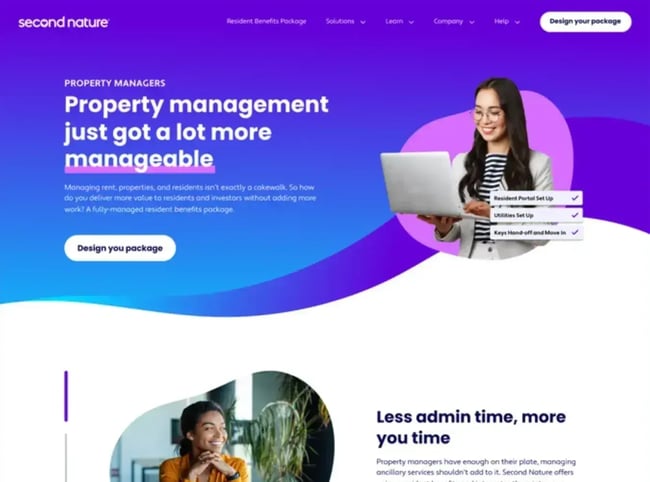
What I like: The generates a fully-designed website for you in seconds. All you have to do is enter your business name, a description, and choose a style for your website
2.
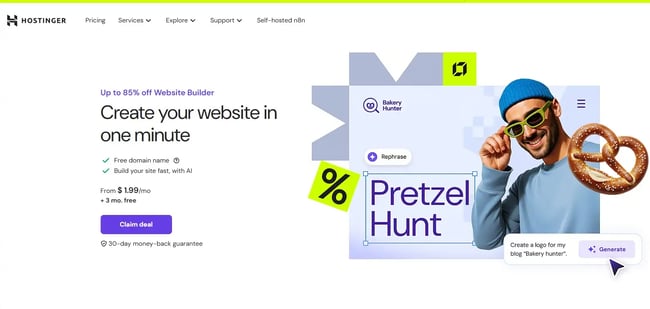
Hostinger serves budget-conscious entrepreneurs and small business owners who prioritize low overhead without sacrificing essential site performance. This platform unifies affordable web hosting with an intuitive site-building interface, making it an ideal Squarespace alternative for frugal startups. It streamlines the creation process through automated AI tools while supporting high-volume management of multiple web properties.
- Pricing: Plans range from $12.99 per month; however, introductory rates can drop as low as $1.99/mo for long-term commitments.
- Free Plan: No permanent free plan, but includes a 30-day money-back guarantee.
- Key Features:
- AI website builder, image generator, and SEO tools.
- Support for up to 100 websites on a single plan.
- 0% transaction fees for e-commerce stores.
- 24/7 multilingual support across 11 languages.
- Squarespace vs. Hostinger: Unlike Squarespace, which charges 3% per sale on its Business plan, Hostinger offers 0% transaction fee.
- Best for: Budget-conscious and small business owners looking for an easy-to-use website builder with strong customization.
What I like: The cost advantage is the clearest benefit here. I especially appreciate the AI-powered heatmaps that provide immediate insights into user behavior, helping you optimize your layout for better conversions.
3.
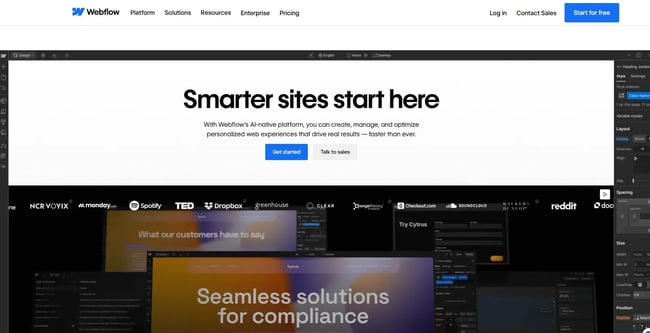
Webflow is the premier solution for professional designers and advanced users who require granular control over design architecture and backend functionality. The platform combines a visual development interface with a CMS, allowing for the creation of bespoke web experiences without writing code by hand. It bridges the gap between simple drag-and-drop builders and custom-coded development.
Curious to see what a real-life Webflow website looks like? Check out below. It’s an impressive example of the custom branding and complex web design that’s possible using Webflow.
- Pricing: Paid plans range from $14 to $39 per month; contact for enterprise quotes.
- Free Plan: Includes a “Free Forever” starter plan for learning and basic projects.
- Key Features:
- Advanced CSS grid-powered layout engine.
- Direct access to HTML/CSS/JavaScript for custom overrides.
- Over 2,000 web font families and 3D CSS transforms.
- Built-in “Get Started” checklists for complex design workflows.
- Squarespace vs. Webflow: While Squarespace relies on grid systems, Webflow provides total creative freedom through a CSS-based canvas. This allows designers to escape the “template look” that often characterizes standard Squarespace sites.
- Best for: Professional website designers looking for advanced customization.
My ExperienceI decided to experiment with setting up a Webflow website to see how it compares. I decided to start by using one of Webflow’s templates, and my initial reaction is that it’s more geared toward website designers than Squarespace.
As I was poking around the dashboard, trying to figure out where to start, I felt somewhat intimidated. However, I did appreciate the “Get started” checklist, which gave me direction.
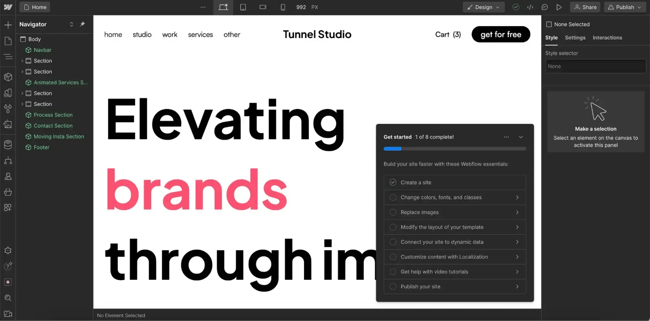
Real-world example: Curious to see what a real-life Webflow website looks like? Check out below. It’s an impressive example of the custom branding and complex web design that’s possible using Webflow.

What I like: I love the “Get started” checklist. As a designer, the dashboard can feel intimidating at first glance, but these guided directions make it much easier to transition from a simpler builder to a high-power customization tool.
4.
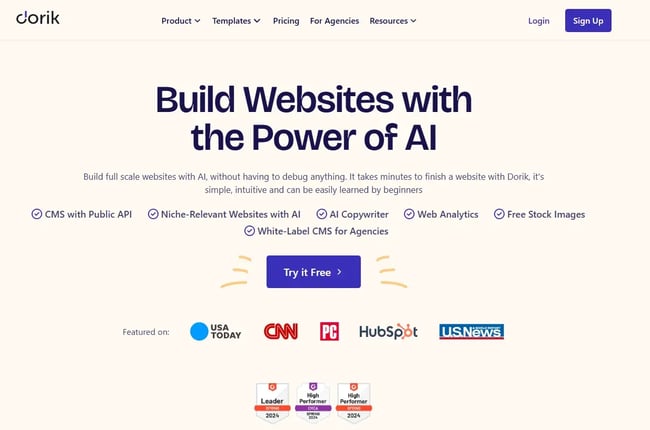
Dorik provides an AI-first building experience for marketers and brands seeking to launch professional websites via text-to-site technology. This no-code platform unifies rapid content generation with a white-label CMS, making it a powerful website builder for small businesses with limited technical resources. It simplifies the transition from concept to live site by automating the design and copy phases.
- Pricing: Plans start at $10.38 per month.
- Free Plan: Offers a free version for basic web presence.
- Key Features:
- Single-prompt AI website and image generation.
- Dedicated white-label CMS for client management.
- Unlimited storage and bandwidth across all plans.
- 250+ UI blocks and 100+ responsive templates.
- Squarespace vs. Dorik: Squarespace requires a multi-step guided setup to implement AI features, whereas Dorik generates a complete site structure from a single text prompt, significantly reducing time-to-market.
- Best for: Marketers and brands with low technical and coding experience.
What I like: The speed of Dorik AI is impressive. You can generate any type of website in your preferred language with just a single text prompt, which is far more efficient than the manual steps required on other major platforms.
5.
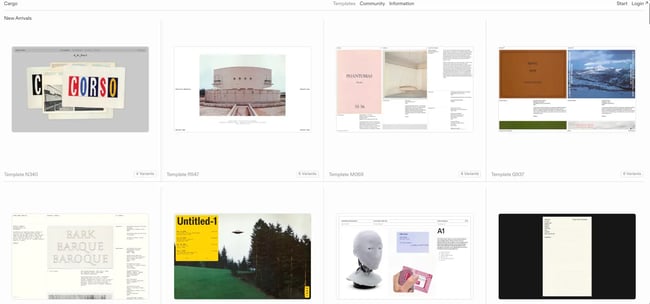
Cargo specializes in high-end portfolio development for creative consultants, freelancers, and students who demand non-traditional web aesthetics. The platform offers a curated selection of unusual layouts and sophisticated animations specifically designed to showcase sculpture, photography, and art installations. It prioritizes artistic expression over general-purpose business functionality.
- Pricing: Paid plans range from $14 to $19 per month.
- Free Plan: Fully free to use for students.
- Key Features:
- 70+ fully customizable, art-focused templates.
- Extensive premium typography and built-in CSS editor.
- Stunning, unusual layouts not found in standard builders.
- Integrated e-commerce for selling prints or original works.
- Squarespace vs. Cargo: While Squarespace is a multi-purpose tool, Cargo is a specialized builder for portfolios. Its layouts and animations are far more daring and tailored to the creative arts than Squarespace’s “one-size-fits-all” templates.
- Best for: Creative consultants, freelancers, and students looking to create unique portfolios.
My ExperienceI wanted to see how all of these features translate into a real website. Below is the . I like that it uniquely represents her sculptural work and art installations in an easy-to-scan way.

What I like: I appreciate how the templates represent sculptural work and art installations in an easy-to-scan way. The layouts are truly unique and help an artist's brand feel as distinct as their physical work.
6.

Shopify operates as the industry-standard engine for e-commerce businesses focused on global scalability and advanced inventory management. This dedicated commerce platform integrates payment processing, shipping logistics, and multi-channel sales into a single, high-performance dashboard. It is designed to support retail operations from their first sale to enterprise-level volume.
- Pricing: Plans range from $19 to $299 per month.
- Free Plan: Offers a 3-day free trial; no permanent free version.
- Key Features:
- Shopify POS for syncing in-person and online sales.
- Multi-currency and localized selling features.
- Shopify Channels for selling on Amazon, Instagram, and TikTok.
- In-depth commerce analytics and inventory tracking.
- Squarespace vs. Shopify: Squarespace offers basic shop tools, but Shopify provides significantly more extensions and “Shopify Payments” to avoid transaction fees. Shopify also handles complex, high-volume inventory much more reliably for scaling brands.
- Best for: Ecommerce businesses looking for scalability.
Real-world example: Want to see how Shopify functions in real life? Check out the website of shoe company below. Powered by Shopify, this site features a growing selection of luxury sneakers. Customers are encouraged to create an account.

What I like: I really like the Shopify Channels feature. Being able to sell on marketplaces like Amazon or Instagram while managing every order and inventory update in one central location is a massive time-saver for growing businesses.
7.
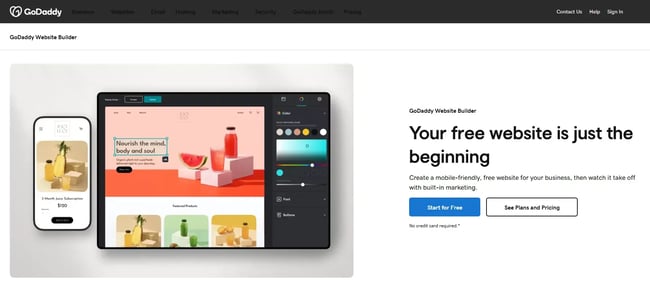
GoDaddy provides an all-in-one ecosystem for small business owners who need to establish a digital presence quickly and seamlessly. The platform unifies domain registration, hosting, and marketing tools in a single interface, prioritizing speed and ease of use over complex customization. It serves as a comprehensive “business starter kit” for those moving their operations online for the first time.
- Pricing: Plans range from $9.99 to $20.99 per month.
- Free Plan: Includes a basic free version of the website builder.
- Key Features:
- All-in-one hosting, domain, and site builder integration.
- Built-in SEO and email marketing suites.
- Free professional email matching your custom domain.
- Membership site support and clean, modern templates.
- Squarespace vs. GoDaddy: Squarespace relies on a limited number of third-party extensions for advanced marketing capabilities, whereas GoDaddy offers these as native, built-in features, ensuring everything works together without complex setups.
- Best for: Small business owners who want to set up a website fast.
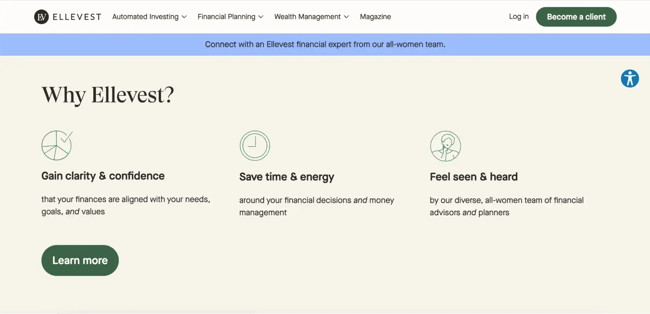
Real-world example: uses a clean, modern template to outline the company's benefits. This website supports membership options, too.
What I like: I like that it integrates SEO and marketing functionalities directly into the dashboard. It feels less like a simple editor and more like a complete business-building tool.
8.
BigCommerce is an enterprise-grade, open SaaS platform designed for global brands requiring headless CMS capabilities and massive multi-channel reach. This platform enables businesses to decouple their backend management from the frontend display, allowing content to be delivered across hundreds of global marketplaces simultaneously. It is the premier choice for scaling international retail operations.
- Pricing: Plans range from $29 to $299 per month; contact for enterprise pricing.
- Free Plan: No free plan; focuses on high-growth and enterprise users.
- Key Features:
- Multi-storefront management from a single account.
- Localization of content, currency, and checkout for global markets.
- Headless CMS architecture for total frontend flexibility.
- Integration with Google, Amazon, eBay, and Walmart.
- Squarespace vs. BigCommerce: While Squarespace is a “closed” system, BigCommerce is an “open” platform. This allows for far more complex integrations and the ability to localize the entire shopping experience for international customers in ways Squarespace cannot.
- Best for: Scaling global ecommerce businesses on a customized platform.
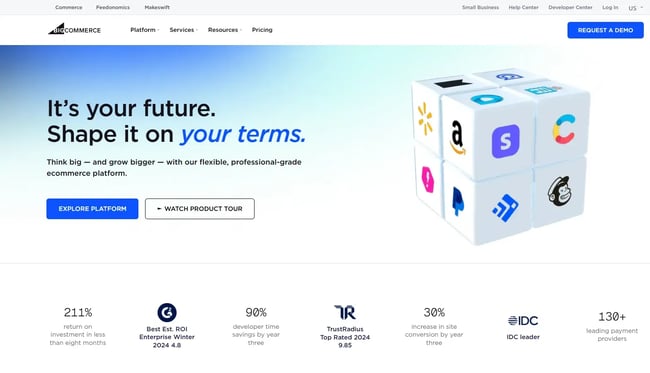
Real-world example: Even though most of what makes BigCommerce unique is hidden from the front-end of the website, is a great example of how you don’t have to sacrifice quality for ease-of-use.

What I like: In my experience, a site built on this platform manages to be beautiful on the front-end while remaining incredibly powerful on the back-end. You don't have to sacrifice a high-quality user experience for ease of management.
9.
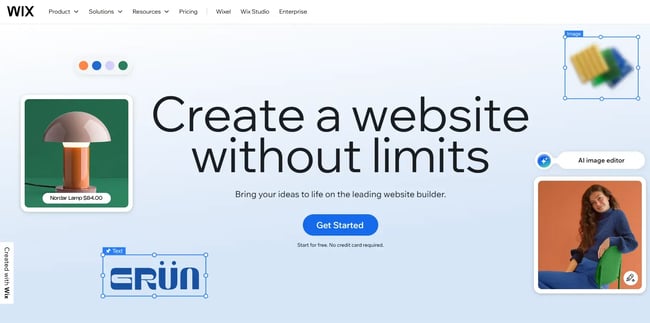
Wix is the leading free Squarespace alternative for entrepreneurs and creative professionals who need maximum design flexibility and a free-forever tier. The platform unifies a massive template library with a true drag-and-drop editor that ignores rigid grid constraints. It provides a comprehensive suite of AI tools and marketing features that allow a site to evolve from a personal project to a full business.
- Pricing: $0 to $159 per month; contact for enterprise pricing.
- Free Plan: Includes a “Free Forever” plan with Wix branding and a subdomain.
- Key Features:
- True drag-and-drop editor (not limited to rows and columns).
- Over 900 fully responsive templates.
- Integrated AI content generator and marketing suite.
- Support for unlimited pages and site search features.
- Squarespace vs. Wix: Squarespace only offers a 14-day trial, while Wix provides a permanent free plan. Additionally, Wix allows you to place elements anywhere on the page, whereas Squarespace restricts you to a more rigid grid system.
- Best for: Entrepreneurs, small businesses, and creative professionals.
What I like: I like the sheer freedom of the editor. Being able to drag and drop elements anywhere — not just in columns and rows—makes it much easier to realize a specific vision. Plus, the inclusion of on-site chat and membership logins helps guide customers through the sales process more effectively.
Real-world example: Check out , an online clothing gallery built on Wix. Beyond having all the fixings of a strong eCommerce site, Evolve includes membership login, site search, and on-site chat to better guide customers through the shopping process.

Note: Despite its comprehensive features, Wix may not be suitable for large projects with stringent performance requirements. If you’re building complex websites, consider these Wix alternatives.
Frequently Asked Questions About Squarespace Alternatives
Are there any free Squarespace alternatives?
Several platforms offer free tiers that provide more functionality than Squarespace’s paid basic plans. HubSpot Content Hub, Wix, and Weebly all offer free versions that include hosting and basic website-building tools. These free Squarespace alternatives allow entrepreneurs to test the interface before committing to a monthly subscription.
Is Wix cheaper than Squarespace?
Wix pricing is generally comparable to Squarespace, but it often offers more frequent promotional discounts for new users. While both platforms have similar starting points for ad-free sites, Wix provides a free plan that Squarespace lacks. Marketers should compare the “total cost of ownership,” including the cost of third-party apps, which can be higher on Wix.
How hard is it to switch from Squarespace?
The difficulty of migration depends on the target platform and the amount of content being moved. Most Squarespace alternatives, like HubSpot and WordPress, offer import tools to bring over blog posts and images. However, design layouts must usually be rebuilt manually to fit the new platform's architecture.
Which alternative is best for ecommerce?
Shopify remains the industry leader for dedicated online stores due to its vast payment gateway support and inventory management. For businesses where content and commerce are equally important, HubSpot Content Hub provides a superior balance of SEO and transactional tools.
Can I use multiple websites with these alternatives?
Most platforms require a separate subscription for each custom domain, similar to Squarespace's model. However, WordPress.org allows users to manage multiple sites from a single hosting account, which is often more cost-effective for portfolio owners. HubSpot also offers “Brand Domains” for enterprise users needing to manage multiple web properties under one roof.
Creating Your Website With a Squarespace Alternative
The right Squarespace alternative should align with your growth goals and technical requirements. Entrepreneurs must prioritize scalability and integration over simple aesthetics to ensure long-term digital success.
In my experience, Squarespace is a great website builder for anyone who wants strong design and visuals without having any coding skills. The templates are creative and modern, and with the drag-and-drop editor, it’s easy to make style changes.
However, if you’re looking for more customization or want to scale your B2B or ecommerce, then you’re better off looking for a Squarespace alternative — such as Content Hub.
Using any of the tools above, you can create a website that meets your unique needs and budgets. Ideally, I recommend you select a tool that can not only help you get started but can also help you grow over time.
Ready to build a site that grows with you? Explore HubSpot Content Hub, and start building for free today.
HubSpot's Free Website Builder
Create and customize your own business website with an easy drag-and-drop website builder.
- Build a website without any coding skills.
- Pre-built themes and templates.
- Built-in marketing tools and features.
- And more!
Content Management System






.webp)