

Of businesses, already use video as a marketing tool, and among those that don’t, 67% say they plan to start using video this year. As video becomes central to how companies market, sell, train, and communicate, video content management has to be a part of team’s content management systems.
This post breaks down what a video CMS is, when it’s needed, and how to choose the right one for every organization. Looking to get started? HubSpot Content Hub allow teams to add video to their sites.
Table of Contents
- What is a video content management system?
- Why use a video CMS?
- How to Choose a Video CMS
- Enterprise Video Content Management Requirements
- What Are the Best Video Content Management Systems?
- Frequently Asked Questions
What is a video content management system?
A video content management system enables efficient storage, delivery, and governance of large video files across an organization. Unlike a traditional CMS, which treats video as just another media asset, a video CMS is designed to support video performance, security, and analytics at scale. HubSpot Content Hub offer that support editing, launching, and hosting video.
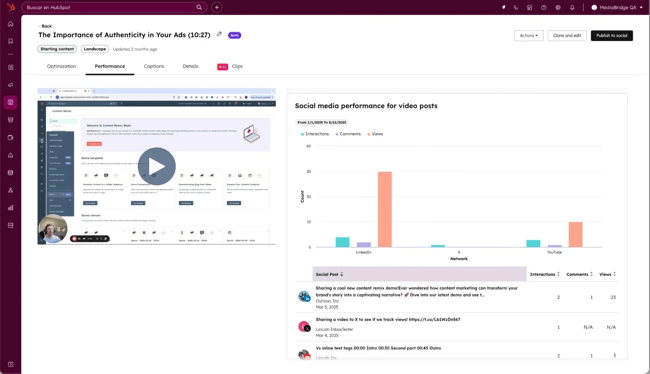
Video CMS platforms differ from regular digital content management systems by offering video-specific capabilities, such as adaptive streaming, granular access controls, and engagement tracking. These features allow businesses to manage high-volume video libraries without compromising playback quality, compliance, or visibility into how video content is used.
Key Features of Video Content Management Systems
Video content management software includes capabilities that standard CMS platforms are not built to support. These features become essential as video usage expands across marketing, sales, training, and internal communications. Common video CMS features include:
- Scalable video storage and delivery, optimized for large and high-resolution files.
- Adaptive streaming, which adjusts playback quality based on device and network conditions.
- Access controls and permissions, supporting secure internal and external video sharing.
- Search and organization, using metadata, tags, and video transcripts.
- Video analytics and engagement tracking, including views, watch time, and drop-off points.
- Integration with CRM and marketing automation tools, enabling attribution and follow-up based on video activity.
Together, these capabilities support common enterprise use cases, such as webinars, product demos, training libraries, and internal video communication. Teams using a video-friendly CMS eliminate need for disconnected tools.
Take it further: Video content management often connects to broader digital content operations. Check out 贬耻产厂辫辞迟’蝉 to explore how teams manage content across formats and channels at scale.

HubSpot's Free Website Builder
Create and customize your own business website with an easy drag-and-drop website builder.
- Build a website without any coding skills.
- Pre-built themes and templates.
- Built-in marketing tools and features.
- And more!
Why use a video CMS?
Businesses use video content management systems because video introduces operational, security, and performance demands that traditional CMS platforms are not designed to handle. As video usage expands across marketing, sales, training, and internal communications, a video CMS becomes essential for managing scale, governance, and visibility.
1. Dedicated Storage for Large Files
Video files are significantly larger than other digital assets and can quickly exceed the limits of standard CMS platforms. A video CMS is built for reliable storage and delivery of large video files as libraries grow.
I can’t tell you how many times I’ve run into issues trying to upload a video file that was “too large.”
2. Disruption-Free Streaming
Video CMS platforms support adaptive streaming, which optimizes playback quality based on device type and network conditions. This enables consistent playback across devices and regions, even under varying network conditions.
3. Enhanced Search
Video CMS platforms improve discoverability through metadata, tagging, transcripts, and search functionality. This makes it easier to locate and reuse video content across large libraries.
As a marketer myself, being able to actually search for and find what I’m looking for within video content is a huge time saver.
4. Video-Specific Analytics
Video CMS tools provide insight into how viewers interact with video content, including views, watch time, and drop-off points. These metrics provide visibility into video engagement and performance.
I think this is probably my favorite part, being able to have that kind of data readily available at the video-specific level is key for optimizing and future content creation. It tells me exactly what’s working (and more importantly, what isn’t), so I can tweak it as I go.
5. Integrations
A video CMS integrates with CRM and marketing automation tools to connect video engagement data with contacts, campaigns, and follow-up workflows. These integrations allow video engagement data to inform attribution, reporting, and follow-up workflows.
Pro tip: HubSpot Content Hub offers thousands of integrations for teams, including .
How to Choose a Video CMS
Choosing the right video content management system requires evaluating both technical requirements and business goals. For organizations managing video at scale, the decision should prioritize performance, security, integrations, and long-term scalability over standalone features.
The following framework can help teams evaluate video CMS software more systematically.
1. Define how video is used across the business.
Start by identifying where and how video is used today. Teams using video for marketing or sales training may have different needs that products that require streaming capabilities. A video CMS should support current use cases, while accommodating future growth in volume, audiences, and formats.
2. Assess scale and performance requirements.
Evaluate the size of the video library and audience reach. Key considerations include support for large file sizes, adaptive streaming, global delivery, and reliable playback across devices and regions. If the team’s video strategy is expected to grow, teams should look for video CMS platforms that scale with them.
3. Evaluate security, access controls, and compliance needs.
Enterprises should assess how video access is managed and audited. Look for granular permissions, authentication options, and encryption. Beyond that, teams need support for internal, external, and restricted video sharing.
4. Review analytics and reporting capabilities.
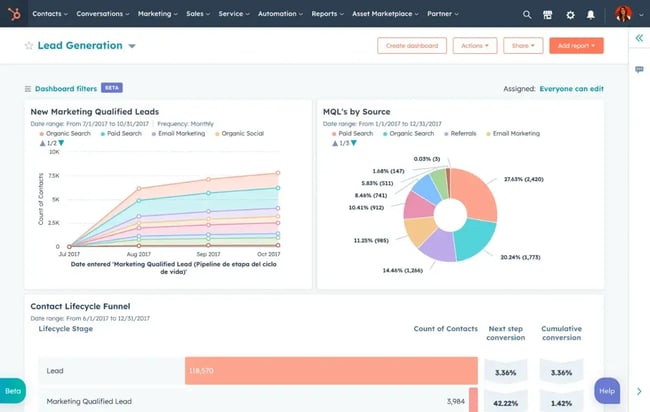
Video CMS platforms vary widely in how they measure engagement. Teams should confirm which metrics are available, how data is collected, and whether video analytics can be tied to campaigns, contacts, or accounts.
贬耻产厂辫辞迟’蝉 in Content Hub allows teams to track omnichannel engagement. That means marketers and digital teams can see how video influence metrics, like conversions and revenue.
5. Confirm integration with existing systems.
A video CMS should integrate with core systems — such as CRM, marketing automation, CMS, and analytics platforms. These integrations reduce manual work and allow video engagement data to inform attribution, reporting, and follow-up workflows.
6. Consider usability and operational ownership.
Determine who will manage the video CMS day to day and how complex the workflows are. Usability, role-based access, and administrative controls all affect adoption and long-term efficiency.
7. Evaluate cost, scalability, and long-term fit.
Pricing models can vary based on storage, bandwidth, users, or feature tiers. Teams should assess the total cost of ownership and ensure the platform can scale without requiring frequent migrations or tooling changes.
Pro tip: See what video capabilities your CSM or marketing tool kit already offer. Platforms like HubSpot Content Hub have built in that are already a part of the CMS. If video offerings match use cases, teams may be able to save.
Technical Requirements Checklist
Use this checklist to compare video CMS platforms during evaluation:
- Support for large video file uploads and storage
- Adaptive streaming across devices and network conditions
- Granular access controls and role-based permissions
- Secure video delivery, including encryption and authentication
- Metadata, tagging, and transcript-based search
- Video analytics, such as views, watch time, and drop-off points
- CRM and marketing automation integrations
- CMS and website embedding support
- Scalability for growing libraries and audiences
Common Pitfalls to Avoid
- Selecting a video CMS based solely on storage or price
- Overlooking security and compliance requirements
- Treating video analytics as optional
- Choosing a platform that does not integrate with CRM or marketing systems
- Underestimating future video volume and usage growth
Enterprise Video Content Management Requirements
Enterprise video content management requires scalability, system integrations, and compliance controls to support video at scale. As video becomes embedded in marketing operations, sales workflows, training programs, and internal communications, organizations need systems that can scale securely, integrate cleanly, and meet governance standards across teams and regions.
The following requirements are especially important for enterprise environments.
Security and Compliance
Enterprise video content management systems must support strong security controls and compliance requirements. This includes managing who can access video content, how it is shared, and how usage is monitored across internal and external audiences.
Common enterprise security and compliance requirements include:
- Role-based access controls and permissions.
- Authentication and authorization for internal and external users.
- Encrypted video delivery and secure hosting environments.
- Auditability for access and content usage.
- Support for internal policies and industry-specific compliance standards.
For organizations handling sensitive training materials, customer content, or internal communications, security and governance are foundational requirements, not optional features.
Scalability and Performance
Enterprise video CMS platforms must perform reliably as video libraries, audiences, and use cases expand. This includes handling large volumes of high-resolution video without degrading playback quality or user experience.
Key scalability considerations include:
- Support for large and growing video libraries.
- Adaptive streaming for consistent playback across devices and networks.
- Global content delivery to support distributed teams and audiences.
- Performance reliability during high-traffic events such as webinars or company-wide broadcasts.
Scalability ensures video remains a dependable channel as usage grows, rather than becoming a bottleneck for marketing or internal operations.
CRM and 糖心Vlog Automation Integrations
For enterprise teams, video content management doesn’t operate in isolation. Video CMS platforms must integrate with CRM, marketing automation, and content systems to connect video engagement with broader customer and revenue workflows. Content Hub is a CMS with video hosting built natively to integrate with .
Integration capabilities often include:
- Syncing video engagement data with CRM records.
- Supporting attribution, reporting, and lifecycle tracking.
- Enabling follow-up actions based on video views or interactions.
- Embedding video across websites, landing pages, and campaigns.
These integrations allow teams to treat video as a measurable, actionable part of their go-to-market strategy rather than a standalone content asset.
What Are the Best Video Content Management Systems?
- Content Hub
- Panopto
- Microsoft Stream
- Brightcove
- VPlayed
- Kaltura
- IBM
- Zype
The best video content management systems balance reliable video delivery with enterprise-grade security, analytics, and integrations. While many platforms offer video hosting, fewer are designed to support large-scale video operations across marketing, sales, training, and internal communications.
The platforms below are commonly used by organizations managing video at scale. Each serves different priorities, from unified marketing platforms to education-first or broadcast-oriented systems.
1.
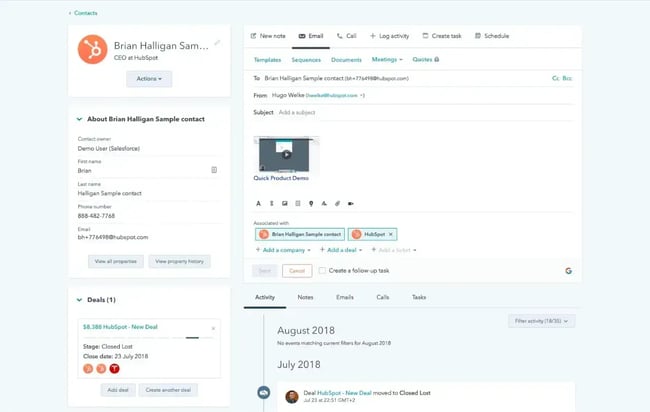
贬耻产厂辫辞迟’蝉 supports management as part of a broader content production and marketing platform. Teams can host and manage video files, organize video libraries, and embed videos across website pages, blog posts, and social media channels.
Content Hub includes AI-supported capabilities, such as brand voice tools, , and content remixing. The platform also supports video analytics and administration, along with integration for video messaging, hosting, and revenue-focused use cases.
Video can be used beyond marketing contexts as well. Content Hub supports sales and service workflows, including screen recordings for product walkthroughs and video tutorials for customer support content. In-video CTAs and forms allow teams to capture engagement and route viewers into lead-nurturing workflows.
Pros:
- All-in-one solution
- AI content generation and remixing
- Vidyard integration for actionable marketing
- User-friendly embedding
- Easy video integration
- Simple hosting
- In-video CTA and form capable
- Performance tracking
- Tools for targeted content
- Screen recording
Cons:
- Fewer pricing plans
- Limited features on the free plan
- Does not have streaming or live video capabilities
- More skills are needed for advanced customizations
Best For: Developers and marketers
Price: $15/month/seat (Starter)
Why it stands out: I think that Content Hub is great for teams that want to manage video alongside blogs, landing pages, campaigns, and lead nurturing, rather than operating video as a separate system with disconnected analytics and workflows.
2.
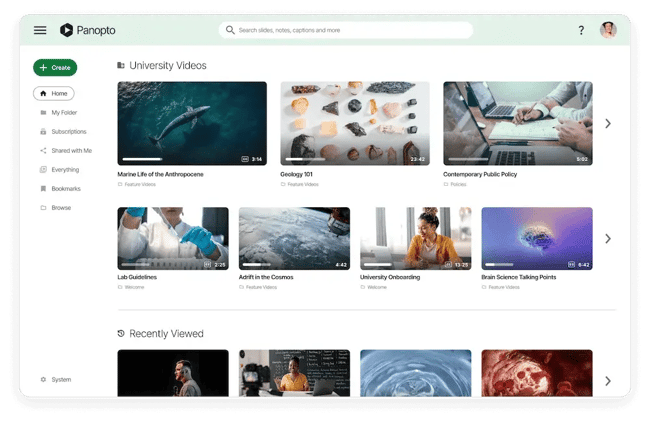
is a video content management platform designed for creating, managing, and distributing video across enterprise and education environments. Its video CMS is commonly used for internal training, lectures, and knowledge sharing, where structured organization and secure access are critical.
Panopto can operate as a standalone platform or integrate with existing learning management systems and CRM software. The platform automatically indexes spoken and on-screen text within videos, enabling transcript-based search. Panopto also supports automatic transcoding to optimize playback across devices and network conditions.
Security is a core focus for Panopto. The platform supports single sign-on integrations and granular access controls to manage permissions across users, groups, and content libraries.
Pros:
- Solid all-around product
- Integrable with multiple systems
- Ease of use
- Flexible distribution options
- Auto transcodes for optimization
- High security and access solutions
- Accommodates multiple camera angles
- Integration options, including PowerPoint
Cons:
- User interface complaints
- Limited export options
Best For: Enterprise businesses and academic institutions
Price: Custom pricing
Why it stands out: Panopto is particularly helpful for organizations that need searchable, secure video libraries for training, education, or internal communications, where discoverability and access control matter more than external marketing or monetization features.
3.
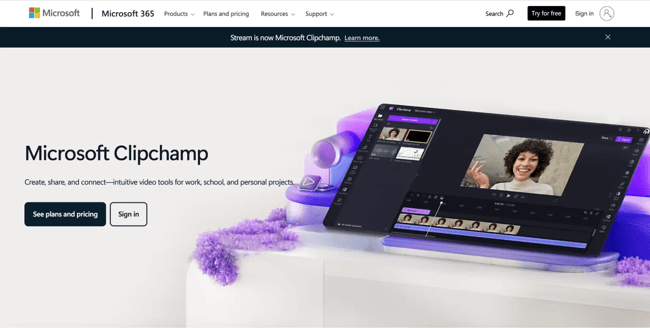
Microsoft’s approach to video content management has evolved significantly over time. What used to be Office 365 Video later became Microsoft Stream, and has since shifted again as Microsoft combined Stream with as part of a broader experience.
Today, Microsoft no longer offers a standalone video content management system. Instead, video in Microsoft 365 is handled through a distributed model. Clipchamp is used for video creation and editing, Stream provides the video playback experience, and SharePoint and OneDrive manage storage, permissions, and governance. Video can then be shared internally through tools like Teams and embedded across Microsoft 365 applications.
This model supports internal video use cases such as company updates, training recordings, and knowledge sharing. However, it does not provide centralized video content management features such as video-first analytics, external distribution controls, or lifecycle tracking typically found in dedicated video CMS platforms.
Pros:
- Available with Microsoft 365 plan
- Integrable with other MS applications
- Allows on-demand sharing and streaming
- Simultaneous delivery for up to 10,000 viewers
- Instant auto-transcription enabled
- Searchable by word and facial recognition
Cons:
- Expensive for smaller organizations
- User interface limitations
- Searching constraints
- Sharing restrictions
- Simplified analytics
Best For: Small to mid-sized organizations
Price: $8/month - $35/month
Why it stands out: In my opinion, Microsoft 365’s video approach works well for teams already deeply invested in the Microsoft ecosystem, since video creation, playback, storage, and sharing can all happen within the same set of tools rather than across separate platforms.
4.
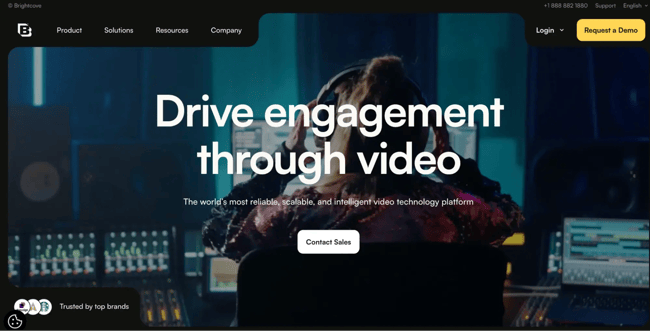
provides a video content management platform designed for digital enterprises that prioritize secure video delivery and structured content organization. The platform supports managing large video libraries through playlists, tags, and custom metadata, making it easier to group, label, and search for video content at scale.
Brightcove also offers a quick publish feature that allows teams to publish video clips to websites and other online channels using embed code. Its graphical user interface is designed to streamline publishing and content management workflows, though more advanced analytics for embedded video often require additional integrations.
Pros:
- High industry endorsement
- Prioritizes organization
- Quick publish feature
- Versatile playlist features
- Customizable tagging and indexing
- Flexible metadata options
- Intuitive graphical interface
Cons:
- In-depth analytics requires additional integration
- Navigation issues
- Some customization limits
Best For: Large enterprises concerned with video security
Price: Custom pricing
Why it stands out: Brightcove is a strong option for enterprises that need secure, well-organized video libraries and reliable distribution, especially when content structure and access control are higher priorities than deep, built-in analytics.
5.
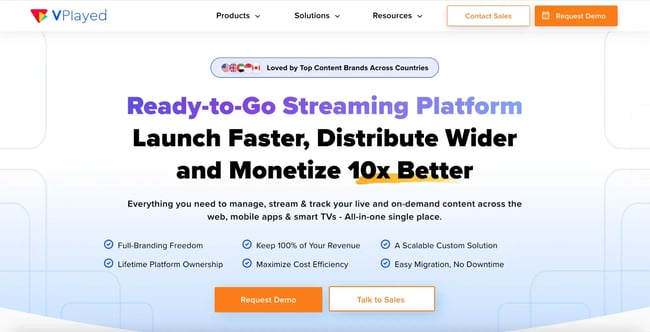
is a cloud-based video platform designed to support the creation, management, and streaming of video content across a wide range of internet-connected devices. The platform focuses on enabling media owners, broadcasters, and digital publishers to operate their own video CMS for distribution.
VPlayed supports centralized video libraries with bulk import and export, collaboration with content partners, and multi-language capabilities for personalized streaming experiences. The platform also offers white-labeling options, allowing organizations to rebrand the video CMS to match their own products or services.
For operational workflows, VPlayed includes drag-and-drop video scheduling and an HLS player optimized for streaming performance. These features support managing large volumes of video content while maintaining playback quality and monetization controls.
Pros:
- Customizable, buildable video CMS
- Allows white-labeling rebranding
- Content portal for partner collaboration
- Broad encoding and transcoding
- Centralized library with bulk import/export
- Drag-and-drop video workflow scheduling
- Streaming monetization feature
- 糖心Vlog and analytics empowered
Cons:
- No trial version is available for user assessment
- Lack of service pricing transparency
- Rare slowdowns and glitches have been reported
- More skill is required for advanced features
- Smaller industry presence and acceptance
Best For: Content aggregators and businesses
Price: Custom pricing at a one-time cost
Why it stands out: VPlayed is designed for organizations that want to build and monetize their own branded video platforms. I think that makes it a strong fit for media-centric business models rather than general marketing or internal video management.
6.
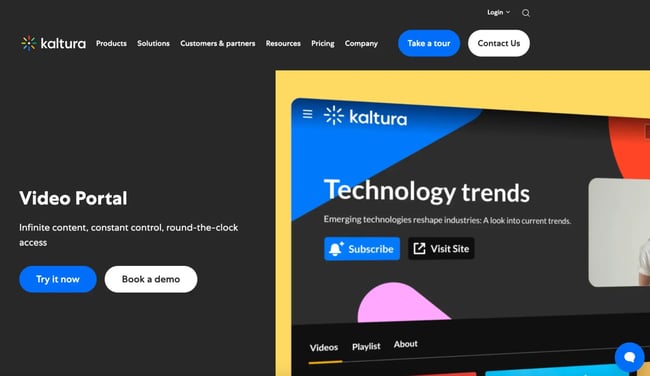
provides a cloud-based video content management platform designed to support a wide range of video use cases, with a strong focus on education and learning environments. The platform supports live and on-demand video across multiple devices and channels, making it suitable for remote teaching, training, and virtual collaboration.
Kaltura includes interactive video tools such as live meetings and virtual classrooms, which are commonly used for academic instruction and enterprise communication. The platform is also known for launching the first open-source video platform, enabling organizations to build custom video CMS applications tailored to specific requirements.
In addition, Kaltura offers AI-enhanced capabilities that support scalability and customization, allowing institutions and enterprises to adapt video workflows as usage grows.
Pros:
- Broad application use
- Live video interactives
- Cross-platform marketing capable
- Flexible virtual classroom feature
- First open-source video platform
- Customizable video application service
- Customer service improving
Cons:
- Some features reported glitchy
- Some features are not iOS-supported
- Fewer integration capabilities
- Older videos are subject to deletion
Best for: Educational institutions
Price: Custom pricing
Why it stands out: I feel that Kaltura would be particularly useful for educational and training-focused organizations that need flexible, customizable video environments, especially when virtual classrooms and live instructional experiences are a core requirement.
7.
Features
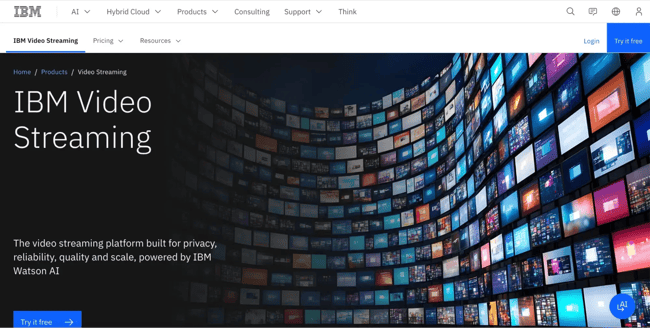
is designed for live and pre-recorded video. The platform is commonly used for large-scale webinars, virtual events, and broadcast-style video campaigns where reliability and secure delivery are critical.
The platform supports secure video streams and provides real-time analytics during live events, allowing teams to monitor viewer activity as events unfold. Its interface is designed to accommodate both novice and experienced administrators.
IBM Video Streaming also incorporates IBM’s Watson technology for auto-captioning on both live and on-demand video. These machine learning capabilities generate searchable transcripts that can be indexed, supporting accessibility and content discoverability.
Pros:
- Large-scale reliability
- Designed for streaming
- Best for large-scale events
- Includes storage
- Secure streams
- Analytics tracking in real-time
- Mostly user-friendly interface
- Instant captioning with machine learning
- Auto-indexing of transcripts
- Custom branding
Cons:
- Expensive
- Fewer integration features
- User count limits streaming
- Chat feature restricted
Best For: Large-scale video campaigns and events
Price: $99/month - $999/month and custom pricing depending on features and volume needs.
Why it stands out: IBM Video Streaming is built for high-visibility, large-scale events where live delivery, security, and real-time analytics matter more than deep content management or marketing automation integrations.
8.
Ideal For: Video-focused enterprises
Price: $500/month - $5000/month
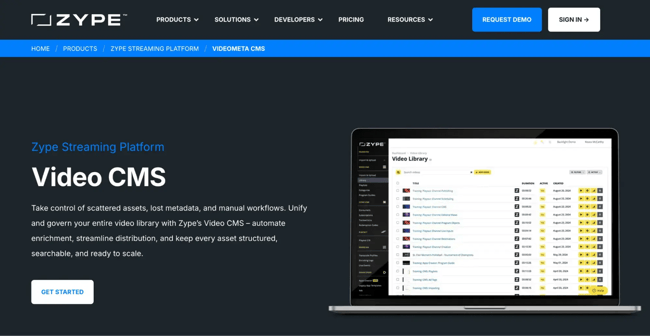
is designed to simplify the management and distribution of video content for organizations that treat video as a core business asset. The platform supports both internal and external video use cases, with an emphasis on operational efficiency and scalability.
Zype’s over-the-top (OTT) framework enables teams to manage and monetize video content across connected devices and channels. Unlimited cloud storage is included, allowing organizations to scale video libraries without managing storage constraints. Zype also provides APIs to integrate video workflows into broader systems and applications.
Pros:
- Unlimited cloud storage
- API SaaS app integration
- Simple tools for ease of use
- Transcoding capable
- Easily import media
- Customizable distribution rules
- Automation features
Cons:
- Expensive
- Limited analytics
Why it stands out: Zype is a great option for enterprises that prioritize large-scale video distribution and monetization and want a flexible, API-driven platform with minimal storage limitations.
Video Content Management System Comparison
|
Platform |
Best For |
Core Strengths |
Pricing Model |
CRM / 糖心Vlog Integrations |
|
HubSpot Content Hub |
糖心Vlog and revenue teams managing video across the funnel |
Unified video hosting, in-video CTAs and forms, analytics tied to contacts, and AI-supported content tools |
Subscription-based (Starter from $15/seat/month) |
Native integration with HubSpot CRM and marketing automation |
|
Panopto |
Enterprises and academic institutions |
Secure video management, auto-indexing, LMS integrations, and internal training libraries |
Custom pricing |
Integrates with LMS, SSO, and select enterprise systems |
|
Microsoft Stream |
Organizations invested in Microsoft 365 |
Internal video sharing, auto-transcription, deep Microsoft ecosystem integration |
Included with Microsoft 365 plans |
Integrates with Microsoft Teams, SharePoint, and Microsoft tools |
|
Brightcove |
Large enterprises prioritizing video security and organization |
Advanced content organization, playlists, secure publishing, enterprise-grade delivery |
Custom pricing |
Integrations available via add-ons and APIs |
|
VPlayed |
Media companies and content aggregators |
OTT delivery, monetization, white-labeling, customizable workflows |
One-time license with custom pricing |
API-based integrations |
|
Kaltura |
Educational institutions and training-heavy organizations |
Virtual classrooms, live and on-demand video, open-source customization |
Custom pricing |
Integrates with LMS and select enterprise platforms |
|
IBM Video Streaming |
Large-scale live events and external broadcasts |
Secure live streaming, real-time analytics, automated captions |
Tiered and custom pricing |
Limited integration options |
|
Zype |
Video-first enterprises focused on distribution and monetization |
Unlimited storage, OTT delivery, automation, API-driven workflows |
Subscription-based ($500–$5,000/month) |
API and SaaS integrations |
Frequently Asked Questions
How does a video content management system differ from a regular CMS?
A video content management system differs from a regular CMS by offering video-specific capabilities such as adaptive streaming, advanced security controls, and detailed engagement analytics. While a traditional CMS stores video as a static media file, a video CMS enables efficient storage and delivery of large video files while maintaining playback performance and governance at scale.
What’s the average cost of enterprise video content management?
Enterprise video content management costs vary widely based on storage, bandwidth, user access, and feature requirements. Pricing may range from monthly subscriptions to custom enterprise contracts, with costs increasing as organizations scale video libraries, audiences, and integrations.
Can a video CMS integrate with my existing marketing or CRM tools?
Teams can choose a video CMS that integrates with CRM systems and marketing automation tools. HubSpot Content Hub offers and integrates natively with 贬耻产厂辫辞迟’蝉 CRM.
What security features should I look for in a video CMS?
A video CMS should support role-based access controls, authentication, encrypted video delivery, and auditability. Enterprise video content management requires security and compliance capabilities that support both internal and external video sharing while meeting organizational governance standards.
How do I migrate my videos from YouTube to a private video CMS?
Migrating videos from YouTube to a private video CMS typically involves exporting original video files and uploading them to the new platform. Organizations must then recreate metadata, permissions, and embed locations. Many teams use migration as an opportunity to reorganize video libraries and integrate video analytics with CRM or marketing systems.
Choose Your Video CMS and Start Creating
Teams with a video strategy need a CMS that can support their operation. Content Hub works wel for teams looking to embed videos on their websites, while staying in synch with marketing tools or CRM capabilities. Other video CMS systems are designed for streaming or video event management. Consider the team’s needs before making a decision.
I’ve seen teams spend far too much time working around video limitations instead of focusing on the content itself. So yes, while moving to a video CMS can take some upfront effort, it often simplifies day-to-day workflows and makes video easier to scale across the organization. The only question is: are you ready to make the shift?
HubSpot's Free Website Builder
Create and customize your own business website with an easy drag-and-drop website builder.
- Build a website without any coding skills.
- Pre-built themes and templates.
- Built-in marketing tools and features.
- And more!
Content Management System






.webp)